1. Pengenalan
The Portronics Toad Ergo Vertical Wireless Ergonomic Mouse is designed to provide a comfortable and natural hand posture, reducing strain during extended use. Its vertical design promotes a handshake grip, which can alleviate pressure on the wrist and palm. This manual provides instructions for setting up, operating, and maintaining your new ergonomic mouse.

Image: The Portronics Toad Ergo mouse shown next to a laptop, highlighting its 2.4 GHz wireless connectivity.
2. Apa yang ada di dalam Kotak
- 1 x Portronics Toad Ergo Vertical Wireless Mouse
- 1 x 2.4 GHz USB Receiver (dongle)
Nota: Bateri AAA tidak disertakan dan mesti dibeli secara berasingan.
3. Panduan Persediaan
3.1. Memasang Bateri
- Cari petak bateri di bahagian bawah tetikus.
- Buka penutup petak bateri.
- Masukkan dua (2) bateri AAA, pastikan kekutuban (+/-) betul.
- Tutup penutup petak bateri dengan selamat.
3.2. Menyambungkan Penerima USB
- Remove the 2.4 GHz USB receiver from its storage slot on the underside of the mouse.
- Pasangkan penerima USB ke port USB yang tersedia pada komputer anda (PC atau Mac).
- Komputer anda harus secara automatik mengesan dan memasang pemacu yang diperlukan. Ini mungkin mengambil masa beberapa saat.
3.3. Menghidupkan Tetikus
Once the batteries are installed and the USB receiver is connected, the mouse is ready for use. There is no separate power switch; the mouse will activate upon movement and enter a power-saving hibernation mode when idle.
4. Arahan Operasi
4.1. Cengkaman Ergonomik
The vertical design of the Toad Ergo mouse encourages a natural handshake grip, aligning your wrist and forearm in a more neutral position. This design aims to reduce muscle strain and discomfort often associated with traditional horizontal mice.

Image: A hand demonstrating the comfortable, natural grip on the vertical ergonomic mouse.

Image: Visual representation of the mouse's 57-degree vertical angle, designed to support a natural hand posture.

Image: A comparison showing the ergonomic mouse promoting a neutral wrist position versus the twisted wrist position with a traditional mouse.
4.2. Fungsi Butang
The Portronics Toad Ergo mouse features 6 buttons for enhanced control:
- Butang Klik Kiri: Fungsi klik utama standard.
- Butang Klik Kanan: Fungsi klik sekunder standard.
- Roda Tatal: For vertical scrolling. Can also be pressed for middle-click functionality.
- Butang DPI: Adjusts cursor sensitivity (DPI).
- Butang ke hadapan: Navigasi ke hadapan web pelayar atau aplikasi.
- Butang ke belakang: Navigasi ke belakang web pelayar atau aplikasi.

Image: An illustration clearly marking the Left Button, Right Button, Scroll Wheel, DPI Button, Forward Button, and Backward Button on the mouse.

Imej: Terperinci views of the DPI button, scroll wheel, dedicated back and forward buttons, and the textured wrist support area.
4.3. Adjusting DPI (Cursor Speed)
The mouse features adjustable DPI settings, allowing you to customize cursor sensitivity for different tasks. Press the Butang DPI (located near the scroll wheel) to cycle through the available DPI settings: 1200, 1600, 2400, and 3200 DPI. A higher DPI setting results in faster cursor movement across the screen with less physical mouse movement.
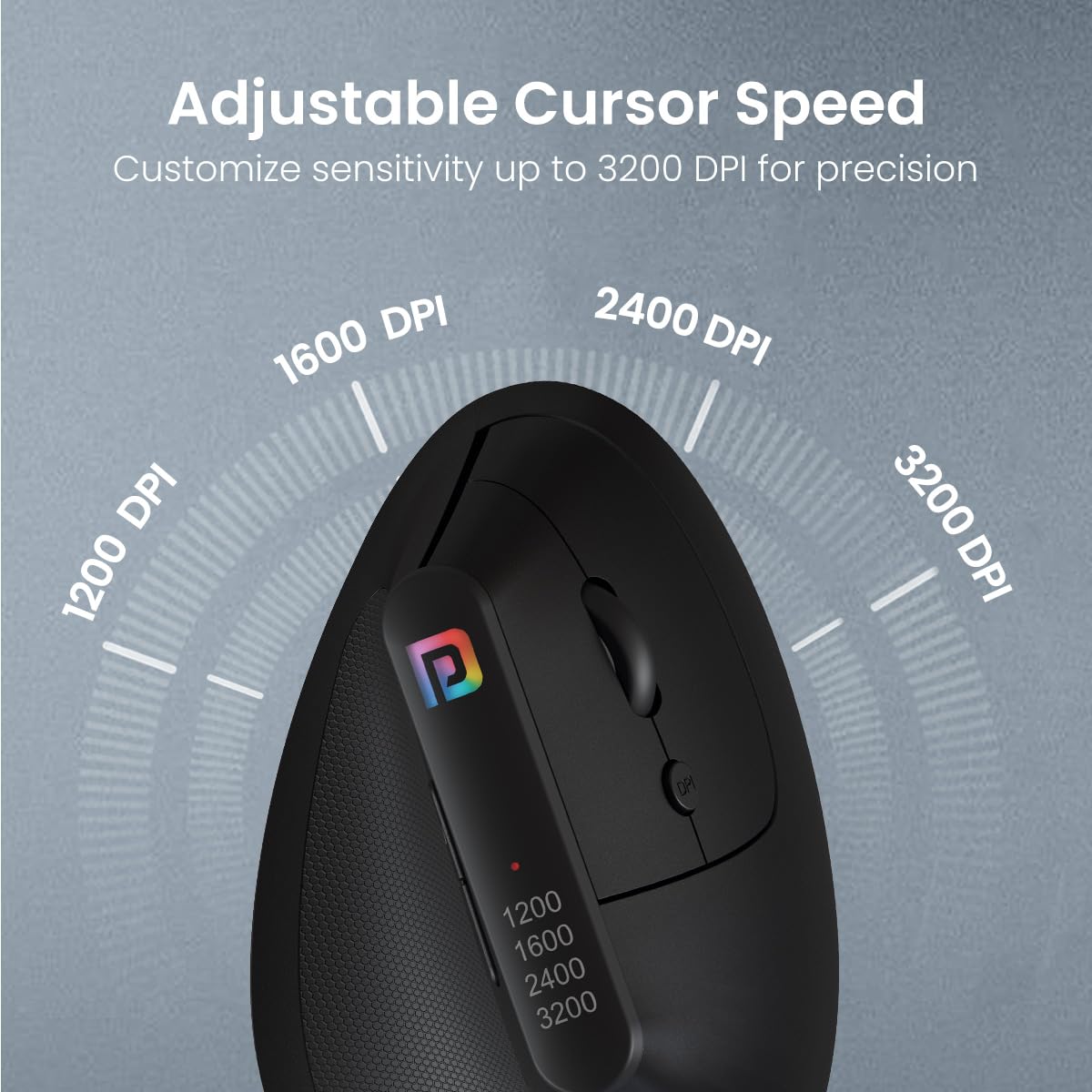
Image: Visual representation of the adjustable DPI levels (1200, 1600, 2400, 3200) and their effect on cursor speed.
5. Penyelenggaraan
5.1. Pembersihan
Untuk mengekalkan prestasi dan kebersihan yang optimum, bersihkan tetikus anda dengan kerap:
- Gunakan kain lembut dan tidak berbulu sedikit dampdisapu dengan air atau larutan pembersih lembut.
- Elakkan menggunakan bahan kimia yang keras, pembersih yang melelas, atau pelarut.
- Jangan biarkan cecair memasuki bahagian dalam tetikus.
- Clean the optical sensor on the underside of the mouse with a dry cotton swab if cursor tracking becomes erratic.
5.2. Penggantian Bateri
When the mouse's performance degrades or it becomes unresponsive, it is likely time to replace the AAA batteries. Follow the instructions in Section 3.1 to replace the batteries.
5.3. Penyimpanan
When not in use for extended periods, store the mouse in a cool, dry place. You may remove the batteries to prevent potential leakage, especially if storing for several months.
6. Penyelesaian masalah
| Masalah | Kemungkinan Punca | Penyelesaian |
|---|---|---|
| Mouse is unresponsive or not moving. | Low or dead batteries. USB receiver not connected. Mouse not powered on. | Replace batteries. Ensure USB receiver is firmly plugged into a working USB port. |
| Erratic cursor movement. | Dirty optical sensor. Uneven or reflective surface. Interference. | Clean the optical sensor. Use a mouse pad or non-reflective surface. Move mouse closer to receiver or away from other wireless devices. |
| Butang tidak berfungsi dengan betul. | Software issue. Physical damage. | Restart your computer. Ensure drivers are updated. If problem persists, contact support. |
| Wireless connection issues. | Distance from receiver. Interference. | Reduce distance between mouse and receiver. Avoid placing receiver near other electronic devices. Try a different USB port. |
7. Spesifikasi
- Jenama: Portronics
- model: POR-1808
- Ketersambungan: Tanpa Wayar 2.4 GHz (Penerima USB)
- Butang: 6D (Left, Right, Scroll Wheel, DPI, Forward, Backward)
- Tetapan DPI: Adjustable up to 3200 DPI (1200, 1600, 2400, 3200)
- Reka bentuk ergonomik: Vertical, Handshake Grip
- Sumber Kuasa: 2 x Bateri AAA (tidak termasuk)
- Keserasian Sistem Pengendalian: Windows, Mac OS
- Dimensi Produk: 10 x 8 x 0.1 cm (anggaran)
- Berat Barang: 140 g (anggaran)
- Komponen yang Disertakan: 1N Wireless Mouse
- Negara Asal: China
8. Waranti & Sokongan
For warranty information and customer support, please refer to the warranty card included with your product or visit the official Portronics website. You can also contact Portronics customer service directly for assistance with product issues or inquiries.
Portronics Customer Service: 9555-245-245
Sila simpan resit pembelian anda untuk tuntutan waranti.


