1. Lebihview
The Element 32-inch 720p HD Xumo Smart TV offers reliable performance and smart functionality in a compact design. Ideal for smaller spaces such as kitchens, dorm rooms, guest rooms, or offices, this television combines a clear HD display with a versatile smart platform and modern connectivity options.
Key features include a 720p resolution display, a 120Hz effective refresh rate for smooth motion, and the integrated Xumo OS for access to numerous streaming applications and free live channels. Connectivity is robust with multiple HDMI ports, USB, LAN, Bluetooth, and Apple AirPlay support. The TV also comes with a voice remote for convenient navigation.
2. Apa yang ada di dalam Kotak
Upon unboxing your Element 32-inch Xumo Smart TV, please ensure all the following components are present:
- 32-inch Element Xumo TV
- Voice Remote + 2 AAA batteries
- TV Stand & Screws
- Panduan Mula Pantas

Image: The contents of the TV box, showing the 32-inch television, its remote control, two stand feet, and a bag of screws for assembly. Dimensions of the TV are also displayed.
3. Persediaan
3.1 Memasang Stand TV
- Letakkan skrin TV dengan berhati-hati pada permukaan yang lembut dan bersih untuk mengelakkan calar.
- Align each stand foot with the corresponding screw holes on the bottom of the TV.
- Secure each stand foot using the provided screws. Ensure they are tightened firmly but do not overtighten.
- Angkat TV dengan berhati-hati dan letakkan pada permukaan yang stabil dan rata.
Alternatively, the TV supports VESA mounting for wall installation (wall mount hardware sold separately).
3.2 Sambungan Kuasa
Connect the power cord to the TV's power input and then plug it into a standard electrical outlet. A pilot light on the TV will indicate that it is receiving power.
3.3 Initial Setup (Xumo OS)
Setelah dihidupkan pertama, TV akan membimbing anda melalui proses persediaan awal. Ini termasuk:
- Pemilihan Bahasa: Pilih bahasa pilihan anda.
- Sambungan Rangkaian: Connect the TV to your home Wi-Fi network or via an Ethernet cable.
- Xumo OS Account Setup: Follow on-screen prompts to set up or log in to your Xumo OS account. This is necessary to access smart features and apps.
- Imbasan Saluran: If connecting an antenna, the TV will scan for available channels.

Image: The Element 32-inch Xumo Smart TV is shown on a wooden TV stand, displaying its smart interface with various streaming app icons.
4. Sambungan
The Element Xumo Smart TV provides a variety of ports for connecting external devices:
- Port HDMI (3): Connect high-definition devices such as Blu-ray players, gaming consoles, or cable/satellite boxes. One HDMI port supports eARC (enhanced Audio Return Channel) for simplified audio connections to compatible soundbars or AV receivers.
- Port USB (1): Sambungkan peranti storan USB ke view foto, mainkan muzik atau tonton video.
- Port LAN (Ethernet): Untuk sambungan internet berwayar.
- Audio Out (Optical) / Headphone Jack: Untuk menyambungkan sistem audio luaran atau fon kepala.
- Composite Input / Analog Tuner: For connecting older devices or an antenna.
5. Mengendalikan TV Anda
5.1 Alat Kawalan Jauh
The included voice remote allows for intuitive control of your TV. It features dedicated buttons for popular streaming services and a microphone for voice commands.
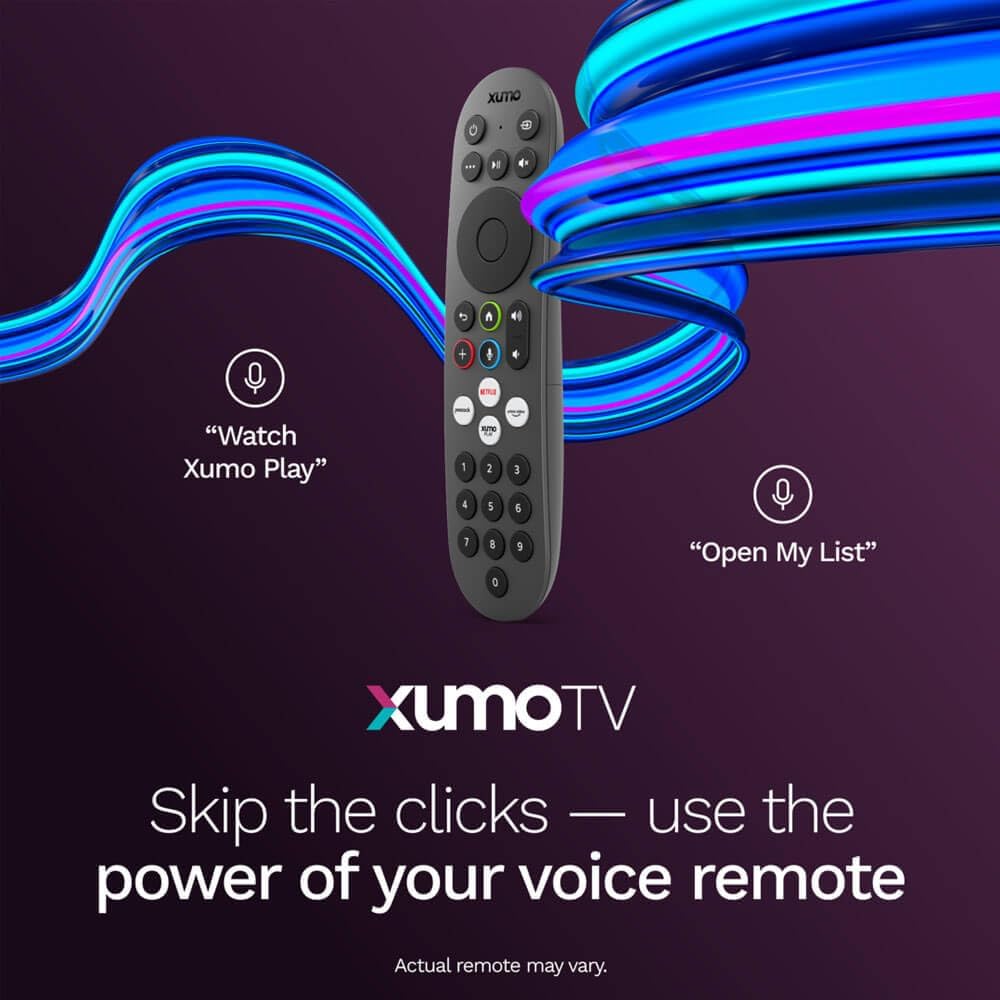
Image: A close-up of the Element Xumo Smart TV voice remote, highlighting its various buttons including a microphone for voice commands and quick access buttons for streaming services.
5.2 Smart Features & Streaming (Xumo OS)
The Xumo OS provides access to over 250 preloaded apps and more than 750 free live channels. You can:
- Carian Kandungan: Use the unified search function to find content across all your installed apps.
- My List: Curate your personal watchlist for easy access to your favorite shows and movies.
- Free On-Demand Libraries: Explore a wide selection of free on-demand content.
- Kawalan Suara: Use the voice remote to navigate, search, and control your TV hands-free.

Image: The Xumo TV interface showing a selection of popular streaming applications and content recommendations.
5.3 Tetapan Gambar & Bunyi
Your TV delivers a crisp 720p HD display with a 120Hz effective refresh rate, minimizing motion blur for clear visuals. Dolby Audio processing enhances the sound experience. You can adjust picture and sound settings via the TV's menu to suit your preferences.
- Mod Gambar: Select from various preset picture modes (e.g., Standard, Vivid, Movie, Sports) or customize settings like brightness, contrast, and color.
- Mod Bunyi: Choose from different sound modes (e.g., Standard, Music, Movie, Speech) or adjust bass and treble levels.
5.4 Apple AirPlay & Home Support
Seamlessly stream content or mirror your screen from your iPhone, iPad, or Mac directly to your Element TV using Apple AirPlay. With Apple Home support, you can integrate your TV into your Apple smart home ecosystem for convenient control.
6. Penyelenggaraan
To ensure the longevity and optimal performance of your Element Xumo Smart TV, follow these maintenance guidelines:
- Membersihkan Skrin: Lap skrin perlahan-lahan dengan kain yang lembut, kering dan tidak berbulu. Untuk tanda degil, ringankan dampen kain dengan air atau larutan pembersihan khusus skrin (jangan sesekali sembur terus ke skrin).
- Membersihkan Kabinet: Gunakan kain lembut dan kering untuk membersihkan kabinet TV. Elakkan menggunakan pembersih atau pelarut yang kasar.
- Pengudaraan: Pastikan bukaan pengudaraan di bahagian belakang TV tidak disekat untuk mengelakkan terlalu panas.
- Matikan Apabila Tidak Digunakan: Matikan TV apabila tidak digunakan untuk menjimatkan tenaga dan memanjangkan jangka hayatnya.
7. Penyelesaian masalah
If you encounter any issues with your Element Xumo Smart TV, refer to the following common troubleshooting tips:
- Tiada Kuasa: Periksa sama ada kord kuasa dipasang dengan kukuh pada kedua-dua TV dan soket elektrik. Pastikan soket berfungsi.
- Tiada Gambar/Bunyi: Verify that the correct input source is selected. Check all cable connections (HDMI, antenna, etc.) for secure fit.
- Alat Jauh Tidak Berfungsi: Gantikan bateri AAA pada alat kawalan jauh. Pastikan tiada halangan antara alat kawalan jauh dan sensor IR TV.
- Isu Sambungan Rangkaian: Restart your Wi-Fi router. Check the TV's network settings to ensure it's connected to the correct network and the password is entered correctly.
- Smart App Problems: Try restarting the app. If the issue persists, clear the app's cache or reinstall it. Ensure your TV's software is up to date.
For persistent issues, please contact Element customer support.
8. Spesifikasi
| Ciri | Spesifikasi |
|---|---|
| Nombor Model | E300AE32C |
| Saiz Skrin | 32 Inci |
| Resolusi Paparan | 720p (1366x768) |
| Kadar Segar Semula | 60 Hz (120Hz Effective) |
| Nisbah Aspek | 1.78:1 |
| Sistem Operasi | Xumo OS |
| Ketersambungan | 3x HDMI (1x eARC), 1x USB, LAN (Ethernet), Optical Audio Out, Headphone Jack, Composite Input, Wi-Fi, Bluetooth |
| Ciri Khas | Bezel-Less Design, Built-In Speaker, Voice Remote, Apple AirPlay & Home Support |
| TV with Stand Dimensions (W x H x D) | 28.8" x 19.2" x 7.0" |
| TV without Stand Dimensions (W x H x D) | 28.8" x 17.0" x 2.7" |
| Berat Barang | 8.8 paun |
9. Waranti dan Sokongan
The Element 32-inch 720p HD Xumo Smart TV comes standard with a Waranti Pengeluar 2 Tahun. Waranti ini melindungi kecacatan pada bahan dan mutu kerja di bawah penggunaan biasa. Sila simpan bukti pembelian anda untuk tuntutan waranti.
For technical support, warranty inquiries, or further assistance, please refer to the contact information provided in your Quick Start Guide or visit the official Element Electronics webtapak.


