pengenalan
Terima kasih kerana membeliasing the ROCAM Digital Radio Alarm Clock. This manual provides detailed instructions for setting up, operating, and maintaining your device. Please read this manual thoroughly before use to ensure proper function and longevity of the product.
Maklumat Keselamatan
- Pastikan peranti disambungkan kepada sumber kuasa dengan volum yang betultage.
- Jangan dedahkan peranti kepada air atau kelembapan berlebihan.
- Elakkan meletakkan peranti berhampiran sumber haba atau di bawah cahaya matahari langsung.
- Jangan cuba membuka atau membaiki peranti sendiri. Hubungi kakitangan perkhidmatan yang berkelayakan.
- Jauhkan daripada kanak-kanak.
Produk Selesaiview
The ROCAM Digital Radio Alarm Clock features a clear display, intuitive controls, and multiple functions including FM radio, Bluetooth speaker, night light, and charging ports.

Depan view of the ROCAM Digital Radio Alarm Clock, showing the large digital display and speaker grille.
Ciri-ciri Utama:
- FM Radio (87.5 MHz - 108.0 MHz) with 20 presets.
- Bluetooth 5.0 speaker with 10m wireless range.
- Adjustable night light.
- USB and Type-C charging ports.
- Large, dimmable LED display (5 brightness levels).
- Dual alarm modes with classic beep or radio sound.
- 12/24 hour format and DST function.
- Battery backup for time and settings during power outages.
Persediaan
1. Sambungan Kuasa:
Connect the provided power adapter to the DC input port on the back of the alarm clock and plug it into a wall outlet. The clock requires plug power to operate. The internal battery serves as a backup for settings during power interruptions.
2. Kuasa Awal Hidup:
Once connected, the display will light up. You may need to set the time manually if it's the first use or after a prolonged power disconnection without battery backup.
Arahan Operasi
Menetapkan Masa dan Tarikh:
- Tekan dan tahan butang Masa Ditetapkan button (or similar button, usually indicated by a clock icon). The hour digits will start flashing.
- Putar Time/Volume knob untuk menyesuaikan jam.
- Tekan ke Masa Ditetapkan butang sekali lagi untuk mengesahkan jam dan beralih kepada minit.
- Putar Time/Volume knob untuk menyesuaikan minit.
- Tekan ke Masa Ditetapkan button once more to save the time.
- Untuk bertukar antara format 12 jam dan 24 jam, tekan butang 12/24J butang.
Menetapkan Penggera:
Jam ini menyokong dua penggera bebas.
- Tekan dan tahan butang Penggera 1 or Penggera 2 butang. Angka waktu penggera akan berkelip.
- Putar Time/Volume knob untuk menetapkan jam penggera yang diingini.
- Tekan yang sesuai Penggera butang sekali lagi untuk mengesahkan jam dan beralih kepada minit.
- Putar Time/Volume knob to set the desired alarm minutes.
- Tekan ke Penggera button again to select the alarm sound: classic beep or FM radio.
- Tekan ke Penggera button one last time to save the alarm setting.
- To activate/deactivate an alarm, short press the corresponding Penggera butang. Ikon penggera akan muncul/hilang pada paparan.
The alarm clock display showing the time and an active alarm icon, indicating the alarm function is set.
Fungsi Tunda:
Apabila penggera berbunyi, tekan butang Tunda/Ringan button to temporarily silence the alarm for a few minutes (default snooze time). The alarm will sound again after the snooze period.
Operasi Radio FM:
- Tekan ke Mod butang untuk bertukar kepada mod Radio FM.
- To perform an automatic scan for stations, press and hold the Imbas button. The radio will search for and save up to 20 available stations (87.5 MHz to 108.0 MHz).
- To manually tune, short press the Sebelumnya/Seterusnya buttons to adjust the frequency.
- Putar Time/Volume knob to adjust the radio volume (16 levels).

The alarm clock display showing an FM radio frequency, indicating it is in radio mode.
Pairing Bluetooth:
- Tekan ke Mod button to switch to Bluetooth mode. The display will show a Bluetooth icon, usually flashing to indicate pairing mode.
- On your mobile device or computer, enable Bluetooth and search for "ROCAM Alarm Clock" (or similar device name).
- Select the device to pair. Once connected, the Bluetooth icon on the clock's display will stop flashing.
- You can now stream audio from your device to the alarm clock.
- Putar Time/Volume knob to adjust the playback volume.

Satu dalaman view of the ROCAM alarm clock highlighting its Bluetooth 5.0 capabilities and speaker components, demonstrating its audio features.
Fungsi Lampu Malam:
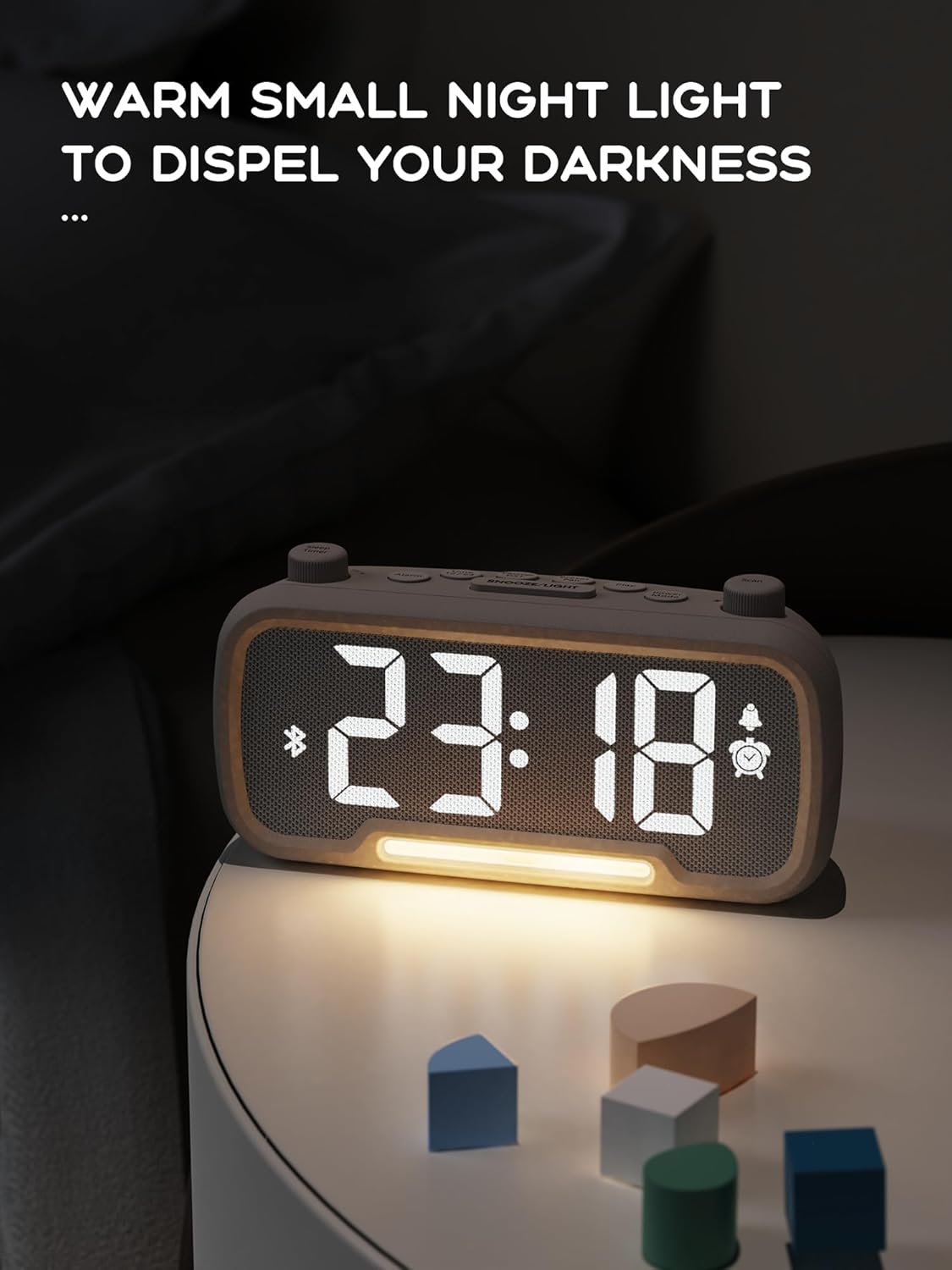
The alarm clock features an integrated night light.
- Tekan pendek Tunda/Ringan butang untuk menghidupkan atau mematikan lampu malam.
- The night light has adjustable brightness levels. Press and hold the Tunda/Ringan button to cycle through the brightness options.

The ROCAM alarm clock on a bedside table, with its warm night light illuminated, providing ambient lighting.
Pelarasan Kecerahan Paparan:
The main display has 5 adjustable brightness levels.
- Tekan ke Kecerahan button (or similar, often combined with Snooze/Light) to cycle through the display brightness levels.
- Pilih tahap yang paling selesa untuk persekitaran anda.
Daylight Saving Time (DST) Function:
Untuk melaraskan Waktu Penjimatan Siang:
- Tekan pendek DST button (or similar, often indicated by a sun icon). The time will automatically adjust forward or backward by one hour.
- Press it again to revert the change.
USB and Type-C Charging Ports:
The alarm clock includes USB and Type-C ports for charging external devices.
- Connect your device's charging cable to the appropriate USB or Type-C port on the back of the alarm clock.
- Pastikan jam loceng dihidupkan agar port pengecasan berfungsi.
Penyelenggaraan
- Clean the device with a soft, dry cloth. Do not use liquid cleaners or abrasive materials.
- Keep the device free from dust and debris to ensure proper ventilation.
- If the device will not be used for an extended period, unplug it from the power outlet.
Menyelesaikan masalah
| Masalah | Kemungkinan Punca | Penyelesaian |
|---|---|---|
| Paparan jam dimatikan. | Tiada kuasa, kuasa outage, or device is off. | Check power connection. Ensure the power adapter is securely plugged in. If there was a power outage, the battery backup should maintain settings, but the display requires main power. |
| Penggera tidak berbunyi. | Alarm is not activated, volume is too low, or incorrect time set. | Ensure the alarm icon is visible on the display. Increase alarm volume. Verify alarm time is set correctly. |
| Penerimaan radio FM kurang baik. | Isyarat lemah, antena tidak dilanjutkan, atau gangguan. | Adjust the position of the device. Extend the FM antenna fully. Try auto-scanning for stations again. Avoid placing near other electronic devices. |
| Peranti Bluetooth tidak boleh berpasangan. | Clock not in Bluetooth mode, device too far, or already paired with another device. | Ensure the clock is in Bluetooth mode (flashing icon). Move your device closer to the clock. Disconnect from other Bluetooth devices. |
| USB/Type-C charging not working. | Clock not powered, cable faulty, or device not compatible. | Ensure the alarm clock is plugged into a wall outlet. Try a different charging cable. Verify your device is compatible with standard USB charging. |
Spesifikasi
| Ciri | Perincian |
|---|---|
| Jenama | ROCAM |
| Model | B0FNWB172Z |
| warna | Kelabu |
| Dimensi | 16.8 x 3.81 x 8.4 cm (6.6 x 1.5 x 3.3 inci) |
| Berat badan | 350 g (0.77 paun) |
| Sumber Kuasa | Elektrik Bertali |
| Bateri | 1 Lithium-metal battery (included, for backup) |
| Julat Frekuensi FM | 87.5 MHz - 108.0 MHz |
| Versi Bluetooth | 5.0 |
| Kecerahan Paparan | 5 tahap boleh laras |
| Tahap Kelantangan | 16 tahap boleh laras |
Waranti dan Sokongan
For warranty information or technical support, please refer to the contact details provided with your purchase or visit the official ROCAM webtapak. Simpan bukti pembelian anda untuk tuntutan waranti.


