1. Produk Lebihview
The GOOLOO DEEPSCAN DS100 is a Bluetooth-enabled OBD2 diagnostic scanner designed for comprehensive vehicle health checks. It connects wirelessly to your iOS or Android device via a dedicated application, providing access to full-system diagnostics, code reading and clearing, live data, and various maintenance reset functions.
This device is compatible with most US vehicles manufactured in 1996 and newer, EU/Asia gasoline vehicles from 2000 and newer, and diesel passenger vehicles from 2006 and newer that support OBD-II protocols (KWP2000, ISO9141, J1850 PWM/VPW, and CAN).
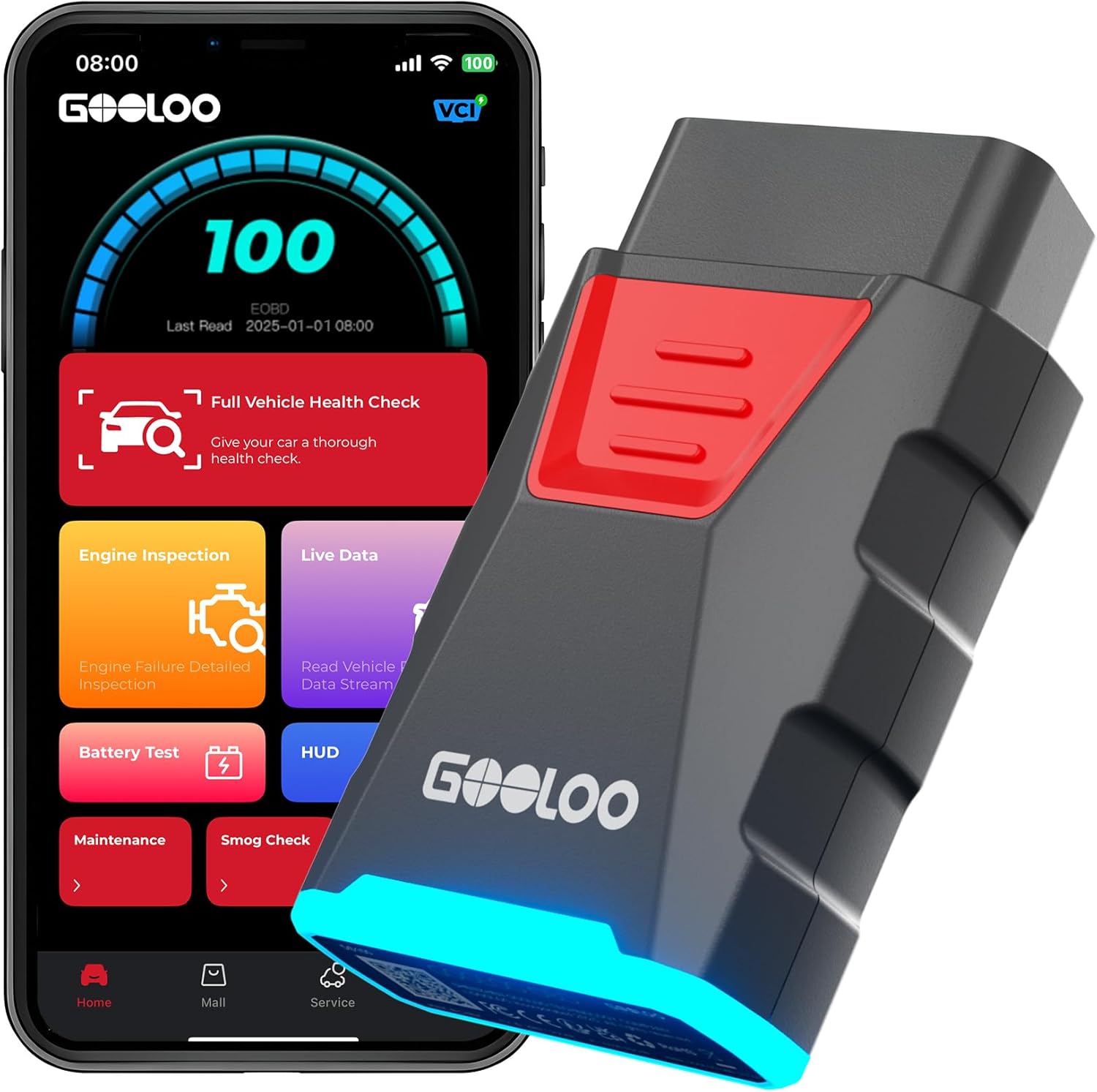
Image 1.1: The GOOLOO DEEPSCAN DS100 OBD2 scanner device and its mobile application interface, showing various diagnostic options.
2. Kandungan Pakej
- DS100 OBD2 Scanner Unit
- Panduan Rujukan Pantas
3. Persediaan dan Sambungan
3.1 Pemasangan Aplikasi
- Download the official GOOLOO OBD app from the App Store (for iOS devices) or Google Play Store (for Android devices).
- Daftar akaun dalam apl.
3.2 Sambungan Peranti
- Locate your vehicle's OBD-II port. This port is typically found under the dashboard on the driver's side. The app can assist in locating the DLC (Data Link Connector) diagnostic seat.
- Plug the DS100 scanner into the OBD-II port. Ensure a secure connection. The device will illuminate to indicate power.
- Turn your vehicle's ignition to the 'ON' position (engine does not need to be running for most functions).
- Open the GOOLOO OBD app on your smartphone or tablet. The app will automatically connect to the DS100 via Bluetooth.

Image 3.1: Step-by-step guide for setting up the DS100 scanner and connecting it to the mobile application.

Image 3.2: The DS100 maintains a stable Bluetooth connection, allowing users to operate the app from a distance of up to 33 feet (10 meters) from the vehicle.
3.3 Initial Vehicle Identification (AutoVIN)
Upon successful connection, the DS100 app will attempt to automatically identify your vehicle using its AutoVIN feature. This streamlines the diagnostic process by pre-selecting the correct vehicle information.
4. Mengendalikan Pengimbas
4.1 Diagnostik Sistem Penuh
The DS100 can perform comprehensive scans across various vehicle systems, including:
- Enjin
- Penularan
- Airbag (SRS)
- Sistem Brek Antikunci (ABS)
- Program Kestabilan Elektronik (ESP)
- Sistem Pemantauan Tekanan Tayar (TPMS)
- Immobilizer
- Gerbang
- Pemandu
- Radio
- Penyaman Udara
This allows for quick identification of issues across the vehicle's electronic control units (ECUs).

Image 4.1: Illustration of the DS100's capability to perform a full vehicle system check, covering multiple electronic control units.
4.2 Membaca dan Membersihkan Kod Masalah Diagnostik (DTC)
The DS100 functions as an engine code reader, allowing you to:
- Baca DTC: Retrieve current, pending, and permanent diagnostic trouble codes from the vehicle's ECU.
- Kosongkan DTC: Erase stored trouble codes and turn off the Check Engine Light (MIL). Note that if the underlying issue is not resolved, the light may reappear.

Image 4.2: Demonstrates the process of reading and clearing engine codes, which turns off the check engine light.
4.3 Strim Data Langsung
Monitor real-time sensor data from your vehicle's engine and other systems. This data can be displayed in various formats, including graphs, to help diagnose intermittent issues or verify repairs.

Image 4.3: The app's interface showing real-time sensor data, including engine RPM and temperature, presented as graphs for easy monitoring.
4.4 I/M Readiness Check
Check the readiness status of emission-related monitors to determine if your vehicle is ready for an emissions test (smog check). This function helps avoid failing inspections due to incomplete monitor cycles.

Image 4.4: The I/M Readiness Check feature in the app, indicating whether the vehicle's emission systems are ready for inspection.
4.5 Repair Guidance and References
The app provides actionable repair guidance, including:
- Panduan Pembaikan DTC: Explanations of fault codes with possible causes and guided fixes.
- Technical Service Bulletins (TSB): Access to factory technical bulletins for known issues.
- Lokasi DLC: Visual guides to help locate your vehicle's diagnostic port.
- Perpustakaan Lampu Amaran: A database explaining the meaning and implications of various dashboard warning lights.

Image 4.5: The app's repair guidance section, offering resources like DTC repair guides and a warning light library.
5. Maintenance Reset Functions
The DS100 supports over 6 common maintenance reset services:
- Set Semula Minyak: Menetapkan semula sistem pemantauan hayat minyak selepas pertukaran minyak.
- Penyesuaian Pendikit: Mempelajari semula kedudukan badan pendikit selepas pembersihan atau penggantian.
- Tetapan Semula Brek Parkir Elektronik (EPB): Menyahaktifkan dan mengaktifkan semula sistem kawalan brek untuk penggantian pad brek.
- Battery Management System (BMS) Reset: Mendaftarkan bateri baharu dengan ECU kenderaan.
- Penjanaan Semula Penapis Zarah Diesel (DPF): Initiates the DPF regeneration process to clear accumulated soot.
- Anti-lock Braking System (ABS) Bleeding: Performs bleeding procedures for the ABS system.
- Tire Pressure Monitoring System (TPMS) Reset: Menetapkan semula penderia TPMS selepas putaran atau penggantian tayar.

Imej 5.1: Selesaiview of the six professional-level service functions available through the DS100 scanner.
6. Spesifikasi
| Jenama | GOOLOO |
| Model | Pengimbas DS100 OBD2 |
| Sumber Kuasa | Battery Powered (via OBD-II port) |
| Dimensi Produk | 0.25"L x 0.15"W x 0.08"H |
| Berat Barang | 2.89 auns |
| Sistem Pengendalian (Apl) | iOS & Android |
| Jenis Kesesuaian Automotif | Universal Fit (OBD-II compliant vehicles) |
| Protokol yang Disokong | KWP2000, ISO9141, J1850 PWM/VPW, CAN |
| Bahasa yang Disokong | 12 languages (including English, Spanish) |
7. Maklumat Penting
7.1 Subscription Service
The GOOLOO DEEPSCAN DS100 includes a complimentary first year of premium services. After the initial 12 months, continued access to advanced diagnostics and software updates requires a subscription. Pricing options are available at $29.99 per year or $4.99 per month.
7.2 Keserasian Kenderaan
The DS100 is designed for vehicles that follow OBD-II standards. It is compatible with most 1996 and newer US vehicles, 2000 and newer EU/Asia gasoline vehicles, and 2006 and newer diesel passenger vehicles. It is not compatible with vehicles that do not adhere to OBD-II protocols.

Image 7.1: The DS100 offers extensive vehicle coverage, supporting over 100,000 models and 10+ languages.
8. Penyelesaian masalah dan Sokongan
8.1 Penyelesaian Masalah Umum
- Isu Sambungan: Ensure the DS100 is firmly plugged into the OBD-II port and the vehicle's ignition is in the 'ON' position. Verify Bluetooth is enabled on your mobile device.
- Prestasi Aplikasi: If the app experiences lag or issues, ensure it is updated to the latest version. Large vehicle data downloads may take time and storage space.
- Clearing Codes: If a check engine light returns shortly after clearing codes, it indicates the underlying vehicle issue has not been resolved. Further diagnosis or professional repair may be necessary.
8.2 Warranty and Customer Support
The GOOLOO DEEPSCAN DS100 comes with a 12-month warranty. Free periodic software updates are provided to ensure compatibility with new vehicle models. For professional support, contact GOOLOO customer service via email or the in-app chat feature, available 24/7.
9. Video Demonstrasi Produk
Video 9.1: This video demonstrates the GOOLOO DEEPSCAN DS100 in action, showcasing its ease of connection, full system diagnostic capabilities, and various maintenance functions for both emergency situations and routine car care.


