1. Pengenalan
Welcome to your new Baseus BC1 Open Ear Earbuds. This manual provides detailed instructions for setup, operation, and maintenance to ensure you get the best experience from your device. The Baseus BC1 earbuds feature a comfortable open-ear design, secure tri-curve clip, rich sound with powerful bass, clear calls with 4-mic AI noise reduction, IP55 water resistance, and precise button control.
2. Kandungan Pakej
Sila semak kandungan pakej untuk memastikan semua item ada:
- Baseus BC1 Open Ear Earbuds (Left & Right)
- Kes Pengecasan
- Manual Pengguna
- Kabel Pengecasan Jenis-C

3. Produk Lebihview
The Baseus BC1 Open Ear Earbuds are designed for comfort and high-quality audio, allowing you to stay aware of your surroundings. The compact charging case provides extended battery life and convenient storage.

4. Persediaan
4.1. Mengecas
Sebelum penggunaan pertama, cas sepenuhnya fon telinga dan bekas pengecas.
- Connect the provided Type-C charging cable to the charging port on the case and a power source.
- Caj penuh untuk kes mengambil masa kira-kira 1.5 jam.
- The earbuds offer up to 7.5 hours of listening on a single charge, and up to 38 hours total with the fully charged case.

4.2. Hidupkan/Mati Kuasa
- Hidupkan kuasa: Buka bekas pengecasan dan fon telinga akan dihidupkan secara automatik.
- Matikan: Place the earbuds back into the charging case and close the lid; they will power off automatically.
4.3. Berpasangan Bluetooth
- Buka bekas pengecas. Fon telinga akan memasuki mod berpasangan secara automatik, ditunjukkan oleh lampu LED yang berkelip.
- Pada peranti anda (telefon pintar, tablet, dll.), pergi ke tetapan Bluetooth dan dayakan Bluetooth.
- Cari untuk "Baseus BC1" in the list of available devices and select it to connect.
- Once connected, you will hear a confirmation tone, and the LED indicator on the earbuds will turn off.
4.4. Memakai Earbud
For optimal comfort and sound quality, follow these steps to wear your earbuds:
- Gently clip each earbud onto your ear, ensuring the main body rests comfortably behind your earlobe.
- Adjust the earbud to find the most comfortable and secure position. The tri-curve ergonomic clip is designed to adapt to various ear shapes.
- Ensure the sound outlet is aligned with your ear canal to experience the best sound quality.


5. Arahan Operasi
5.1. Kawalan Butang
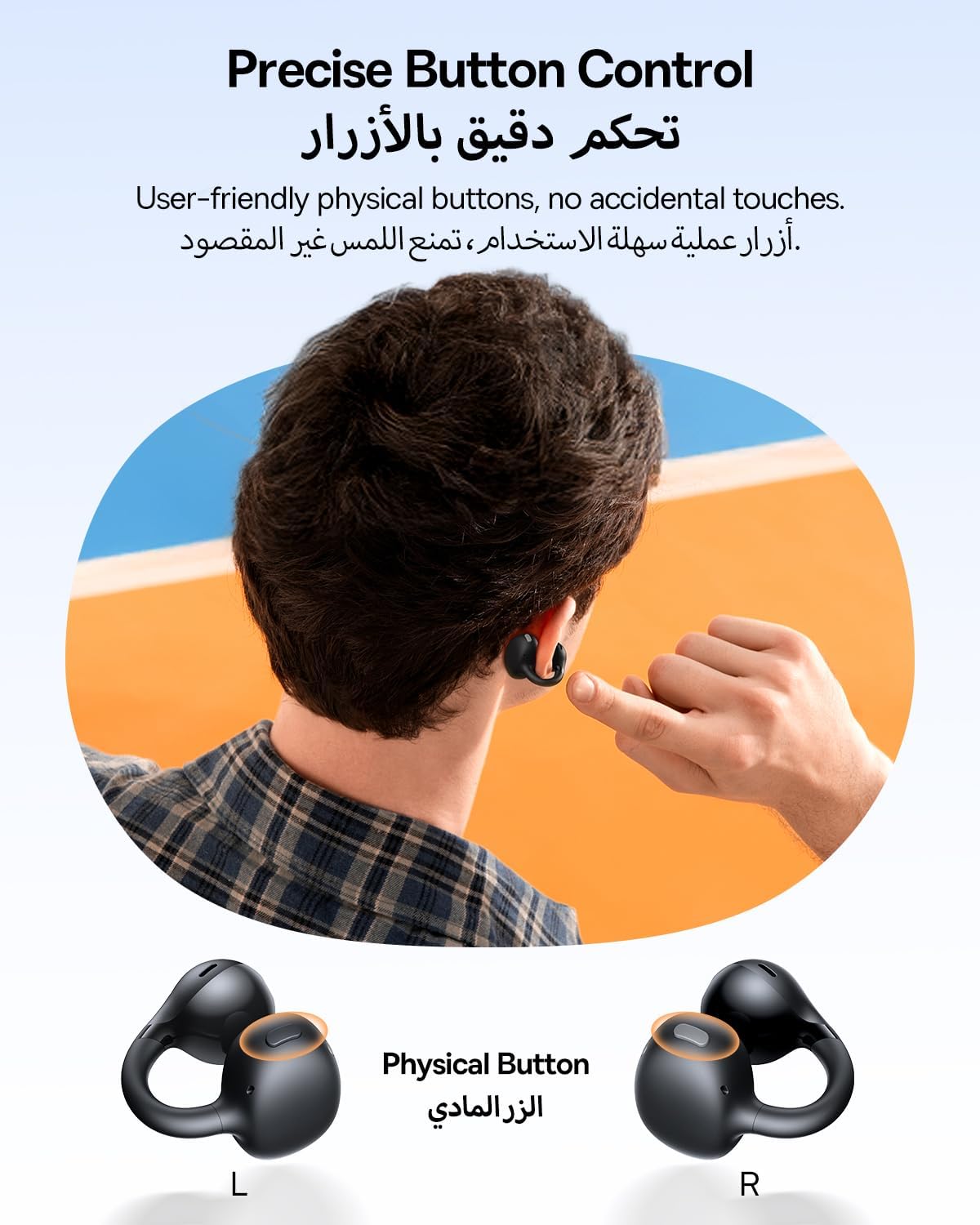
The Baseus BC1 earbuds feature physical buttons for precise control, minimizing accidental touches. The functions are as follows:
- Main/Jeda: Tekan butang sekali sahaja pada mana-mana fon telinga.
- Kelantangan: Single press the button on the right earbud.
- Perlahankan suara: Single press the button on the left earbud.
- Lagu Seterusnya: Long press the button on the right earbud for 1.5 seconds.
- Trek Sebelumnya: Long press the button on the left earbud for 1.5 seconds.
- Jawab/Tamatkan Panggilan: Double press the button on either earbud.
- Tolak Panggilan: Long press the button on either earbud for 1.5 seconds during an incoming call.
- Pembantu Suara: Triple press the button on the right earbud.
- Cycle Modes (Game/Movie/Normal): Triple press the button on the left earbud.
5.2. Penyesuaian Aplikasi
Download the official Baseus app from your device's app store to unlock advanced features and personalize your listening experience:
- EQ boleh disesuaikan: Adjust the equalizer settings to fine-tune the audio to your preference.
- Sound Profiles: Pilih daripada pelbagai pro bunyi pratetapfiles for different music genres or listening scenarios.
- Touch Control Personalization: Reassign touch control functions to suit your needs.

5.3. Sambungan Berbilang Titik
The Baseus BC1 earbuds support simultaneous connection to two devices, allowing seamless switching between them:
- Pair the earbuds with your first device (e.g., smartphone).
- Putuskan sambungan fon telinga daripada tetapan Bluetooth peranti pertama. Fon telinga akan memasuki semula mod berpasangan.
- Pair the earbuds with your second device (e.g., tablet or laptop).
- Manually reconnect the earbuds to the first device from its Bluetooth settings.
- The earbuds will now be connected to both devices simultaneously, allowing you to switch audio sources without re-pairing.

6. Penyelenggaraan
6.1. Pembersihan
To ensure optimal performance and longevity of your earbuds:
- Regularly clean the earbuds and the charging contacts inside the case using a clean, dry cotton swab.
- Jika perlu, ringankan dampen the cotton swab with alcohol for disinfection.
- Avoid issues such as the earbuds being unable to charge or power on due to prolonged lack of cleaning.
6.2. Penyimpanan
- Apabila tidak digunakan, sentiasa simpan fon telinga di dalam bekas pengecas untuk melindunginya daripada habuk dan kerosakan.
- If the earbuds will not be used for an extended period, charge the case at least once every three months to maintain battery health.
7. Penyelesaian masalah
If you encounter any issues with your Baseus BC1 earbuds, please refer to the following common problems and solutions:
- Fon telinga tidak berpasangan: Ensure Bluetooth is enabled on your device and the earbuds are in pairing mode. Try forgetting previous pairings on your device and re-pairing.
- Hanya satu fon telinga berfungsi: Place both earbuds back in the charging case, close the lid for 10 seconds, then open it again. If the issue persists, perform a factory reset.
- Kualiti bunyi yang lemah: Ensure the earbuds are worn correctly and the sound outlet is aligned with your ear canal. Check the EQ settings in the Baseus app.
- Fon telinga tidak dicas: Clean the charging contacts on both the earbuds and the case. Ensure the charging cable is properly connected to a working power source.
7.1. Tetapan Semula Kilang
If the earbuds are not functioning correctly, a factory reset may resolve the issue:
- Remove the pairing information of the earbuds from your device's Bluetooth settings (e.g., "Forget This Device").
- Place both earbuds into the charging case, ensuring they are securely in place.
- Close the charging case for 3 seconds, then reopen it.
- With the charging case open, long press the button on the charging case for 10 seconds until the indicator light flashes white twice. This indicates that the reset is complete.
- After the factory reset, use the initial Bluetooth pairing method (Section 4.3) to reconnect and resume normal use.
8. Spesifikasi
| Ciri | Perincian |
|---|---|
| Nama Model | BC1 |
| Nombor Model Item | PM153 |
| Jenama | Baseus |
| warna | Hitam |
| Penempatan Telinga | Buka Telinga |
| Faktor Bentuk Fon Kepala | Buka Telinga |
| Teknologi Ketersambungan | Tanpa wayar |
| Teknologi Komunikasi Tanpa Wayar | Bluetooth |
| Impedans | 16 Ohm |
| Kawalan Bunyi | tiada |
| Bicu Fon Kepala | Tidak Jack |
| Kaedah Kawalan | Butang Tekan |
| Tahap Ketahanan Air | Kalis Air (IP55) |
| Masa Mengecas | 1.5 jam |
| Berat Barang | 111 gram |
| Dimensi Pakej | 13.4 x 8.5 x 4.2 cm |
| Komponen yang Disertakan | Manual Pengguna |
| bahan | plastik |
| Peranti Serasi | Phones, tablets, desktop computers, laptops, mobile phones, smart speakers, TVs, digital video game players |
9. Maklumat Keselamatan
- Avoid prolonged listening at high volume levels to prevent potential hearing damage.
- Jangan gunakan fon telinga dalam situasi di mana ketidakupayaan untuk mendengar bunyi ambien boleh membahayakan (contohnya, memandu, berbasikal, berjalan kaki dalam lalu lintas).
- Keep the earbuds and charging case away from extreme temperatures, direct sunlight, and moisture.
- Do not attempt to disassemble, repair, or modify the product. This may void the warranty and cause damage.
- Keep out of reach of children and pets to prevent accidental ingestion or misuse.
- Buang produk dan baterinya secara bertanggungjawab mengikut peraturan tempatan.
10. Waranti & Sokongan
Untuk maklumat jaminan, sokongan teknikal atau sebarang pertanyaan berkaitan produk, sila rujuk kepada Baseus rasmi. webtapak atau hubungi pengedar tempatan anda.
You can also visit the official Baseus Store for more information: Baseus Store