pengenalan
Welcome to the user manual for your SWOFY D08 Android 13 MP3 Player. This device is designed to provide a versatile and high-quality portable audio and video experience. Featuring an Android 13 operating system, Bluetooth 5.0, dual-band Wi-Fi, and a 4-inch touchscreen, the D08 allows you to enjoy music, videos, and various applications with ease. Please read this manual carefully to ensure proper setup, operation, and maintenance of your device.
Kandungan Pakej
Sebelum anda memulakan, sila sahkan bahawa semua item terdapat dalam pakej anda:
- SWOFY D08 MP3 Player (160GB)
- Kabel Jenis-C USB
- Fon Telinga Berwayar
- Manual Pengguna
Peranti Lebihview
Familiarize yourself with the physical components of your SWOFY D08 MP3 Player.

Imej: Depan dan sisi view of the SWOFY D08 MP3 Player, showcasing its 4-inch touchscreen and physical buttons.
- Skrin Sentuh HD 4 inci: Main interface for interaction.
- Butang Kuasa: Terletak di sisi, digunakan untuk menghidupkan/mematikan dan membangunkan/menidurkan peranti.
- Butang Kelantangan: Laraskan tahap output audio.
- Port USB-C: Untuk pengecasan dan pemindahan data.
- Bicu Fon Kepala 3.5mm: Untuk output audio berwayar.
- Slot Kad MicroSD: Untuk storan yang boleh dikembangkan.
- Pembesar Suara Terbina dalam: Untuk main balik audio tanpa fon kepala.
Persediaan
1. Mengecas Peranti
Before first use, fully charge your SWOFY D08 MP3 Player. Connect the provided USB Type-C cable to the device's USB-C port and the other end to a USB power adapter (not included) or a computer's USB port. The battery indicator on the screen will show charging status.

Image: The SWOFY D08 MP3 Player displaying a 100% battery charge icon, indicating a full charge. The image also highlights the 2000mAh battery capacity and estimated usage times: 60 hours standby, 20 hours music, 6 hours video, and 3-4 hours charging time.
- Pengecasan penuh biasanya mengambil masa 3-4 jam.
- The 2000mAh battery provides up to 35 hours of continuous music playback or 10 hours of 1080p video viewing.
2. Menghidupkan/Mematikan
- Untuk Menghidupkan: Press and hold the Power button on the side of the device until the screen lights up.
- Untuk Mematikan: Tekan dan tahan butang Kuasa, kemudian pilih "Matikan" daripada pilihan pada skrin.
- Untuk Tidur/Bangun: Briefly press the Power button to put the device into sleep mode or wake it up.
3. Persediaan Awal dan Sambungan Wi-Fi
Upon first power-on, follow the on-screen prompts to complete the initial setup, including language selection and Wi-Fi connection.
- Dari skrin utama, ketik ikon "Tetapan".
- Select "Network & internet".
- Togol Wi-Fi kepada "Hidup".
- Pilih rangkaian Wi-Fi yang anda inginkan daripada senarai.
- Masukkan kata laluan rangkaian jika digesa, kemudian ketik "Sambung".

Image: The SWOFY D08 MP3 Player's home screen, displaying a grid of application icons including Spotify, Pandora, Audible, FM Radio, Play Store, and Chrome, illustrating the Android 13 OS interface.
4. Expanding Storage with a MicroSD Card
The device comes with 32GB internal storage and a 128GB microSD card. You can expand storage further up to 1TB using an additional microSD card.
- Cari slot kad microSD di sisi peranti.
- Masukkan perlahan-lahan kad microSD ke dalam slot sehingga ia berbunyi klik pada tempatnya. Pastikan kad diorientasikan dengan betul.
- Untuk mengeluarkannya, tolak kad ke dalam dengan lembut sehingga ia terkeluar.
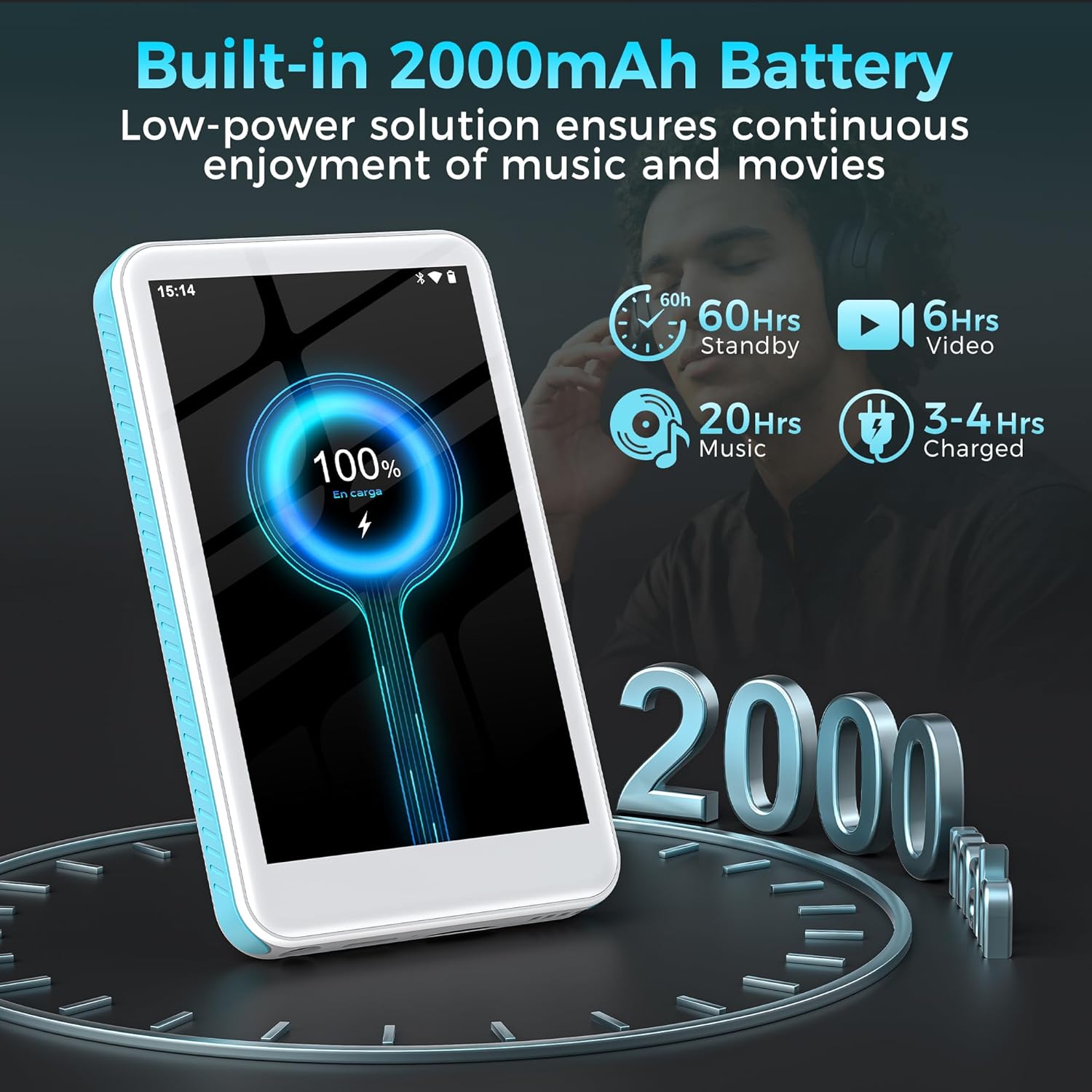
Image: The SWOFY D08 MP3 Player with a 1TB microSD card being inserted into its slot, illustrating the device's expandable storage capability. The image also highlights the 160GB total storage capacity.
Arahan Operasi
1. Menavigasi Antara Muka
The SWOFY D08 uses an Android 13 operating system with a 4-inch touchscreen. Swipe left/right to navigate between home screens, tap icons to open apps, and swipe down from the top for quick settings and notifications.
2. Main balik Muzik
The device supports various audio formats including MP3, FLAC, WAV, AAC, APE, DSD, M4A, and OGG. Use the pre-installed music player app or download your preferred streaming apps from the Play Store.
- Menambah Muzik: Connect the player to your computer using the USB-C cable. The player will appear as a removable storage device. Drag and drop your music files into the "Music" folder.
- Bermain Muzik: Open the music player app. You can browse music by artist, album, genre, or create custom playlists.
- Penyama: Access the built-in equalizer within the music app settings to customize bass and treble levels.

Image: The SWOFY D08 MP3 Player displaying a music playback screen with album art, song title "Crazy Dream", and playback controls. This illustrates the user interface for audio playback.
3. Main Semula Video
The D08 supports 1080p HD video playback and is compatible with formats such as RM, AVI, RMVB, FLV, MP4, DAT, MKV, MPG, MOV, and TS. Use the pre-installed video player app.
- Adding Videos: Connect the player to your computer and transfer video files to the "Videos" folder.
- Playing Videos: Open the video player app and select your desired video.

Image: The SWOFY D08 MP3 Player displaying a video playback screen with a high-definition image from a movie, highlighting its 1080p HD video capabilities and 4.0-inch IPS screen.
4. Kesambungan Bluetooth
Connect your D08 to Bluetooth headphones, speakers, or car stereos using Bluetooth 5.0 for wireless audio.
- Ensure Bluetooth is enabled on your D08 (Settings > Connected devices > Bluetooth).
- Letakkan aksesori Bluetooth anda ke dalam mod berpasangan.
- On the D08, tap "Pair new device" and select your accessory from the list.
- Sahkan pasangan jika digesa.

Image: The SWOFY D08 MP3 Player displaying a music playback screen with icons indicating Bluetooth connectivity to headphones, a portable speaker, and a car audio system, demonstrating its versatile wireless pairing capabilities.
5. Ciri-ciri Lain
- Radio FM: Access the FM Radio app to listen to local radio stations.
- Perakam Suara: Use the built-in voice recorder for memos or lectures.
- Pembaca e-buku: Read e-books using compatible apps.
- Gedung Play: Download and install additional applications like Spotify, Pandora, Audible, and more.
Penyelenggaraan
1. Membersihkan Peranti Anda
- Use a soft, lint-free cloth to clean the screen and body of the player.
- Avoid using abrasive cleaners, alcohol, or solvents, as these can damage the finish.
- Pastikan port bebas daripada habuk dan serpihan.
2. Penjagaan Bateri
- To prolong battery life, avoid exposing the device to extreme temperatures (hot or cold).
- Do not allow the battery to fully discharge frequently. Charge it when the battery level is low.
- Jika menyimpan peranti untuk tempoh yang lama, caskannya kepada kira-kira 50% sebelum penyimpanan.
3. Kemas Kini Perisian
Periodically check for software updates to ensure optimal performance and access to new features. Go to Settings > System > System update.
Menyelesaikan masalah
Device Will Not Turn On
- Ensure the device is sufficiently charged. Connect it to a power source and wait a few minutes before attempting to power on.
- Tekan dan tahan butang Kuasa selama sekurang-kurangnya 10-15 saat untuk melakukan mula semula secara paksa.
Cannot Connect to Wi-Fi or Bluetooth
- Ensure Wi-Fi/Bluetooth is enabled in Settings.
- Restart the device and your router/Bluetooth accessory.
- For Wi-Fi, verify the password. For Bluetooth, ensure the accessory is in pairing mode and within range.
- Forget the network/device and try reconnecting.
Audio/Video Playback Issues
- Semak file format compatibility (refer to Specifications section).
- Pastikan kelantangan tidak diredamkan atau ditetapkan terlalu rendah.
- Try playing a different file to determine if the issue is with a specific file.
- If using headphones, ensure they are properly connected or paired.
Device is Slow or Unresponsive
- Tutup aplikasi latar belakang yang tidak diperlukan.
- Kosongkan cache untuk aplikasi yang kerap digunakan (Tetapan > Aplikasi > [Nama Aplikasi] > Storan & cache > Kosongkan cache).
- Mulakan semula peranti.
- Jika masalah berterusan, pertimbangkan untuk menetapkan semula kilang (Note: This will erase all data. Back up important files pertama. Settings > System > Reset options > Erase all data (factory reset)).
Spesifikasi
| Nama Model | D08 |
| Sistem Operasi | Android 13 |
| Pemproses | 8-teras 2.0GHz |
| RAM | 3GB |
| Storan Dalaman | 32GB (with included 128GB microSD card for 160GB total) |
| Storan Boleh Dikembangkan | Sehingga 1TB melalui kad MicroSD |
| Bateri | Polimer Lithium 2000mAh |
| Paparan | 4-inch HD Touchscreen, 480*800P Resolution, IPS |
| Ketersambungan | Bluetooth 5.0, Dual-Band Wi-Fi, USB-C |
| Format Audio | MP3, FLAC, WAV, AAC, APE, DSD, M4A, OGG |
| Format Video | RM, AVI, RMVB, FLV, MP4, DAT, MKV, MPG, MOV, TS |
| Ciri Khas | Built-In Speaker, Equalizer, FM Radio, Voice Recorder, E-book Reader, Play Store support |
| Dimensi | 5.83 x 5.83 x 0.75 inci |
| Berat badan | 7.4 auns |
Waranti dan Sokongan
Your SWOFY D08 MP3 Player comes with a standard manufacturer's warranty. Please refer to the warranty card included in your package for specific terms and conditions. For technical support, troubleshooting assistance, or warranty claims, please contact SWOFY customer service through the retailer where you purchased the product or visit the official SWOFY webtapak.
Untuk sumber tambahan dan soalan lazim, anda boleh melawati SWOFY Store on Amazon.
Maklumat Keselamatan Penting
- Jangan buka, baiki atau ubah suai peranti itu sendiri.
- Elakkan daripada mendedahkan peranti kepada air, lembapan atau suhu yang melampau.
- Gunakan hanya pengecas dan aksesori yang diluluskan.
- Buang peranti dan baterinya secara bertanggungjawab mengikut peraturan tempatan.


