1. Pengenalan
This manual provides detailed instructions for the SWOFY M503Pro MP3 Player. Please read this guide thoroughly before using your device to ensure proper operation and to maximize its features. The M503Pro is a versatile multimedia player equipped with a 4-inch HD full touch screen, Bluetooth, and Wi-Fi connectivity, designed for music, video, and app usage.
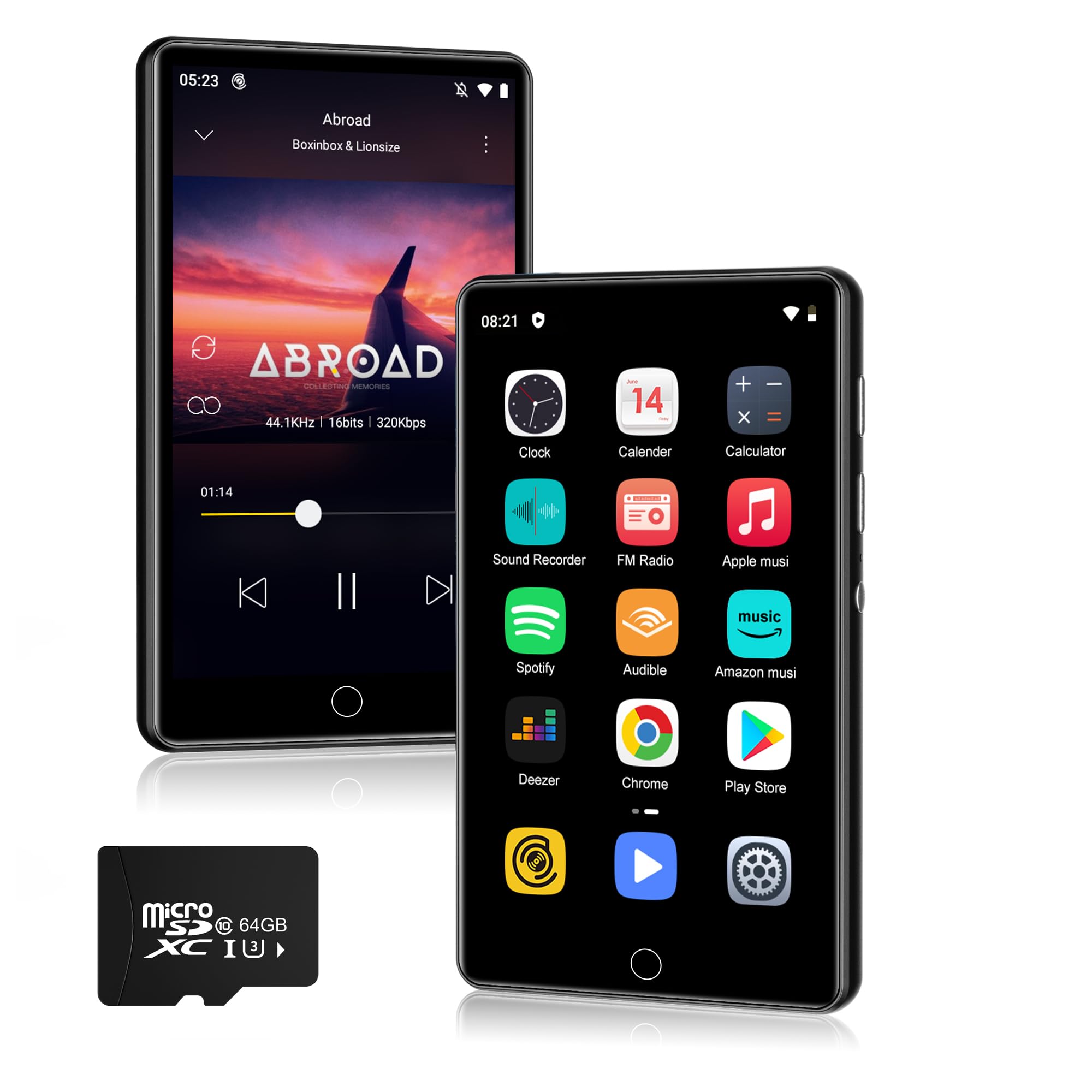
Imej 1.1: Depan view of the SWOFY M503Pro MP3 Player.
2. Apa yang ada di dalam Kotak
Sahkan bahawa semua item berikut disertakan dalam pakej anda:
- 1 x SWOFY M503Pro MP3 Player
- 1 x Kabel USB Jenis-C
- 1 x Wired Earbuds
- 1 x Manual Pengguna
3. Panduan Persediaan
3.1. Mengecas Peranti
Before first use, fully charge the M503Pro. Connect the provided USB Type-C cable to the player's charging port and the other end to a USB power adapter (not included) or a computer's USB port. The battery indicator on the screen will show charging status.

Image 3.1: The M503Pro features a 2000mAh battery for extended use.
3.2. Menghidupkan/Mematikan
- Untuk Menghidupkan: Press and hold the Power button on the side of the device until the screen lights up.
- Untuk Mematikan: Press and hold the Power button, then select 'Power Off' from the options that appear on the screen.
- Untuk Mengunci/Membuka Kunci Skrin: Tekan butang Kuasa sebentar.
3.3. Konfigurasi Awal
Upon first power-on, you may be prompted to select your preferred language and connect to a Wi-Fi network. Follow the on-screen instructions.
3.4. Menyambung ke Wi-Fi
- Pergi ke tetapan > Rangkaian & Internet > Wi-Fi.
- Togol Wi-Fi On.
- Pilih rangkaian yang anda inginkan daripada senarai dan masukkan kata laluan jika digesa.

Image 3.2: The M503Pro supports Wi-Fi for internet access and app downloads.
3.5. Menyambung ke Peranti Bluetooth
- Ensure the Bluetooth device (headphones, speaker, car stereo) is in pairing mode.
- On the M503Pro, go to tetapan > Peranti yang disambungkan > Bluetooth.
- Togol Bluetooth On.
- Ketik Pasangkan peranti baru and select your device from the list.
- Sahkan pemasangan pada kedua-dua peranti jika digesa.

Image 3.3: Stable Bluetooth connectivity for audio accessories.
4. Arahan Operasi
4.1. Main balik Muzik
The M503Pro supports various music formats including MP3, OGG, FLAC, AAC, WAV, WMA, APE. You can play music offline using the built-in Larkplayer app or stream from pre-installed apps like Spotify and Amazon Music.
- Main Semula Luar Talian: Pindahkan muzik files from your PC to the player's internal storage or a microSD card. Open the Larkplayer app to browse and play your music library.
- Penstriman Dalam Talian: Connect to Wi-Fi and open your preferred streaming app (e.g., Spotify, Amazon Music). Log in to your account to access online music.
- ciri-ciri: The player supports synchronized lyrics display, custom equalizer settings, and playlist creation.

Image 4.1: Hi-Fi MP3 player with speaker and wide format compatibility.
4.2. Main Semula Video
The 4-inch 1080P HD screen supports direct playback of 720P and 1080P videos without format conversion. Supported video formats include RM, RMVB, FLV, MP4, DAT, MKV, MPG, MOV, TS.
- Pindahkan video files ke peranti.
- Open the Video Player app to browse and play your videos.

Image 4.2: The 4-inch 1080P HD screen provides a clear video experience.
4.3. Pengurusan Apl
The M503Pro runs on Android 9.0 and comes with pre-installed apps. You can download additional apps from the Google Play Store.
- Pasang Apl: Connect to Wi-Fi, open the Play Store app, search for your desired app, and tap 'Install'.
- Nyahpasang Apl: Pergi ke tetapan > Apl & pemberitahuan, pilih aplikasi dan ketik 'Nyahpasang'.

Image 4.3: Access to Google Play Store for app installation.
4.4. File Pemindahan
Untuk memindahkan files (music, videos, photos) from your computer to the M503Pro:
- Connect the M503Pro to your computer using the provided USB Type-C cable.
- On the player, swipe down from the top of the screen to open the notification panel.
- Tap the USB notification (e.g., "Charging this device via USB").
- Pilih File pemindahan (MTP) from the options.
- Your computer will recognize the M503Pro as a removable storage device. You can now drag and drop files ke dan dari peranti.
4.5. Fungsi Lain
- One-key Lock Screen: Briefly press the Power button to lock the screen and prevent accidental touches.
- One-key Screenshot: Press and hold the Power button to capture a screenshot.
- Radio FM: Access the FM Radio app. Wired earbuds must be connected to act as an antenna.
- Perakam Suara: Use the built-in recorder for audio notes.
5. Penyelenggaraan
- Pembersihan: Gunakan kain lembut dan kering untuk membersihkan peranti. Untuk skrin, kain mikrofiber disyorkan. Elakkan penggunaan bahan kimia yang keras atau bahan yang melelas.
- Storan: Simpan peranti di tempat yang sejuk dan kering jauh dari cahaya matahari langsung dan suhu yang melampau.
- Penjagaan Bateri: Untuk memanjangkan hayat bateri, elakkan daripada menyahcas sepenuhnya bateri dengan kerap. Cas peranti dengan kerap, walaupun tidak digunakan untuk tempoh yang lama.
- Kemas Kini Perisian: Periodically check for system updates in tetapan > Sistem > Kemas kini sistem untuk memastikan prestasi dan keselamatan yang optimum.
6. Penyelesaian masalah
6.1. Peranti Tidak Menghidupkan
- Pastikan bateri telah dicas. Sambungkan peranti kepada sumber kuasa dan biarkan ia dicas selama sekurang-kurangnya 30 minit sebelum cuba menghidupkannya semula.
- If the device is unresponsive, try a forced restart by pressing and holding the Power button for 10-15 seconds.
6.2. Isu Sambungan Bluetooth
- Ensure both the M503Pro and the target Bluetooth device are in pairing mode and within range.
- Turn Bluetooth off and then on again on the M503Pro.
- Forget the device in Bluetooth settings and attempt to pair again.
- Restart both the M503Pro and the Bluetooth accessory.
6.3. Wi-Fi Connection Problems
- Verify that Wi-Fi is enabled on the M503Pro and that you are within range of a known network.
- Semak sama ada kata laluan Wi-Fi yang dimasukkan adalah betul.
- Restart your Wi-Fi router and the M503Pro.
6.4. Apps Freezing or Not Responding
- Tutup apl yang bermasalah dan buka semula.
- Kosongkan cache aplikasi: Pergi ke tetapan > Apl & pemberitahuan, select the app, then Storan & cache > Kosongkan cache.
- Jika masalah berterusan, pertimbangkan untuk menyahpasang dan memasang semula aplikasi tersebut.
- Pastikan perisian peranti terkini.
6.5. Poor Performance / Lag
- Tutup aplikasi latar belakang yang tidak diperlukan.
- Clear cached data from apps regularly.
- Ensure sufficient free storage space. Delete old files atau pindahkannya ke komputer.
- Mulakan semula peranti secara berkala.
7. Spesifikasi
| Ciri | Perincian |
|---|---|
| Nama Model | M503Pro |
| Jenama | SWOFY |
| Kapasiti Penyimpanan Memori | 80 GB (2GB RAM + 16GB ROM + 64GB card) |
| Saiz Skrin | 4 Inci |
| Teknologi Ketersambungan | Bluetooth, USB2.0, Wi-Fi |
| Ciri Khas | Built-In Speaker, Equalizer, FM Radio, Touch Screen, Video Playback, Voice Recorder |
| Bateri | Polimer Litium 2000mAh (termasuk) |
| Masa Main semula Muzik | Sehingga 40 jam |
| Masa Tunggu Sedia | 3-5 bulan |
| Format Muzik yang Disokong | MP3, OGG, FLAC, AAC, WAV, WMA, APE |
| Format Video yang Disokong | RM, RMVB, FLV, MP4, DAT, MKV, MPG, MOV, TS |
| Sistem Operasi | Android 9.0 |
| Berat Barang | 8.3 auns |
| Dimensi Pakej | 5.83 x 5.83 x 0.74 inci |
8. Waranti & Sokongan
For warranty information and technical support, please refer to the official SWOFY website or contact their customer service directly. Details are typically provided in the packaging or on the manufacturer's product page.
If you encounter any issues not covered in this manual, please reach out to SWOFY customer support for assistance.


