1. Pengenalan
This manual provides essential information for the proper setup, operation, and maintenance of your NIMO 15.6 inch Laptop Computer. Please read this manual thoroughly before using your device to ensure optimal performance and longevity. Keep this manual for future reference.
2. Produk Lebihview
2.1. Komponen Komputer Riba
The NIMO 15.6 inch Laptop features a Full HD display, a backlit keyboard, and an integrated fingerprint reader for secure access. It is powered by an AMD Ryzen 5 3500U processor and runs on Windows 11.

Rajah 2.1: Depan view of the NIMO 15.6 inch Laptop, showcasing its display and keyboard layout.
2.2. Pelabuhan dan Penyambung
Your NIMO laptop is equipped with various ports for comprehensive connectivity, allowing you to connect peripherals and external devices.

Figure 2.2: Expanded Connectivity Options. This image illustrates the location and type of ports available on the laptop, including Type-C (Charge Only), USB 3.0, HDMI, Type-C (Full Function), Charge LED, Micro SD Reader, USB 2.0, USB 3.0, Headphone Combo, and Kensington Lock.
- Type-C (Charge Only): Untuk input kuasa.
- USB 3.0: Untuk pemindahan data berkelajuan tinggi.
- HDMI: Untuk menyambung ke paparan luaran.
- Type-C (Full Function): Supports Power Delivery (PD), DisplayPort (DP), and data transfer.
- Caj LED: Menunjukkan status pengecasan.
- Micro SD Reader: For reading Micro SD cards.
- USB 2.0: Untuk peranti USB standard.
- USB 3.0: Untuk pemindahan data berkelajuan tinggi.
- Headphone Combo: Untuk output audio dan input mikrofon.
- Kunci Kensington: Untuk keselamatan fizikal.
3. Persediaan
3.1. Pengecasan Awal
Before first use, connect the laptop to a power outlet using the provided 65W PD Type-C charger. The Charge LED indicator will illuminate. Allow the battery to charge fully.

Figure 3.1: Type-C 65W PD Charger. This image highlights the versatility of the 65W Power Delivery charger, capable of charging the laptop, tablets, and smartphones, reducing cable clutter.
3.2. Menghidupkan
Open the laptop lid. Press the power button located on the keyboard deck. The laptop will boot up, and you will be guided through the Windows 11 initial setup process.
3.3. Windows 11 Setup
Follow the on-screen instructions to configure your Windows 11 operating system. This includes selecting your region, language, connecting to a Wi-Fi network, and setting up your user account.
4. Arahan Operasi
4.1. Papan Kekunci dan Input
The laptop features a backlit keyboard for comfortable typing in various lighting conditions, a responsive touchpad, and a numeric keypad for data entry.

Figure 4.1: Effortless Typing in Any Environment. This image demonstrates the backlit keyboard, touchpad, fingerprint reader, and numeric keypad, enhancing user experience and productivity.
- Papan Kekunci Bercahaya Belakang: Tekan ke Fn key and the appropriate function key (usually F3 or F4, indicated by a keyboard icon) to adjust the backlight brightness or turn it on/off.
- Pad sentuh: Use the touchpad for navigation. Supports multi-touch gestures for scrolling, zooming, and other functions.
- Papan kekunci angka: Provides dedicated number keys for efficient data entry.
4.2. Pengecaman Cap Jari
The integrated fingerprint reader allows for secure and quick login. Set up your fingerprint in Windows Settings under 'Sign-in options'.
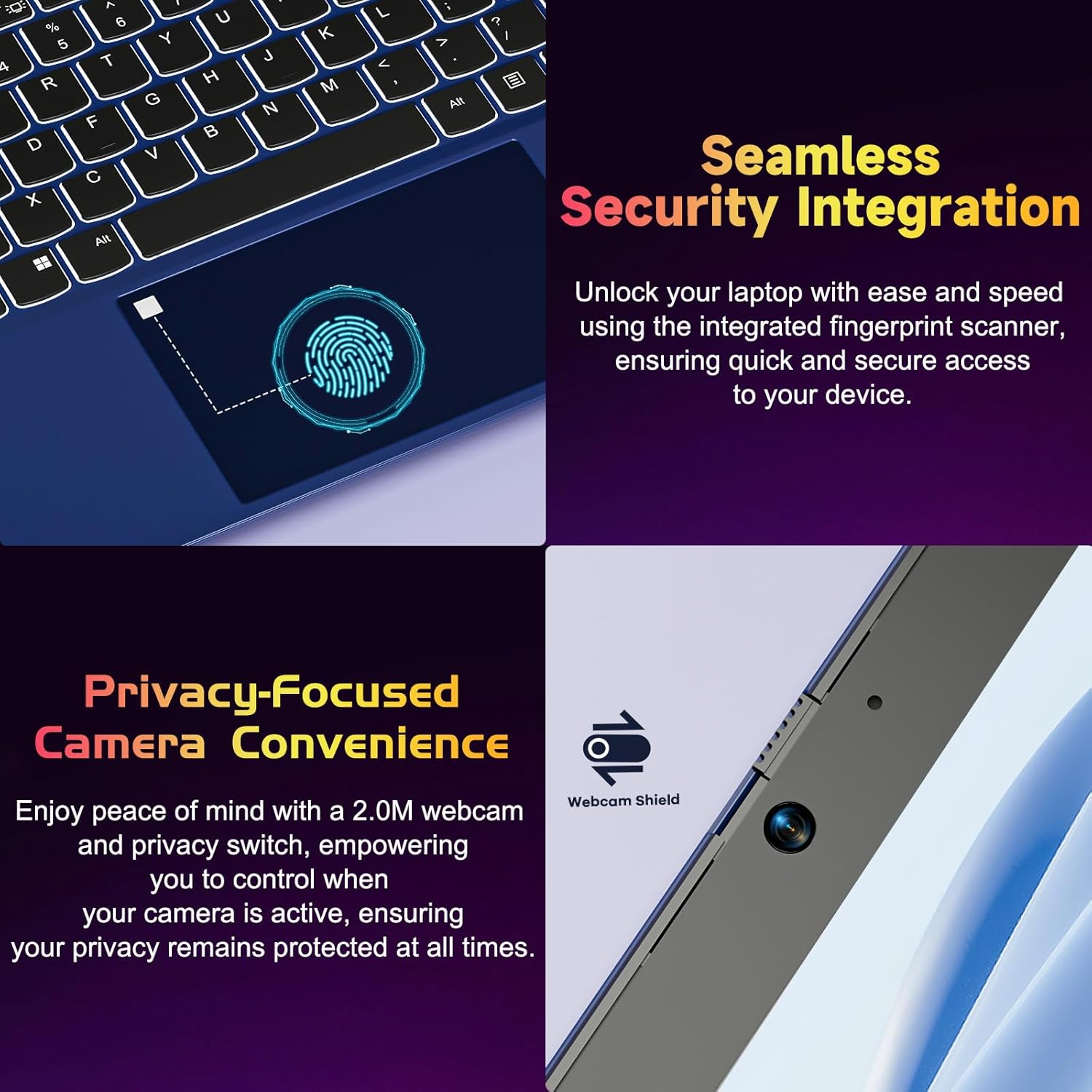
Figure 4.2: Seamless Security Integration and Privacy-Focused Camera. This image highlights the fingerprint scanner for quick and secure access, and the 2.0MP webcam with a physical privacy switch for enhanced user privacy.
4.3. Ciri Paparan
The 15.6 inch Full HD (1920 x 1080 Pixel) IPS display offers vivid visuals and a wide viewing angle. The 180° lay-flat hinge allows for flexible screen positioning, ideal for sharing content.

Figure 4.3: Vivid Full HD Display. This image emphasizes the laptop's 15.6-inch Full HD (1920x1080) IPS display, offering bright visuals and eye protection.

Figure 4.4: 180° Lay-Flat Hinge. This image illustrates the laptop's ability to lay flat, expanding usage scenarios and facilitating content sharing.
4.4. Webcam Privacy
The laptop includes a 2.0MP webcam with a physical privacy switch (Webcam Shield). Slide the switch to cover the camera lens when not in use to ensure your privacy.
5. Penyelenggaraan
- Pembersihan: Gunakan kain lembut dan tidak berbulu untuk membersihkan skrin dan bahagian luar. Untuk tanda degil, sedikit dampen kain dengan air atau pembersih skrin. Elakkan bahan kimia yang keras.
- Penjagaan Bateri: Untuk memanjangkan hayat bateri, elakkan daripada menyahcas sepenuhnya bateri dengan kerap. Simpan komputer riba di tempat yang sejuk dan kering jika tidak digunakan untuk tempoh yang lama.
- Kemas Kini Perisian: Kemas kini sistem pengendalian dan pemacu Windows anda secara berkala untuk memastikan prestasi dan keselamatan yang optimum.
- Perluasan Storan: The laptop supports dual DDR4 SO-DIMM slots and M.2 NVMe SSD for memory and storage expansion. Consult a qualified technician for upgrades.
6. Penyelesaian masalah
6.1. Isu Kuasa
- Komputer riba tidak dihidupkan: Ensure the laptop is charged. Connect the charger and wait a few minutes before attempting to power on again.
- Bateri tidak dicas: Verify the charger is properly connected to both the laptop and the power outlet. Try a different outlet.
6.2. Isu Paparan
- Skrin kosong: Check if the laptop is powered on. Try adjusting screen brightness using the function keys. If an external monitor is connected, ensure it is properly configured.
6.3. Isu Prestasi
- Komputer riba perlahan: Close unnecessary applications. Check for background processes consuming high resources. Ensure sufficient free storage space. Consider performing a system scan for malware.
6.4. Isu Ketersambungan
- Wi-Fi tidak bersambung: Ensure Wi-Fi is enabled. Restart your router and the laptop. Check network settings in Windows.
7. Spesifikasi
| Ciri | Perincian |
|---|---|
| Jenama | NIMO |
| Nama Model | NIMO N152R |
| Saiz Skrin | 15.6 Inci |
| Resolusi Skrin | 1920 x 1080 Piksel (HD Penuh) |
| Pemproses | AMD Ryzen 5 3500U (3.7 GHz, 4 Cores, 8 Threads) |
| RAM | 8 GB DDR4 (Upgradable) |
| Kelajuan Memori | 3200 MHz |
| Pemacu Keras | 256 GB SSD (Upgradable M.2 NVMe) |
| Pemproses bersama Grafik | AMD Integrated graphics (Vega) |
| Sistem Operasi | Windows 11 |
| Jenis Wayarles | 802.11abg |
| Port USB | 1x USB 2.0, 2x USB 3.0, 2x USB-C (1x Charge Only, 1x Full Function) |
| Port HDMI | ya |
| Pembaca SD Mikro | ya |
| Purata Hayat Bateri | 5 Jam |
| Berat Barang | 3.8 paun (1.72 kg) |
| Dimensi Produk | 14.07 x 8.98 x 0.76 inci |
| warna | Mawar |
| belakang Webresolusi cam | 2 MP |
8. Waranti dan Sokongan
Your NIMO laptop comes with a 2-year warranty, covering manufacturing defects and hardware malfunctions under normal use. Additionally, a 90-day free return policy is provided.

Figure 8.1: After-Sales Support. This image outlines the 2-year warranty, 90-day return policy, and professional customer service available for NIMO products.
8.1. Menghubungi Sokongan
For technical assistance, warranty claims, or product-related questions, please contact the NIMO U.S.-based support team. Contact information can typically be found on the official NIMO webtapak atau pembungkusan produk.
9. Maklumat Keselamatan
To prevent injury or damage to your device, observe the following safety precautions:
- Jangan dedahkan komputer riba kepada suhu yang melampau, cahaya matahari langsung atau kelembapan yang tinggi.
- Elakkan meletakkan objek berat di atas komputer riba.
- Use only the provided charger or a compatible 65W PD Type-C charger.
- Jangan cuba membuka atau membaiki komputer riba sendiri. Rujuk kepada kakitangan servis yang berkelayakan.
- Jauhkan cecair daripada komputer riba untuk mengelakkan kejutan elektrik atau kerosakan.
- Ensure proper ventilation when using the laptop to prevent overheating.


