1. Pengenalan
The Google Pixel 9a with Gemini is an advanced Android smartphone designed by Google. It integrates the Gemini AI assistant to enhance productivity and creativity. This device features a high-quality camera for exceptional photos, an all-day battery, and a durable design, supported by 7 years of software updates.
2. Bermula
2.1. Apa yang ada di dalam Kotak
- Google Pixel 9a Cell Phone
- 1m USB-C cable (USB 2.0)
- Ejector Dulang SIM
2.2. Peranti Lebihview
Familiarize yourself with the physical components of your Pixel 9a smartphone.
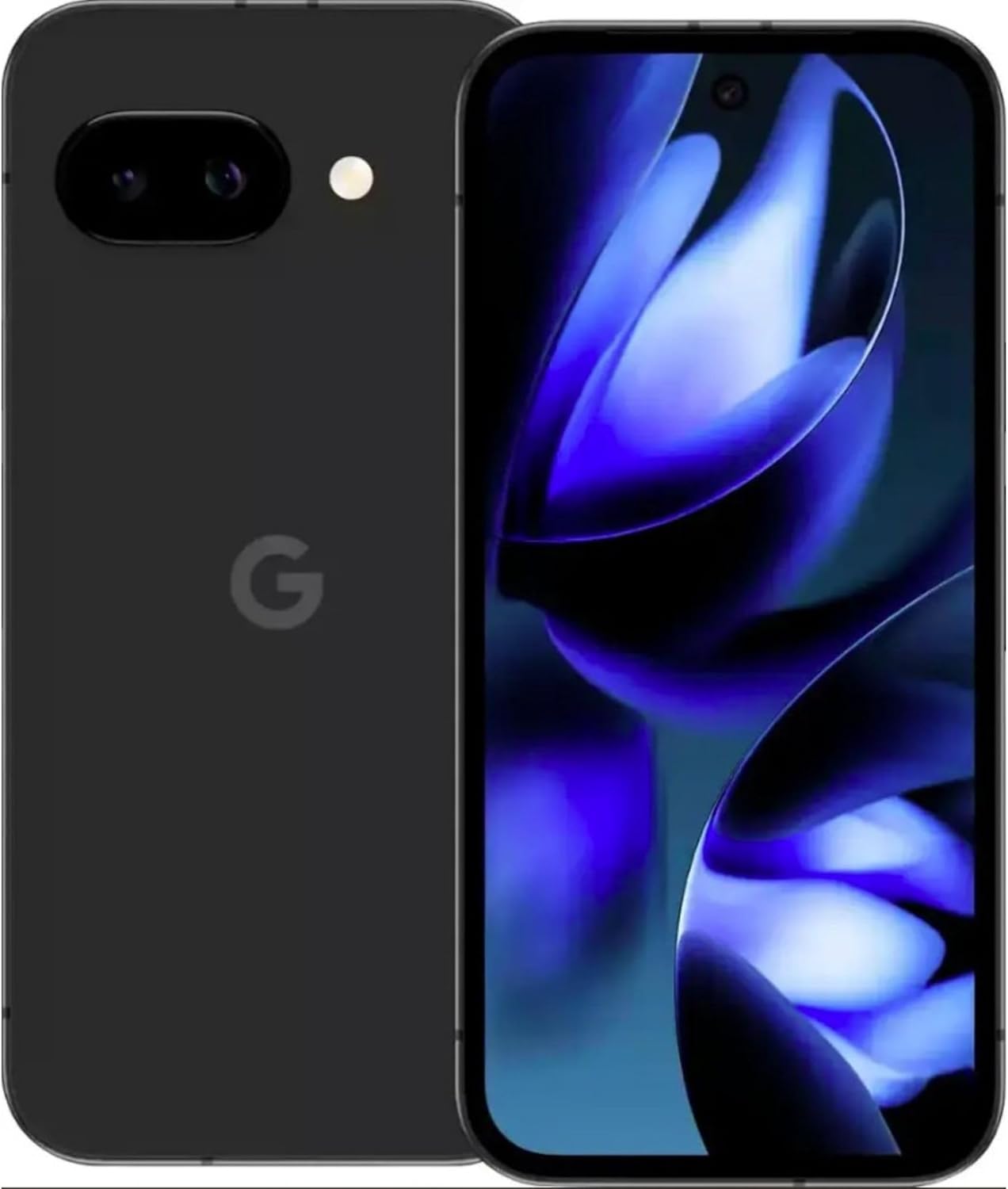
Imej: Depan dan belakang view of the Google Pixel 9a smartphone, showcasing the display and rear camera module.

Imej: Sisi view of the Google Pixel 9a, highlighting the power and volume buttons, and the SIM card tray.

Image: Clear back view of the Google Pixel 9a, showing the camera bar and Google logo.
2.3. Persediaan Awal
- Masukkan Kad SIM: Use the provided SIM tray ejector tool to open the SIM tray. Insert your nano-SIM card into the tray and reinsert it into the phone.
- Hidupkan kuasa: Press and hold the power button located on the side of the device until the Google logo appears.
- Ikuti Arahan Pada Skrin: The phone will guide you through the initial setup process, including connecting to Wi-Fi, signing in with your Google account, and setting up security features.
- Pemindahan Data: If you are upgrading from another device, follow the prompts to transfer your data, apps, and settings.
3. Operating Your Pixel 9a
3.1. Navigasi dan Antara Muka
The Pixel 9a runs on Android 15. Navigate using gestures or the traditional three-button navigation bar, configurable in Settings > System > Gestures.
3.2. Ciri-ciri Kamera
The Pixel 9a features an advanced camera system. Access the camera app from the home screen or by double-pressing the power button.
- Mod Foto: Switch between various modes like Portrait, Night Sight, Panorama, and more.
- Penyuntingan Foto AI: Utilize built-in AI features for enhanced photo editing, including Magic Eraser and Photo Unblur, directly within the Google Photos app.
3.3. Gemini AI Assistant
Gemini is integrated into your Pixel 9a to assist with various tasks.
- Pengaktifan: Activate Gemini by saying "Hey Google" or by long-pressing the power button (if configured).
- Keupayaan: Use Gemini for quick information retrieval, setting reminders, controlling smart home devices, drafting messages, and more.
3.4. Pengurusan Bateri
The Pixel 9a is equipped with an all-day battery. To optimize battery life:
- Bateri Suai Suai: Enable Adaptive Battery in Settings > Battery > Adaptive Battery.
- Penjimat Bateri: Use Battery Saver mode for extended usage when needed.
- Pengecasan Tanpa Wayar: The device supports wireless charging. Place it on a compatible Qi-certified wireless charger.
- Pengecasan Cepat: Utilize a compatible fast charger for quicker power replenishment.
3.5. Ciri-ciri Keselamatan
Your Pixel 9a includes robust security measures.
- Buka kunci cap jari: Set up your fingerprint for secure and quick unlocking.
- Buka Kunci Wajah: Configure face unlock for convenient access.
- Kemas Kini Biasa: Google provides 7 years of security updates to protect your device from emerging threats.
3.6. Ketersambungan
The Pixel 9a supports various connectivity options:
- 5G: Connect to 5G networks for faster data speeds (carrier dependent).
- Wi-Fi 6e: Enjoy enhanced Wi-Fi performance with Wi-Fi 6e compatibility.
- Bluetooth 5: Connect to Bluetooth accessories like headphones and smartwatches.
- NFC: Gunakan NFC untuk pembayaran tanpa sentuh dan gandingan pantas dengan peranti yang serasi.
- Dwi SIM: Peranti ini menyokong fungsi Dual SIM.
4. Penjagaan dan Penyelenggaraan
- Pembersihan: Gunakan kain lembut dan tidak berbulu untuk membersihkan peranti anda. Elakkan bahan yang melelas atau bahan kimia yang keras.
- Tahan Air dan Debu: The Pixel 9a is water and dust resistant. However, this is not a permanent condition and resistance might decrease as a result of normal wear. Do not intentionally submerge the device.
- Kemas Kini Perisian: Regularly install system updates to ensure optimal performance and security.
- Pengurusan Storan: Kosongkan secara berkala yang tidak perlu files dan apl untuk mengekalkan kelajuan peranti dan mengosongkan storan.
5. Penyelesaian masalah
If you encounter issues with your Pixel 9a, consider the following common solutions:
- Peranti Tidak Membalas: Tekan dan tahan butang kuasa selama kira-kira 30 saat untuk memaksa mulakan semula.
- Apl Ranap: Clear the app's cache and data in Settings > Apps > [App Name] > Storage > Clear Cache/Clear Data. If the issue persists, uninstall and reinstall the app.
- Longkang Bateri: Check battery usage in Settings > Battery to identify apps consuming excessive power. Adjust settings or restrict background activity for those apps.
- Isu Ketersambungan: Toggle Wi-Fi or Bluetooth off and on. For cellular issues, ensure your SIM card is properly inserted and contact your carrier if necessary.
- Gangguan Perisian: Ensure your device is running the latest software version. A factory reset (Settings > System > Reset options > Erase all data) can resolve persistent software problems, but remember to back up your data first.
6. Spesifikasi Teknikal
| Ciri | Spesifikasi |
|---|---|
| Nama Model | Google Pixel 9a |
| Nombor Model Item | GXQ96 |
| Sistem Operasi | Android 15 |
| Model CPU | Google Tensor G4 |
| Kelajuan CPU | 3.1 GHz |
| Saiz Terpasang Memori RAM | 8 GB |
| Kapasiti Penyimpanan Memori | 128 GB |
| Saiz Skrin | 6.3 Inci |
| Resolusi | 1080 x 2400 |
| Penilaian Kuasa Bateri | 4300 mAh |
| Masa Bual Telefon | 16 Jam |
| Teknologi Ketersambungan | 5G + Wifi 6e + Bluetooth 5, Bluetooth, NFC, USB, Wi-Fi |
| Ciri Khas | Dual SIM, Fast Charging Support, Gemini AI Assistant, Water & Dust Resistant, Wireless Charging |
| Dimensi Produk | 2.88 x 6.09 x 0.35 inci |
| Berat Barang | 6.6 auns (186 Gram) |
| warna | Black (Obsidian) |
| Pengeluar | |
| Pembawa Tanpa Wayar | Dibuka kunci |
7. Maklumat Kawal Selia dan Keselamatan
For detailed regulatory compliance, safety, and warranty information, please refer to the official Google Pixel support website or the documentation included with your device. Adhere to all local regulations regarding electronic device usage and disposal.
8. Waranti dan Sokongan
Your Google Pixel 9a is covered by Google's standard warranty. For warranty claims, technical support, or service inquiries, please visit the official Google Pixel Support website or contact Google customer service directly. Keep your proof of purchase for warranty validation.


