1. Panduan Persediaan
This section provides instructions for initial setup of your CASCHO P125 Smartwatch.
1.1 Membuka Kotak dan Caj Permulaan
Upon unboxing, ensure all components are present: the CASCHO P125 Smartwatch, charging cable, and user manual. Before first use, fully charge the smartwatch using the provided magnetic charging cable. Connect the magnetic end to the charging points on the back of the watch and the USB end to a compatible power adapter (not included).

Image: The CASCHO P125 Smartwatch in blue, alongside its magnetic charging cable. The watch face displays time, steps, calories, and heart rate. A smaller inset shows an incoming call notification.
Video: A user unboxes the smartwatch, demonstrates the magnetic charging, and powers on the device. It highlights the screen clarity and initial setup steps.
1.2 Pemasangan Apl dan Berpasangan
- Download the Da Fit App:
Scan the QR code provided in your physical manual or search for "Da Fit" in your smartphone's app store (Google Play for Android, App Store for iOS). Ensure your phone meets the minimum requirements: iOS 9.0+ or Android 5.0+.

Image: A visual guide showing the steps to activate Bluetooth, find the Da Fit app in app stores, and scan a QR code for installation.
- Dayakan Bluetooth:
Aktifkan Bluetooth pada telefon pintar anda.
- Pair the Smartwatch:
Open the Da Fit app. Navigate to the "Add Device" section. The app will search for nearby devices. Select "P125" from the list to establish a connection. Follow any on-screen prompts to complete the pairing process.
2. Mengendalikan Jam Pintar Anda
Learn how to navigate and utilize the various features of your CASCHO P125 Smartwatch.
2.1 Display and Customization
The smartwatch features a 1.85-inch HD TFT color touchscreen display. You can adjust the brightness with 5 available levels. Personalize your watch by choosing from over 200 free watch faces via the Da Fit app or by uploading your own photos.

Imej: Paparan jam tangan pintar menunjukkanasing multiple customizable watch faces, including options to use personal photos.
2.2 Panggilan dan Pemberitahuan Bluetooth
With Bluetooth 5.3 connectivity, the P125 allows you to make and receive calls directly from your wrist using its built-in microphone and HD speaker. You will also receive real-time notifications for messages from apps like WhatsApp, SMS, and Facebook directly on the screen.

Image: The smartwatch displaying an incoming call and various social media notification icons, demonstrating its communication features.
2.3 24/7 Health Tracking
The P125 Smartwatch is equipped with a precise optical sensor for continuous health monitoring:
- Pemantauan Denyut Jantung: Mengesan kadar denyutan jantung anda sepanjang hari.
- Pengukuran Oksigen Darah (SpO2): Mengukur tahap ketepuan oksigen darah anda.
- Analisis Tidur: Monitors your sleep patterns, distinguishing between deep sleep, light sleep, and awake times.
- Penjejakan Haid: Provides a dedicated feature for women's health tracking.
All health data is synchronized with the Da Fit app, providing detailed reports and historical trends.

Image: A visual representation of the smartwatch's health tracking capabilities, showing heart rate, blood oxygen, and sleep cycle data.
2.4 Mod Sukan dan Penjejakan Aktiviti
With over 115 built-in sports modes, the P125 is designed to track a wide range of activities including running, yoga, football, hiking, and more. The 3-axis sensor accurately counts steps, distance covered, and calories burned during your workouts.
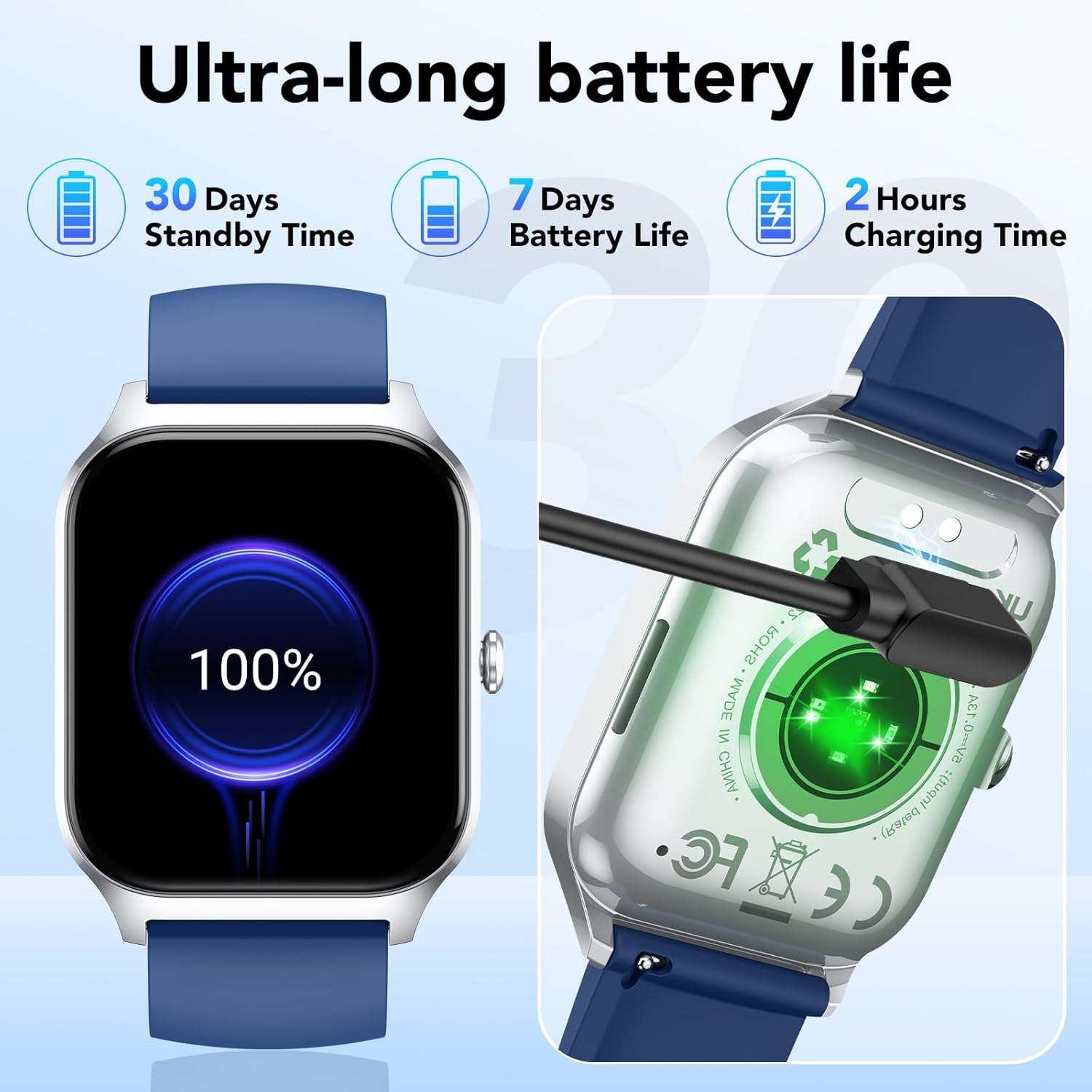
Image: The smartwatch displaying a selection of its 115+ sports modes, alongside metrics like steps, calories, and activity duration.
2.5 Fungsi Pintar
The CASCHO P125 Smartwatch offers several convenient smart features:
- Ramalan cuaca: Dapatkan kemas kini cuaca masa nyata.
- Kawalan Muzik: Kawal main balik muzik pada telefon pintar anda.
- Remote Camera Shutter: Use your watch to remotely trigger your phone's camera.
- Peringatan Sedentari: Terima makluman untuk menggalakkan pergerakan selepas tempoh tidak aktif.
- Peringatan Air: Get reminders to drink water throughout the day.
- Cari Telefon: Cari telefon pintar berpasangan anda.
- Senaman pernafasan: Latihan pernafasan berpandu untuk relaksasi.

Image: The smartwatch interface showing icons for various smart functions such as music control, camera control, weather, and message reminders.
3. Penyelenggaraan dan Penjagaan
Proper care ensures the longevity and optimal performance of your smartwatch.
3.1 Rintangan Air (IP68)
The CASCHO P125 Smartwatch is IP68 rated, meaning it is resistant to dust and can withstand immersion in water up to 1.5 meters for 30 minutes. It is suitable for daily use, including showering, rain, and sweating during workouts. However, it is not recommended for hot water baths, saunas, or diving.
3.2 Hayat Bateri dan Pengecasan
The smartwatch is equipped with a 300 mAh lithium-ion battery. A full charge takes approximately 2 hours. It offers up to 7 days of typical use and up to 30 days in standby mode. Use only the provided magnetic charging cable to prevent damage.

Image: The smartwatch connected to its magnetic charger, with an indicator showing 100% battery. Text highlights 30 days standby, 7 days battery life, and 2 hours charging time.
4. Penyelesaian masalah
Jika anda menghadapi masalah dengan jam tangan pintar anda, rujuk kepada penyelesaian biasa berikut:
- Tidak Boleh Dipasangkan dengan Telefon:
- Ensure Bluetooth is enabled on your phone and the smartwatch is within range.
- Check if the Da Fit app has necessary permissions (location, Bluetooth).
- Mulakan semula kedua-dua telefon anda dan jam tangan pintar.
- Unpair and re-pair the device through the Da Fit app.
- Data Kesihatan Tidak Tepat:
- Pastikan jam tangan dipakai dengan kemas di pergelangan tangan anda, tidak terlalu ketat atau terlalu longgar.
- Bersihkan penderia di belakang jam tangan.
- Elakkan pergerakan berlebihan semasa pengukuran.
- Pemberitahuan Tidak Muncul:
- Verify that notifications are enabled in the Da Fit app for specific applications.
- Check your phone's notification settings to ensure the Da Fit app has permission to send notifications.
- Pastikan jam tangan pintar disambungkan melalui Bluetooth.
- Hayat Bateri Pendek:
- Kurangkan kecerahan skrin.
- Lumpuhkan pemantauan kadar denyutan jantung berterusan jika tidak diperlukan 24/7.
- Hadkan bilangan aplikasi yang menghantar pemberitahuan kepada jam tangan.
- Pastikan jam tangan dicas sepenuhnya.
5. Spesifikasi Produk
| Ciri | Perincian |
|---|---|
| Jenama | CASCHO |
| Nombor Model | P125 |
| Paparan | 1.85-inch HD TFT Color Touchscreen |
| Sistem Operasi | Pakai OS 1.0 |
| Ketersambungan | Bluetooth 5.3 |
| Peranti Serasi | Telefon Pintar (iOS 9.0+, Android 5.0+) |
| Jenis Bateri | Litium-ion |
| Kapasiti Bateri | 300 mAh |
| Masa Mengecas | lebih kurang 2 jam |
| Hayat Bateri (Penggunaan Biasa) | Sehingga 7 hari |
| Masa Tunggu Sedia | Sehingga 30 hari |
| Tahan Air | IP68 |
| Ciri Khas | Time Display, Camera Control, Weather Forecast, Alarm Clock, Multi-sport Tracker, Heart Rate, SpO2, Sleep Monitor, Menstrual Tracking, Sedentary Reminder, Water Reminder, Find Phone, Breathing Exercises |
| GPS | Tiada GPS |
| bentuk | Segi empat |
6. Waranti dan Sokongan
6.1 Maklumat Waranti
Please refer to your purchase documentation for specific warranty details. The manufacturer's warranty information is not available in the provided product data.
6.2 Sokongan Pelanggan
For further assistance, technical support, or inquiries regarding your CASCHO P125 Smartwatch, please contact CASCHO customer service through their official channels or refer to the Da Fit app for in-app support options.
You can find more information and updates on the CASCHO Brand Store.


