pengenalan
Thank you for choosing the TERUNSOUl NV168 4K Night Vision Binoculars. This device is designed to provide clear observation, photo, and video capture in various lighting conditions, from bright daylight to complete darkness. Please read this manual thoroughly to understand the features and proper operation of your new night vision binoculars.

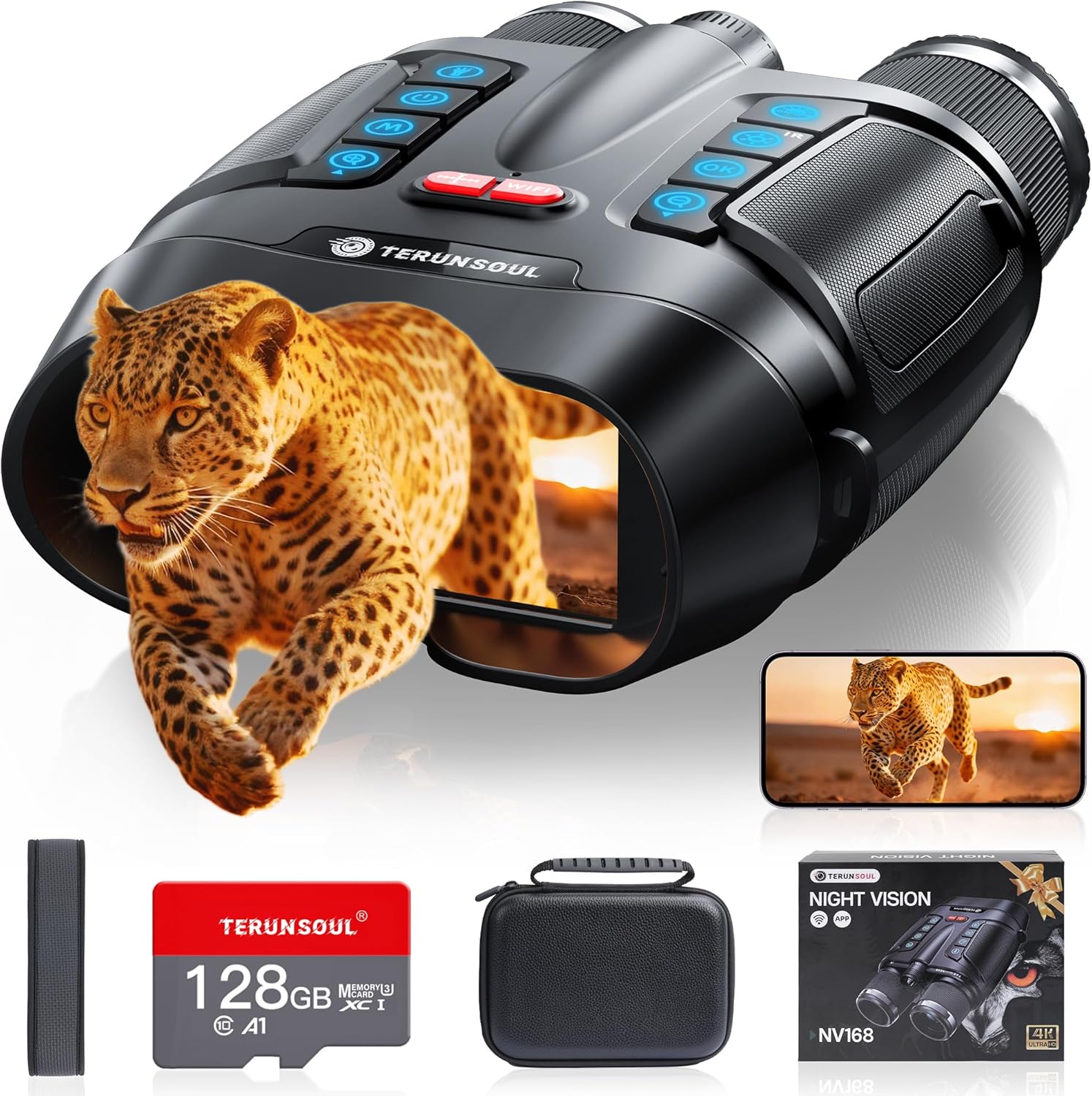
Image: TERUNSOUl NV168 Night Vision Binoculars and included accessories.
Apa yang ada dalam Kotak
- Night Vision Goggles (NV168) x1
- 128GB TF Card x1 (Pre-installed)
- Manual Pengguna x1
- Keyboard Guide x1
- Kabel USB-C x1
- Tali Bahu x1
- Lens Cleaning Cloth x1
- Beg simpanan x1
- Imitation Leather Bag x1

Image: All items included in the TERUNSOUl NV168 Night Vision Binoculars package.
Produk Selesaiview
Ciri-ciri Fizikal
Imej: Depan view of the NV168 binoculars, highlighting the objective lenses and infrared illuminator.
The NV168 binoculars feature a robust design with a 3-inch LCD HD screen for viewing. The device is equipped with objective lenses, an infrared illuminator, and various control buttons for easy operation.
Control Buttons and Ports
The top panel of the binoculars houses several buttons for controlling different functions, including power, mode selection, menu access, zoom, and IR level adjustment. A 1/4" screw hole is located on the bottom for tripod mounting. A side panel protects the USB-C charging port and the Micro SD card slot.

Imej: Terperinci view of the control buttons on top of the NV168 binoculars.
Persediaan
Battery and Storage
The NV168 binoculars come with a pre-installed 128GB TF card and a 10000 mAh rechargeable battery. For optimal performance, fully charge the product before first use. The Micro SD card slot supports up to 128GB TF cards.

Imej: Sisi view of the NV168 binoculars, indicating the USB-C port and the pre-installed 128GB TF card.
Menghidupkan/Mematikan
To power on the device, press and hold the power button located on the top panel. The 3-inch LCD screen will display a welcome message and then show the live view. To power off, press and hold the power button again.
Arahan Operasi
Viewing and Focus Adjustment
Lihat melalui kanta mata untuk view the live feed on the 3-inch LCD screen. Use the rotating barrel on the objective lens to manually adjust the focus for clear images, whether near or far. The binoculars offer 8x digital zoom to magnify details.

Image: Illustration of manual focus adjustment using the rotating lens barrel.
Night Vision Modes and IR Levels
The NV168 supports day, low-light, and night vision conditions. In low-light or no-light environments, remove the infrared cut filter and activate the 3W 850nm infrared light. Adjust the 7 levels of IR brightness using the dedicated buttons on the top panel to optimize visibility in complete darkness.

Image: Instructions for adding or removing infrared filters based on ambient light.
Tangkapan Foto dan Video
The binoculars support 4K UHD video recording and 48MP photo capture. Use the designated buttons to switch between video mode, photo mode, and video playback. The built-in microphone captures sound for a more immersive experience.

Image: The 3-inch HD screen displaying options for video, photo, and playback modes.
WiFi Remote Control and App
Mount the binoculars on a tripod using the 1/4" screw hole and connect to the smartphone app via 2.4G WiFi. The app allows live viewing, shooting, previewing, and downloading images and videos from up to 49 feet away. Note that in Wi-Fi mode, all buttons except the lighting function are disabled. Exit Wi-Fi mode to restore full button functionality.

Image: Step-by-step guide on how to connect the NV168 binoculars to the smartphone application.
Video: A guide demonstrating the use of the Night Vision Goggles with the smartphone application.
Fungsi Lampu Suluh
The binoculars include an exclusive flashlight function. Press the dedicated button to activate steady light or double-press for strobe light, useful for illuminating your path or handling emergencies in the dark.

Image: The NV168 binoculars with its integrated flashlight, showing options for steady and strobe light.
Penyelenggaraan
Pembersihan
Use the included lens cleaning cloth to gently wipe the lenses and screen. Avoid using abrasive materials or harsh chemicals that could damage the optical surfaces.
Penyimpanan
When not in use, store the binoculars in the included carrying bag or imitation leather bag to protect them from dust, moisture, and physical damage. Ensure the device is powered off before storage.
Menyelesaikan masalah
- Slow WiFi Video Download: Due to 2.4G Wi-Fi and large HD video files, downloading videos via the app may be slow. It is recommended to preview videos via the app and then use the TF card or USB-C cable to download videos to a computer for faster transfer.
- Video Playback Compatibility: Some smartphones may not support certain video formats. If playback issues occur, try converting the video to MP4 format for improved compatibility.
- Buttons Disabled in Wi-Fi Mode: In Wi-Fi mode, all buttons except the lighting function are disabled. Exit Wi-Fi mode to restore full button functionality.
- Perlindungan Bateri: To better protect the battery, fully charge the product after receiving it.
Spesifikasi
| Nombor Model | NV168 |
| Jenama | TERUNSOUl |
| Pembesaran Maksimum | Zum Digital 8x |
| Diameter Kanta Objektif | 25 Milimeter |
| Resolusi Video | 4K UHD |
| Resolusi Foto | 48MP |
| Saiz Skrin | 3-inch LCD HD |
| Illuminator Inframerah | 3W 850nm |
| Kapasiti Bateri | 10000 mAh |
| Penyimpanan | Kad TF 128GB (termasuk) |
| Penilaian Kalis Air | IP65 |
| Berat Barang | 3.15 paun |
| Dimensi Pakej | 9.45 x 7.32 x 4.09 inci |
Waranti dan Sokongan
For any questions, technical support, or warranty claims, please refer to the contact information provided in your product packaging or visit the official TERUNSOUl website. Each item has a unique code that is verified before shipping.


