1. Pengenalan
This manual provides detailed instructions for the setup, operation, and maintenance of your VEVOR 7-in-1 Wi-Fi Weather Station. This advanced system offers comprehensive weather monitoring, including temperature, humidity, rainfall, wind speed, wind direction, and pool water temperature. It features a 7.5-inch HD display and smart Wi-Fi connectivity for app control.

Figure 1: VEVOR 7-in-1 Wi-Fi Weather Station components.
2. Kandungan Pakej
Sahkan bahawa semua item terdapat dalam pakej anda:
- Outdoor Multi-Sensor Unit (Wind Vane, Anemometer, Rain Collector, Temperature/Humidity Sensor, Solar Panel)
- 7.5-inch HD Display Console
- Termometer Kolam Tanpa Wayar
- Mounting Bracket and Hardware (aluminum alloy rod fixed bracket, screws, wall anchors)
- Penyesuai Kuasa untuk Konsol Paparan
- Manual Pengguna
3. Persediaan
3.1. Outdoor Multi-Sensor Installation
The outdoor sensor is designed for easy installation and enhanced durability. It features double-layer waterproof housing and circuit board, supports NiMH battery charging, and offers simplified 1-step setup.

Figure 2: Outdoor Multi-Sensor upgrades and features.
- Menghidupkan Sensor: The outdoor sensor is solar-powered. On sunny days, the solar panel powers the device. During nighttime or cloudy weather, batteries take over. Ensure batteries are installed for continuous operation. In low-sunlight areas, use the included charging box to recharge the outdoor NiMH battery every 6 months.
- Lokasi Pemasangan: Choose a location that provides accurate readings for wind, rain, and sunlight. The sensor has a transmission distance of up to 492 ft (150 m). Avoid placing it near TVs, towers, power lines, or other interference sources. Metal fences are not ideal for mounting.
- Orientasi: Ensure the wind vane is oriented correctly (usually facing North) for accurate wind direction readings.
- Pemasangan selamat: Use the provided aluminum alloy rod fixed bracket and mounting screws to securely attach the sensor. The bracket supports mounting on top/side or railing.
3.2. Display Console Setup
- Menguasakan Paparan: Plug the display console into a power outlet using the provided adapter. The adapter must remain plugged in for constant screen display and Wi-Fi connectivity.
- penempatan: Place the display console in a convenient indoor location where you can easily view the weather data.
3.3. Wireless Pool Thermometer Setup
The pool thermometer has a wireless transmission distance of up to 328 ft (100 m).
- Pemasangan Bateri: Install batteries into the pool thermometer as per its specific instructions.
- penempatan: Place the thermometer in your pool. Ensure it is within the transmission range of the display console.
3.4. Smart Wi-Fi & App Control
The weather station supports 2.4GHz Wi-Fi only (5GHz is not supported). To connect to Wi-Fi and sync date, the adapter must remain plugged in.
- Muat turun Aplikasi: Download the Smart Life app from your smartphone's app store.
- Sambung ke Wi-Fi: Follow the in-app instructions to connect your display console to your 2.4GHz Wi-Fi network.
- Data Segerak: Once connected, the app will sync with your weather station to view, store, analyze, and share real-time weather data. Note that app data may have a delay of about 1 minute compared to the outdoor sensor.
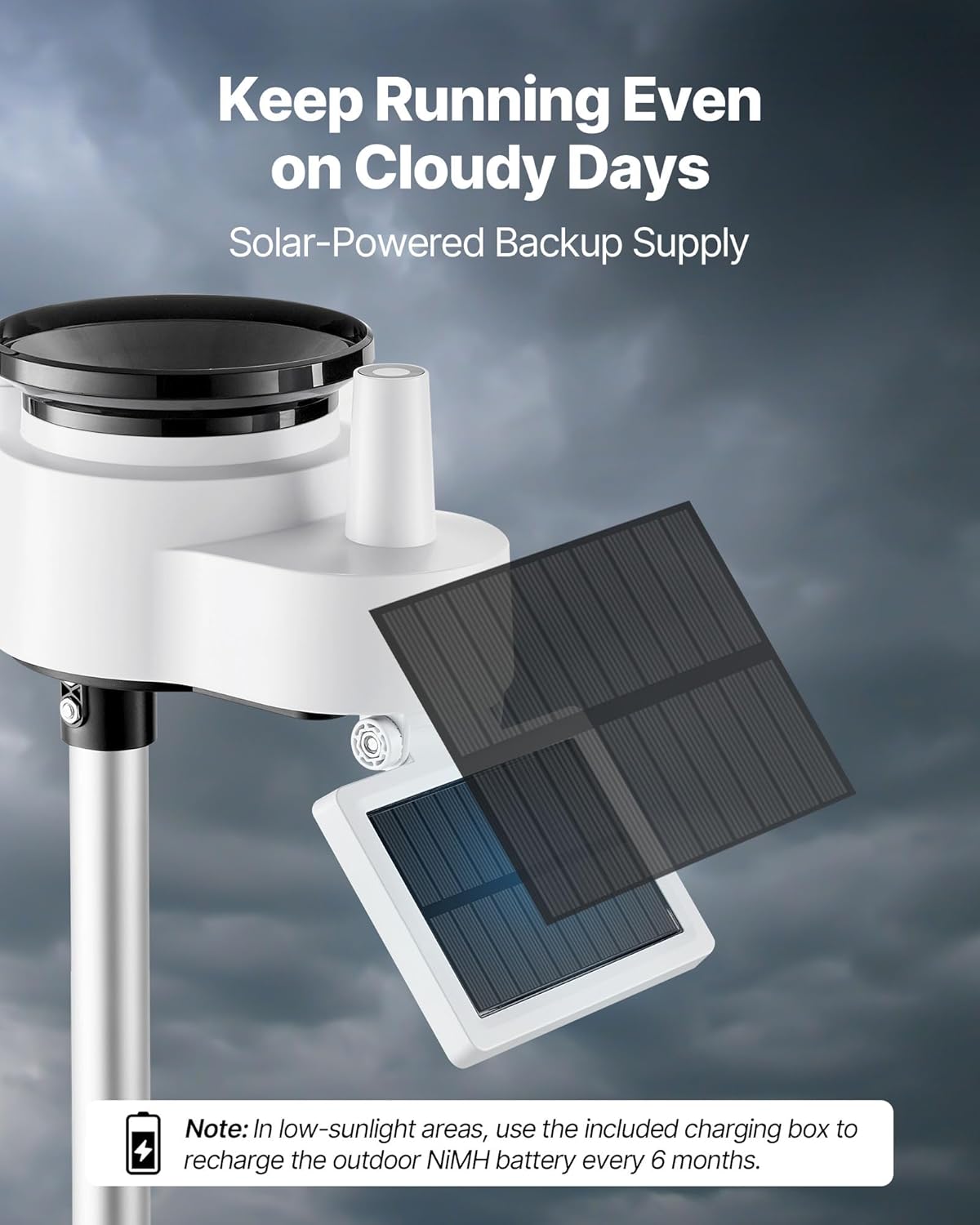
Figure 3: Smart Life App interface for Wi-Fi data transmission.
4. Arahan Operasi
4.1. Display Console Overview
The 7.5-inch large HD display provides a crystal-clear view of all your weather data with 4 brightness levels, suitable for day or night reading.

Figure 4: Display console showing weather conditions and brightness options.
- Pemantauan Cuaca: Tracks temperature, humidity, rainfall, wind speed & direction, and pool water temperature.
- Ramalan: Provides weather forecasts based on collected data.
- Makluman: Supports high/low temperature alarms, daily rainfall alarms, and rain rate alarms.
- Kecerahan: Adjust the display brightness using the controls on the console.
4.2. Ciri Apl
The Smart Life app allows you to view, store, analyze, and share real-time weather data from your personal weather station anywhere.
- Pemantauan Jauh: Access all weather data from your smartphone.
- Sejarah Data: Review historical weather data for trends and analysis.
- Makluman Tersuai: Set up personalized alerts for specific weather conditions.
5. Penyelenggaraan
- Panel Suria: Keep the solar panel on the outdoor sensor clean and free from debris to ensure optimal charging efficiency.
- Bateri: Regularly check and replace batteries in the outdoor sensor and pool thermometer as needed. For the outdoor sensor, recharge the NiMH battery every 6 months in low-sunlight areas.
- Tolok Hujan: Periodically clean the rain collector to prevent blockages from leaves or dirt, which can affect rainfall accuracy.
- Pembersihan Am: Wipe down the display console and outdoor sensor with a soft, damp kain. Elakkan menggunakan pembersih yang kasar.
6. Penyelesaian masalah
- No Data on Display: Ensure the outdoor sensor and display console are powered on and within range. Check batteries in the outdoor sensor and pool thermometer.
- Isu Kesambungan Wi-Fi: Verify your Wi-Fi network is 2.4GHz. Ensure the display console's power adapter is plugged in. Restart your router and the display console.
- Bacaan Tidak Tepat: Check the outdoor sensor's placement for obstructions or interference. Ensure the wind vane is correctly oriented. Clean the rain gauge if rainfall readings are incorrect.
- App Data Delay: A slight delay (approx. 1 minute) between the outdoor sensor and app data is normal.
7. Spesifikasi

Figure 5: Dimensions and technical specifications.
- Nombor Model Item: YT60307
- Bekalan Kuasa: Solar Powered (Outdoor Sensor), Corded Electric (Display Console)
- Sensor Functions: 7-in-1 (Temperature, Humidity, Rainfall, Wind Speed, Wind Direction, UV, Sunlight)
- Jarak penghantaran: 492 ft / 150m (Outdoor Sensor), 328 ft / 100m (Pool Thermometer)
- Saiz Paparan: 7.5-inch VA Screen
- Kekerapan: 2.4 GHz
- Input Penyesuai: AC 100-240V, 50 / 60Hz, 0.4A
- Output Penyesuai: DC 5V, 1000mA, 5W
- Sensor Waterproof Rating: IPX6
- Thermometer IP Rating: IPX7
- Bahan Utama: Akrilonitril Butadiene Styrene (ABS), Polikarbonat (PC)
- Berat Bersih: 3.9 paun / 1.77 kg
8. Waranti dan Sokongan
For warranty information, technical support, or any questions regarding your VEVOR 7-in-1 Wi-Fi Weather Station, please refer to the contact information provided with your product packaging or visit the official VEVOR webtapak.


