pengenalan
This manual provides detailed instructions for the safe and efficient use of your artfone G6 Pro 4G Senior Flip Phone. Please read this manual thoroughly before operating the device and keep it for future reference.

Image: The artfone G6 Pro 4G flip phone, showcasing its dual LCD screens and large keypad.
Apa yang ada dalam Kotak
Sahkan bahawa semua item terdapat dalam pakej:
- 1 x artfone G6 Pro Senior Flip Phone
- 1 x 1300 mAh Battery
- 1 x Kabel Pengecas USB
- 1 x Charging Head (Power Adapter)
- 1 x Dok Pengecasan
- 1 x User Manual (English, German, French, Spanish, Italian)

Image: All components included in the artfone G6 Pro package: the phone, battery, USB cable, power adapter, charging dock, and user manual.
Persediaan
1. Installing the SIM Card, Micro SD Card, and Battery
- Tanggalkan penutup belakang telefon.
- Insert your Nano SIM card(s) into the designated slot(s). Ensure the gold contacts face downwards.
- If desired, insert a Micro SD card (up to 64GB) into the Micro SD slot for expanded storage.
- Insert the 1300mAh battery, aligning the contacts correctly.
- Pasang semula penutup belakang sehingga ia terpasang dengan selamat di tempatnya.
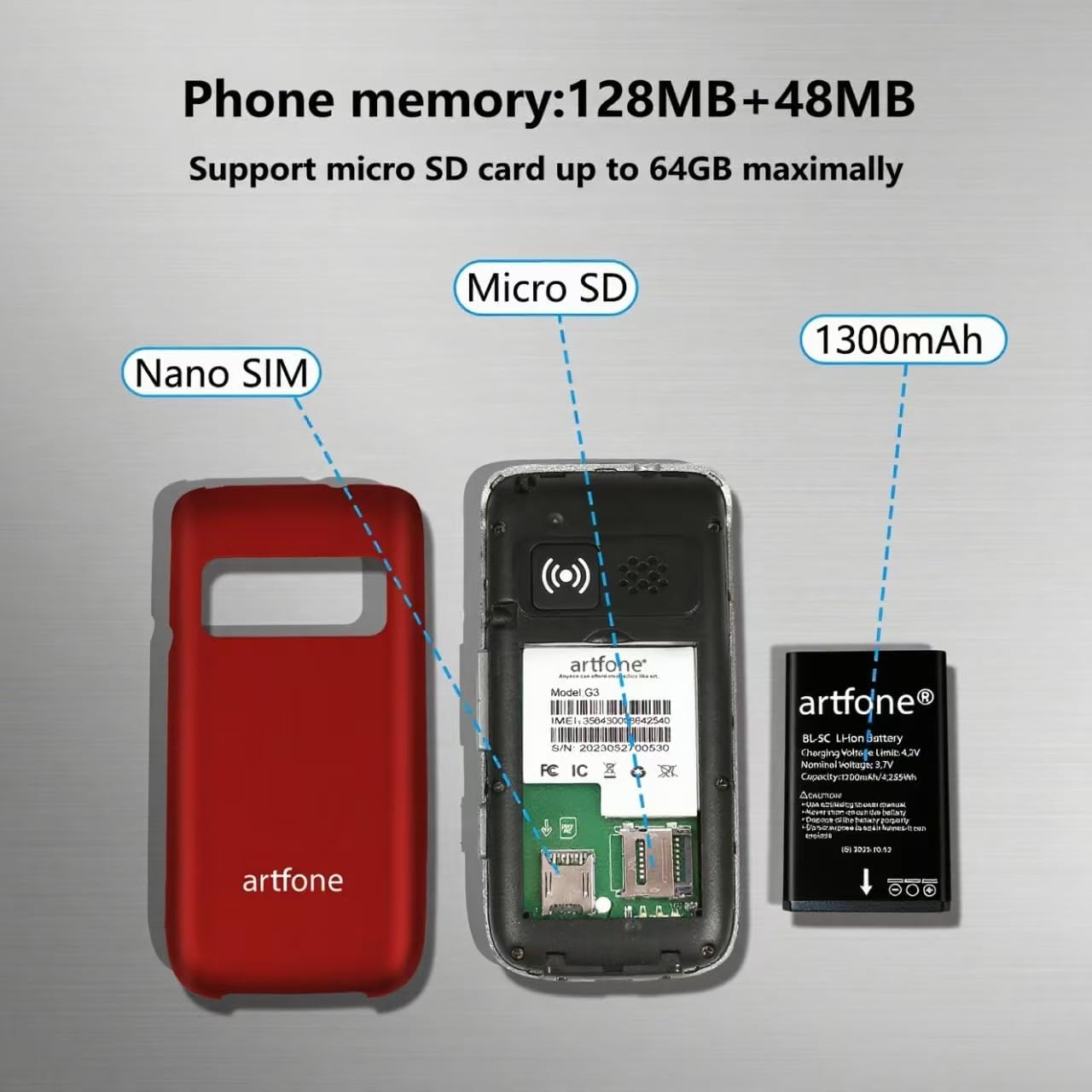
Imej: Meletup view of the artfone G6 Pro, showing the back cover removed, revealing slots for Nano SIM and Micro SD cards, and the 1300mAh battery.
2. Pengecasan Awal
Before first use, fully charge the phone. You can charge it using the provided charging dock or directly via the USB-C cable.
- Menggunakan Dok Pengecasan: Connect the USB cable to the charging head, then plug it into a power outlet. Place the phone into the charging dock. The phone will indicate charging status.
- Pengecasan Terus: Connect the USB-C cable directly to the phone's charging port and the other end to the charging head, then plug into a power outlet.
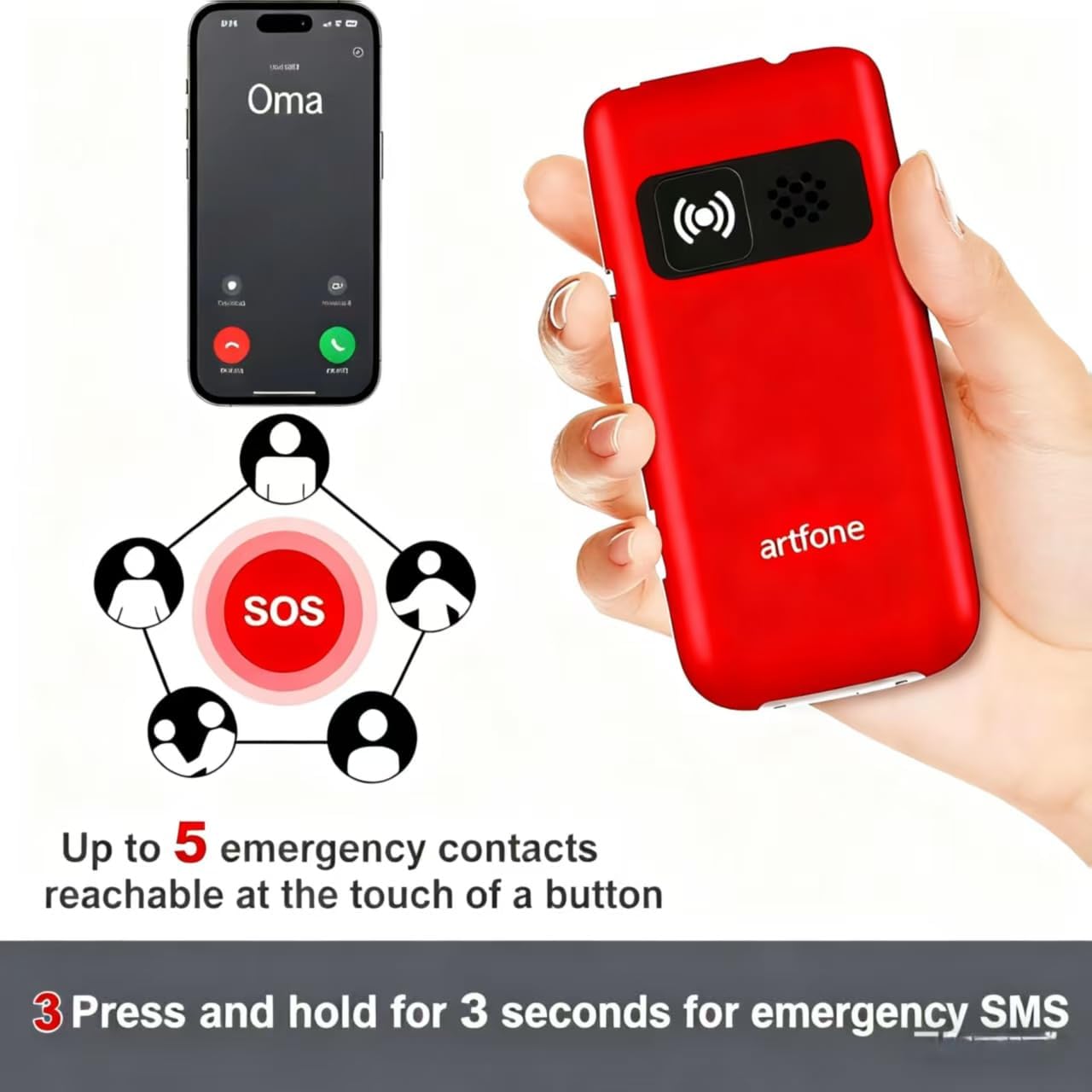
Image: The artfone G6 Pro phone placed in its charging dock, connected to a power source.
Arahan Operasi
1. Hidupkan/Mati Kuasa
- Untuk Menghidupkan: Press and hold the red End Call/Power button (
 ) until the screen lights up.
 - Untuk Mematikan: Press and hold the red End Call/Power button until the power-off options appear, then select 'Power Off'.
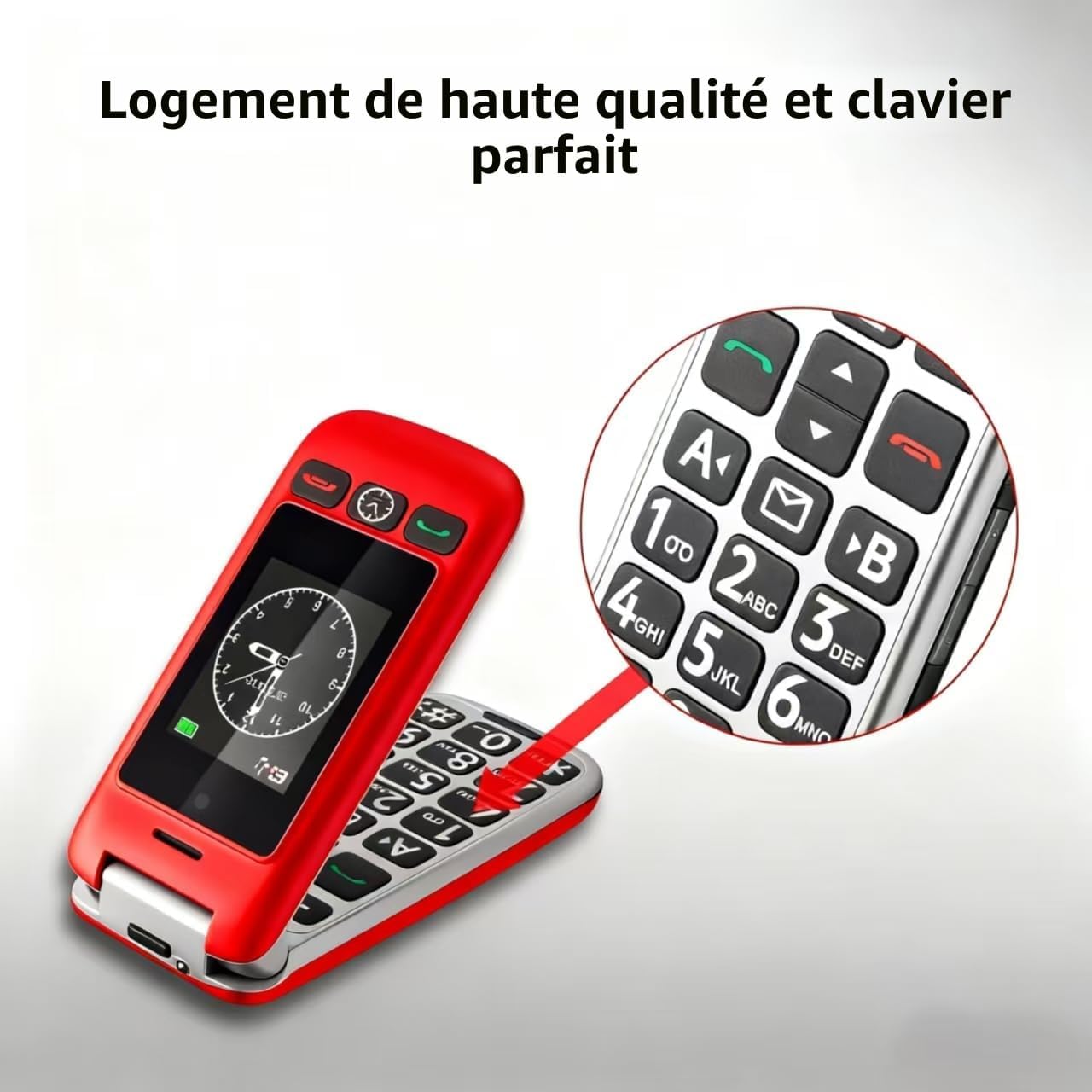
2. Membuat dan Menerima Panggilan
- Membuat Panggilan: Dial the number using the large keypad and press the green Call button ().
- Menerima Panggilan: Open the flip to answer, or press the green Call button. Close the flip or press the red End Call button to end a call.
- Melaraskan Kelantangan: Use the volume buttons on the side of the phone during a call.

Image: A close-up of the artfone G6 Pro's large, backlit keypad, designed for easy dialing.
3. Dual Screen Features
The artfone G6 Pro features a 2.4-inch internal screen and a 1.8-inch external screen.
- The external screen displays time, date, battery status, and caller ID without opening the phone.
- Press and hold the dedicated time announcement button (often located on the side or front) for 2 seconds to hear the current time spoken aloud.

Image: The artfone G6 Pro displaying the time on its external screen, with an illustration of the time announcement feature.
4. Fungsi Kecemasan SOS
The SOS button provides quick access to emergency contacts.
- Setting SOS Numbers: Navigate to the 'SOS Settings' in the phone's menu to program up to 5 emergency contact numbers.
- Mengaktifkan SOS: In an emergency, press and hold the SOS button on the back of the phone for 3 seconds. The phone will automatically call the programmed numbers in sequence until one answers. It will also send an emergency SMS to these contacts.

Image: The artfone G6 Pro with its SOS button highlighted, illustrating how it connects to up to 5 emergency contacts.
5. Dail Cepat
Assign frequently called numbers to speed dial keys (A, B, 1-9) for quick access.
- Setting Speed Dial: Go to 'Settings' > 'Speed Dial' to assign contacts to specific keys.
- Menggunakan Dail Pantas: Press and hold the assigned key (e.g., 'A' or '1') to call the stored contact.
6. Ciri-ciri Lain
- kamera: Access the camera through the main menu to take basic photos.
- Radio FM: Plug in headphones (3.5mm jack) to use the FM radio function.
- Lampu suluh: Activate the flashlight via a dedicated side switch or through the menu.
- Antara Muka Pengguna: The phone features a simple, user-friendly interface with clear icons for easy navigation.

Image: A visual representation of the artfone G6 Pro's menu, showing large, clear icons for Contacts, Tools, Message, SOS, Calendar, Settings, Internet, Multimedia, and Call logs.

Image: A composite image illustrating the flashlight, FM radio, and 3.5mm headphone jack features of the artfone G6 Pro.
Penyelenggaraan
- Pastikan telefon kering. Kelembapan boleh merosakkan litar elektronik.
- Do not expose the phone to extreme temperatures. High temperatures can shorten the life of electronic devices and warp or melt certain plastics.
- Do not use harsh chemicals, cleaning solvents, or strong detergents to clean the phone. Wipe it with a soft, damp kain.
- Handle the phone gently. Do not drop, knock, or shake it. Rough handling can break internal circuit boards and fine mechanics.
- Only use original or certified compatible batteries, chargers, and accessories.
Menyelesaikan masalah
| Masalah | Kemungkinan Punca | Penyelesaian |
|---|---|---|
| Telefon tidak dihidupkan | Bateri lemah atau tidak dipasang dengan betul. | Cas bateri. Pastikan bateri dimasukkan dengan betul. |
| Tidak boleh membuat atau menerima panggilan | Tiada kad SIM, kad SIM tidak dimasukkan dengan betul atau tiada isyarat rangkaian. | Ensure SIM card is inserted correctly. Check network coverage. Contact your service provider. |
| Poor call quality / Low volume | Weak signal, speaker blocked, or volume too low. | Move to an area with better signal. Ensure speaker is not obstructed. Adjust call volume using side buttons. |
| Bateri cepat habis | Frequent use, background applications, or old battery. | Kurangkan kecerahan skrin. Tutup aplikasi yang tidak digunakan. Pertimbangkan untuk menggantikan bateri jika ia sudah lama. |
| SOS function not working | SOS numbers not programmed or incorrect. | Verify and correctly program the emergency contact numbers in SOS settings. |
Jika masalah berterusan selepas mencuba penyelesaian ini, sila hubungi sokongan pelanggan.
Spesifikasi
- model: artfone G6 Pro
- Teknologi Rangkaian: 4G, 3G, 2G
- Sistem pengendalian: artfone Mocor RTOS
- Skrin Utama: 2.4 inci
- Skrin Luaran: 1.8 inci
- Ingatan: 128MB + 48MB
- Storan Boleh Dikembangkan: Kad SD mikro sehingga 64GB
- Jenis Kad SIM: Nano SIM
- Bateri: 1300mAh Litium-ion
- Masa Berbual: Sehingga 5-6 jam
- Masa Siap sedia: Sehingga 10 hari
- Ketersambungan: Bluetooth
- Port Pengecasan: USB Jenis-C
- Ciri Khas: SOS Button, Large Keys, Dual Screen, Charging Dock, FM Radio, Flashlight, Camera
Waranti dan Sokongan
Maklumat Waranti
The artfone G6 Pro comes with a Waranti pengilang selama 2 tahun dari tarikh pembelian. Waranti ini meliputi kecacatan bahan dan mutu kerja di bawah penggunaan biasa. Ia tidak meliputi kerosakan yang disebabkan oleh salah guna, kemalangan, pengubahsuaian tanpa kebenaran atau haus dan lusuh biasa.
Sokongan Pelanggan
For technical assistance, warranty claims, or further inquiries, please refer to the contact information provided in your product packaging or visit the official artfone weblaman web. Sila sediakan model produk dan butiran pembelian anda semasa menghubungi sokongan.


