1. Pengenalan
This manual provides detailed instructions for the proper use and maintenance of your SENXIN S3 Portable Bluetooth Speaker. Please read this manual thoroughly before operating the device to ensure optimal performance and longevity.

Image 1.1: The SENXIN S3 Portable Bluetooth Speaker in black. This compact speaker features a metallic finish and a top-mounted speaker grille.
2. Produk Lebihview
2.1. Kandungan Pakej
The following items are included in your SENXIN S3 package:
- 1x SENXIN S3 Bluetooth Speaker
- 1x Mini bundle pocket
- 1x kabel pengecas USB
- 1x User's manual (this document)
- 1x Sling
2.2. Ciri-ciri Utama
- Reka bentuk padat dan mudah alih: Weighing approximately 70g (2.5 oz), the S3 is designed for easy transport, ideal for travel, hiking, and outdoor activities.
- Bunyi Mengagumkan: Delivers clear sound with enhanced bass through a high-performance driver and passive subwoofer.
- Kawalan Mudah: Features three silicone buttons for straightforward operation.
- Fungsi True Wireless Stereo (TWS): Allows two S3 speakers to be paired together for a stereo sound experience.
- Pelbagai Pilihan Main Semula: Supports Bluetooth connectivity and TF (MicroSD) card playback.
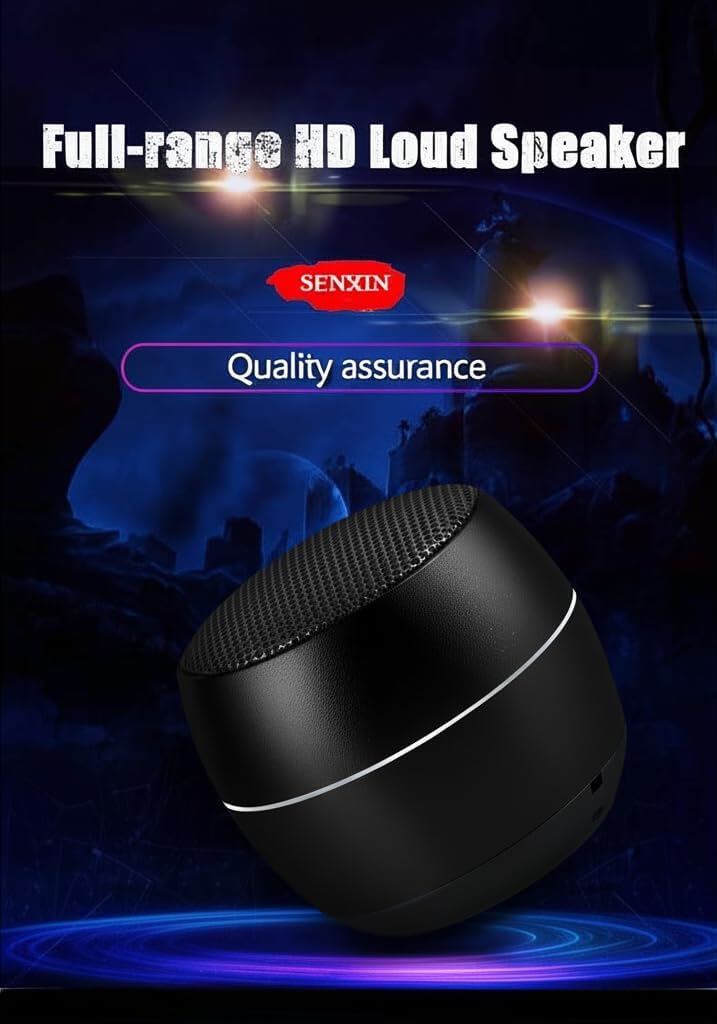
Image 2.1: The SENXIN S3 speaker highlighting its full-range HD loudspeaker capabilities. The speaker is shown with a metallic body and a mesh grille.

Image 2.2: The SENXIN S3 speaker demonstrating its HIFI audio quality with a built-in bass diaphragm, depicted with musical notes emanating from the speaker.

Image 2.3: The SENXIN S3 speaker showcasing its fine metal texture and workmanship, positioned next to a laptop.

Image 2.4: The SENXIN S3 speaker held in a hand, emphasizing its small and portable design, with dimensions of 48mm diameter.
3. Persediaan
3.1. Mengisi Speaker
Before first use, fully charge the speaker. Connect the provided USB charging cable to the speaker's charging port and to a standard USB power source (e.g., computer USB port, USB wall adapter). The charging indicator light will illuminate during charging and turn off when fully charged.
3.2. Menghidupkan/Mematikan
To power on the speaker, press and hold the power button until you hear an audible prompt or see the indicator light illuminate. To power off, press and hold the power button again until the indicator light turns off.
4. Arahan Operasi
4.1. Berpasangan Bluetooth
- Pastikan pembesar suara dihidupkan dan dalam mod pasangan Bluetooth (ditunjukkan oleh lampu LED berkelip).
- Pada peranti anda (telefon pintar, tablet, komputer), dayakan Bluetooth dan cari peranti yang tersedia.
- Select "S3" from the list of available devices.
- Once paired, the speaker will emit an audible confirmation, and the LED light will remain solid.
Pembesar suara secara automatik akan cuba menyambung semula ke peranti pasangan terakhir apabila dihidupkan.
4.2. Gandingan True Wireless Stereo (TWS).
To achieve a stereo sound experience, you can pair two SENXIN S3 speakers together:
- Ensure both S3 speakers are powered off.
- Menghidupkan kedua-dua pembesar suara.
- Double-click the power on/off button on satu penceramah.
- After a few seconds, the two speakers will automatically pair with each other, indicated by an audible prompt.
- Once TWS paired, connect your device via Bluetooth to one of the speakers (the master speaker).

Image 4.1: Illustration of two SENXIN S3 speakers establishing a dual audio interconnection for enhanced stereo sound, with a smartphone displaying Bluetooth settings.
Video 4.1: An official video demonstrating the SENXIN S3 Portable TWS Speaker, showcasing multiple units in different colors and their music playback capabilities, including the potential for True Wireless Stereo pairing.
4.3. Main Semula Kad TF
The SENXIN S3 speaker supports playback from a TF (MicroSD) card. Insert a TF card containing audio files into the designated slot on the speaker. The speaker will automatically switch to TF card playback mode. Supported formats include a variety of music formats.

Image 4.2: The SENXIN S3 speaker demonstrating its TF card playback capability, with a TF card being inserted into the speaker's slot.
5. Penyelenggaraan
- Keep the speaker dry. Avoid exposure to water or excessive moisture.
- Bersihkan pembesar suara dengan kain lembut dan kering. Jangan gunakan pembersih atau pelarut yang melelas.
- Simpan pembesar suara di tempat yang sejuk dan kering apabila tidak digunakan.
- Elakkan daripada menjatuhkan atau menundukkan pembesar suara kepada impak yang kuat.
- Jangan cuba membuka atau membaiki pembesar suara sendiri. Ini akan membatalkan jaminan.
6. Penyelesaian masalah
| Masalah | Kemungkinan Punca | Penyelesaian |
|---|---|---|
| Speaker tidak dihidupkan. | Bateri lemah. | Cas pembesar suara sepenuhnya menggunakan kabel USB yang disediakan. |
| Tidak boleh berpasangan melalui Bluetooth. | Pembesar suara tidak dalam mod berpasangan; peranti Bluetooth dimatikan; terlalu jauh dari pembesar suara. | Pastikan pembesar suara berada dalam mod berpasangan (LED berkelip). Hidupkan Bluetooth pada peranti anda. Alihkan peranti lebih dekat dengan pembesar suara (dalam jarak 10 meter). |
| Tiada bunyi atau kelantangan rendah. | Kelantangan terlalu rendah pada pembesar suara atau peranti; pembesar suara tidak disambungkan. | Tingkatkan kelantangan pada kedua-dua pembesar suara dan peranti anda yang disambungkan. Tetapkan semula sambungan Bluetooth. |
| Gandingan TWS gagal. | Prosedur berpasangan yang salah. | Ensure both speakers are off, then power them on. Double-click the power button on only one speaker to initiate TWS pairing. |
7. Spesifikasi
| Ciri | Perincian |
|---|---|
| Jenama | SEnxIN |
| Nama Model | S3 |
| Versi Bluetooth | 4.2 (some listings may indicate 5.1; refer to product packaging for exact version) |
| Jarak Kerja | Sehingga 10 meter (33 kaki) |
| Masa Main | 2-4 hours (depending on volume level) |
| Mengecas Voltage | DC 5V |
| Keluaran Pembesar suara | 3 Watt |
| Berat Bersih | 70 gram (2.5 oz) |
| Kapasiti Bateri | 400 mAh |
| Dimensi Produk (D x W x H) | 1.89" x 1.89" x 1.73" |
| Saiz Pembesar Suara | 1.89 Inci |
| Mod Keluaran Audio | Mono (can achieve stereo with TWS pairing of two units) |
| Teknologi Ketersambungan | Bluetooth |
| Jenis Pemasangan | Pemasangan Atas Meja |
| UPC | 738232484434 |
| ASIN | B0FKYZDLS7 |
8. Waranti dan Sokongan
For warranty information and customer support, please refer to the contact details provided on the product packaging or visit the official SENXIN webtapak. Simpan resit pembelian anda sebagai bukti pembelian untuk tuntutan waranti.
Pengeluar: shengxing


