1. Pengenalan
The RuoKid 25B Wireless CarPlay and Android Auto Adapter provides a seamless wireless connection for your vehicle's existing wired CarPlay or Android Auto system. This compact device converts your wired connection into a wireless one, allowing you to access navigation, music, calls, and voice control functions without the need for cables.

Image: The RuoKid 25B adapter, illustrating its dual compatibility with iPhone (iOS 10+) and Android phones (Android 11+).
2. Produk Lebihview
The RuoKid 25B adapter is designed for convenience and performance. Key features include:
- Mini Sleek Design: Its ultra-compact form factor integrates discreetly into your car's USB port, maintaining a tidy interior.
- Sambungan Stabil: Utilizes Bluetooth V5.4 and dual-band Wi-Fi (2.4GHz and 5.8GHz) for a fast and reliable connection.
- Pelesapan Haba yang Cekap: Equipped with side vents to reduce operating temperature by up to 40% compared to fully enclosed designs, ensuring stable performance during extended use.

Image: The RuoKid 25B adapter demonstrating its compact, mini size, designed to be unobtrusive in a vehicle's interior.

Image: Visual representation of the adapter's stable connection and performance, highlighting 2.4GHz, 5.8GHz dual-band Wi-Fi, and Bluetooth 5.4 technology.
3. Keserasian
This adapter is designed for vehicles that already have a factory-installed wired CarPlay or Android Auto system. It does not add CarPlay or Android Auto functionality to vehicles that do not originally support it.
- Untuk Apple CarPlay: Compatible with iPhone 6 and above models running iOS 10 or later.
- Untuk Android Auto: Sesuai dengan telefon Android yang menjalankan Android 11 atau lebih baharu.
The package includes a USB-C accessory to ensure compatibility with various car USB ports (USB-A and USB-C).

Image: The RuoKid 25B adapter shown with its USB-C accessory, demonstrating its adaptability to different car USB port types.
4. Arahan Persediaan
The RuoKid 25B adapter offers a simple plug-and-play setup. No additional apps or complex configurations are required.
- Sediakan Telefon Anda: Ensure both Bluetooth and Wi-Fi are enabled on your smartphone.
- Sambungkan Penyesuai: Plug the RuoKid 25B Wireless Adapter into your car's USB port (either USB-A or use the provided USB-C accessory for Type-C ports).
- Gandingan Awal: On your phone, go to Bluetooth settings and search for new devices. Select the RuoKid adapter from the list to pair.
- Sambungan Automatik: After the initial pairing, your car's CarPlay or Android Auto system should automatically start wirelessly within a few seconds. For subsequent uses, the adapter will automatically reconnect to your phone in under 3 seconds when you start your car.

Image: A user interacting with a car's display, demonstrating the plug-and-play setup and automatic reconnection feature of the RuoKid 25B adapter.
5. Arahan Operasi
Once connected, the RuoKid 25B adapter maintains the full functionality of your original wired CarPlay or Android Auto system, but wirelessly. You can interact with your car's infotainment system using the following methods:
- Skrin sentuh: Directly interact with the car's display.
- Kawalan Suara: Use voice commands for navigation, calls, and music playback.
- Tombol kawalan: Utilize your car's existing control knob for menu navigation.
- Kawalan Roda Stereng: Access functions through your vehicle's steering wheel buttons.
Enjoy seamless access to your maps, music, calls, and other compatible applications.
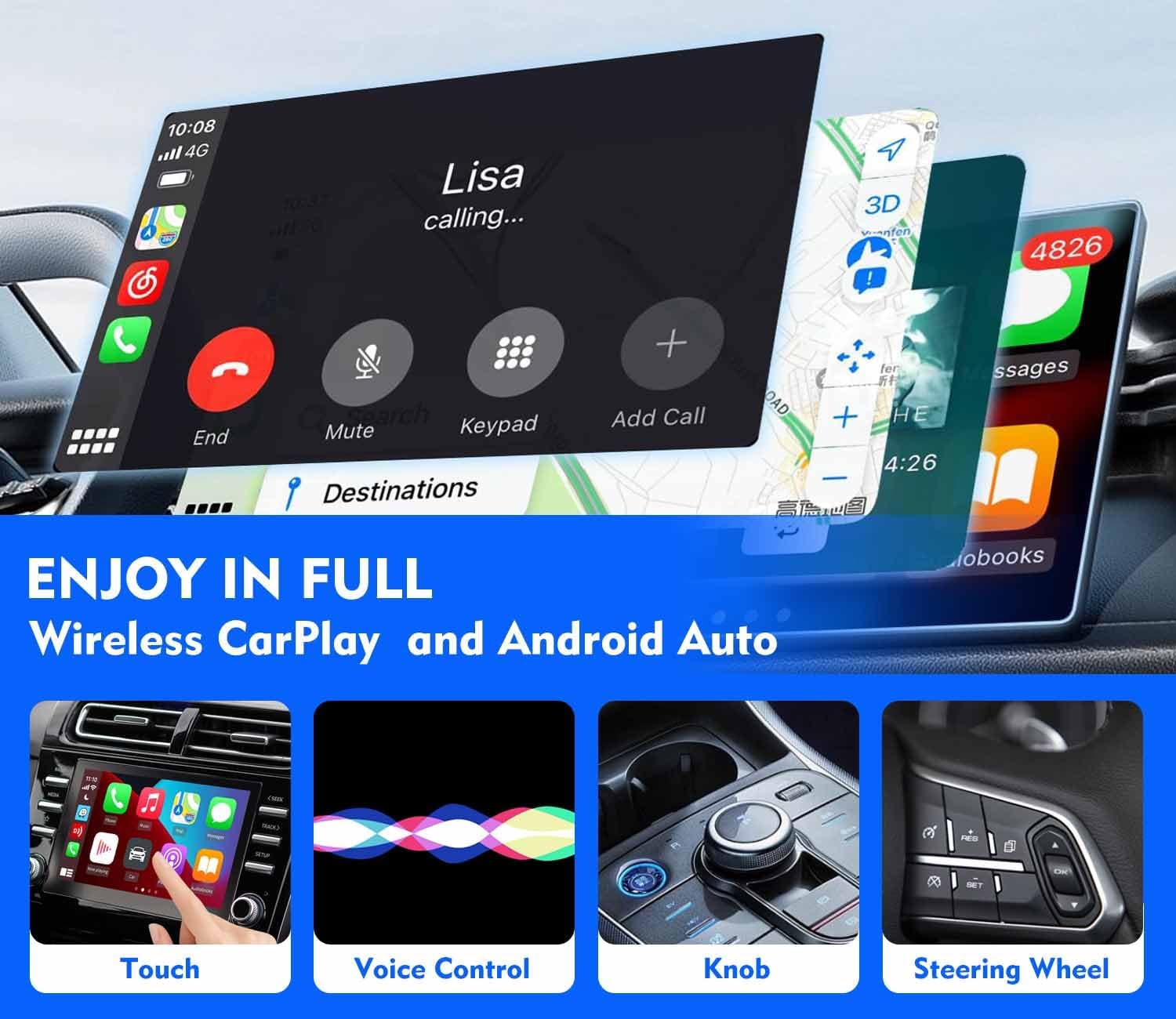
Image: A multi-panel image illustrating the various control methods for wireless CarPlay and Android Auto, including touch, voice control, knob, and steering wheel buttons.
6. Penyelenggaraan
The RuoKid 25B adapter requires minimal maintenance.
- Pastikan Ventilasi Bersih: Ensure the side vents on the adapter are not obstructed to allow for proper heat dissipation.
- Pembersihan: If necessary, gently wipe the adapter with a dry, soft cloth. Avoid using liquid cleaners or abrasive materials.
- Storan: Apabila tidak digunakan untuk tempoh yang lama, simpan penyesuai di tempat yang sejuk dan kering, jauh daripada cahaya matahari langsung dan suhu yang melampau.
7. Penyelesaian masalah
If you encounter issues with your RuoKid 25B adapter, please refer to the following common solutions:
| Masalah | Penyelesaian |
|---|---|
| No Connection / Adapter Not Detected |
|
| Kerap Terputus |
|
| Prestasi Perlahan / Lag |
|
8. Spesifikasi
| Ciri | Perincian |
|---|---|
| Jenama | RuoKid |
| Nombor Model | 25B |
| Compatible Devices (CarPlay) | iPhone 6 and above (iOS 10+) |
| Compatible Devices (Android Auto) | Android 11 dan ke atas |
| Jenis Penyambung | USB Type A, USB Type C (with included accessory) |
| Teknologi Tanpa Wayar | Bluetooth V5.4, Dual-band Wi-Fi (2.4GHz, 5.8GHz) |
| Dimensi Pakej | 10.11 x 8 x 1.7 cm |
| Berat Barang | 18 g |
9. Waranti dan Sokongan
RuoKid provides the following support for the 25B Wireless CarPlay and Android Auto Adapter:
- Waranti: A 2-year replacement warranty is offered for any quality issues.
- Kemas kini Firmware: Lifetime free firmware updates are available to ensure compatibility with your car and future CarPlay/Android Auto features.
- Perkhidmatan Pelanggan: For any problems or questions, please contact RuoKid customer service. Refer to your product packaging or the retailer's webtapak untuk maklumat hubungan khusus.


