pengenalan
Thank you for choosing the SGIN S15 N5100 15.6-inch Laptop. This manual provides essential information for setting up, operating, maintaining, and troubleshooting your new device. Please read it carefully to ensure optimal performance and longevity of your laptop.
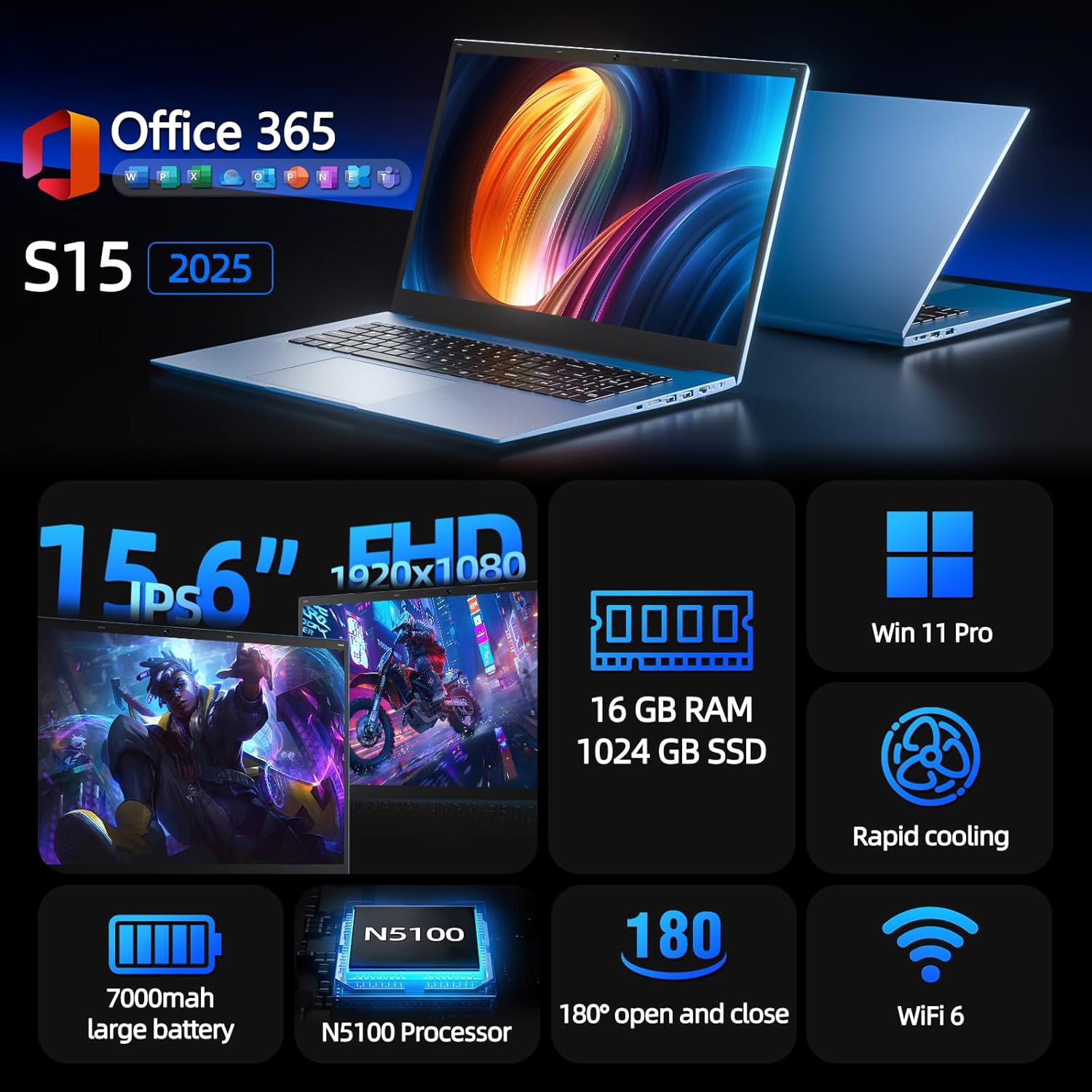
Figure 1: SGIN S15 N5100 Laptop Overview
1. Persediaan
1.1 Membuka Kotak dan Pemeriksaan Awal
Carefully remove all components from the packaging. Verify that all items listed in the "What's in the Box" section are present and undamaged. If any items are missing or damaged, contact customer support immediately.
- SGIN S15 N5100 Laptop
- Penyesuai Kuasa/Pengecas
- Manual Pengguna (dokumen ini)
Video 1: Pembukaan kotak dan permulaanview of the SGIN S15 Laptop.
1.2 Menyambungkan Penyesuai Kuasa
Connect the power adapter to the DC-in port on the side of the laptop. Plug the other end into a power outlet. The battery indicator light will illuminate, indicating that the laptop is charging.

Figure 2: Laptop ports, including the DC-in port for charging.
1.3 First Power On and Windows Setup
Press the power button to turn on the laptop. Follow the on-screen instructions to complete the Windows 11 Pro setup. This includes selecting your region, language, connecting to a Wi-Fi network, and creating a user account. The laptop comes pre-installed with a 1-year Office 365 subscription, which can be activated during or after the initial setup.
2. Arahan Operasi
2.1 Ciri Paparan
The SGIN S15 features a 15.6-inch Full HD IPS (1920x1080) Anti-Glare Display. The 180° viewing angle allows for flexible screen positioning, ideal for sharing content or adjusting to your preferred working posture.

Figure 3: High-resolution IPS display with 180° hinge.
2.2 Penyimpanan dan Prestasi
Equipped with 16GB DDR4 RAM and a 1024GB SSD, the laptop offers fast boot-up times and smooth multitasking. The Intel Celeron N5100 processor (4 cores, 4 threads, up to 2.8GHz) provides efficient performance for daily tasks, business applications, and student work.

Figure 4: Internal storage and memory configuration.

Figure 5: Celeron N5100 processor details.
2.3 Ketersambungan
The laptop supports WiFi 6 for strong wireless signals and fast connections, and Bluetooth 5.2 for connecting peripherals. It includes various ports for external devices:
- Port HDMI
- Port jenis-C
- 3.5mm TRRS audio jack
- Memory card slot (TF card up to 1TB)
- USB 3.2 ports (2 ports)

Figure 6: WiFi 6 connectivity for enhanced network performance.
3. Penyelenggaraan
3.1 Penjagaan Bateri
The laptop is equipped with a 7000mAh battery, providing up to 8 hours of continuous use. To prolong battery life:
- Elakkan menyahcas sepenuhnya bateri dengan kerap.
- Jangan dedahkan komputer riba kepada suhu yang melampau.
- Simpan komputer riba dengan cas separa (sekitar 50%) jika tidak digunakan untuk tempoh yang lama.

Figure 7: Laptop battery for extended use.
3.2 Membersihkan Komputer Riba
Gunakan kain lembut dan tidak berbulu untuk membersihkan skrin dan bahagian luar. Untuk calitan degil, sedikit dampLap kain dengan air atau pembersih yang selamat untuk skrin. Elakkan bahan kimia yang keras atau bahan yang kasar. Pastikan komputer riba dimatikan dan dicabut daripada soket sebelum membersihkan.
3.3 Sistem Penyejukan
The laptop features dual cooling fans for efficient heat dissipation. Ensure that the vents are not obstructed to maintain optimal airflow and prevent overheating. Avoid using the laptop on soft surfaces like beds or couches that can block the vents.
4. Penyelesaian masalah
4.1 Isu Kuasa
- Komputer riba tidak dihidupkan: Ensure the power adapter is securely connected and the outlet is functional. Check if the battery has sufficient charge.
- Bateri tidak dicas: Verify the power adapter is correctly plugged into both the laptop and the wall outlet. Try a different outlet if available.
4.2 Masalah Paparan
- Skrin kosong: Connect an external monitor via HDMI to check if the issue is with the laptop's display or graphics output. Ensure the laptop is powered on and not in sleep mode.
- Skrin berkelip: Update your display drivers. Adjust the screen refresh rate in Windows display settings.
4.3 Isu Ketersambungan
- Wi-Fi tidak bersambung: Pastikan Wi-Fi diaktifkan dalam tetapan Windows. Mulakan semula penghala dan komputer riba anda. Semak pemacu Wi-Fi yang dikemas kini.
- Peranti Bluetooth tidak berpasangan: Ensure Bluetooth is enabled on both the laptop and the device. Place devices close to each other during pairing.
4.4 Isu Prestasi
- Komputer riba perlahan: Tutup aplikasi yang tidak diperlukan. Semak Pengurus Tugas untuk penggunaan CPU/RAM yang tinggi. Pastikan ruang kosong yang mencukupi pada SSD. Jalankan pembersihan cakera.
- Terlalu panas: Ensure cooling vents are clear. Use the laptop on a hard, flat surface. Consider reducing heavy workload if persistent.
5. Spesifikasi
| Ciri | Perincian |
|---|---|
| Nama Model | S15 |
| Nombor Model Item | N5100 |
| Saiz Paparan | 15.6 Inci |
| Resolusi Skrin | 1920 x 1080 pixels (FHD IPS Anti-Glare) |
| Pemproses | Intel Celeron N5100 (4 Cores, 4 Threads, up to 2.8GHz) |
| RAM | 16 GB DDR4 |
| Penyimpanan | 1024 GB SSD (Expandable with TF card up to 1TB) |
| Sistem Operasi | Windows 11 Pro |
| Bateri | 7000mAh (up to 8 hours) |
| Kesambungan Wayarles | WiFi 6, Bluetooth 5.2 |
| Pelabuhan | HDMI, Type-C, 3.5mm TRRS Jack, Memory Card Slot, 2x USB 3.2 |
| Dimensi (LxWxH) | 14.56 x 9.4 x 0.86 inci |
| Berat Barang | 4.4 paun |
6. Waranti & Sokongan
6.1 Waranti Produk
Your SGIN S15 N5100 laptop comes with a Waranti perkhidmatan pembaikan 1 tahun dari tarikh pembelian. Waranti ini meliputi kecacatan pembuatan dan kerosakan perkakasan di bawah penggunaan biasa. Sila simpan bukti pembelian anda untuk tuntutan waranti.
6.2 Polisi Pemulangan
A Polisi pemulangan 30 hari is offered for this product. Please refer to your retailer's specific return guidelines for detailed information.
6.3 Sokongan Pelanggan
For any technical assistance, troubleshooting, or warranty inquiries, please contact SGIN customer support. We offer 24/7 customer instant help untuk menangani kebimbangan anda dengan segera.
Maklumat perhubungan (cth., weblaman web, e-mel, nombor telefon) biasanya akan diberikan di sini oleh pengilang.


