pengenalan
This manual provides detailed instructions for the Fanvace EU-K11 MP3 Player. This device combines an Android 13 operating system with a 4-inch touchscreen, offering a versatile portable media experience. It features 96GB of storage, Wi-Fi, and Bluetooth connectivity, supporting various music and video formats, along with popular streaming applications.

Imej: Depan view of the Fanvace EU-K11 MP3 Player, showcasing its 4-inch touchscreen display.
Kandungan Pakej
Sahkan bahawa semua item terdapat dalam pakej:
- 1 x Fanvace EU-K11 MP3 Player
- 1 x Kad Micro SD 64GB
- 1 x Kabel USB-C
- 1 x Fon Telinga Berwayar
- 1 x Pelindung Skrin
- 1 x Sarung Pelindung
- 1 x Manual Pengguna
Persediaan
1. Mengecas Peranti
Before first use, fully charge the MP3 player.
- Sambungkan peranti kepada sumber kuasa menggunakan kabel USB-C yang disediakan.
- Pengecasan penuh biasanya mengambil masa 3-4 jam.
- Penunjuk bateri pada skrin akan menunjukkan status pengecasan.

Image: Illustration of the MP3 player's 2000mAh battery and charging process, indicating 20 hours music playback, 6 hours video playback, and 3-4 hours charge time.
2. Memasukkan Kad Mikro SD
The device comes with a 64GB Micro SD card pre-installed or included. You can expand storage up to 512GB.
- Cari slot kad Micro SD di sisi peranti.
- Masukkan perlahan-lahan kad SD Mikro ke dalam slot sehingga ia berbunyi klik pada tempatnya.
- Untuk mengeluarkannya, tekan kad perlahan-lahan sehingga ia terkeluar.

Image: Diagram showing the 32GB ROM, 64GB SD card, and expandable storage up to 512GB for the MP3 player.
3. Menghidupkan/Mematikan
- Untuk menghidupkan: Tekan dan tahan butang kuasa sehingga skrin menyala.
- Untuk mematikan: Tekan dan tahan butang kuasa, kemudian pilih "Matikan" daripada pilihan.
- To restart: Press and hold the power button, then select "Restart" from the options.
Arahan Operasi
1. Navigasi Asas
The Fanvace EU-K11 features a 4-inch HD touchscreen. Navigate the interface by tapping, swiping, and pinching.
- Ketik: Pilih item atau buka aplikasi.
- Leret: Tatal senarai atau beralih antara skrin.
- Cubit: Zoom in or out in supported applications.
2. Main balik Muzik
The device supports a wide range of audio formats and online streaming services.
- Format yang Disokong: MP3, WAV, FLAC, APE, OGG, M4A, AAC, WMA.
- Muzik Dalam Talian: Pre-installed applications include Spotify, Omnia, Deezer, Amazon Music, and access to the Play Store for more.
- Muzik Luar Talian: Pindahkan muzik files to the device's internal storage or Micro SD card.
- Kesan Bunyi: Adjust audio settings for a personalized listening experience.
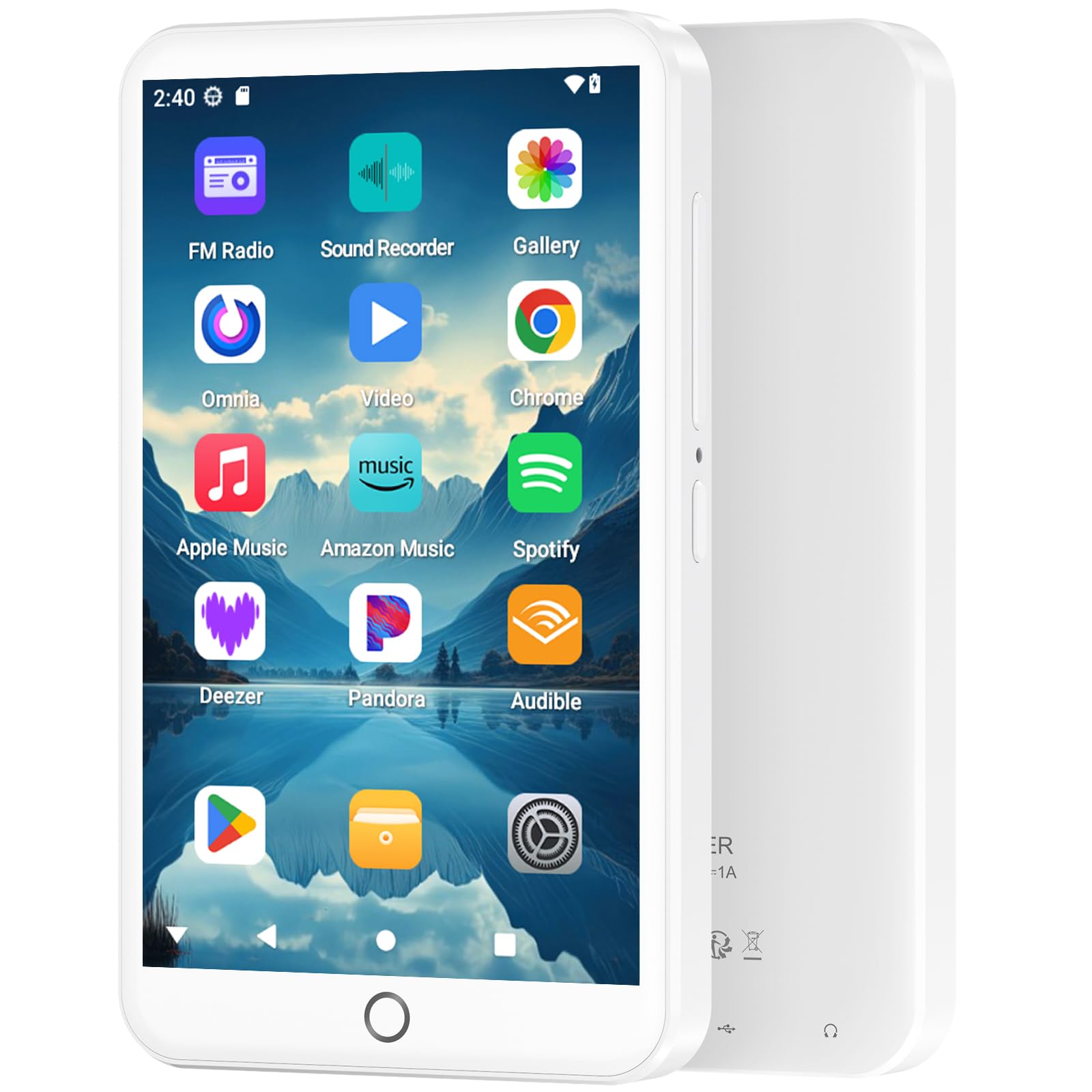
Image: The MP3 player displaying its music playback interface, highlighting features like gapless playback, playlist synchronization, Bluetooth autoplay, resume playback, adjustable sound effects, and support for various music formats.
3. Main Semula Video
Enjoy videos on the 4-inch HD screen with 480*800P resolution.
- Format yang Disokong: RM, RMVB, FLV, MP4, DAT, MKV, MPG, MOV, TS.
- Videos can be played directly without conversion.

Image: The MP3 player displaying a video, emphasizing its 4.0-inch HD screen, 480*800P resolution, and high color reproduction for video playback.
4. Kesambungan (Bluetooth & Wi-Fi)
Connect wirelessly for app downloads, online streaming, and peripheral devices.
- Wi-Fi: Access the internet to download apps, stream music/videos, and browse.
- Bluetooth 5.0: Connect to Bluetooth headphones, speakers, or other compatible devices for stereo and dual-channel audio.
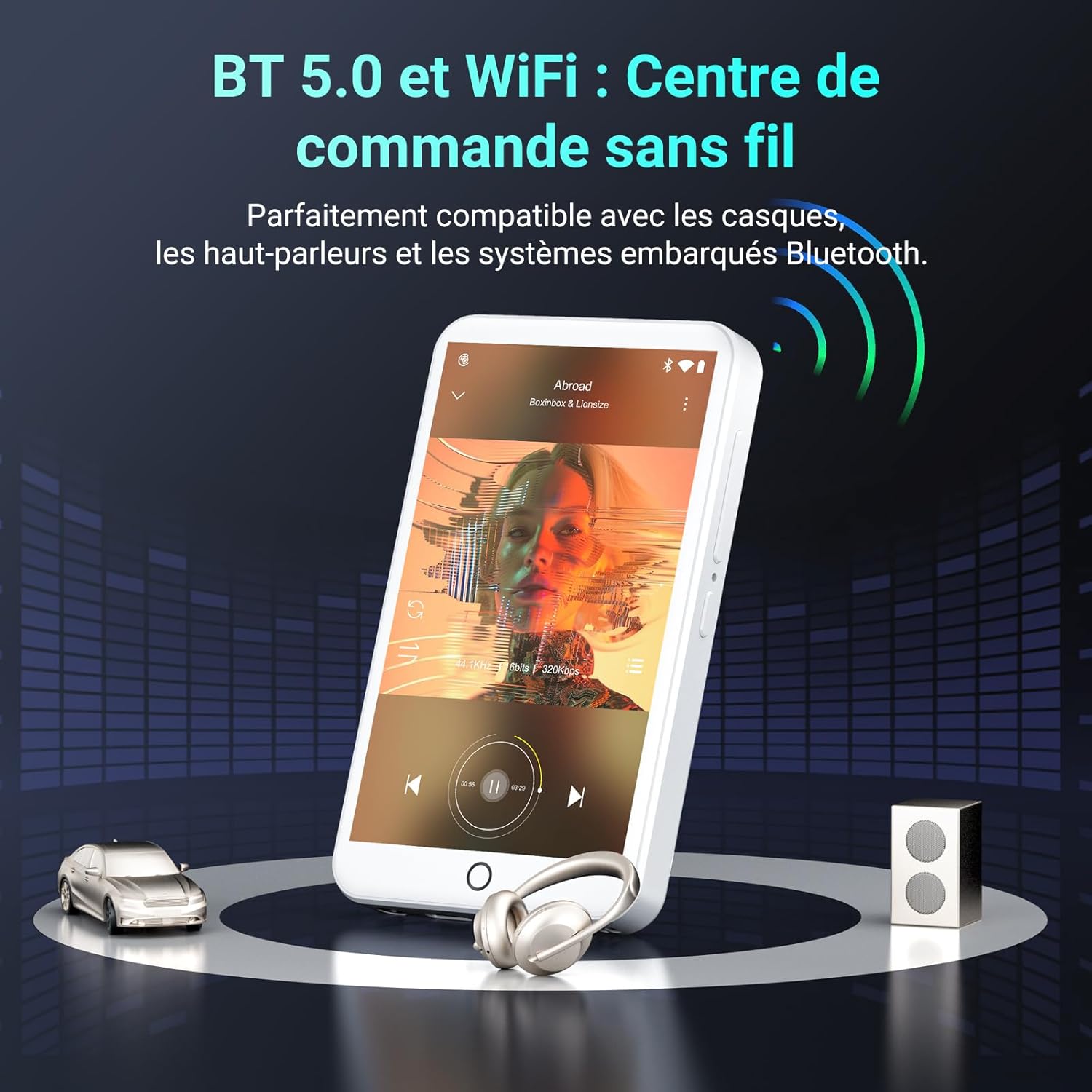
Image: The MP3 player demonstrating Bluetooth 5.0 and Wi-Fi connectivity, showing it paired with headphones and a speaker.
5. Android 13 OS and Applications
The device runs on Android 13, providing a smooth user experience and access to a wide range of applications.
- Apl prapasang: Spotify, Omnia, Deezer, Amazon Music, Play Store, FM Radio, etc.
- Penyesuaian: Install or remove applications to personalize your device.

Image: The MP3 player displaying its Android 13 interface with various application icons, illustrating its intelligent and adaptive OS.
6. Multifunction Features
Beyond music and video, the player offers several additional functionalities:
- Kawalan Ibu Bapa
- Radio FM
- Rakaman Suara
- E-buku
- Kalkulator
- Penyemak Imbas Chrome
Penyelenggaraan
1. Membersihkan Peranti
- Gunakan kain lembut dan tidak berbulu untuk membersihkan skrin dan badan peranti.
- Elakkan menggunakan bahan kimia yang keras atau bahan yang melelas.
- Jangan dedahkan peranti kepada kelembapan berlebihan.
2. Penjagaan Bateri
- Elakkan menyahcas sepenuhnya bateri dengan kerap.
- Cas peranti secara berkala, walaupun tidak digunakan, untuk mengekalkan kesihatan bateri.
- Simpan peranti di tempat yang sejuk dan kering apabila tidak digunakan untuk tempoh yang lama.
3. Kemas Kini Perisian
Periodically check for software updates through the device's settings to ensure optimal performance and access to the latest features.
Menyelesaikan masalah
If you encounter issues with your Fanvace EU-K11 MP3 Player, refer to the following common solutions:
| Masalah | Penyelesaian |
|---|---|
| Peranti tidak dihidupkan | Ensure the battery is charged. Connect to a charger for at least 30 minutes. If unresponsive, perform a hard reset by holding the power button for 10-15 seconds. |
| Tidak dapat menyambung ke Wi-Fi | Check if Wi-Fi is enabled in settings. Ensure you are within range of a Wi-Fi network and have entered the correct password. Restart the device and your router. |
| Peranti Bluetooth tidak berpasangan | Ensure Bluetooth is enabled on both devices and they are in pairing mode. Keep devices close to each other. Try restarting both devices. |
| Muzik/Video filebukan main | Sahkan bahawa file format is supported (see Specifications). Ensure the files are not corrupted. Try playing other files. |
| Peranti perlahan atau tidak responsif | Close unnecessary background applications. Clear cache from apps. Restart the device. If issues persist, consider a factory reset (back up your data first). |
If the problem persists, please contact Fanvace customer support for further assistance.
Spesifikasi
| Ciri | Perincian |
|---|---|
| Jenama | Fanvace |
| Nombor Model | EU-K11 |
| Sistem Operasi | Android 13 |
| Saiz Skrin | 4 Inci |
| Resolusi Skrin | 480*800P |
| RAM | 3 GB |
| Storan Dalaman (ROM) | 32 GB |
| Included Micro SD Card | 64 GB |
| Jumlah Storan | 96 GB (32GB ROM + 64GB SD) |
| Storan Boleh Dikembangkan | Up to 512 GB (Micro SD) |
| Ketersambungan | Wi-Fi, Bluetooth 5.0 |
| Kapasiti Bateri | 2000 mAh Litium-ion |
| Masa Main semula Muzik | Sehingga 20 jam |
| Masa Main Balik Video | Sehingga 6 jam |
| Masa Mengecas | 3-4 jam |
| Format Audio yang Disokong | MP3, WAV, FLAC, APE, OGG, M4A, AAC, WMA |
| Format Video yang Disokong | RM, RMVB, FLV, MP4, DAT, MKV, MPG, MOV, TS |
| Ciri Khas | Touchscreen, Online Music App Support, Parental Control, FM Radio, Voice Recording, E-books, Calculator, Chrome |
Waranti dan Sokongan
Maklumat Waranti
The Fanvace EU-K11 MP3 Player comes with a Waranti pengilang selama 1 tahun dari tarikh pembelian. Waranti ini melindungi kecacatan pada bahan dan mutu kerja di bawah penggunaan biasa. Ia tidak melindungi kerosakan yang disebabkan oleh penyalahgunaan, kemalangan, pengubahsuaian yang tidak dibenarkan atau haus dan lusuh biasa. Sila simpan bukti pembelian anda untuk tuntutan waranti.
Sokongan Pelanggan
For technical assistance, troubleshooting, or warranty inquiries, please contact Fanvace customer support. Refer to the contact information provided with your product packaging or visit the official Fanvace webtapak untuk butiran sokongan.


