pengenalan
This manual provides detailed instructions for the setup, operation, maintenance, and troubleshooting of your realme GT 7T Smartphone. Please read this guide thoroughly to ensure proper use and to maximize the device's capabilities.
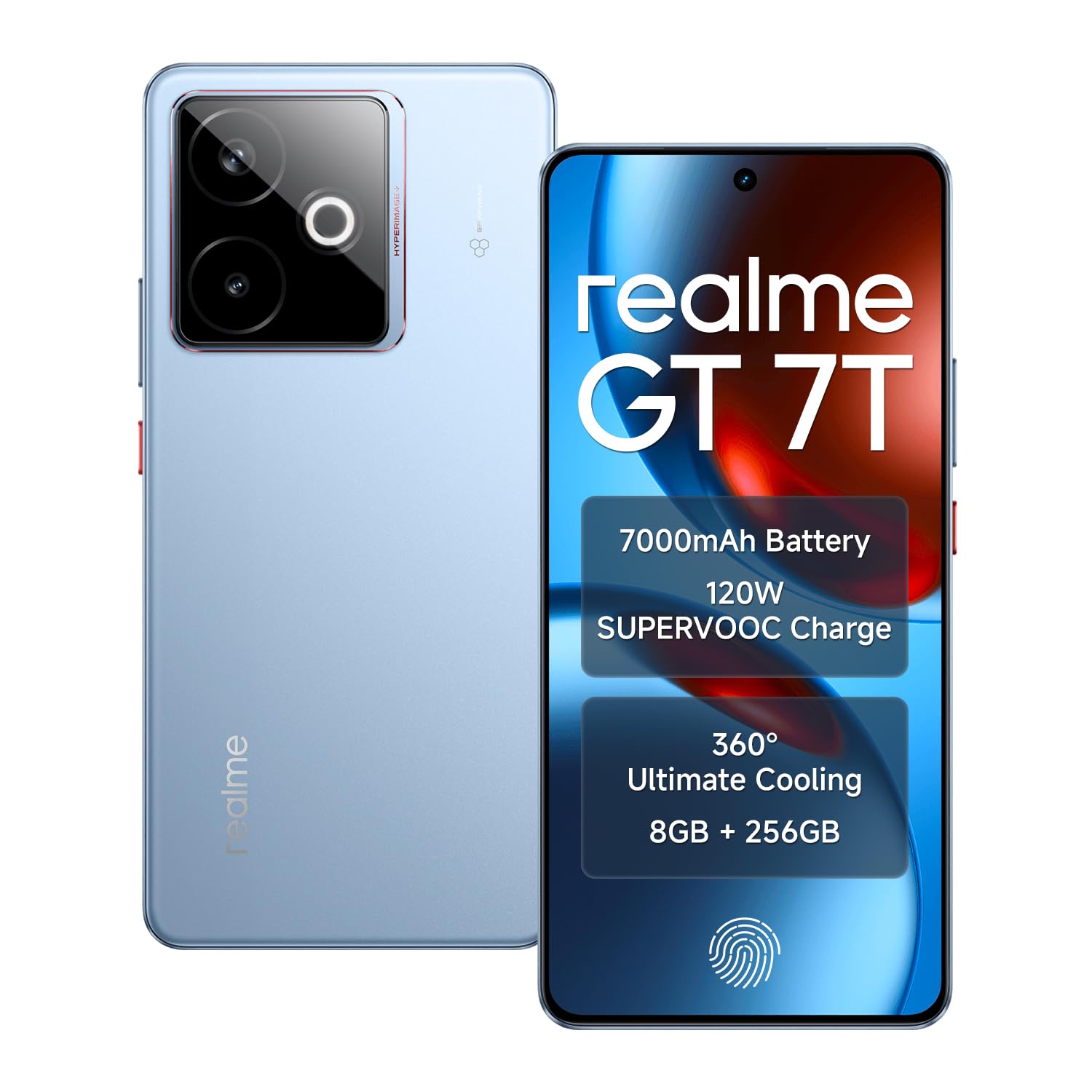
Image: The realme GT 7T Smartphone, showcasing reka bentuk dan warnanya.
The realme GT 7T features a 6.8-inch 120Hz display, MediaTek Dimensity 8400-MAX processor, 7000mAh battery with 120W UltraDART charging, a 50MP AI Triple Camera system, and IP69 durability. It operates on Android 15.
Apa yang ada dalam Kotak
Sahkan bahawa semua item terdapat dalam pembungkusan:
- realme GT 7T Smartphone
- Kabel data USB
- Charger (120W UltraDART)
- Panduan Mula Pantas
Persediaan
1. Masukkan Kad SIM
- Cari dulang kad SIM di sisi peranti.
- Gunakan alat ejektor SIM yang disediakan untuk membuka dulang.
- Place your Nano-SIM cards (supports Dual 5G SIM) into the tray with the gold contacts facing down.
- Masukkan semula dulang dengan berhati-hati ke dalam telefon.
2. Pengecasan Awal
Before first use, it is recommended to fully charge your realme GT 7T.
- Connect the USB data cable to the phone's charging port and the 120W UltraDART charger.
- Palamkan pengecas ke salur keluar kuasa.
- The device supports 120W fast charging, allowing for rapid power-up.
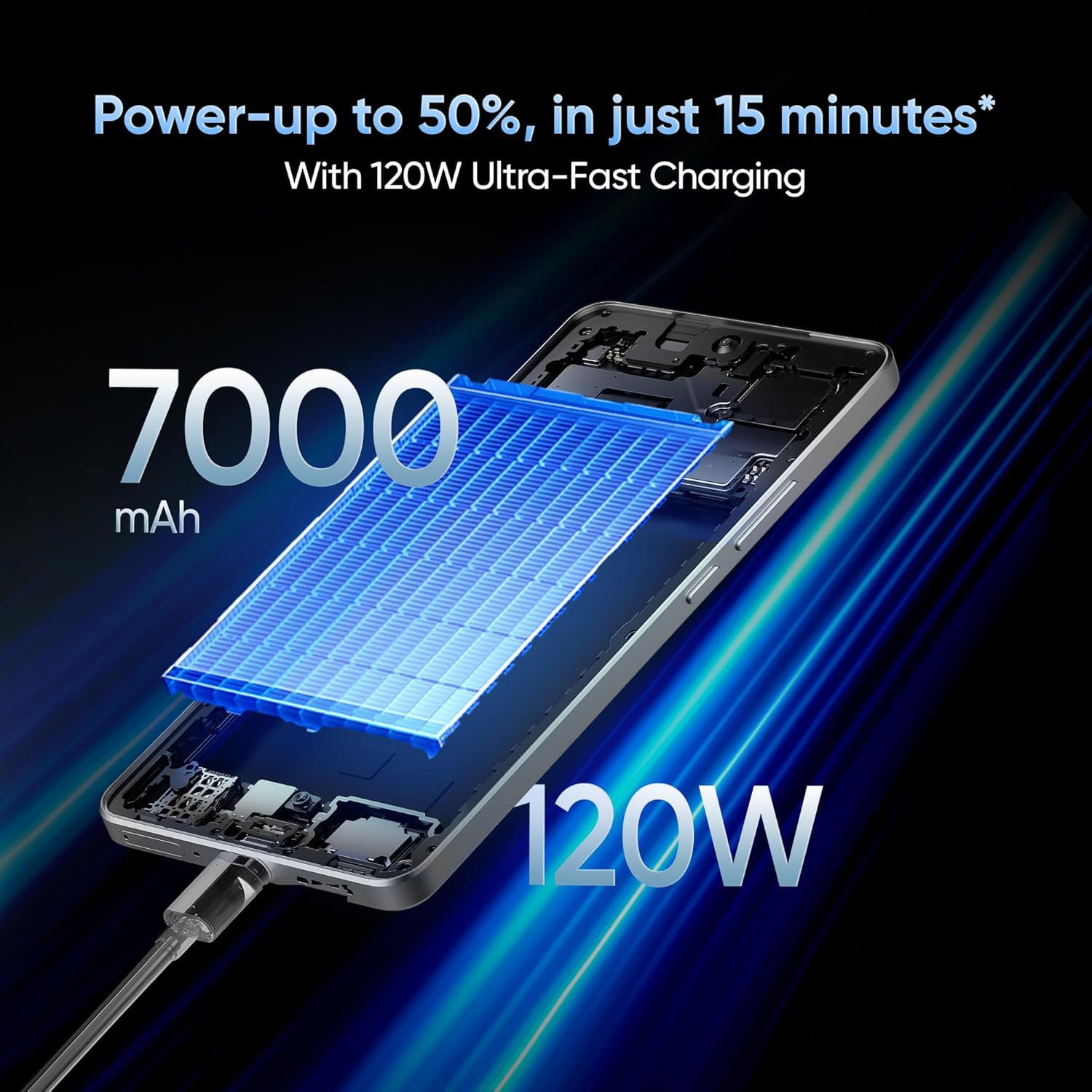
Image: The realme GT 7T connected to its 120W Ultra-Fast Charger, illustrating the rapid charging capability.
3. Hidupkan Kuasa dan Konfigurasi Awal
- Tekan dan tahan butang Kuasa sehingga logo realme muncul.
- Ikut arahan pada skrin untuk menyelesaikan persediaan awal, termasuk pemilihan bahasa, sambungan Wi-Fi, log masuk akaun Google dan tetapan keselamatan.
Arahan Operasi
Paparan dan Navigasi
The realme GT 7T features a 6.8-inch display with a 120Hz refresh rate for smooth visuals and a 2160Hz high-frequency PWM dimming to reduce eye strain.

Image: The realme GT 7T's 6.8-inch display showcasing its vibrant colors and smooth 120Hz refresh rate.
Prestasi
Powered by the MediaTek Dimensity 8400-MAX 4nm chipset and 8GB RAM, the device offers high performance for multitasking and demanding applications.

Imej: A terperinci view of the MediaTek Dimensity 8400-MAX Flagship Chipset, highlighting its advanced architecture.
Penggunaan Kamera
The AI Camera system includes a 50MP OIS main camera. Utilize features like AI Landscape Mode for enhanced scenery, AI Swift Capture for fast-moving subjects, and AI Reflection Elimination for clear shots through glass or water.
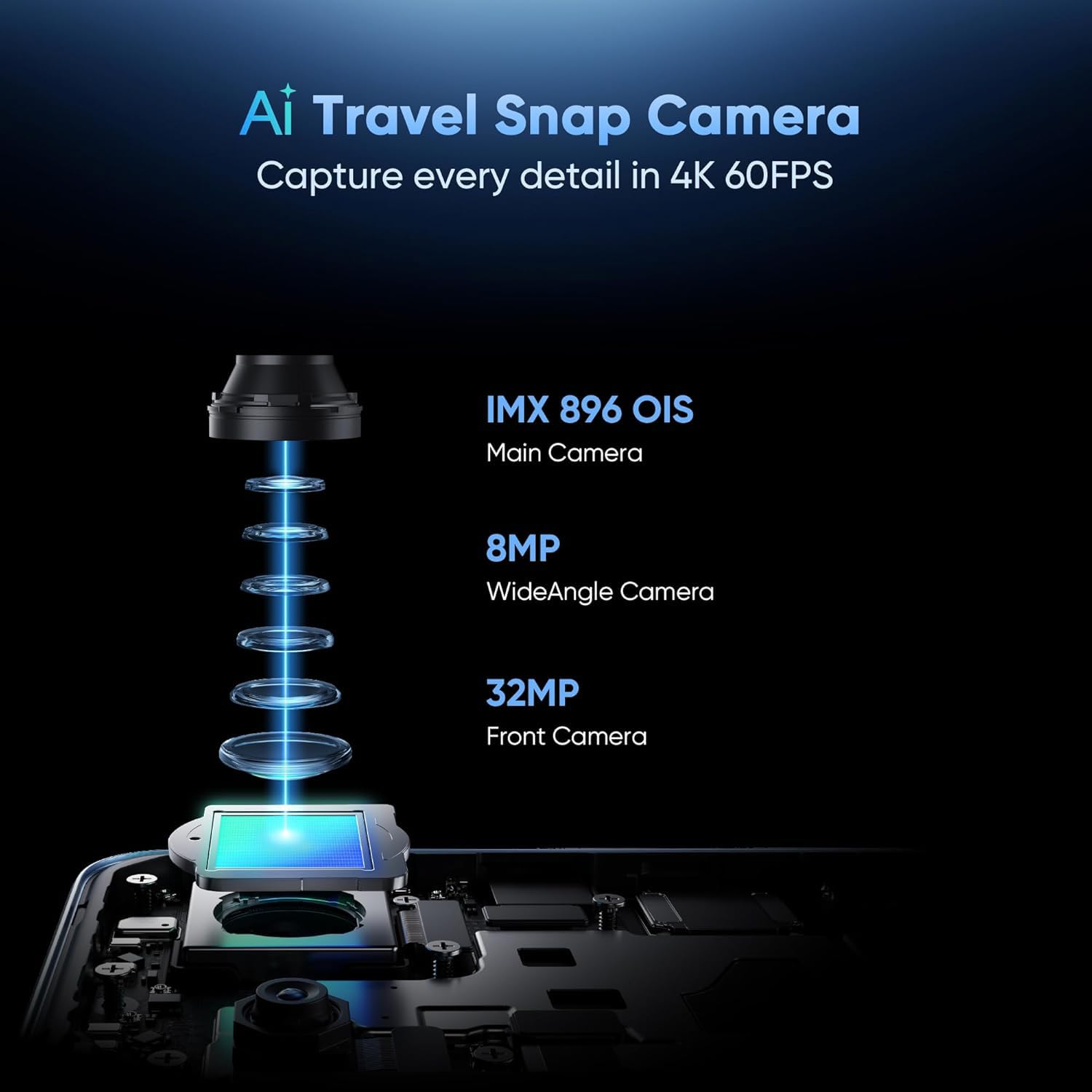
Imej: Meletup view of the AI Travel Snap Camera system, detailing its IMX 896 OIS Main Camera, Wide Angle Camera, and Front Camera.
Ketersambungan
The device supports various connectivity options including Bluetooth, NFC, USB, Wi-Fi, and Dual 5G SIM for high-speed internet access.
Penyelenggaraan
Membersihkan Peranti Anda
- Gunakan kain lembut dan tidak berbulu untuk mengelap skrin dan badan.
- Elakkan menggunakan bahan kimia yang keras atau bahan yang melelas.
- The device has an IP69 rating for dust and water resistance, but avoid intentional submersion.

Image: The realme GT 7T highlighting its IP69 rating and ArmorShell™ Glass for enhanced durability.
Kemas Kini Perisian
Regularly check for and install software updates to ensure optimal performance, security, and access to new features. Updates are typically found in the device's Settings menu under "System" or "About Phone."
Sistem Penyejukan
The IceSense graphene cooling system helps dissipate heat. Ensure the device's vents (if any) are not obstructed during heavy use.

Image: Two realme GT 7T phones illustrating the Graphene Cover IceSense Design for 360° Ultimate Cooling.
Menyelesaikan masalah
Isu dan Penyelesaian Biasa
- Peranti Tidak Dihidupkan: Pastikan bateri telah dicas. Tekan dan tahan butang Kuasa selama sekurang-kurangnya 10 saat.
- Skrin Tidak Responsif: Restart the device. If the issue persists, perform a force restart (refer to Quick Start Guide for specific key combinations).
- Bateri Habis Cepat: Close background applications, reduce screen brightness, disable unnecessary connectivity features (Bluetooth, GPS, Wi-Fi) when not in use. Check battery usage in Settings to identify power-hungry apps.
- Terlalu Panas Semasa Penggunaan: Avoid using the device in direct sunlight or poorly ventilated areas. Close demanding applications. The IceSense cooling system is designed to manage heat, but prolonged heavy use can still generate warmth.
- Isu Ketersambungan Rangkaian: Check if Airplane Mode is off. Restart the device. Verify SIM card insertion. Contact your network provider if problems persist.
For more complex issues, consider performing a factory reset (Nota: Ini akan memadamkan semua data pada peranti anda. Sandarkan maklumat penting sebelum meneruskan.) or contact realme customer support.
Spesifikasi
| Ciri | Perincian |
|---|---|
| Nombor Model | realme GT 7T |
| Sistem Operasi | Android 15 |
| Pemproses | MediaTek Dimensity 8400-MAX 4nm |
| RAM | 8 GB |
| Paparan | 6.8-inch, 120Hz Refresh Rate, 2160Hz PWM Dimming, 2560 x 1080 Resolution |
| Kamera Utama | 50MP OIS AI Camera |
| Kapasiti Bateri | 7000mAh |
| Mengecas | 120W UltraDART Fast Charging |
| Ketersambungan | Bluetooth, NFC, USB, Wi-Fi, Dual 5G SIM |
| Ketahanan | IP69 Water and Dust Resistance, ArmorShell™ Glass |
| Dimensi | 16.24 x 7.6 x 0.82 cm |
| Berat badan | 202 g |
Waranti dan Sokongan
Maklumat Waranti
Your realme GT 7T Smartphone comes with a standard manufacturer's warranty. Please refer to the warranty card included in your product packaging for specific terms, conditions, and duration. Keep your proof of purchase for warranty claims.
Sokongan Pelanggan
For further assistance, technical support, or service inquiries, please visit the official realme support webtapak atau hubungi talian khidmat pelanggan mereka.
Official realme Webtapak: realme Support (Cthamppautan, pautan sebenar mungkin berbeza mengikut wilayah)


