1. Pengenalan
Thank you for choosing the Ameta S50 Lite GPS Drone. This manual provides essential information for the safe operation, maintenance, and troubleshooting of your drone. Please read this manual thoroughly before operating the drone to ensure proper use and to prevent damage or injury.
Garis Panduan Keselamatan
- Sentiasa kendalikan dron di kawasan terbuka, jauh daripada orang ramai, bangunan dan halangan.
- Kekalkan jarak selamat dari dron semasa operasi.
- Jangan terbang dalam angin kencang, hujan atau keadaan cuaca buruk yang lain.
- Ensure batteries are fully charged and propellers are securely attached before each flight.
- Adhere to all local laws and regulations regarding drone operation.
2. Kandungan Pakej
Sahkan bahawa semua item terdapat dalam pakej anda:
- Ameta S50 Lite GPS Drone
- Alat Kawalan Jauh
- Intelligent Flight Batteries (3 included for extended flight time)
- Baling-baling ganti
- Kabel Pengecas USB
- Membawa Beg
- Manual Pengguna (dokumen ini)

Image: Complete package contents of the Ameta S50 Lite GPS Drone, including the drone, remote controller, batteries, spare propellers, USB cable, and carrying bag.
3. Persediaan
3.1 Pengecasan dan Pemasangan Bateri
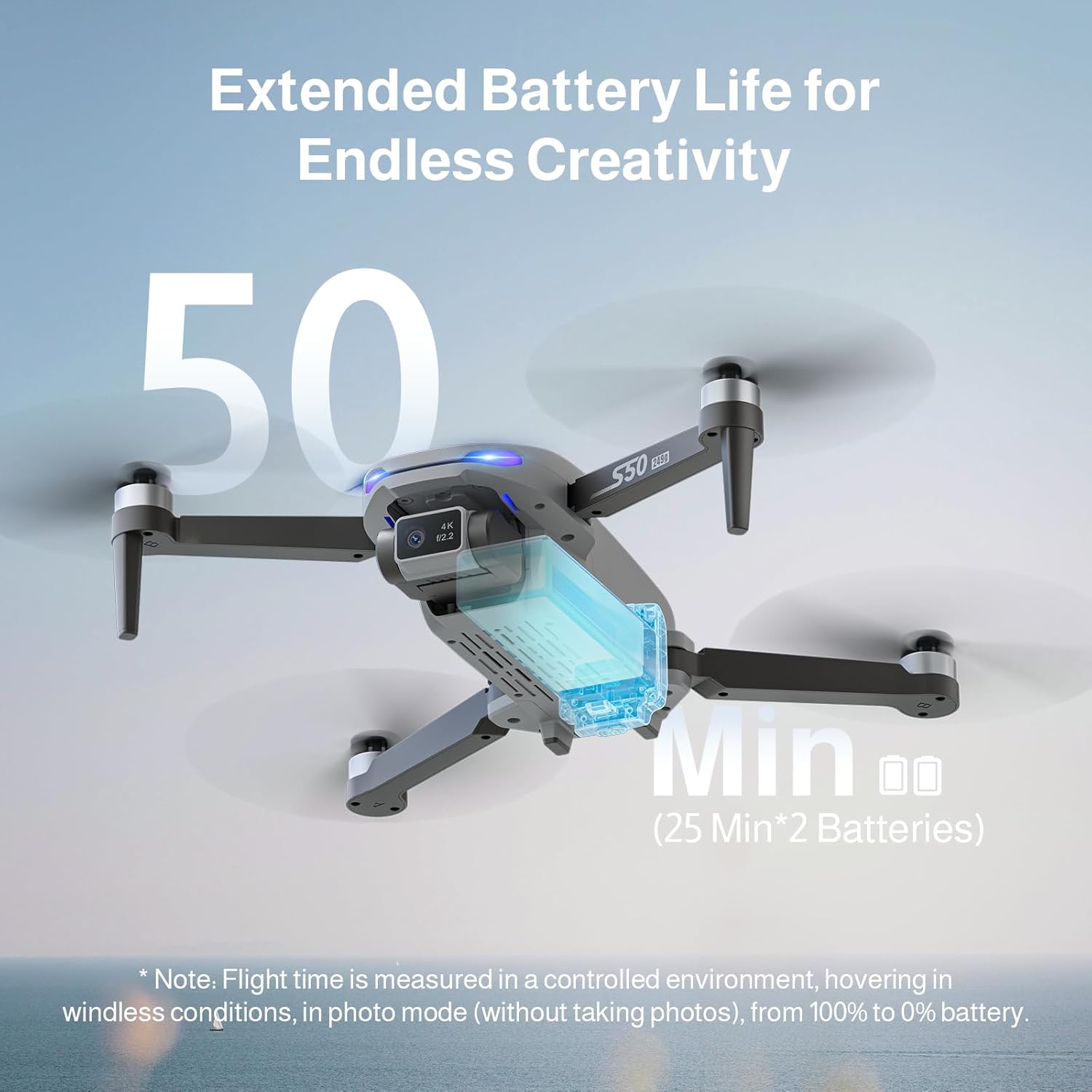
The Ameta S50 Lite drone is equipped with high-capacity 2000mAh batteries, providing up to 25 minutes of flight time per battery. Ensure all batteries are fully charged before flight.
- Connect the intelligent flight battery to the USB charging cable.
- Plug the USB charging cable into a suitable USB power adapter (not included).
- The battery indicator lights will show charging status. Once fully charged, disconnect the battery.
- To install, slide the charged battery into the battery compartment on the rear of the drone until it clicks securely into place.

Image: Specifications of the Ameta S50 Lite drone battery, detailing its nominal voltage of 7.4V and rated capacity of 2000mAh.

Image: Illustration showing the proper method for inserting the high-performance battery into the Ameta S50 Lite drone's battery compartment.

Image: The Ameta S50 Lite drone with a battery partially inserted, demonstrating how the battery provides an additional 25 minutes of flight time.
3.2 Propeller Attachment
Ensure propellers are correctly attached to their respective motor shafts. Match the propeller type (A or B) with the corresponding motor arm.
3.3 Remote Controller Preparation
Install batteries into the remote controller (if applicable) and ensure it is fully charged. Familiarize yourself with the control sticks and buttons.
3.4 Muat Turun Apl dan Sambungan
Download the official Ameta drone application from your device's app store. Power on the drone and remote controller, then connect your smartphone to the drone's 5G WiFi network as displayed in your phone's Wi-Fi settings. Open the app to establish connection and view suapan FPV.
4. Arahan Operasi
4.1 Senarai Semak Pra-Penerbangan
- Check battery levels of both drone and remote controller.
- Ensure propellers are securely attached and undamaged.
- Select an open, clear flying area.
- Calibrate the drone's compass and gyroscope as per app instructions.
4.2 Kawalan Asas Penerbangan
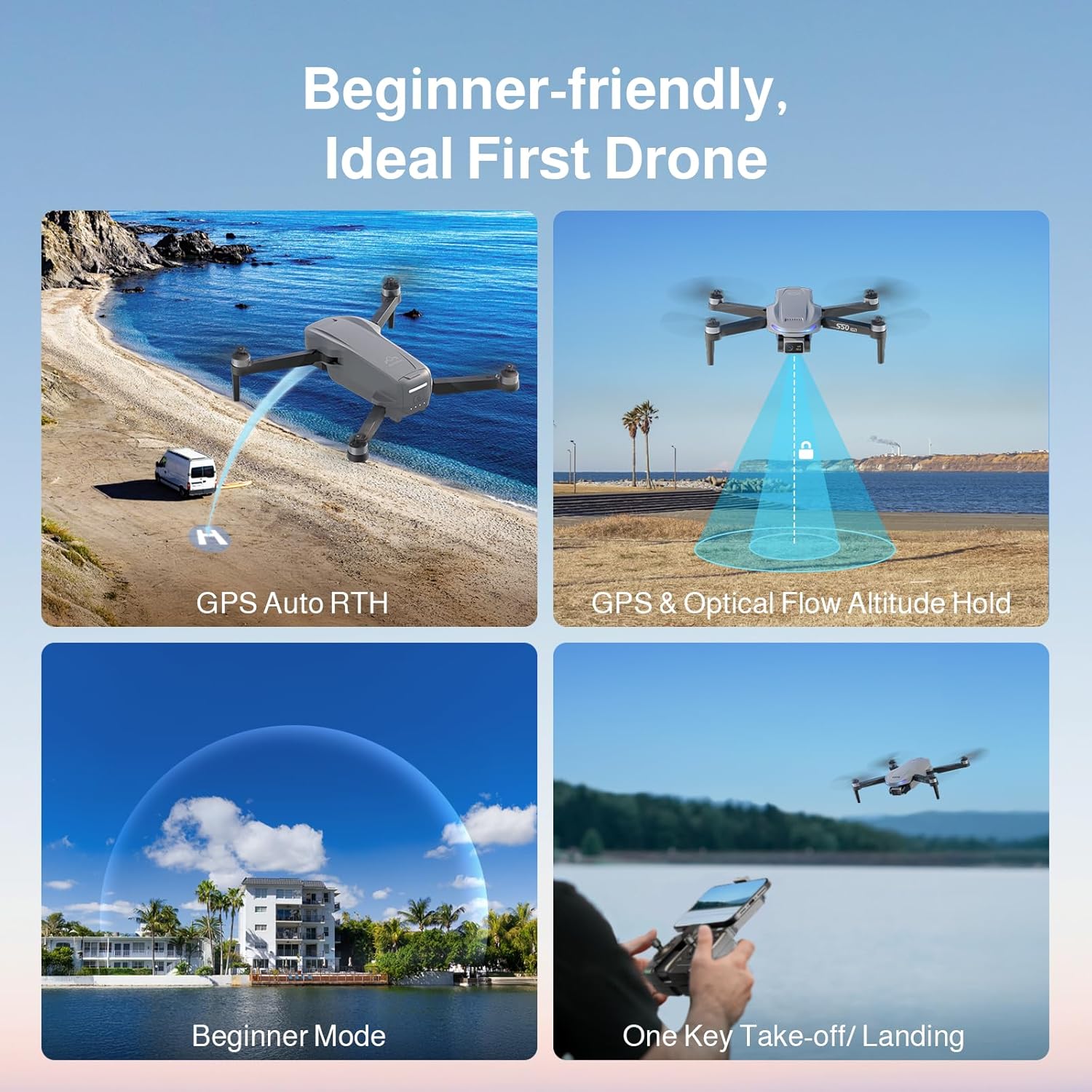
The Ameta S50 Lite features one-key take-off/landing and GPS/Optical Flow Altitude Hold for stable flight, making it suitable for all skill levels.
- Pelepasan/Pendaratan Satu Kunci: Press the designated button on the remote or in the app to automatically take off or land.
- Tahan Ketinggian: The drone will automatically maintain its altitude, allowing for easier control of horizontal movement.
- Tahap Kelajuan Boleh Laras: Switch between three speed modes (low, medium, high) to match your flying environment and skill level.
- Mod Pemula: Activates restricted flight parameters for new pilots, enhancing safety and ease of control.

Image: Visual representation of the Ameta S50 Lite's beginner-friendly features, including GPS Auto Return to Home, GPS & Optical Flow Altitude Hold, Beginner Mode, and One-Key Take-off/Landing.
4.3 Mod Penerbangan Pintar
Leverage the drone's GPS positioning system and smart modes for advanced flight capabilities and cinematic shots.
- Return to Home (RTH): The drone can automatically return to its take-off point. This includes One-Key RTH, Low Battery RTH, and Lost Signal RTH.
- GPS Follow (Follow Me): Drone akan secara automatik mengikut alat kawalan jauh atau telefon pintar yang disambungkan, menangkap foo dinamiktage.
- Waypoints Flight: Plan a custom flight path by setting multiple waypoints on the map in the app, and the drone will fly along the designated route.
- Terbang Bulatan: The drone will orbit a designated point or object, maintaining a set radius and altitude.
- roket: The drone ascends vertically while recording, creating a dramatic reveal shot.
- Jauh: The drone flies away from the pilot while ascending, capturing a wide landscape shot.
- Panorama: Captures multiple images to stitch together a wide panoramic photo.
- Masa berlalu: Records a series of photos over time to create a time-lapse video.
- Swafoto Gerak Isyarat: Lakukan gerak isyarat tangan tertentu untuk mencetuskan rakaman foto atau video.
Imej: Selesaiview of the Ameta S50 Lite drone's reliable GPS features, including Return to Home, Waypoints Flight, Circle Fly, and GPS Follow.
4.4 Operasi Kamera
The Ameta S50 Lite is equipped with a 4K camera featuring a 13MP Sony IMX258 Sensor and a 90° adjustable lens, capable of capturing high-quality photos and videos.
- Tangkapan Foto/Video: Use the dedicated buttons on the remote controller or within the app to take photos or start/stop video recording.
- Kanta boleh laras: Adjust the camera angle remotely via the app or remote controller to capture different perspectives.
- Penghantaran FPV: Enjoy smooth, real-time first-person view (FPV) via 5G WiFi transmission with a range of up to 500m.

Image: The Ameta S50 Lite drone in flight, highlighting its hands-free 4K camera with a built-in 13MP IMX258 Sensor for high-resolution recording.
Imej: Terperinci view of the Ameta S50 Lite drone's camera, emphasizing its 4K resolution (3840x2160), 5G WiFi transmission up to 500m, and 90° adjustable camera lens.
5. Penyelenggaraan
Regular maintenance ensures the longevity and optimal performance of your Ameta S50 Lite drone.
- Penjagaan Bateri: Store batteries in a cool, dry place. Do not overcharge or over-discharge. If storing for extended periods, charge to approximately 50-60%.
- Pemeriksaan baling-baling: Periksa kipas secara berkala untuk retakan, selekoh atau kerosakan. Gantikan sebarang kipas yang rosak dengan segera.
- Pembersihan: Use a soft, dry cloth to clean the drone body and camera lens. Avoid using harsh chemicals or liquids.
- Storan: When not in use, store the drone and its accessories in the provided carrying bag in a dry, cool environment.
6. Penyelesaian masalah
| Masalah | Kemungkinan Punca | Penyelesaian |
|---|---|---|
| Drone tidak dihidupkan | Bateri lemah; Bateri tidak dipasang dengan betul | Charge battery fully; Reinstall battery securely |
| Tiada suapan FPV dalam apl | WiFi not connected; App not launched correctly | Ensure phone is connected to drone's 5G WiFi; Restart app and drone |
| Penerbangan/Hanyut Tidak Stabil | Penentukuran yang tidak betul; Angin kencang; Kipas yang rosak | Perform compass and gyroscope calibration; Fly in calm conditions; Replace damaged propellers |
| Isyarat GPS lemah/hilang | Flying indoors or near tall structures; Interference | Fly in open outdoor areas; Avoid areas with high electromagnetic interference |
7. Spesifikasi
| Ciri | Perincian |
|---|---|
| Jenama | Ameta |
| Model | S50 Lite |
| Kamera | 4K Video, 13MP Photos, Sony IMX258 Sensor, 90° Adjustable Lens |
| Masa Penerbangan | Up to 25 minutes per battery (75 minutes with 3 batteries) |
| Kapasiti Bateri | 2000mAh, 7.4V |
| Penularan | 5G WiFi FPV, up to 500m range |
| Sistem Kedudukan | GPS, Optical Flow |
| ASIN | B0FJXNLS69 |
8. Waranti dan Sokongan
Maklumat Waranti: Please refer to the product packaging or the official Ameta webtapak untuk terma dan syarat jaminan terperinci. Simpan bukti pembelian anda untuk tuntutan waranti.
Sokongan Pelanggan: For technical assistance, troubleshooting, or any inquiries regarding your Ameta S50 Lite drone, please contact Ameta customer service through the contact information provided on the official webtapak atau pembungkusan produk.


