pengenalan
The Volkano Galena Series Wireless Keyboard is a compact, versatile input device designed for efficiency and portability. It offers multi-device connectivity and seamless switching, making it suitable for various operating systems including Windows, Android, and MacOS. This manual provides essential information for setting up, operating, maintaining, and troubleshooting your keyboard.
Kandungan Pakej
- Volkano Galena Series Wireless Keyboard
- 2 x Bateri AAA
- Manual Arahan
Persediaan
1. Pemasangan Bateri
The Volkano Galena Series Wireless Keyboard operates on two AAA batteries. These are included in the package.
- Cari penutup petak bateri di bahagian bawah papan kekunci.
- Luncurkan penutup terbuka.
- Insert the two AAA batteries, ensuring correct polarity (+ and - terminals).
- Tutup penutup petak bateri dengan selamat.
2. Menghidupkan/Mematikan
Locate the power switch on the keyboard. Slide it to the 'ON' position to power on the keyboard. Slide it to the 'OFF' position when not in use to conserve battery life. The keyboard features an auto-power saving mode to further extend battery life during periods of inactivity.
3. Berpasangan Bluetooth
The keyboard supports Bluetooth 5.0 for a stable wireless connection. It can be paired with up to two devices simultaneously.

Image: The Volkano Galena Series keyboard, illustrating its compact design and key features such as Bluetooth 5.0 + BT 3.0 connectivity, multi-device switching, anti-slip rubber feet, and compatibility with Windows and Android operating systems.
- Pastikan papan kekunci dihidupkan.
- On your device (Laptop, PC, Smart TV, Tablet), enable Bluetooth and search for available devices.
- Tekan dan tahan butang fn+1 key combination for the first device, or fn+2 for the second device, until the corresponding indicator light (usually above the '1' or '2' key) starts blinking, indicating pairing mode.
- Select "Volkano Galena" or a similar name from the list of available Bluetooth devices on your screen.
- Follow any on-screen prompts to complete the pairing process. The indicator light will stop blinking once successfully paired.
Arahan Operasi
1. Penukaran Berbilang Peranti
The keyboard allows for quick switching between two paired devices.

Imej: A terperinci view of the Volkano Galena Series keyboard, showcasing its compact form factor and features like Bluetooth device switching, non-slip feet, a dedicated Copilot shortcut key, scissor-structure keycaps, and auto-power saving mode.
- To switch to the first paired device, press fn+1.
- To switch to the second paired device, press fn+2.
2. Kekunci Fungsi (Fn)
The keyboard includes multimedia and special function keys accessible by pressing the Fn key in combination with the corresponding F-keys or other designated keys.
- Fn+F1-F12: Access various multimedia controls and system functions (e.g., volume, playback, screen brightness). Refer to the icons on the F-keys for specific functions.
- Fn + Q/W/E: Switch between operating system layouts (e.g., Android, Windows, iOS/MacOS).
- Copilot Shortcut Key: A dedicated key for quick access to AI assistant features on compatible operating systems.
3. Pengalaman Menaip
The keyboard features quiet keys with a scissor structure, providing a comfortable and responsive typing experience suitable for focused environments.
Penyelenggaraan
1. Pembersihan
- Pastikan papan kekunci dimatikan sebelum membersihkannya.
- Use a soft, dry, lint-free cloth to wipe the surface of the keyboard.
- Untuk kotoran degil, ringankan dampen kain dengan air atau pembersih yang lembut dan tidak melelas. Elakkan kelembapan berlebihan.
- Jangan semburkan larutan pembersih terus ke atas papan kekunci.
- Use compressed air to remove debris from between the keys.
2. Penyimpanan
- Simpan papan kekunci di tempat yang sejuk dan kering jauh dari cahaya matahari langsung dan suhu yang melampau.
- If storing for an extended period, remove the AAA batteries to prevent leakage.
Menyelesaikan masalah
- Papan kekunci tidak dihidupkan: Check if the batteries are correctly inserted and fully charged. Replace batteries if necessary. Ensure the power switch is in the 'ON' position.
- Papan kekunci tidak bersambung melalui Bluetooth:
- Pastikan Bluetooth didayakan pada peranti anda.
- Make sure the keyboard is in pairing mode (indicator light blinking).
- Delete previous pairings on your device and attempt to re-pair.
- Ensure the keyboard is within the 8-10 meter Bluetooth range of your device.
- Cuba mulakan semula kedua-dua papan kekunci dan peranti anda.
- Kunci tidak bertindak balas: Check battery level. Ensure the keyboard is properly connected to your device. Clean any debris from around the keys.
- Lag or delayed input: Ensure there are no strong interferences (e.g., other wireless devices) nearby. Check battery level.
Spesifikasi
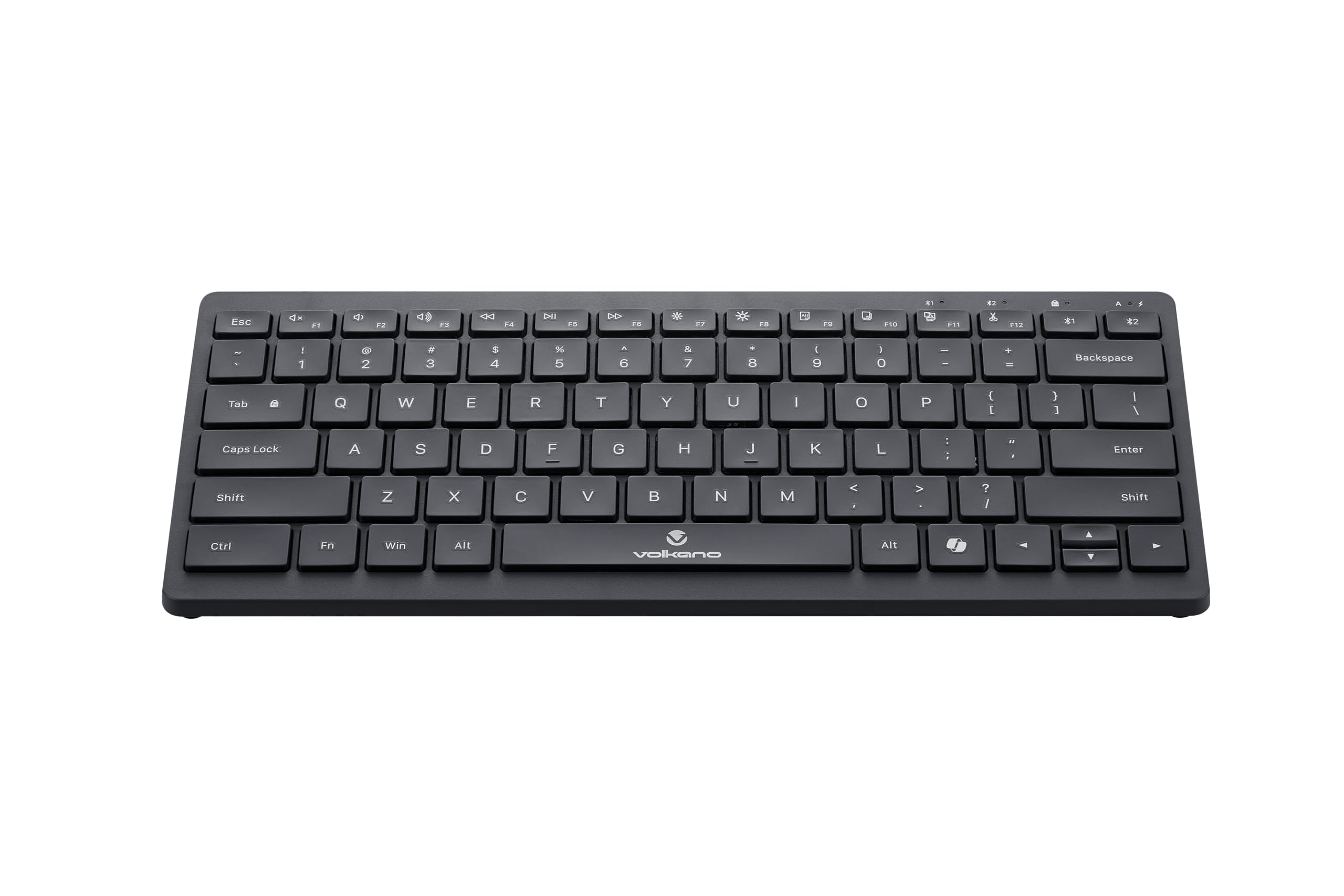
Image: A clear, angled view of the Volkano Galena Series Wireless Keyboard, highlighting its sleek black design and full key layout.
| Ciri | Perincian |
|---|---|
| Nombor Model | VK-20247-BK |
| Ketersambungan | Teknologi Wayarles Bluetooth |
| Versi Bluetooth | Bluetooth 5.0 + Bluetooth 5.0 (Dual Channel) |
| Julat Tanpa Wayar | 8-10 meter |
| Sumber Kuasa | 2 x Bateri Beralkali AAA (termasuk) |
| Jenis Kekunci | Scissor Structure Keycaps |
| Ciri Khas | Quiet keys, Multi-device pairing, Instant switching, Anti-slip rubber base, Auto-power saving mode, Lightweight, Portable, Copilot Shortcut Key |
| Peranti Serasi | Laptop, PC, Smart TV, Tablet (Windows, Android, MacOS) |
| Dimensi (L x W x H) | 29.5L x 12.8W x 2.2H sentimeter |
| bahan | plastik |
| warna | Hitam |
Waranti dan Sokongan
1. Waranti Terhad
This Volkano product is covered by a 12-Month Limited Coverage from the date of purchase. You can extend this coverage by an additional 12 months, for a total of 24 months, by registering your product with Volkano.
2. Sokongan Pelanggan
For any questions, assistance, or support regarding your Volkano Galena Series Wireless Keyboard, please contact Volkano customer service through their official channels. Refer to the Volkano webtapak atau pembungkusan produk untuk butiran perhubungan.


