1. Pengenalan
Si Hitamview Fort 1 is a rugged smartphone designed for durability and performance. It features the Android 15 operating system with Doke OS 4.2, a 10000mAh battery, 18GB RAM, 256GB internal storage (expandable up to 2TB), and a 6.56-inch 90Hz display. This manual provides essential information for setting up, operating, maintaining, and troubleshooting your device.

Image 1.1: Blackview Fort 1 Rugged Phone, showcasing its robust design and key features.
2. Bermula
2.1 Kandungan Pakej
Sahkan bahawa semua item terdapat dalam kotak:
- Hitamview Fort 1 Outdoor Smartphone
- Stesen Pengecasan
- Kabel USB
- Tali Tangan
- Cage Pliers
- Manual Pengguna

Image 2.1: Illustration of the Blackview Fort 1 package contents.
2.2 Pemasangan Kad SIM dan Storan
The device supports dual Nano SIM cards or one Nano SIM card and one TF (microSD) card for expandable storage up to 2TB. Use the provided cage pliers to open the SIM card tray.
- Cari dulang kad SIM di sisi telefon.
- Insert the cage pliers into the small hole next to the tray to eject it.
- Place your Nano SIM card(s) and/or TF card into the designated slots on the tray. Ensure proper orientation.
- Masukkan semula dulang dengan berhati-hati ke dalam telefon sehingga ia berbunyi klik pada tempatnya.
2.3 Hidupkan dan Persediaan Awal
To power on your device, press and hold the Power button located on the side until the Blackview logo appears. Follow the on-screen instructions to complete the initial setup, including language selection, Wi-Fi connection, and Google account setup.
2.4 Mengecas Peranti
Connect the USB cable to the charging station and then to the phone's USB-C port. Plug the charging station into a power outlet. The battery indicator on the screen will show charging status. For optimal battery life, fully charge the device before first use.
3. Operasi Asas
3.1 Operating System: Android 15 with Doke OS 4.2
Si Hitamview Fort 1 runs on the latest Android 15, enhanced with Blackview's Doke OS 4.2. This combination offers improved privacy protection, per-app language preferences, and a refined user interface. Doke OS 4.2 adds features such as call recording, exercise index tracking, and real-time subtitles.
Imej 3.1: Selesaiview of Android 15 and Doke OS 4.2 features, emphasizing privacy and user experience.
3.2 Ciri Paparan
The device features a 6.56-inch HD+ IPS display with a 90Hz refresh rate for smoother scrolling and visual experience. It includes multiple eye-comfort modes like Reading Mode and Night Light to reduce eye strain.
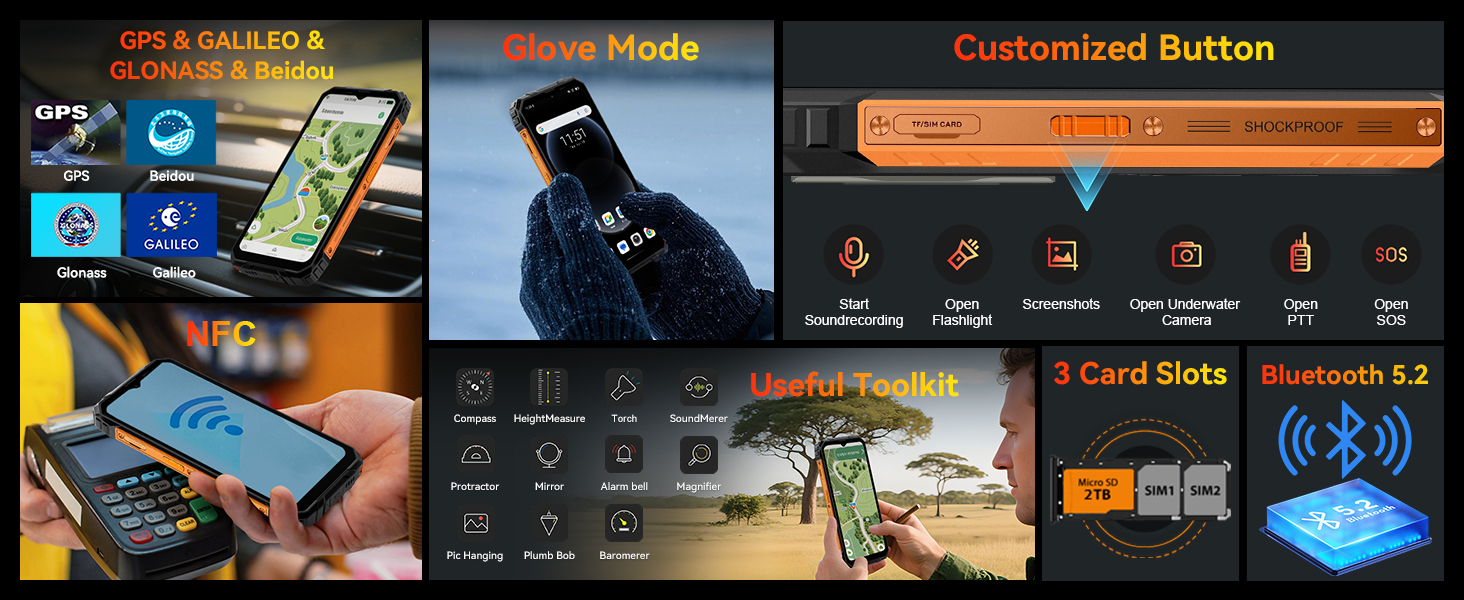
Image 3.2: Visual representation of the 6.56-inch HD+ 90Hz display and its adaptive features.
3.3 Ciri Keselamatan
Unlock your phone securely using:
- Buka Kunci Wajah: Register your face for quick and convenient access.
- Penderia Cap Jari Sisi: A fingerprint sensor integrated into the side button provides fast and secure unlocking.

Image 3.3: Depiction of Face Unlock and Side Fingerprint sensor for device security.
3.4 Customizable Button and Tool Kit
Si Hitamview Fort 1 features a customizable side button that can be assigned to various functions, such as starting sound recording, opening the flashlight, taking screenshots, or activating the underwater camera mode. The device also includes a useful toolkit with applications like a compass, height measure, protractor, and barometer.

Image 3.4: Visual guide to the customizable button, integrated toolkit, and connectivity options.
3.5 Navigasi dan Ketersambungan
The phone supports accurate GPS navigation (GPS, GLONASS, Galileo, Beidou), NFC for contactless payments, dual-band Wi-Fi, and Bluetooth 5.2. It operates on 4G networks with dual SIM capability.
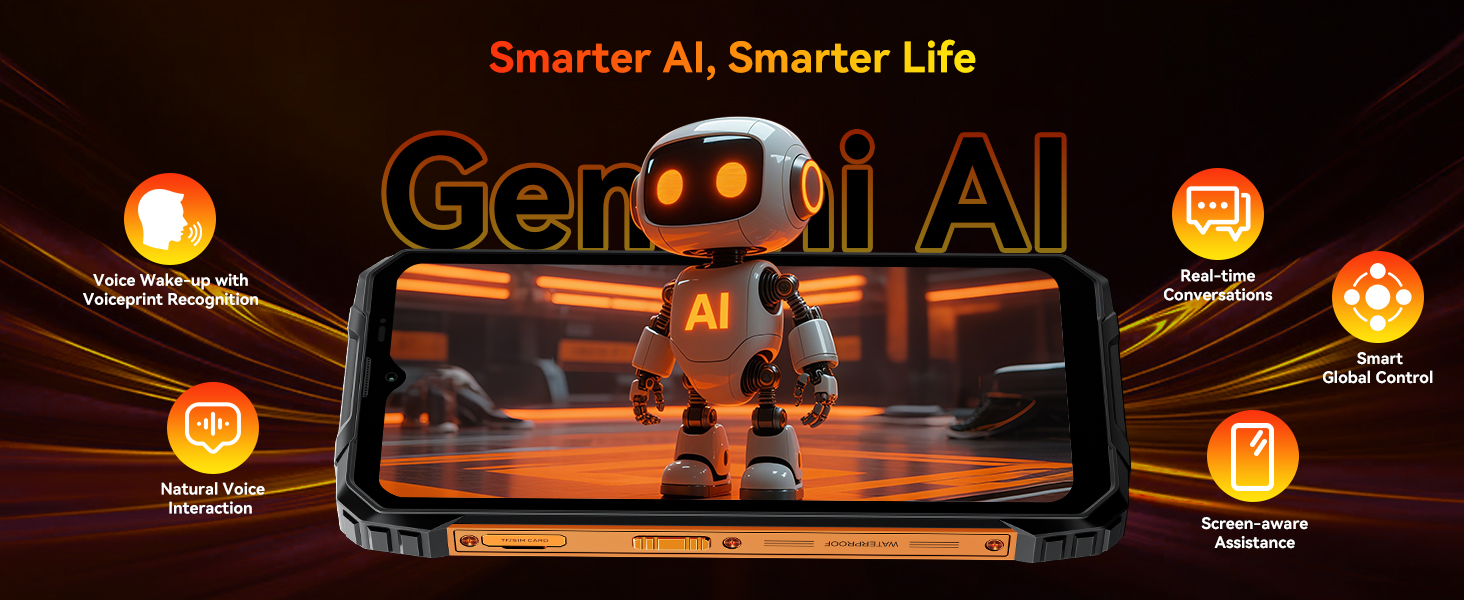
3.6 AI Capabilities (Doke AI)
Si Hitamview Fort 1 integrates Doke AI, offering a range of intelligent features:
- Doke AI Smart Chat App: Your personal AI companion for conversations, image & music generation, text analysis, and homework assistance.
- Doke AI Image App: Features 18 AI tools for photo enhancement, erasing, animating, and recreating images, including AI Outpainting, AI Picture Paste, AI Object Removal, and Sky Replacement.
- Doke AI Video App: Transforms words and images into dynamic videos.
- Doke AI Music App: Allows you to compose music by turning words into melodies.
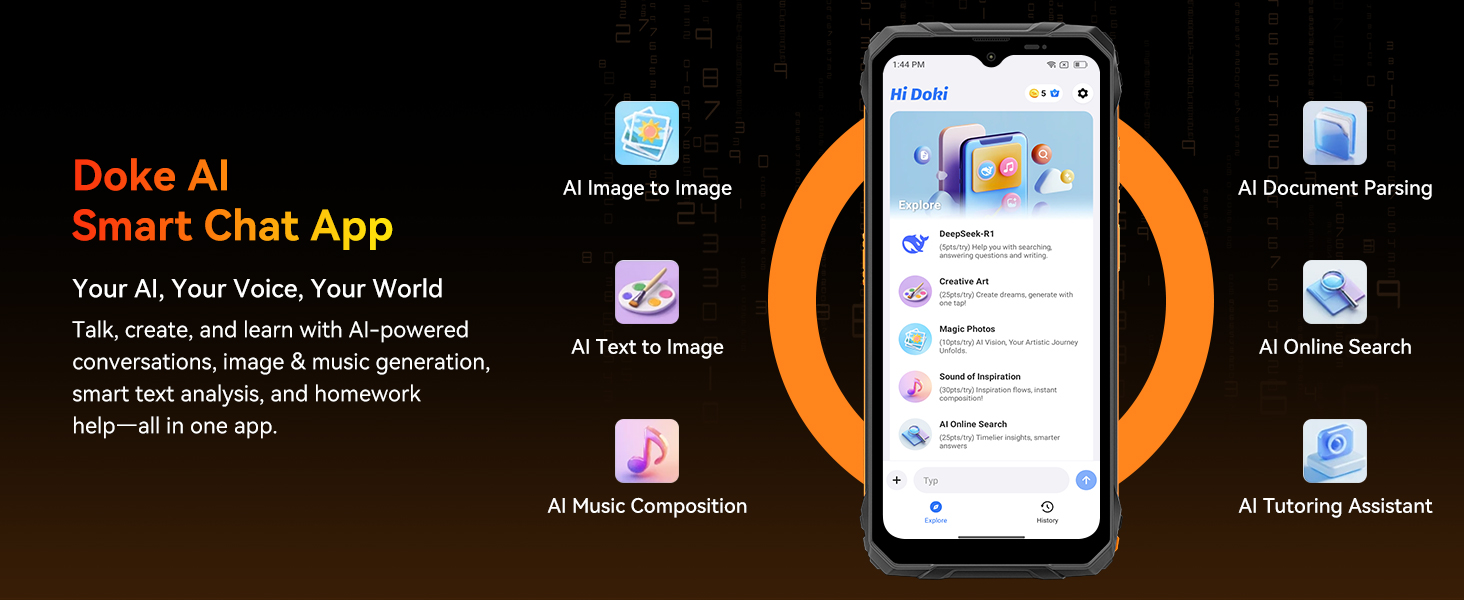
Imej 3.5: Selesaiview of the Doke AI suite of applications for enhanced user interaction and creativity.
4. Penggunaan Kamera
Si Hitamview Fort 1 is equipped with a 16MP AI rear camera and an 8MP front camera. These cameras support various modes including panoramic, beautiful, and HDR, allowing for detailed photo and video capture.
4.1 AI Photo Editing Tools
Utilize the integrated AI tools for photo editing directly on your device. These include AI Magic Eraser, AI Portrait Blur, AI Photo Unblur, One-Tap AI Sky Replacement, AI Portrait Light, and AI Color Focus.
Imej 4.1: Cthamples of AI photo editing tools available on the Blackview Fort 1.
5. Prestasi dan Storan
5.1 Pemproses
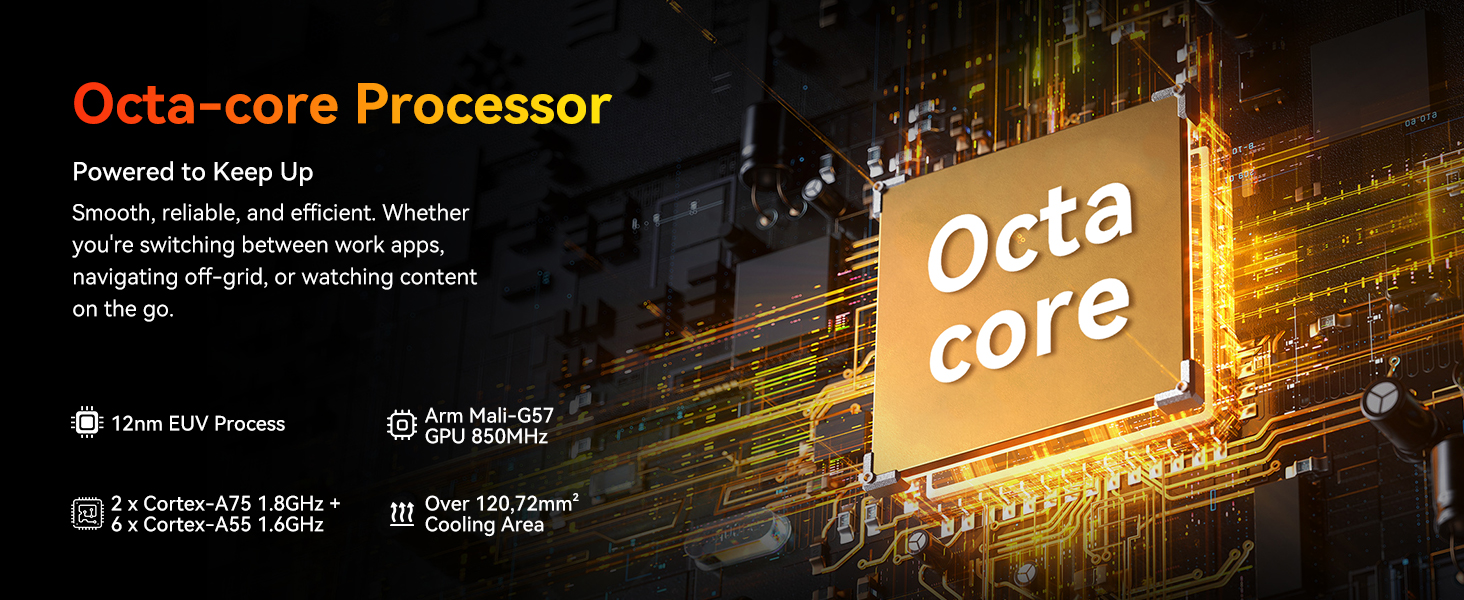
The device is powered by a Unisoc T615 Octa-core Processor, featuring 2x Cortex-A75 1.8GHz and 6x Cortex-A55 1.6GHz cores, along with an Arm Mali-G57 GPU 850MHz. This configuration ensures smooth performance for daily tasks and moderate gaming. An integrated cooling system with 12,072mm² surface area helps manage thermal performance.
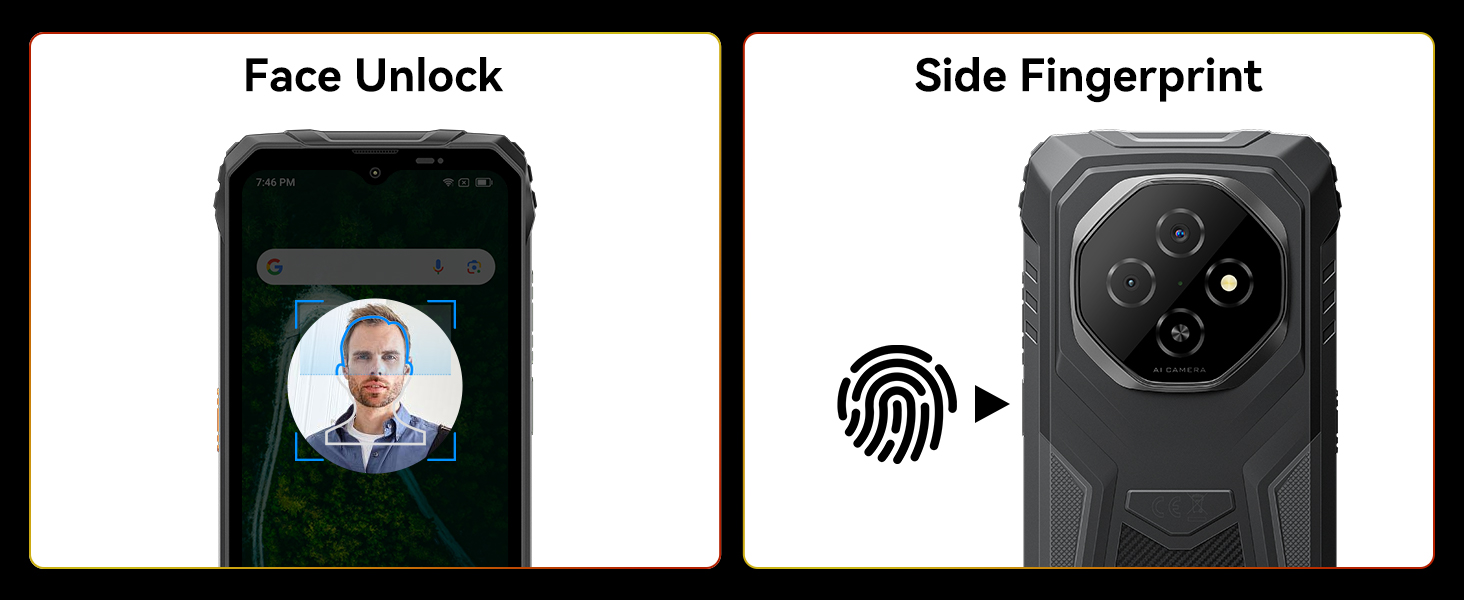
Image 5.1: Diagram illustrating the Unisoc T615 Octa-core Processor and its cooling system.
5.2 RAM and Storage
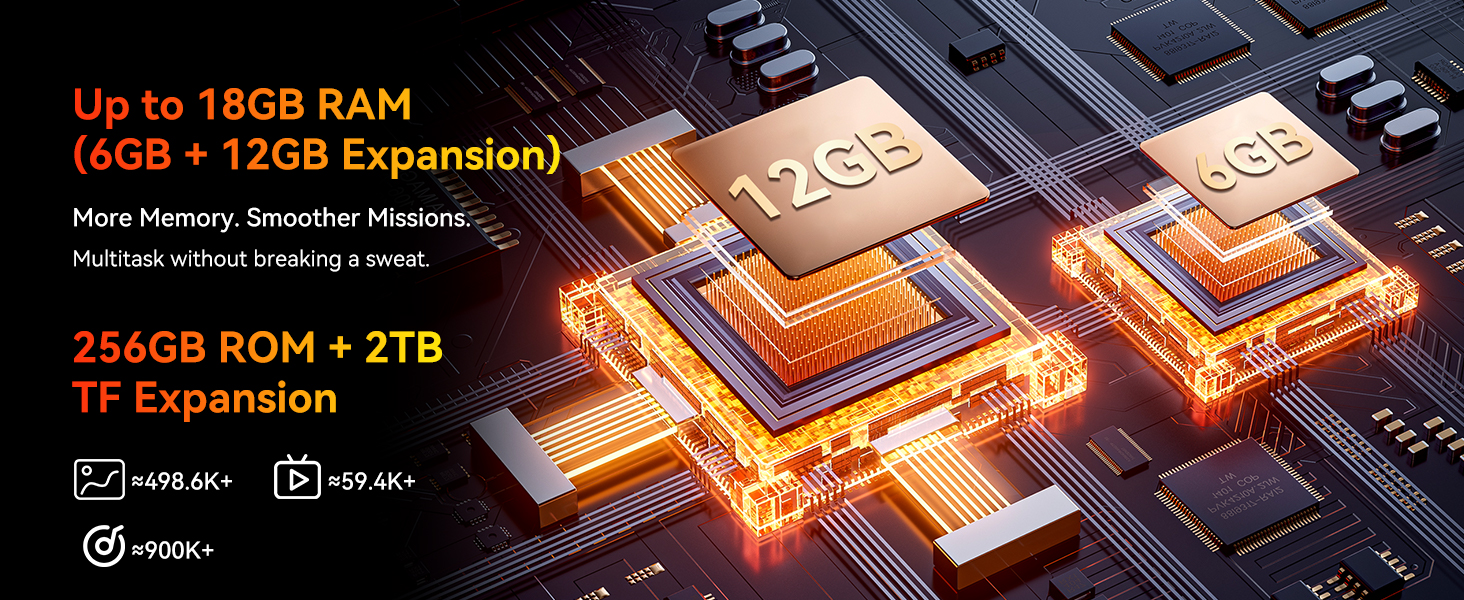
Si Hitamview Fort 1 comes with 256GB of internal storage and supports advanced RAM expansion, boosting memory from 4GB up to 18GB (6GB physical + 12GB virtual). This allows for efficient multitasking and ample space for applications, photos, and videos. Storage can be further expanded up to 2TB using a TF card.
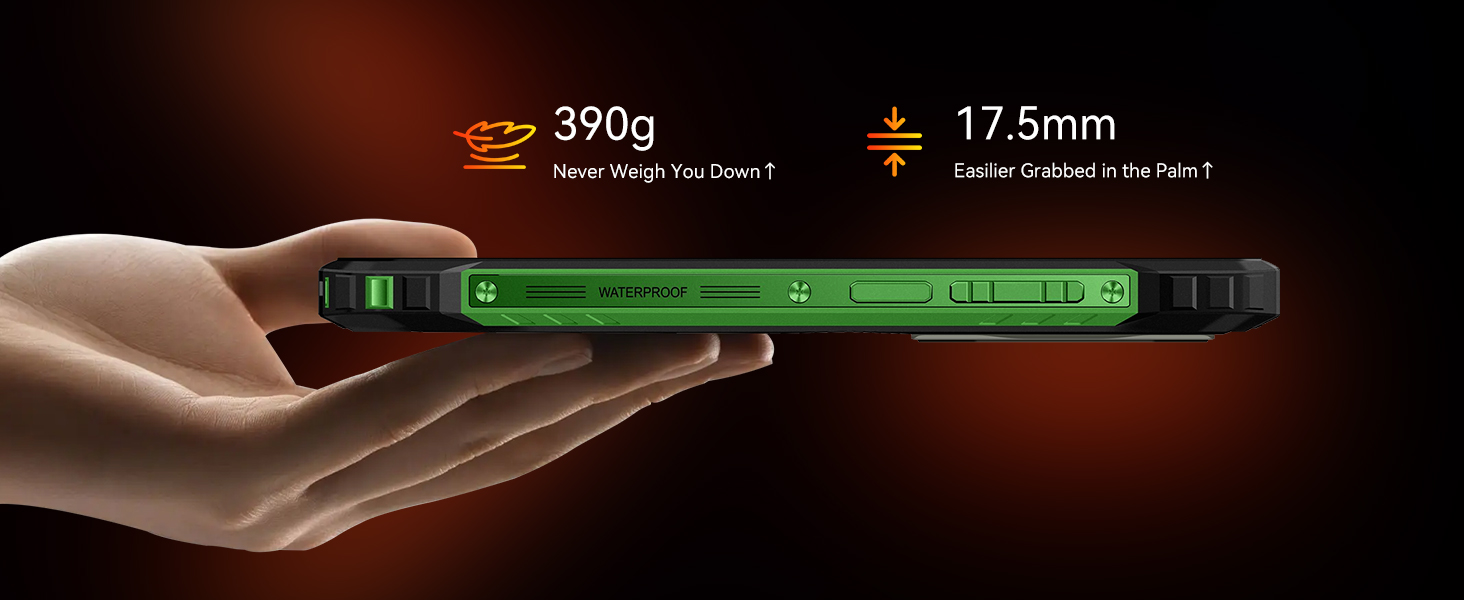
Image 5.2: Visual representation of the 18GB RAM and 256GB ROM with 2TB expandable storage.
6. Ketahanan dan Bateri
6.1 Reka Bentuk Lasak
Si Hitamview Fort 1 is built to withstand harsh environments, certified with IP68, IP69K, and MIL-STD-810H standards. This means it is resistant to water (up to 1.5m for 30 minutes), dust, drops (up to 2 meters), and extreme temperatures (-20°C to 60°C). The display is protected by Panda MN228 Glass.
Imej 6.1: Selesaiview daripada Hitamview Fort 1's MIL-STD durability, water, and dust resistance.
6.2 10000mAh Battery and OTG
The device is equipped with a large 10000mAh battery, providing extended usage times: up to 20 days standby, 20 hours talk time, and 8 hours video playback. It also supports OTG (On-The-Go) technology, allowing you to connect other USB devices directly or use the phone as a power bank to charge other devices.
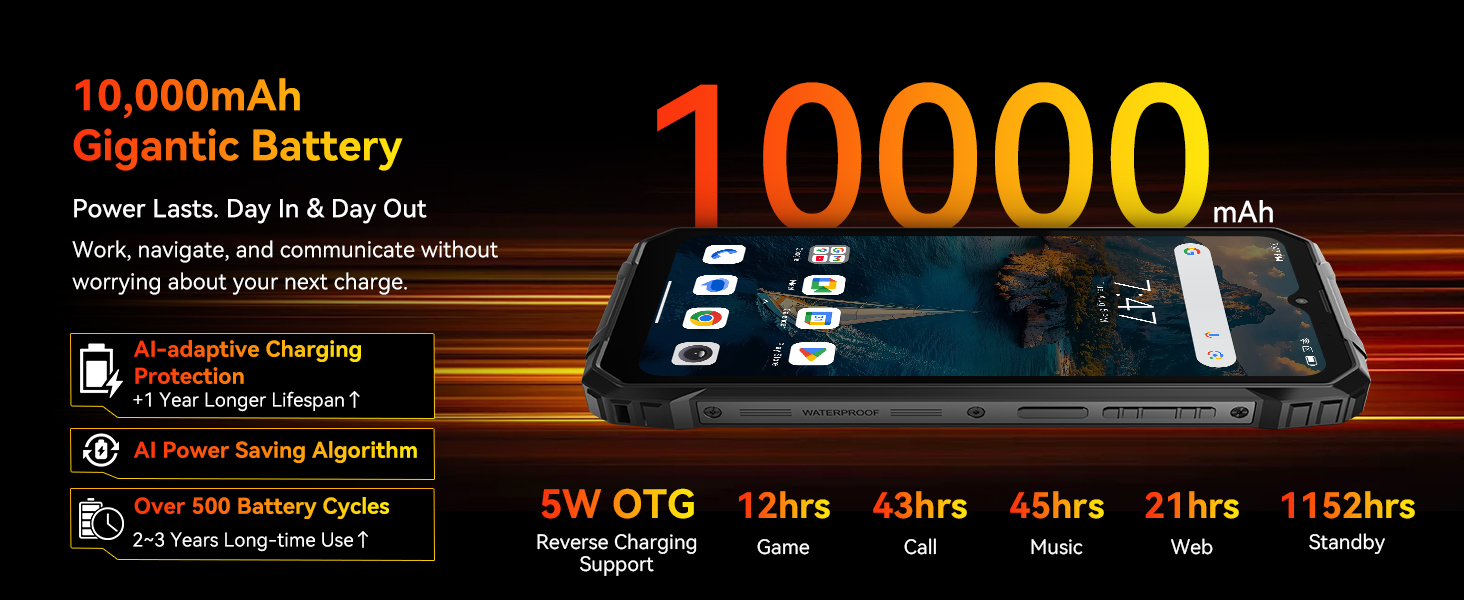
Image 6.2: Illustration of the 10000mAh battery and its long-lasting performance.
7. Penyelenggaraan
7.1 Pembersihan dan Penjagaan
To maintain your Blackview Fort 1, wipe the screen and body with a soft, damp cloth. Avoid using harsh chemicals or abrasive materials. Ensure all port covers are securely closed to maintain water and dust resistance, especially before exposure to liquids or dusty environments.
7.2 Pertimbangan Alam Sekitar
While the phone is designed for rugged use, avoid prolonged exposure to extreme temperatures outside its operating range (-20°C to 60°C) to prevent potential damage to the battery or internal components.
8. Penyelesaian masalah
8.1 Keserasian Rangkaian
Si Hitamview Fort 1 supports 4G networks and is compatible with GSM carriers such as T-Mobile, Speedtalk, Mint Mobile, BTC, MetroPCS, H2O, Movistar, Telcel, Tigo, Claro, Ultra Mobile, Tello, Bell Wireless, Rogers Wireless, Chatr, Telus, Fido, and FIZZ. It is not compatible with CDMA carriers like AT&T, Cricket Wireless, Verizon, Straight Talk, or U.S. Cellular.
Supported Network Bands:
- 4G FDD: B2/B3/B4/B5/B7/B12/B13/B17/B26/B66/B28A/B28B
- 4G TDD: B40/B41
- 3G WCDMA: B2/B3/B4/B5
- 2G GSM: 850/900/1800/1900 (B2/B3/B5/B8)
8.2 Isu dan Penyelesaian Biasa
- Peranti tidak dihidupkan: Pastikan bateri telah dicas. Sambungkan ke pengecas selama sekurang-kurangnya 10 minit sebelum cuba menghidupkannya semula.
- Prestasi perlahan: Close unnecessary background applications. Check available storage space. Consider adjusting RAM expansion settings in Doke OS 4.2.
- Isu sambungan rangkaian: Verify SIM card installation. Check network settings and ensure you are within a compatible carrier's coverage area. Restart the device.
- Ketidakresponsifan skrin sentuh: Mulakan semula peranti. Jika masalah berterusan, lakukan tetapan semula kilang (sandaran data terlebih dahulu).
9. Spesifikasi
| Ciri | Spesifikasi |
|---|---|
| Nama Model | Fort 1 |
| Sistem Operasi | Android 15 (Doke OS 4.2) |
| Pemproses | Teras Okta Unisoc T615 |
| RAM | Sehingga 18GB (6GB fizikal + 12GB maya) |
| Storan Dalaman | 256GB |
| Storan Boleh Dikembangkan | Sehingga 2TB (Kad TF) |
| Saiz Skrin | 6.56 Inci |
| Resolusi | 720 x 1612 |
| Kadar Segar Semula | 90 Hz |
| Kapasiti Bateri | 10000 mAh |
| Kamera Belakang | Kamera AI 16MP |
| Kamera Depan | 8MP |
| Ketersambungan | 4G LTE, Wi-Fi, Bluetooth 5.2, NFC, GPS (GPS, GLONASS, Galileo, Beidou) |
| Sokongan Kad SIM | Dual Nano SIM |
| Ketahanan | IP68, IP69K, Diperakui MIL-STD-810H |
| Dimensi | 8.94 x 8.15 x 1.46 inci (Pakej) |
| Berat badan | 1.61 paun |
| Apa yang ada dalam Kotak | USB Cable, Charging Station, Hand Rope, Cage Pliers, User Manual |
10. Waranti dan Sokongan
Hitam Andaview Fort 1 Rugged Phone is covered by a comprehensive waranti dua tahun. Hitamview also provides sokongan teknikal seumur hidup. Our customer service team is available 24/7 to address any issues or questions you may have, ensuring prompt and professional assistance.
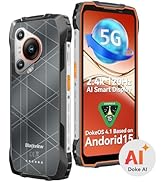
Image 10.1: Blackview customer service team ready to provide support.
For support, please refer to the contact information provided in your warranty card or visit the official Blackview webtapak.


