1. Pengenalan
Si Hitamview Fort 1 is a rugged smartphone designed for durability and performance. It features the latest Android 15 operating system, a large 10000mAh battery, and enhanced protection against water, dust, and drops. This manual provides essential information for setting up, operating, maintaining, and troubleshooting your device.
2. Kandungan Pakej
Sahkan bahawa semua item terdapat dalam pembungkusan produk:
- Hitamview Fort 1 Outdoor Smartphone
- Stesen Pengecasan
- Kabel USB
- Tali Tangan
- Cage Pliers
- Manual Pengguna
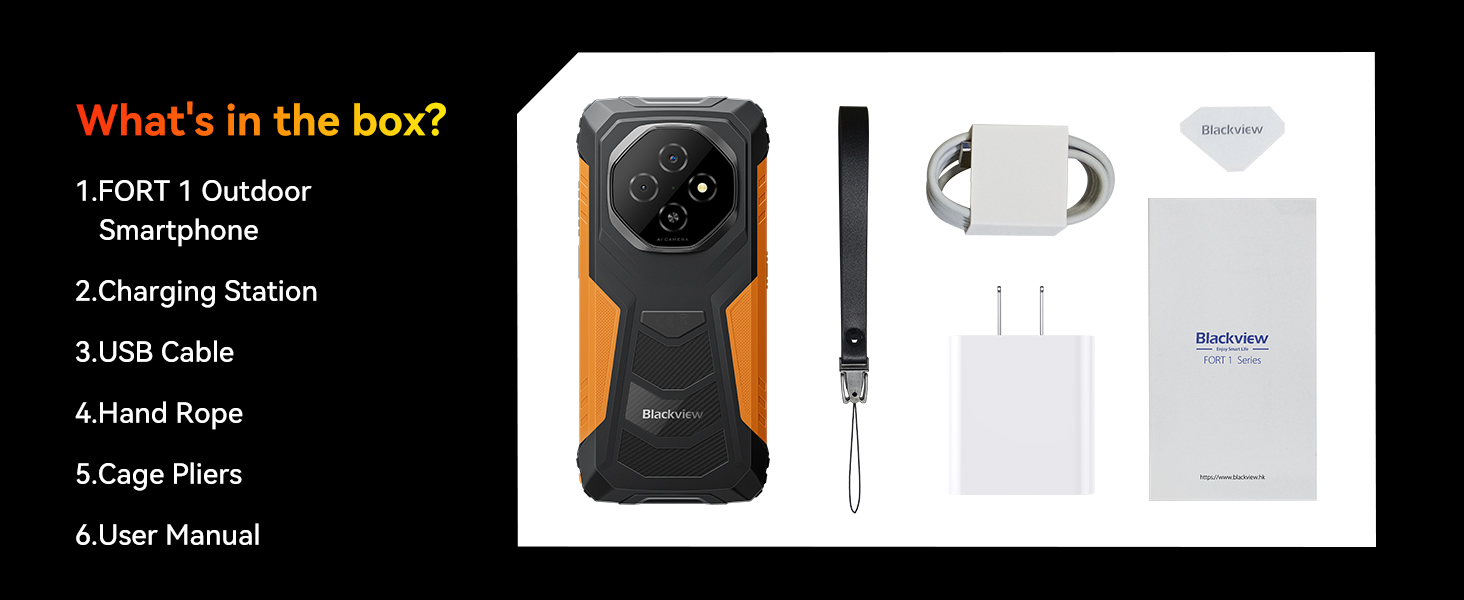
Image: Package contents for the Blackview Fort 1.
3. Peranti Lebihview
Si Hitamview Fort 1 features a robust design with a 6.56-inch display. Key physical components include:
- paparan: 6.56-inch HD+ IPS display with 90Hz refresh rate.
- Kamera Belakang: 16MP AI main camera with LED flash.
- Kamera Depan: 8MP selfie camera.
- Butang Sisi: Power button (with integrated fingerprint sensor), volume up/down buttons, customizable button.
- Pelabuhan: Port pengecasan USB-C, bicu audio 3.5mm.
- Slot Kad SIM/TF: Located on the side, accessible with the provided cage pliers.

Imej: Depan dan belakang view daripada Hitamview Fort 1.
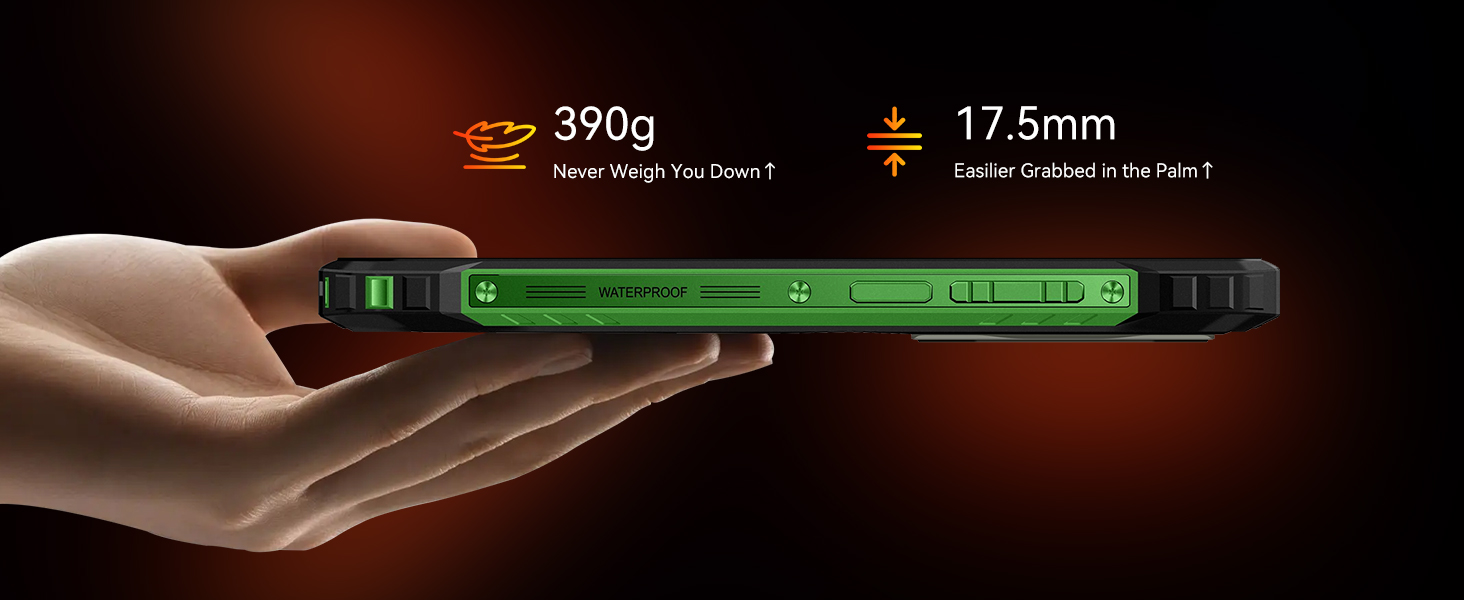
Imej: Side profile daripada Hitamview Fort 1, illustrating its ergonomic design.
4. Persediaan
4.1 Pemasangan Kad SIM dan TF
- Cari slot kad SIM/TF di sisi telefon.
- Use the provided cage pliers to open the card tray.
- Insert your Nano-SIM card(s) and/or TF card into the designated slots. The phone supports two Nano-SIMs or one Nano-SIM and one TF card (up to 2TB).
- Masukkan semula dulang ke dalam telefon dengan berhati-hati, pastikan ia rata dengan badan peranti.
4.2 Kuasa Awal Hidup
Press and hold the Power button on the side of the device until the Blackview logo appears. Follow the on-screen instructions to complete the initial setup, including language selection, Wi-Fi connection, and Google account setup.
4.3 Keserasian Rangkaian
Si Hitamview Fort 1 supports 4G networks and is compatible with GSM carriers such as T-Mobile, Speedtalk, Mint Mobile, BTC, MetroPCS, H2O, Movistar, Telcel, Tigo, Claro, Ultra Mobile, Tello, Bell Wireless, Rogers Wireless, Chatr, Telus, Fido, and FIZZ. It is tidak serasi with CDMA carriers like AT&T, Cricket Wireless, Verizon, Straight Talk, or U.S. Cellular.
5. Arahan Operasi
5.1 Navigasi Asas
Navigate the device using standard Android touchscreen gestures: tap to select, swipe to scroll, pinch to zoom, and long-press for additional options.
5.2 Android 15 and Doke OS 4.2 Features
Si Hitamview Fort 1 runs on Android 15 with Blackview's Doke OS 4.2 interface, offering enhanced privacy, an improved user experience, and various optimizations.
- Perlindungan Privasi: Enhanced controls for data leakage prevention and per-app language preferences.
- EasyShare: A proprietary app for faster data transfers compared to standard Bluetooth.
- Rakaman Panggilan: Built-in functionality to record phone calls.
- Exercise Index Tracking: Monitor your physical activity.
- Sari Kata Masa Nyata: View subtitles while watching videos.
- Atomized Memory 2.0: Optimizes RAM usage for smoother multitasking.
- Workspace App: Separates work and personal profiles for enhanced privacy and organization.
- Smart Pre-Loading: Accelerates app startup times.
- Focus Computing: Manages system resources for optimal performance and battery life.
- Personalized Themes & Text: Customize the device's appearance and font sizes.
- Private Space & App Lock: Secure sensitive data and applications.
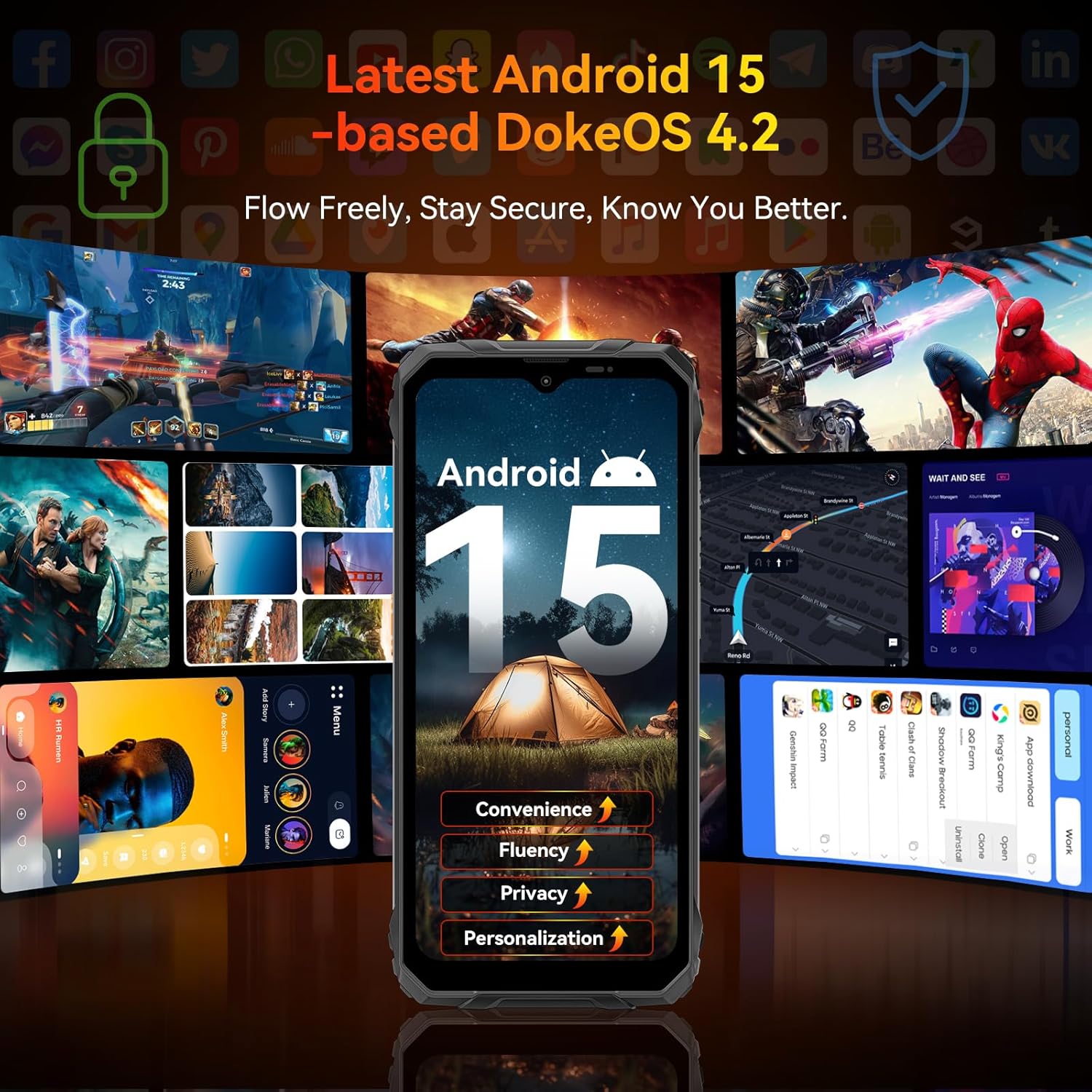
Image: Android 15 and Doke OS 4.2 interface on the Blackview Fort 1.
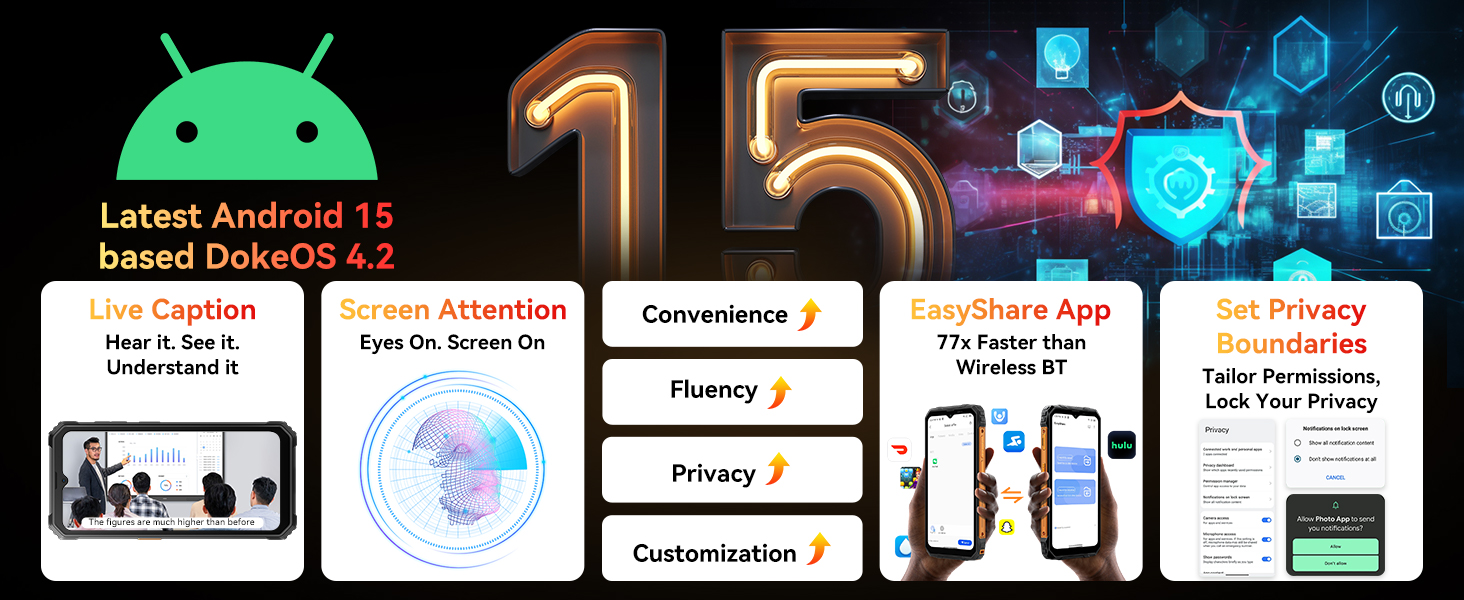
Image: Key features of Android 15 on the device.
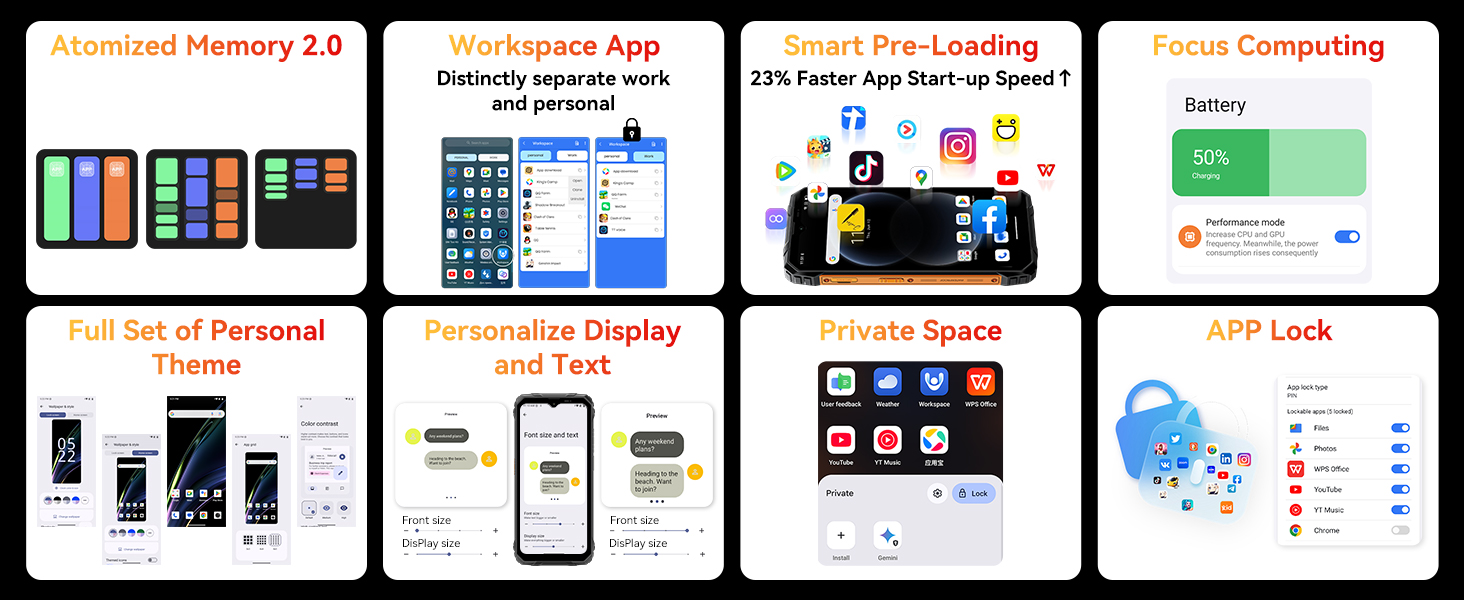
Image: Doke OS 4.2 system enhancements.
5.3 Gemini AI Integration
The device integrates Gemini AI for enhanced smart features, including voice wake-up with voiceprint recognition, real-time conversations, smart global control, natural voice interaction, and screen-aware assistance.
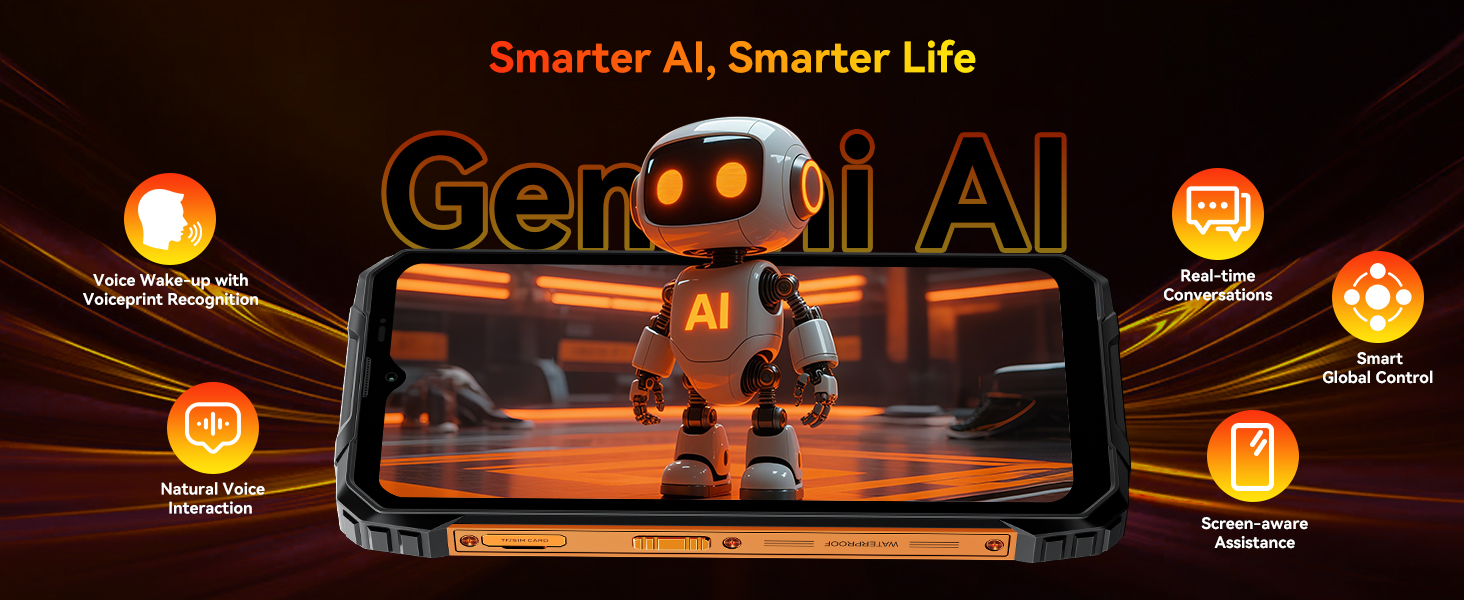
Image: Gemini AI capabilities.
5.4 Doke AI Apps
Si Hitamview Fort 1 includes a suite of Doke AI applications:
- Doke AI Smart Chat App: An AI companion for conversations, image & music generation, text analysis, and homework help.
- Doke AI Video App: Transforms ideas into dynamic videos.
- Doke AI Music App: Composes music from text input.
- Doke AI Image App: Offers 18 AI tools for photo enhancement, editing, and recreation (e.g., AI Magic Eraser, AI Portrait Blur, AI Sky Replacement).

Imej: Selesaiview of Doke AI applications.
6. Penggunaan Kamera
Si Hitamview Fort 1 is equipped with a 16MP AI rear camera and an 8MP front camera. It supports various modes for capturing images and videos, including panoramic, beautiful, and HDR modes. The Doke AI Image App provides advanced photo editing tools such as AI Magic Eraser, AI Portrait Blur, AI Photo Unblur, One-Tap AI Sky Replacement, AI Portrait Light, and AI Color Focus.

Image: Camera features and AI photo editing tools.
7. Pengurusan Bateri
The device features a 10000mAh battery, providing extended usage times. It supports OTG (On-The-Go) technology, allowing the phone to act as a power bank for other USB devices or connect to peripherals.
- Masa Siap sedia: Sehingga 20 hari.
- Masa Berbual: Sehingga 20 jam.
- Main Balik Video: Sehingga 8 jam.
- Pengecasan Songsang OTG: Keluaran 5W.
- AI-adaptive Charging: Extends battery lifespan.
- AI Power Saving Algorithm: Mengoptimumkan penggunaan kuasa.
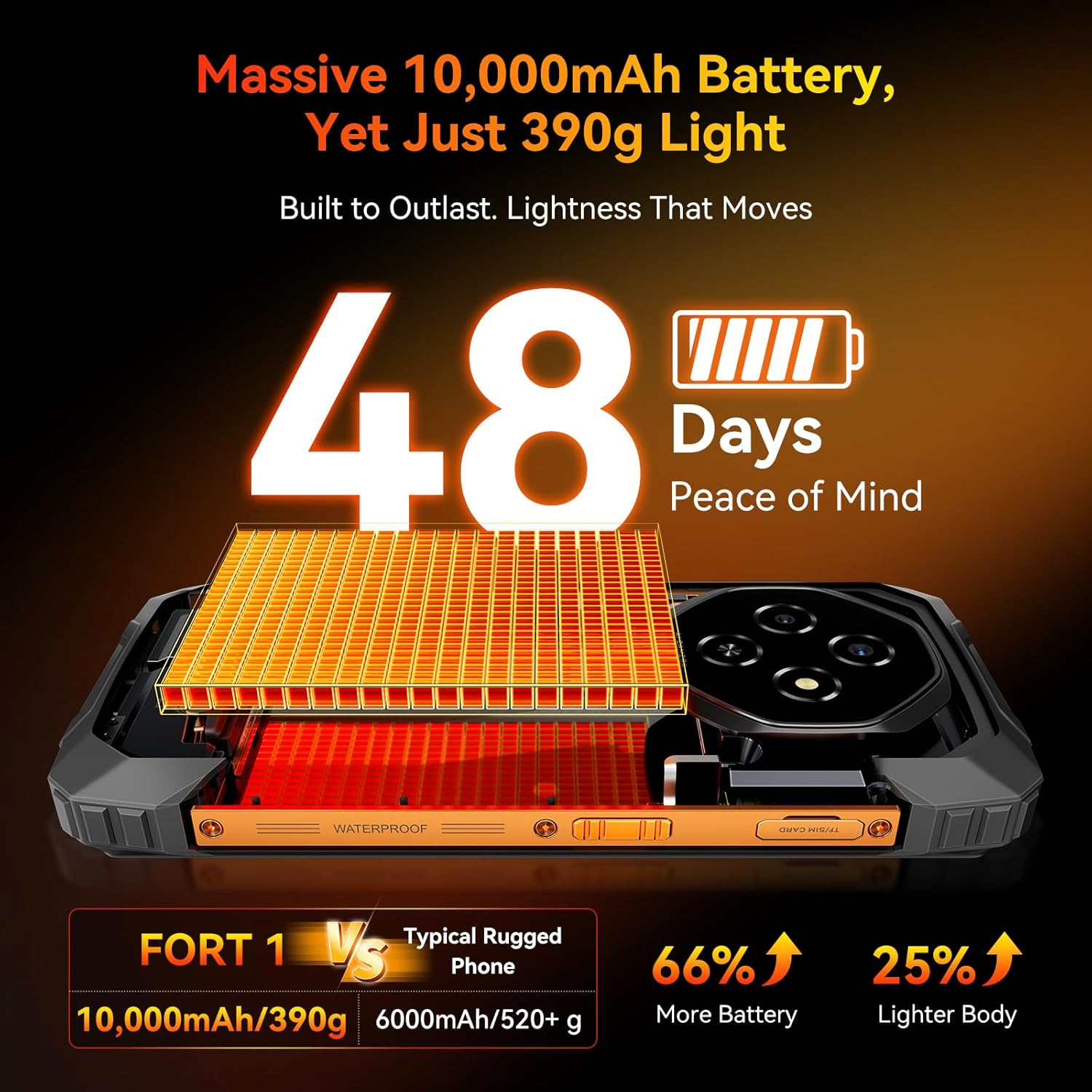
Image: 10000mAh battery and its endurance.
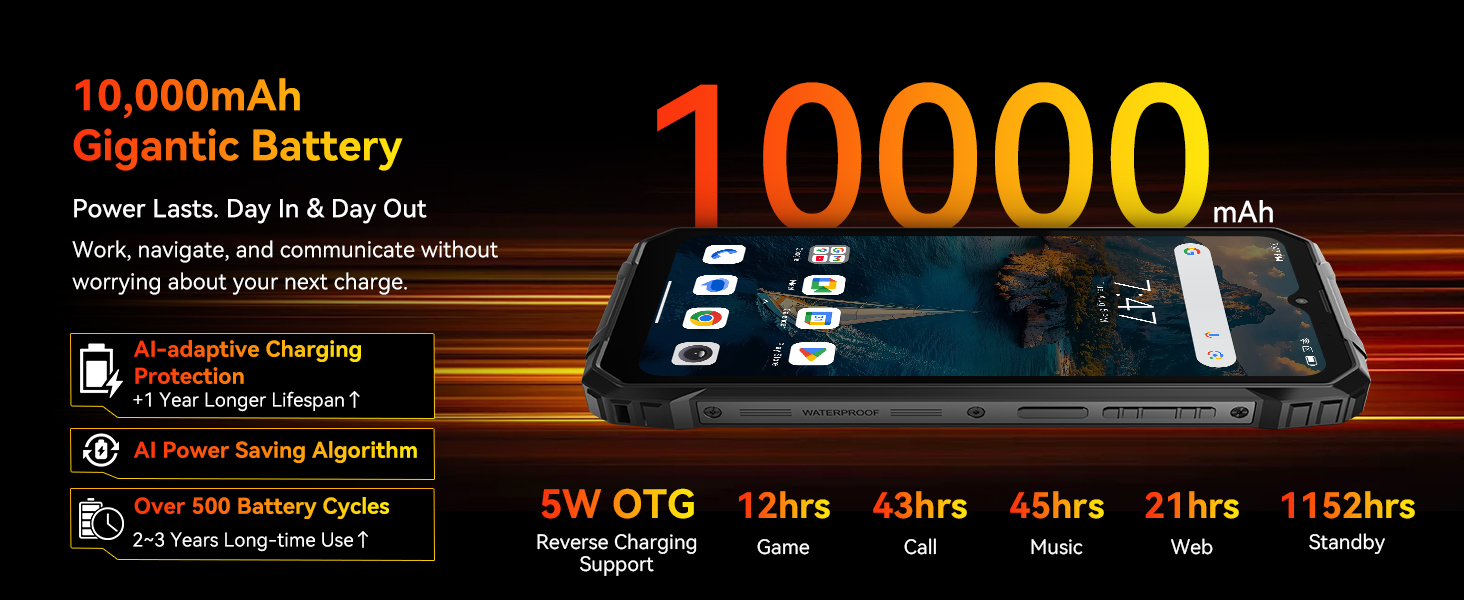
Image: Battery performance metrics.
8. Ketersambungan
Si Hitamview Fort 1 offers comprehensive connectivity options:
- Dwi-SIM 4G: Menyokong dua kad Nano-SIM untuk penggunaan rangkaian yang fleksibel.
- Wi-Fi dwijalur: Untuk akses internet berkelajuan tinggi.
- NFC: Untuk pembayaran tanpa sentuh dan pertukaran data.
- GPS: Accurate navigation with support for GPS, GLONASS, Galileo, and Beidou.
- Bluetooth 5.2: Untuk menyambung aksesori wayarles.
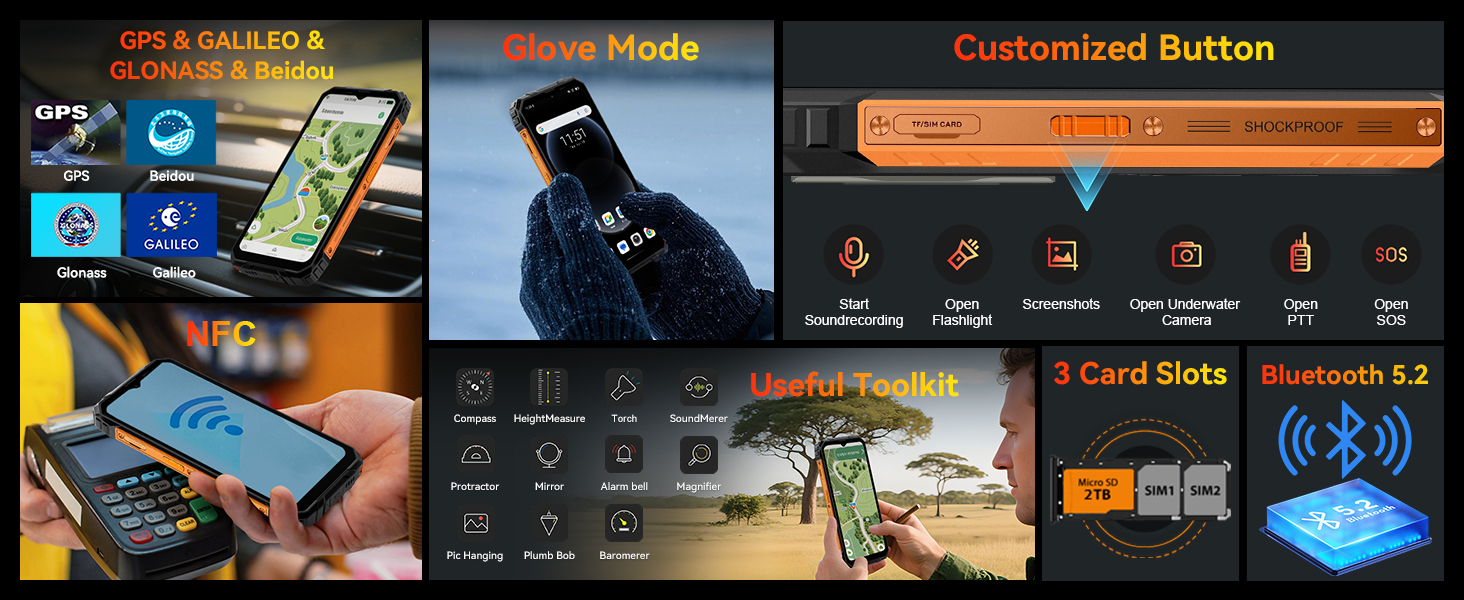
Image: Connectivity features and utility tools.
9. Ciri-ciri Keselamatan
Si Hitamview Fort 1 provides multiple security options to protect your device and data:
- Buka kunci cap jari: Integrated into the side power button for quick and secure access.
- Buka Kunci Wajah: Uses the front camera for convenient facial recognition.
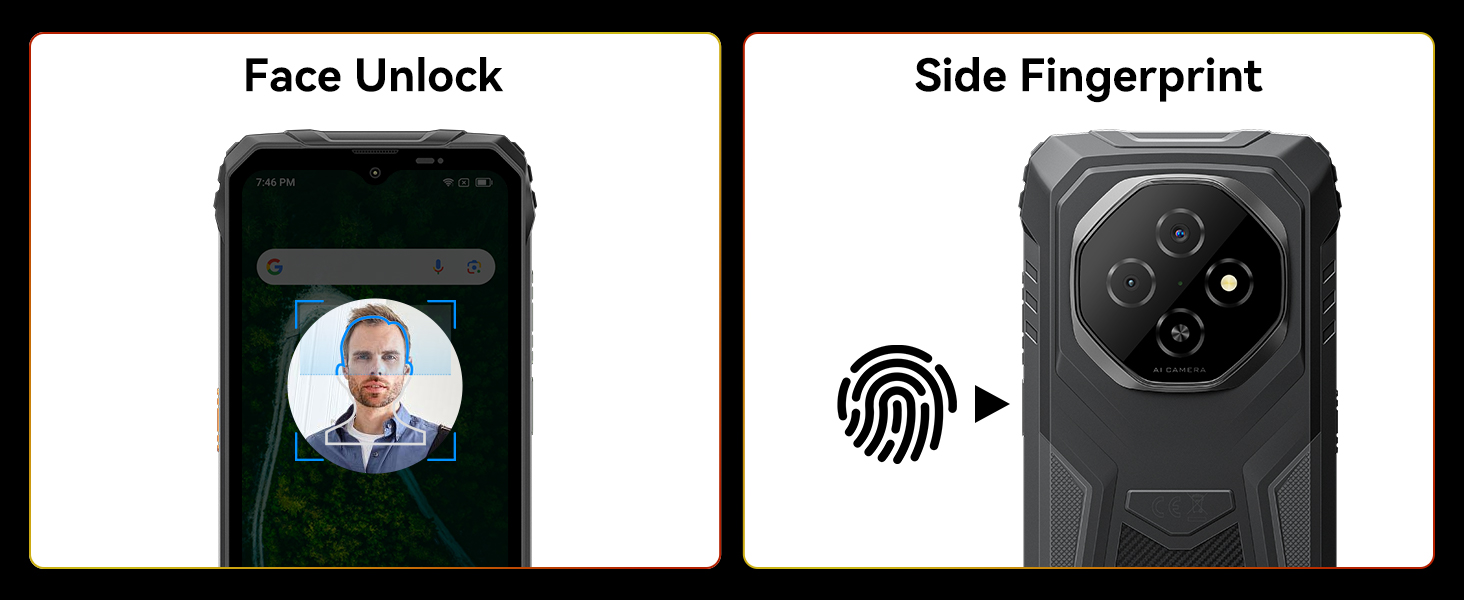
Image: Face Unlock and Fingerprint Sensor locations.
10. Rugged Features and Durability
Si Hitamview Fort 1 is built to withstand harsh environments, meeting industrial standards for ruggedness:
- IP68 & IP69K Dinilai: Certified for water and dust resistance, allowing submersion up to 1.5 meters for 30 minutes.
- Diperakui MIL-STD-810H: Meets military-grade standards for durability against drops, shocks, vibrations, extreme temperatures, humidity, and altitude.
- Kalis jatuh: Direka untuk menahan jatuhan sehingga 2 meter.
- Panda MN228 Screen: Enhanced screen durability.
- Anti-Collision Corners: Reinforced edges absorb impacts.
- Durable Back Cover: High-strength shell with soft rubber for serious drop resistance.
- Aviation-Grade Metal Frame: Tough aluminum alloy, secured with screws for solid construction.
- Glove Mode 2.0: Allows touchscreen operation while wearing gloves.

Image: Blackview Fort 1 demonstrating water resistance.
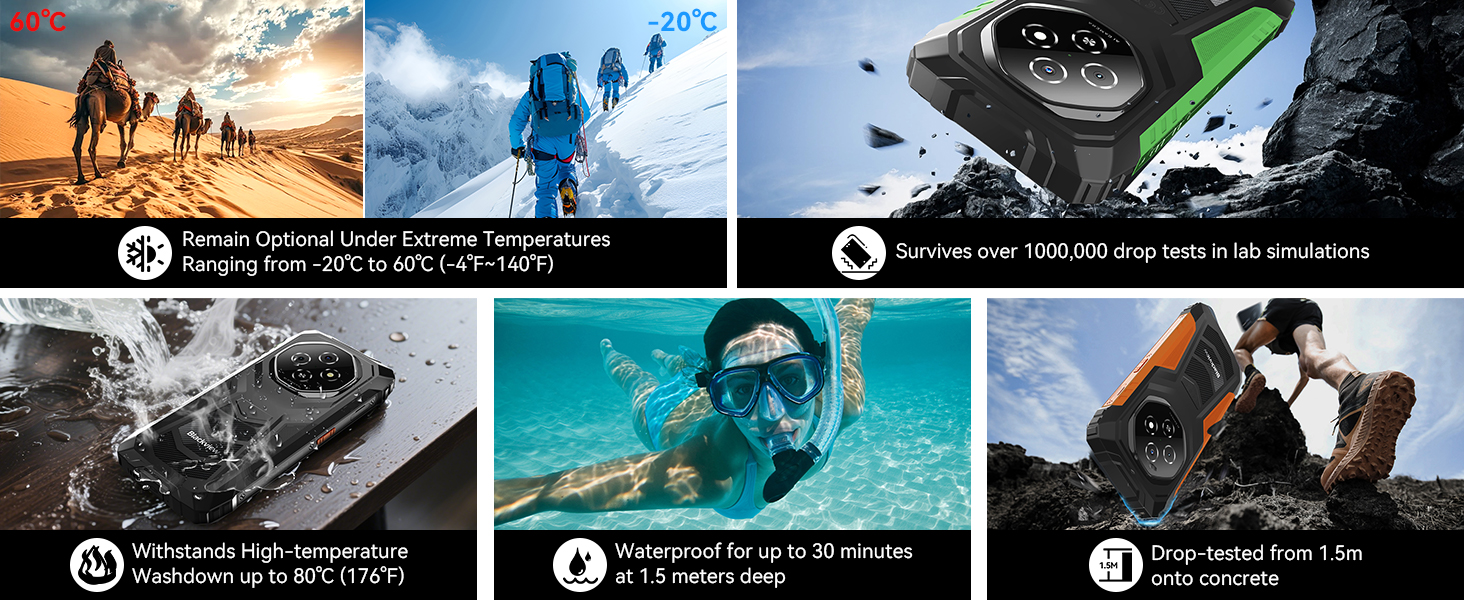
Image: Durability features in various conditions.
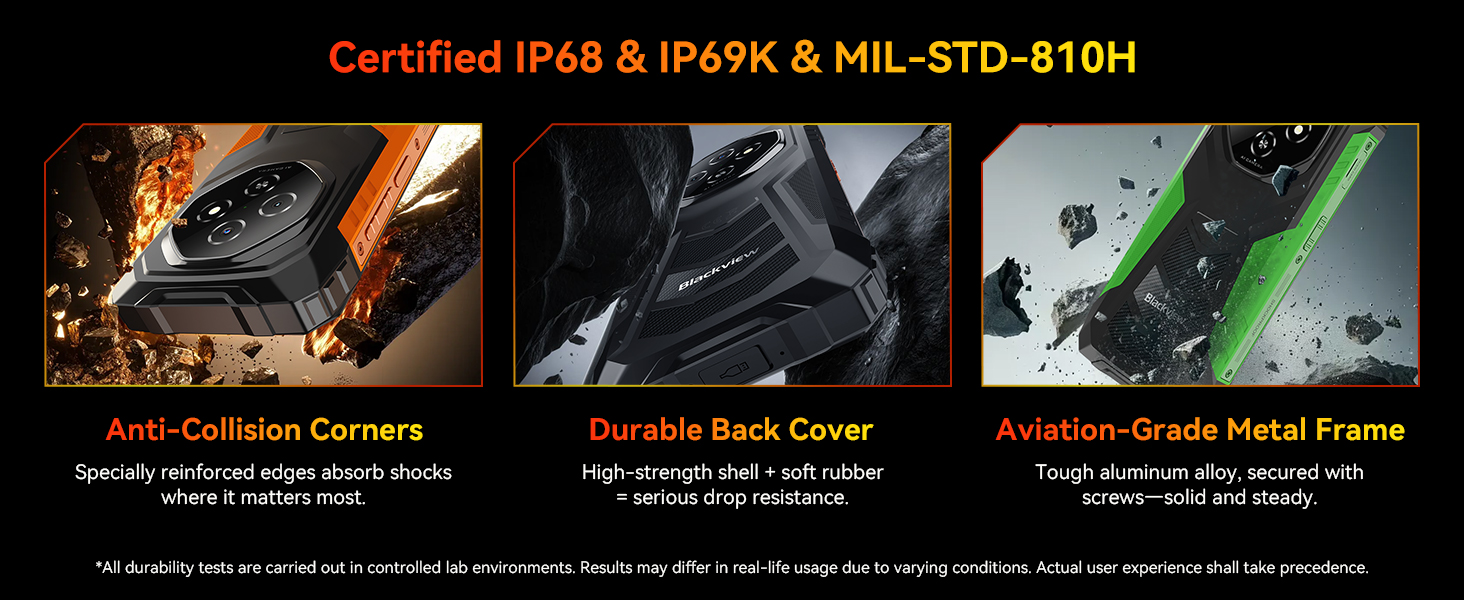
Image: Structural components contributing to ruggedness.
11. Penyelenggaraan
Untuk memastikan ketahanan dan prestasi optimum Black andaview Fort 1, follow these maintenance guidelines:
- Pembersihan: Lap peranti dengan lembut, damp cloth. Avoid harsh chemicals or abrasive materials. For stubborn dirt, especially after exposure to mud or saltwater, rinse thoroughly with fresh water and ensure all ports are dry before charging.
- Penjagaan Pelabuhan: Keep the USB-C charging port and 3.5mm audio jack free of dust and debris. Ensure the port covers (if present) are properly sealed when not in use, especially before exposure to water.
- Perlindungan Skrin: While the Panda MN228 Screen offers enhanced durability, consider a screen protector for additional scratch resistance.
- Suhu: Avoid exposing the phone to extreme temperatures outside its operating range (-20°C to 60°C).
- Kemas Kini Perisian: Semak dan pasang kemas kini sistem secara kerap untuk memastikan prestasi optimum, keselamatan dan akses kepada ciri baharu.
12. Penyelesaian masalah
Jika anda menghadapi masalah dengan Hitam andaview Fort 1, try the following steps:
- Peranti Tidak Dihidupkan: Pastikan bateri telah dicas. Sambungkan telefon ke pengecas dan tunggu beberapa minit sebelum cuba menghidupkannya semula.
- Skrin Tidak Responsif: Paksa mulakan semula peranti dengan menekan butang Kuasa selama lebih kurang 10-15 saat.
- Isu Rangkaian: Check if your SIM card is properly inserted. Verify that mobile data is enabled in settings. If issues persist, contact your network carrier.
- Apl Ranap/Pembekuan: Close the problematic app and reopen it. If the issue continues, clear the app's cache and data in Settings > Apps.
- Prestasi Perlahan: Tutup aplikasi latar belakang yang tidak diperlukan. Kosongkan cache secara berkala. Pertimbangkan untuk mengosongkan ruang storan.
- Pendedahan Air: If the phone has been exposed to water, ensure all ports are completely dry before charging or connecting accessories. Do not attempt to open the device.
- Tetapan semula kilang: Sebagai langkah terakhir, anda boleh melakukan tetapan semula kilang (Tetapan > Sistem > Pilihan tetapan semula > Padam semua data). Amaran: Ini akan memadamkan semua data pada telefon anda. Sandarkan maklumat penting sebelum meneruskan.
13. Spesifikasi
| Ciri | Spesifikasi |
|---|---|
| Nama Model | Fort 1 |
| Sistem Operasi | Android 15, Doke OS 4.2 |
| Pemproses | Unisoc T615 Octa-core (2x Cortex-A75 1.8GHz + 6x Cortex-A55 1.6GHz) |
| RAM | 12GB (fizikal 4GB + pengembangan 8GB) |
| Storan Dalaman | 128GB |
| Storan Boleh Dikembangkan | Sehingga 2TB melalui kad TF |
| Saiz Skrin | 6.56 Inci |
| Resolusi | 720 x 1612 HD+ |
| Kadar Segar Semula | 90 Hz |
| Kecerahan | Sehingga 450 nits |
| Kamera Belakang | Kamera Utama AI 16MP |
| Kamera Depan | Kamera Selfie 8MP |
| Kapasiti Bateri | 10000mAh |
| Penilaian Kuasa Bateri | Jam 30 Watt |
| Masa Bual Telefon | 72 Hours (Note: This is likely a typo in source data, 20 hours is stated in feature bullets) |
| Ketersambungan | 4G, Wi-Fi, Bluetooth 5.2, NFC, USB |
| Navigasi | GPS, GLONASS, Galileo, Beidou |
| Ketahanan | IP68 & IP69K Waterproof & Dustproof, MIL-STD-810H |
| Keselamatan | Buka Kunci Cap Jari, Buka Kunci Wajah |
| Bicu Audio | 3.5 mm |
| Berat Barang | 1.61 paun (lebih kurang 730g) |
| Dimensi Pakej | 8.19 x 8.11 x 1.46 inci |
Note: Specifications are subject to change without prior notice. Please refer to the official Blackview weblaman web untuk mendapatkan maklumat terkini.
14. Waranti dan Sokongan
Hitam Andaview Fort 1 Rugged Phone comes with a comprehensive warranty and dedicated customer support:
- Waranti: A two-year guarantee protects your purchase.
- Sokongan Teknikal: Sokongan teknikal seumur hidup disediakan untuk peranti anda.
- Perkhidmatan Pelanggan: Our customer service team is available 24/7 to address any issues or questions you may have.
For support, please refer to the contact information provided in your product packaging or visit the official Blackview webtapak.


