pengenalan
This manual provides detailed instructions for the New Bee M53 Bluetooth Headset. Please read this manual carefully before using the product to ensure proper operation and to maximize its performance and lifespan. Keep this manual for future reference.
Kandungan Pakej
Sahkan bahawa semua item terdapat dalam pakej:
- Bluetooth Earpiece (1 unit)
- 500mAh Charging Case (1 unit)
- Ear Tips (3 sizes: S/M/L)
- Type-C Cable (1 unit, AC adapter not included)
- Manual Pengguna (1 unit)
Produk Selesaiview
The New Bee M53 Bluetooth Headset features an ergonomic design for comfortable wear and intuitive controls. Below is a general view of the headset and its charging case.
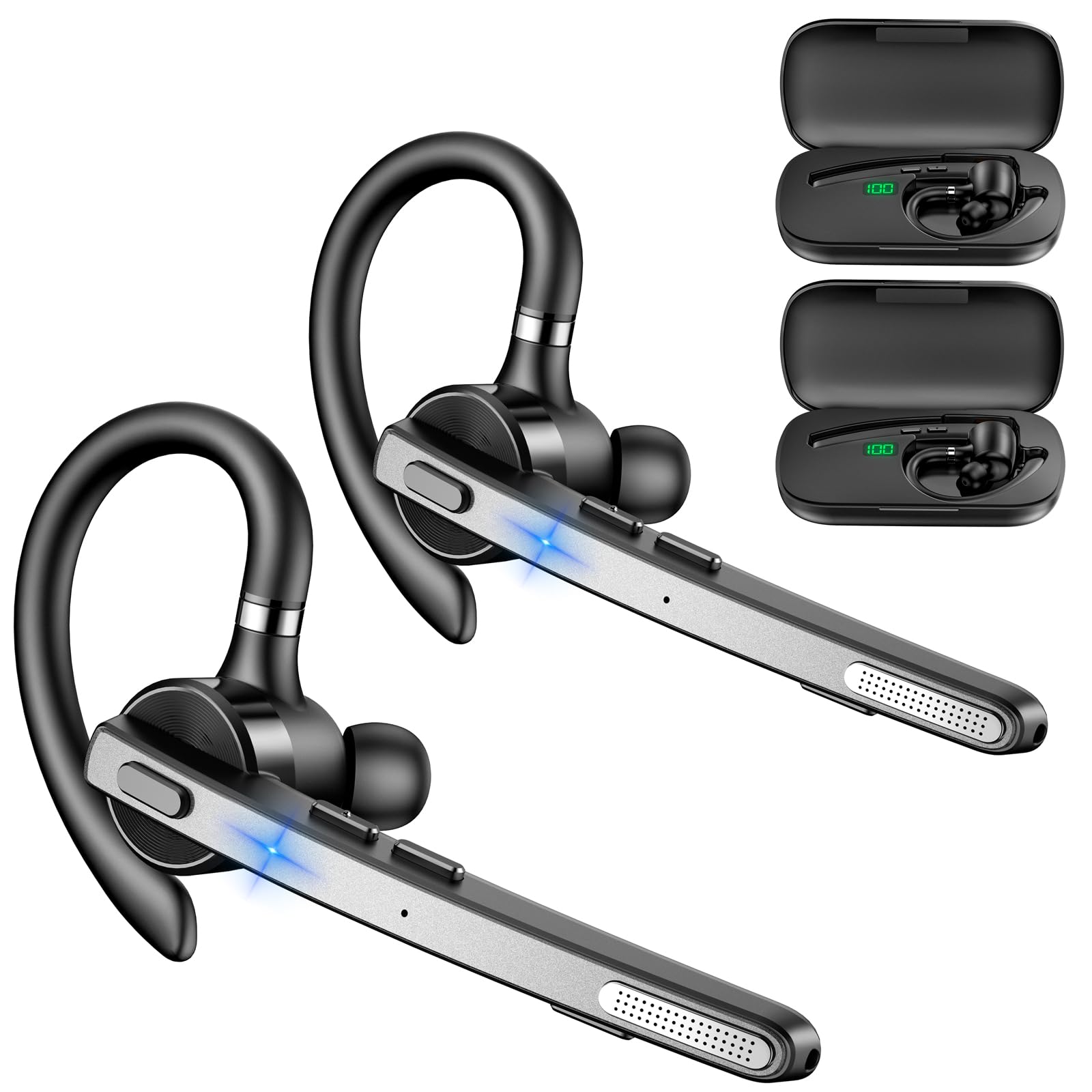
Image: New Bee M53 Bluetooth Headset with its charging case and included ear tips.

Image: Diagram illustrating the various buttons and their functions on the New Bee M53 Bluetooth Headset, including power, volume, call control, mute, and Type-C charging port.
Persediaan
1. Mengecas Fon Kepala dan Casing
Before first use, fully charge the headset and its charging case. The charging case has a digital display to indicate the remaining power.
- Connect the provided Type-C cable to the charging port on the case and to a USB power source (e.g., computer, wall adapter).
- Place the headset into the charging case.
- Pengecasan penuh mengambil masa kira-kira 2 jam.
- The 500mAh charging case provides approximately 72 hours of total playtime for the headset.
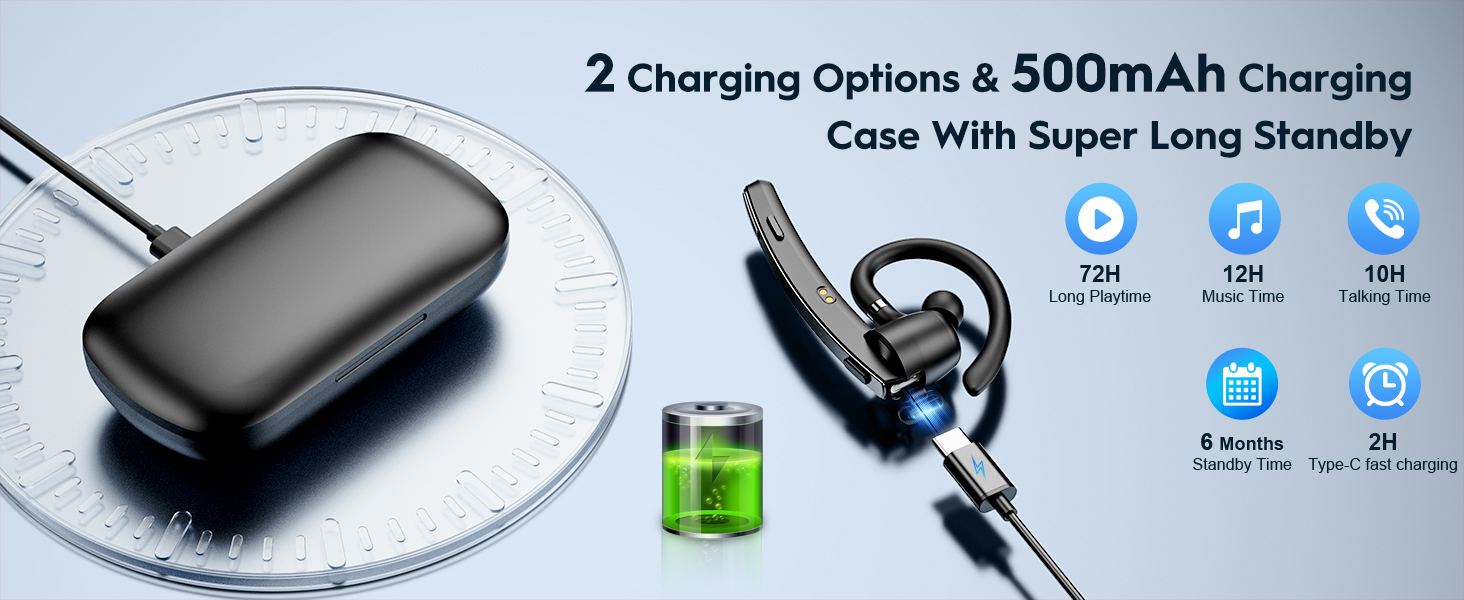
Image: The New Bee M53 charging case displaying battery level, with the headset inside, illustrating its long battery life capabilities.
2. Memakai Alat dengar
The headset is designed for comfortable and secure fit. It can be worn on either the left or right ear.
- The flexible ear hook can be rotated 180° to fit either ear.
- The earphone arm can be rotated 270° to adjust the microphone position.
- Choose from the three included ear tip sizes (S, M, L) for the best fit and comfort.
- The headset weighs only 13.6 grams, ensuring comfort during extended wear.

Image: Illustration of the headset's adjustable ear hook for left/right ear use and the three available ear tip sizes (S, M, L).
3. Berpasangan Bluetooth
The headset uses Bluetooth 5.1 technology for quick and stable connections.
- Pastikan set kepala dicas dan dimatikan.
- Press and hold the Power button for 3-5 seconds until the indicator light flashes blue and red, indicating pairing mode.
- Pada peranti anda (telefon pintar, komputer riba, dll.), dayakan Bluetooth dan cari peranti yang tersedia.
- Select "M53" from the list of devices.
- Setelah disambungkan, lampu penunjuk akan berkelip biru perlahan-lahan.
The headset supports connecting to two devices simultaneously within a 15-meter (49 feet) range.

Image: The headset shown connecting to a mobile phone, demonstrating Bluetooth 5.1 quick connection and dual device capability.
Arahan Operasi
Fungsi Asas
- Hidupkan/Mati Kuasa: Press and hold the Power button for 3 seconds to power on, 5 seconds to power off.
- Main/Jeda: Tekan butang Main/Jeda sekali.
- Kawalan Kelantangan: Use the Volume +/- buttons to adjust the sound level.
- Lagu Seterusnya/Sebelumnya: Press and hold Volume + for next song, Volume - for previous song (3 seconds).
Pengurusan Panggilan
- Jawab/Tutup Panggilan: Press the Answer/Hang Up button once.
- Tolak Panggilan: Press and hold the Answer/Hang Up button for 2 seconds.
- Dail Semula Nombor Terakhir: Double-press the Answer/Hang Up button.
- Bisukan Mik: Press the Mic Mute button once during a call to mute/unmute the microphone.
The headset features dual-mic noise reduction and CVC8.0 technology for clear calls by reducing ambient noise and echo.

Image: Illustration of the headset's one-button call answering and mute features for hands-free communication.

Image: Visual representation of the dual-mic noise cancelling technology, showing how external background noise is reduced for clear calls.
Penyelenggaraan
To ensure the longevity and optimal performance of your New Bee M53 Bluetooth Headset, follow these maintenance guidelines:
- Pembersihan: Use a soft, dry, lint-free cloth to clean the headset and charging case. Do not use abrasive cleaners, solvents, or aerosol sprays.
- Storan: Simpan alat dengar di dalam bekas pengecasnya apabila tidak digunakan untuk melindunginya daripada habuk dan kerosakan. Elakkan suhu yang melampau.
- Pendedahan Air: Fon kepala ini tidak kalis air. Elakkan pendedahan kepada air, kelembapan atau kelembapan berlebihan.
- mengecas: Always use the provided Type-C cable for charging. Do not attempt to disassemble or modify the device.
Menyelesaikan masalah
Jika anda menghadapi masalah dengan alat dengar anda, rujuk penyelesaian biasa berikut:
| Masalah | Penyelesaian |
|---|---|
| Alat dengar tidak dihidupkan. | Ensure the headset is fully charged. Place it in the charging case and connect the case to a power source. |
| Tidak boleh berpasangan dengan peranti. |
|
| Tiada bunyi atau kelantangan rendah. |
|
| Kualiti panggilan kurang baik. |
|
Spesifikasi
| Ciri | Perincian |
|---|---|
| Nama Model | M53 |
| Versi Bluetooth | 5.1 |
| Julat Bluetooth | Sehingga 15 meter (49 kaki) |
| Battery Life (Talktime/Music) | Lebih kurang 12 jam setiap caj |
| Jumlah Masa Main dengan Sarung Pengecasan | Sehingga 72 jam |
| Kapasiti Kes Pengecasan | 500mAh |
| Masa Mengecas | Approximately 2 hours (Type-C) |
| Berat badan | 13.6 grams (earpiece) |
| Kawalan Bunyi | Dual-Mic Noise Reduction, CVC8.0 |
| Keserasian | iOS, Android, Windows (Cellphones, Laptops, Desktops) |
| Jenis Kawalan | Kawalan Butang |

Image: The headset demonstrating its wide compatibility with devices such as tablets, cellphones, laptops, PCs, and Kindles.
Waranti dan Sokongan
New Bee provides a 3-year customer support service for this product. If you encounter any issues or have questions, please contact our customer support team. Refer to the contact information provided with your purchase or visit the official New Bee webtapak untuk mendapatkan bantuan.
For warranty claims, please retain your proof of purchase.


