TECLAST T65 13-inch Android 16 Tablet User Manual
Model: T65
1. Pengenalan
Thank you for choosing the TECLAST T65 13-inch Android 16 Tablet. This manual provides essential information for setting up, operating, and maintaining your device. Please read it carefully to ensure optimal performance and longevity of your tablet.
2. Kandungan Pakej
Sahkan bahawa semua item yang disenaraikan di bawah disertakan dalam pakej anda:
- TECLAST T65 Tablet
- Penyesuai Kuasa
- Kabel Data
- Alat Ejector SIM
- Sentuh Pen
- Manual Pengguna (dokumen ini)
- Kad Penyelenggaraan

Figure 2.1: TECLAST T65 Package Contents
3. Produk Lebihview
The TECLAST T65 is a high-performance tablet designed for various uses, from learning and work to entertainment. It features a large display, powerful processor, and the latest Android operating system.
3.1 Susun atur Peranti
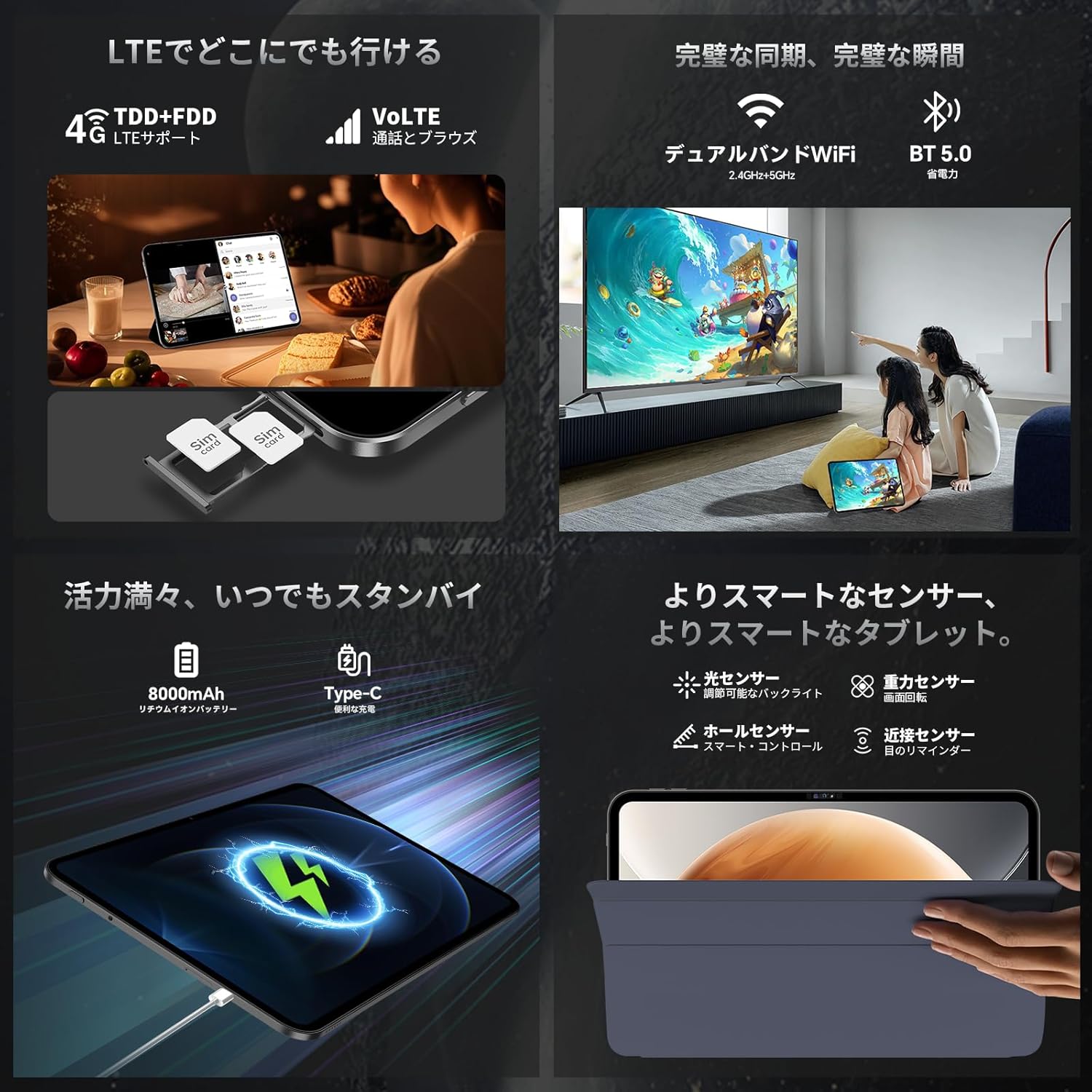
Figure 3.1: TECLAST T65 Side View with Ports and Buttons
- Butang Kuasa: Used to power on/off the device or wake/sleep the screen.
- Butang Kelantangan: Adjust the device's volume.
- Bicu Fon Kepala 3.5mm: Connect wired headphones.
- Pelabuhan Jenis-C: Untuk pengecasan dan pemindahan data.
- Slot Kad SIM/MikroSD: Insert SIM cards for mobile data/calls and a MicroSD card for expandable storage.
- Penceramah: Menyediakan output audio.
- Kamera Depan: Untuk panggilan video dan swafoto.
- Rear Camera with LED Flash: Untuk mengambil gambar dan video.
3.2 Ciri-ciri Utama
- 13.3-inch TDDI Display: A large 1920x1200 high-resolution screen with a 120Hz refresh rate for smooth visuals and responsive touch.
- OS Android 16: Experience the latest Android system with enhanced UI, security, and smart features.
- UNISOC T7280 Processor: An Octa-Core CPU (up to 2.2GHz) for efficient multitasking and smooth performance.
- RAM 26GB + ROM 128GB: Ample memory (6GB LPDDR4X + 20GB virtual RAM) and storage, expandable up to 2TB via TF card.
- Bateri 8000mAh: Hayat bateri yang tahan lama untuk kegunaan berpanjangan.
- 4G LTE & Dual-band WiFi: Reliable and fast connectivity for mobile and wireless networks.
- Dwi Kamera: 13MP rear camera and 5MP front camera for capturing moments.
- Sokongan L1 Widevine: Enjoy high-definition streaming content from platforms like Netflix and YouTube.
4. Persediaan
4.1 Kuasa Awal Hidup/Mati
- Hidupkan kuasa: Press and hold the Power button until the TECLAST logo appears.
- Matikan: Tekan dan tahan butang Kuasa, kemudian pilih "Matikan" daripada pilihan yang tersedia.
- Tidur/Bangun: Tekan butang Kuasa sebentar untuk mematikan atau membangunkan tablet.
4.2 Mengecas Tablet
Before first use, fully charge your tablet. Use the provided power adapter and Type-C cable.
- Connect the Type-C cable to the tablet's Type-C port.
- Sambungkan hujung kabel yang lain ke penyesuai kuasa.
- Palamkan penyesuai kuasa ke salur keluar dinding.
The battery icon on the screen will indicate charging status. A full charge may take several hours.

Figure 4.1: Charging the TECLAST T65
4.3 Pemasangan Kad SIM dan Kad MicroSD
To use mobile data or expand storage, install a SIM card or MicroSD card:
- Cari slot kad SIM/MicroSD di sisi tablet.
- Masukkan alat ejektor SIM ke dalam lubang kecil di sebelah dulang untuk membukanya.
- Place the SIM card(s) and/or MicroSD card into the tray with the gold contacts facing down, ensuring correct orientation.
- Tolak dulang perlahan-lahan ke dalam slot sehingga ia berbunyi klik pada tempatnya.

Rajah 4.2: Pemasangan Kad SIM
4.4 Sambungan Rangkaian
- Wi-Fi: Go to Settings > Network & internet > Wi-Fi, turn on Wi-Fi, and select your desired network. Enter the password if required.
- Data Mudah Alih (4G LTE): Ensure a SIM card is installed. Go to Settings > Network & internet > Mobile network and enable mobile data.
- Bluetooth: Go to Settings > Connected devices > Bluetooth, turn on Bluetooth, and pair with desired devices.
5. Arahan Operasi
5.1 Navigasi Asas
- Gerak isyarat sentuh: The TDDI touch screen supports various gestures for intuitive control.
- Quick Sidebar: Swipe from either edge of the screen to open the Quick Sidebar for fast app switching and access to mini-windows.
- Assistive Control: Tap the virtual button to access system controls quickly.

Figure 5.1: Quick Sidebar and Assistive Control
5.2 Tetapan Paparan
The 13.3-inch display offers a 120Hz refresh rate for a smooth visual experience.

Figure 5.2: TECLAST T65 Display Features
- Kadar Segar Semula: The 120Hz AdaptiveSync display automatically adjusts the refresh rate to optimize power consumption while providing smooth scrolling and transitions.
- Resolusi: Enjoy crisp visuals with the 1920x1200 high-resolution screen.
5.3 Penggunaan Kamera
Tablet ini dilengkapi dengan kamera belakang 13MP dan kamera hadapan 5MP.

Figure 5.3: TECLAST T65 Camera Features
- Open the Camera app from the home screen.
- Bertukar antara kamera hadapan dan belakang menggunakan ikon kamera.
- Ketik butang pengatup untuk mengambil foto atau memulakan/menghentikan rakaman video.
5.4 Audio Settings (AI Hyper-Audio)
The TECLAST T65 features dual SWEET 4 speakers and Smart K audio for an immersive sound experience.
Video 5.1: TECLAST T65 Android 16 Tablet 120Hz Screen Refresh Rate. This video demonstrates the smooth display and overall performance of the tablet.
- Access AI Hyper-Audio settings through the Special Features menu.
- Choose between Game Mode, Movie Mode, and Music Mode to optimize audio output for different content types.
5.5 Smart Button Customization
The Smart Button can be customized to quickly launch apps or system functions.
- Go to Settings > Special Features > Smart Button.
- Configure single tap, double tap, or long press actions to launch specific applications or system functions like screenshot or rotation lock.
5.6 Intelligent Screen Capture
Capture screenshots easily using gestures.
- Three-finger swipe: Swipe down with three fingers to take a full-screen screenshot.
- Regional Screenshot: Long press the screen with three fingers to select a specific area for a screenshot.
5.7 Gemini AI
The tablet integrates Gemini AI for enhanced smart assistance.
- Launch Gemini from its icon on the home screen or by long-pressing the home key.
- Sign in with your Google account to access Gemini's full features.
6. Penyelenggaraan
- Penjagaan Bateri: To prolong battery life, avoid extreme temperatures and do not let the battery completely drain frequently.
- Pembersihan: Gunakan kain lembut dan tidak berbulu untuk membersihkan skrin dan badan. Elakkan bahan kimia yang keras.
- Kemas Kini Perisian: Semak dan pasang kemas kini sistem secara kerap untuk memastikan prestasi dan keselamatan yang optimum. Pergi ke Tetapan > Sistem > Kemas kini sistem.
- Pengurusan Storan: Kosongkan secara berkala yang tidak perlu files dan apl untuk mengosongkan ruang storan dan mengekalkan prestasi.
7. Penyelesaian masalah
- Tablet tidak boleh dihidupkan: Pastikan bateri telah dicas. Sambungkan pengecas dan cuba lagi.
- Skrin tidak bertindak balas: Restart the tablet by holding the power button for about 10 seconds.
- Apl ranap: Clear the cache of the problematic app (Settings > Apps > [App Name] > Storage & cache > Clear cache) or reinstall the app.
- Sambungan Wi-Fi yang lemah: Ensure you are within range of the Wi-Fi router. Restart the router and the tablet.
- Prestasi perlahan: Close unnecessary background apps, clear cache, or consider a factory reset if issues persist (back up your data first).
8. Spesifikasi
| Ciri | Spesifikasi |
|---|---|
| Jenama | TECLAST |
| Nama Model | T65 |
| Sistem Operasi | Android 16 |
| Saiz Skrin | 13.3 inci |
| Resolusi Paparan | 1920x1200 piksel |
| Jenama CPU | Unisoc (T7280) |
| Kelajuan CPU | 2.2 GHz |
| GPU Brand | Arm Mali-G57 MP1@850MHz |
| Kapasiti Penyimpanan Memori | 128 GB (boleh dikembangkan sehingga 2TB melalui kad TF) |
| RAM | 26GB (6GB LPDDR4X + 20GB Virtual Memory) |
| Jenis Wayarles | 802.11ac, 802.11b, 802.11g, 802.11n (Dual-band WiFi) |
| Format Komunikasi | 4G LTE |
| Resolusi Kamera Belakang | 13 MP |
| Resolusi Kamera Depan | 5 MP |
| Bateri | 8000mAh Litium Ion |
| Berat Barang | 550 g |
| Dimensi | 35.1 x 23.5 x 6.6 cm |
9. Waranti dan Sokongan
Your TECLAST T65 tablet comes with a Waranti pengilang 12 bulan.
If you have any questions or encounter issues, please contact TECLAST support:
- Before ordering: Click on the store name [TECLAST JP] below the "Add to Cart" button on the product page, then click "Ask a question" in the upper right corner to contact us via email.
- After ordering: Go to your Amazon account > Order history > Select the relevant order > Contact seller.
Support is available Monday-Friday, 10:00-19:00 JST. Inquiries received after 19:00 JST or on holidays will be answered on the next business day.
Kami menawarkan a one-year free exchange for eligible issues.


