1. Pengenalan
Thank you for choosing the MageGee V550 Wireless Keyboard and Mouse Combo. This manual provides detailed instructions for setting up, operating, and maintaining your new peripheral set. Please read this manual thoroughly before use to ensure optimal performance and longevity of your product.

Berakhirview of the MageGee V550 wireless keyboard and mouse combo, featuring a full-sized keyboard with RGB backlighting and a matching white wireless mouse, alongside the USB receiver.
2. Kandungan Pakej
Pastikan semua item ada dalam pakej anda:
- Papan Kekunci Wayarles MageGee V550
- MageGee V550 Wireless Mouse
- USB Receiver (located in the mouse's bottom slot)
- Kabel Pengecasan USB Jenis-C
- Manual Pengguna (dokumen ini)
3. Panduan Persediaan
- Cari Penerima USB: The 2.4G USB receiver is stored in a dedicated slot on the bottom of the wireless mouse. Gently remove it.
- Sambungkan Penerima: Plug the USB receiver into an available USB port on your computer (laptop or PC).
- Hidupkan Peranti: Locate the power switch on the bottom of both the keyboard and the mouse. Slide the switches to the 'ON' position.
- Sambungan Automatik: The keyboard and mouse should automatically connect to your computer. No additional drivers are required.

Illustration demonstrating how the single USB receiver connects both the MageGee V550 wireless keyboard and mouse to a computer, highlighting the 2.4G wireless connection and 33ft range. The USB receiver is shown plugged into a laptop.

An image detailing the MageGee V550 mouse's features, including three tracking speed levels (1000-1200-1600 DPI), comfortable grip, and the location of the USB receiver within the mouse.
4. Operating Instructions - Keyboard
4.1 Kawalan Lampu Latar RGB
The V550 keyboard features dynamic RGB backlighting with multiple customization options:
- Mod Cahaya: Cycle through 5 distinct light modes.
- warna: Choose from 7 solid color backlights and 1 rainbow backlight.
- Kecerahan: Adjust between 3 brightness levels.
- Kelajuan: Modify the lighting effect speed with 4 available settings.
- Matikan: The backlight can be turned off at any time.
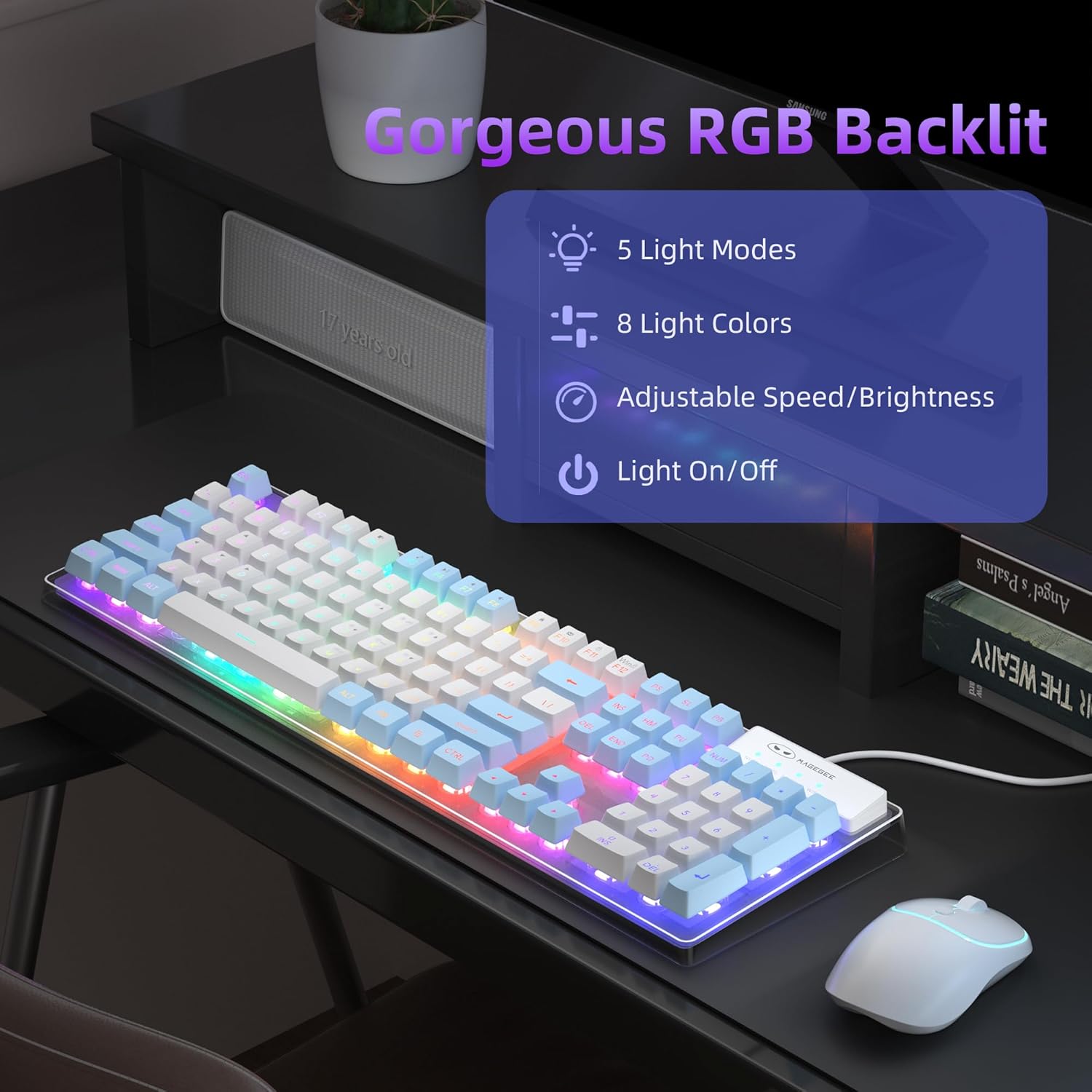
An image of the MageGee V550 keyboard displaying its RGB backlighting, with text indicating 5 light modes, 8 colors, adjustable speed/brightness, and light on/off functionality.

Paparan papan kekunci MageGee V550casing its switchable RGB backlighting with a spectrum of 7 light colors for varied visual experiences.
4.2 Pintasan Multimedia
The keyboard features 12 multimedia shortcuts for quick access to common functions. Refer to the keycap legends for specific functions (e.g., volume control, media playback).
4.3 Anti-Ghosting
The V550 keyboard supports 19-key anti-ghosting, ensuring that multiple simultaneous key presses are registered accurately, which is beneficial for gaming and fast typing.

An image of the MageGee V550 keyboard highlighting its 19-key anti-ghosting capability, with visual cues indicating simultaneous key presses for gaming.
5. Operating Instructions - Mouse
5.1 Mouse Buttons and Functions
The wireless mouse features standard buttons and a tracking speed adjustment:
- Butang Kiri: Fungsi klik utama.
- Butang Kanan: Fungsi klik sekunder (menu konteks).
- Roda Tatal: Untuk menatal menegak.
- Tracking Speed Button: Adjusts the mouse's DPI (Dots Per Inch) sensitivity between 1000, 1200, and 1600 DPI. Press to cycle through settings.

A terperinci view of the MageGee V550 wireless mouse, labeling its four buttons: scroll wheel, right button, left button, and tracking speed button (1000-1200-1600 DPI). Also highlights ergonomic design and silent clicking.
5.2 Ergonomic Design and Silent Clicking
The mouse is designed for a comfortable grip during extended use. Its silent clicking mechanism reduces operational noise.
6. Charging and Power Management
Bateri boleh dicas semula 6.1
Both the keyboard and mouse are equipped with rechargeable batteries. Use the included USB Type-C cable to charge them. Connect the cable to the charging port on each device and a power source (e.g., computer USB port, USB wall adapter).

The MageGee V550 keyboard and mouse connected via USB-C cables for charging, illustrating the rechargeable feature that eliminates the need for frequent battery replacements.
6.2 Power Saving Function
To conserve battery life, both devices feature an auto-sleep mode. If inactive for a period, they will enter a low-power state. To wake them up, simply click any key on the keyboard or move/click the mouse.
6.3 Separate Power Switches
Each device (keyboard and mouse) has its own power switch. Turning off one device does not affect the other.

A diagram illustrating key components of the MageGee V550 keyboard and mouse, including anti-slip pads, on/off switches, charging ports, USB receiver location, and keyboard indicators (Win, Num, Caps).
7. Penyelenggaraan
To ensure the longevity and optimal performance of your MageGee V550 combo, follow these maintenance guidelines:
- Pembersihan: Gunakan kain lembut dan kering untuk mengelap permukaan papan kekunci dan tetikus. Untuk kotoran degil, lap sedikitampen kain dengan air atau larutan pembersih lembut. Elakkan bahan kimia yang keras.
- Penyingkiran habuk: Use compressed air to clear dust and debris from between the keycaps and around the mouse sensor.
- Storan: When not in use for extended periods, turn off both devices and store them in a cool, dry place away from direct sunlight and extreme temperatures.
- mengecas: Avoid overcharging. Disconnect the charging cable once the devices are fully charged.
8. Penyelesaian masalah
If you encounter issues with your MageGee V550 combo, refer to the following common solutions:
| Masalah | Penyelesaian yang Mungkin |
|---|---|
| Papan kekunci/Tetikus tidak bertindak balas |
|
| Lampu latar RGB tidak berfungsi |
|
| Kursor tetikus tidak menentu atau tidak responsif |
|
| Isu pengecasan |
|
9. Spesifikasi
| Ciri | Perincian |
|---|---|
| Jenama | MageGee |
| Model | V550 |
| Teknologi Ketersambungan | 2.4G Wayarles |
| Susun atur papan kekunci | Full-sized, 104-key |
| Lampu latar keyboard | Dynamic RGB (5 modes, 7 solid colors, 1 rainbow, 3 brightness, 4 speeds) |
| Ciri Khas Papan Kekunci | Backlit, Ergonomic, Rechargeable, Transparent Base, 12 Multimedia Shortcuts, 19-Key Anti-Ghosting |
| DPI tetikus | 1000-1200-1600 (Adjustable) |
| Ciri Tetikus | Rechargeable, Quiet Cordless, RGB light strip, Ergonomic Design |
| Port Pengecasan | USB Jenis-C |
| Peranti Serasi | Komputer riba, Komputer Peribadi |
| Berat Barang | 2.16 paun (kombo) |
| Dimensi Pakej | 17.63 x 8.78 x 1.85 inci |
10. Waranti dan Sokongan
MageGee products are designed for reliability and performance. For warranty information, technical support, or any product-related inquiries, please refer to the contact information provided on the product packaging or visit the official MageGee webtapak. Simpan resit pembelian anda sebagai bukti pembelian untuk tuntutan waranti.


