1. Pengenalan
This manual provides essential information for the proper setup, operation, and maintenance of your Thrustmaster T598 Servo Base. Please read these instructions carefully before using the product and retain them for future reference.
The Thrustmaster T598 Servo Base is a direct axial drive force feedback racing wheel base designed for an immersive simracing experience. It features a new generation of Direct Drive technology, providing precise and powerful force feedback effects.
Keserasian: This servo base is compatible with PlayStation 5 (PS5), PlayStation 4 (PS4), and PC (Windows 10/11).
2. Arahan Keselamatan
- Always connect the power adapter to a grounded electrical outlet.
- Jangan dedahkan peranti kepada air atau kelembapan berlebihan.
- Elakkan meletakkan peranti di bawah cahaya matahari langsung atau berhampiran sumber haba.
- Jangan cuba membuka atau mengubah suai peranti. Ini akan membatalkan jaminan.
- Jauhkan peranti daripada kanak-kanak dan haiwan peliharaan.
- Ensure proper ventilation around the servo base during use to prevent overheating.
3. Kandungan Pakej
Pakej harus mengandungi item berikut:
- Thrustmaster T598 Servo Base
- Penyesuai Kuasa dan Kabel
- Kabel Sambungan USB
- Mounting System (if included with specific bundle)
- Manual Pengguna (dokumen ini)
4. Persediaan dan Pemasangan
4.1. Pemasangan Fizikal
The T598 Servo Base can be mounted to a cockpit or a desk/table. It features 4 attachment points on the underside for cockpit mounting. For desk/table use, a Desk Mounting Kit (sold separately) may be required.
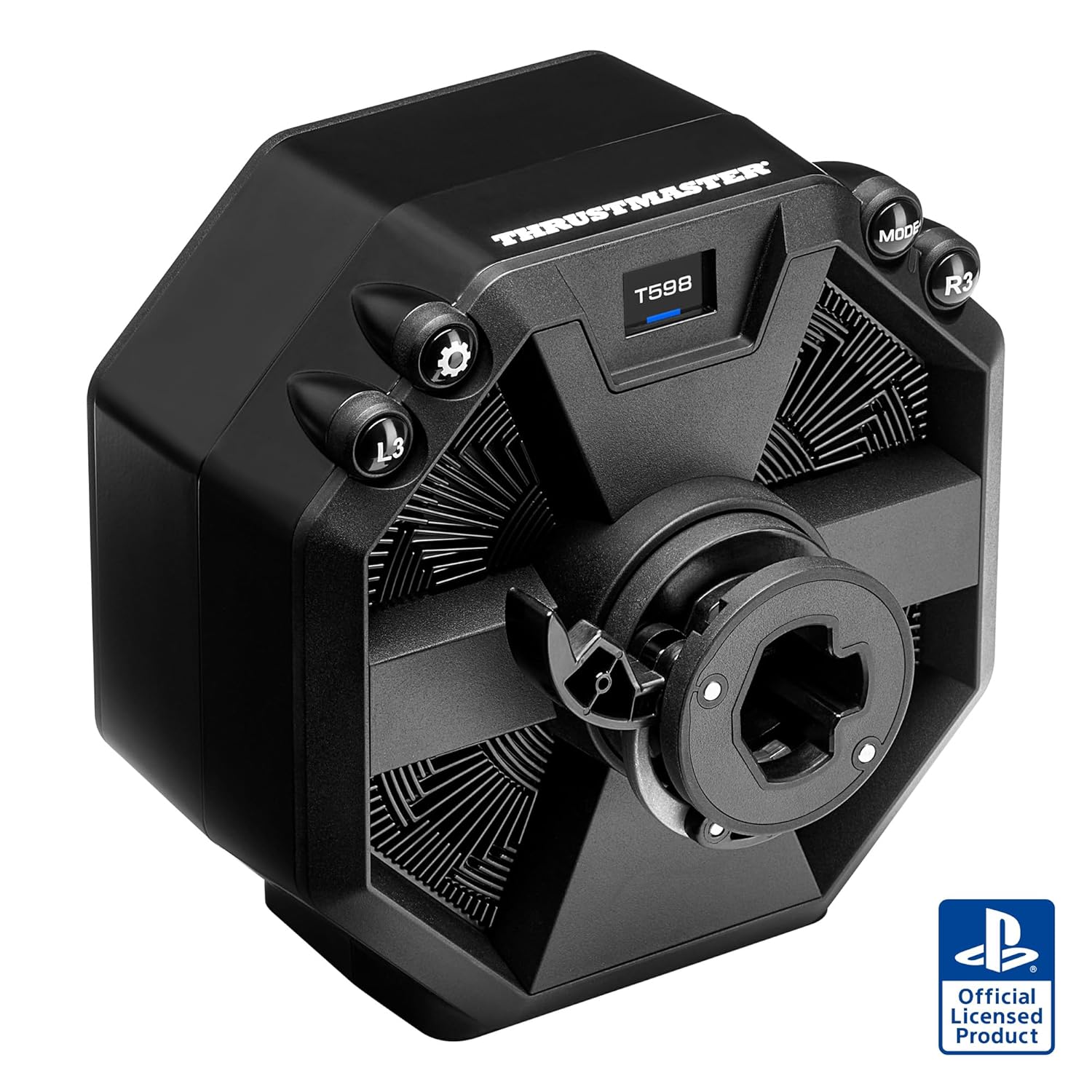
Figure 4.1: The Thrustmaster T598 Servo Base, a direct drive racing wheel base.
Ensure the servo base is securely fastened to prevent movement during intense gameplay.

Figure 4.2: Dimensions of the T598 Servo Base, showing approximate measurements of 210mm x 210mm x 165mm.
4.2. Connecting to a Console (PS5/PS4)
- Connect your Thrustmaster wheel rim (sold separately) to the servo base.
- Connect your Thrustmaster pedal set (sold separately) to the appropriate port on the servo base.
- Plug the USB cable from the servo base into an available USB port on your PlayStation console.
- Connect the power adapter to the servo base and then to a wall outlet.
- Turn on your PlayStation console. The servo base should be automatically detected.
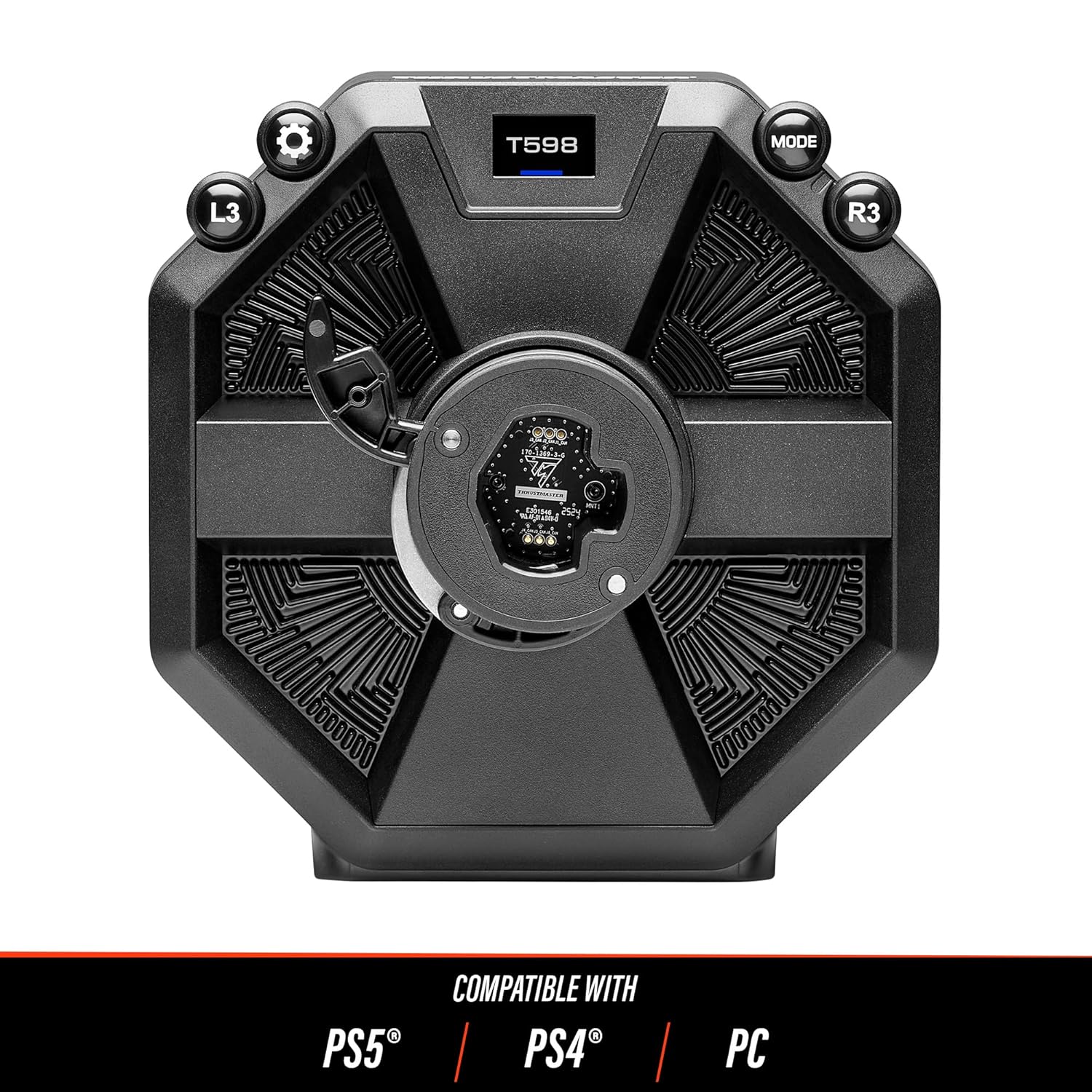
Rajah 4.3: Depan view of the T598 Servo Base, indicating compatibility with PS5, PS4, and PC.
4.3. Connecting to a PC (Windows 10/11)
- Connect your Thrustmaster wheel rim and pedal set (sold separately) to the servo base.
- Plug the USB cable from the servo base into an available USB port on your PC.
- Connect the power adapter to the servo base and then to a wall outlet.
- Download and install the latest drivers and firmware from the official Thrustmaster support website. This is crucial for optimal performance and compatibility.
- Follow the on-screen instructions during driver installation.
- After installation, you can access the Thrustmaster Control Panel to configure settings and test the device.
5. Arahan Operasi
5.1. Force Feedback Technology
The T598 Servo Base utilizes a Direct Axial Drive with an Axial Flux motor, providing a highly realistic and precise force feedback experience. This technology minimizes cogging, resulting in clearer and more detailed effects.
- 5 Nm Constant Torque: Delivers consistent and strong force feedback.
- +100% Overshoot Capability: Allows for sudden, powerful bursts of force feedback, enhancing impact sensations.
- HARMONY Technology: Produces high-frequency torque, enabling the sensation of subtle details like rumble strips, tire screeching, and road textures.
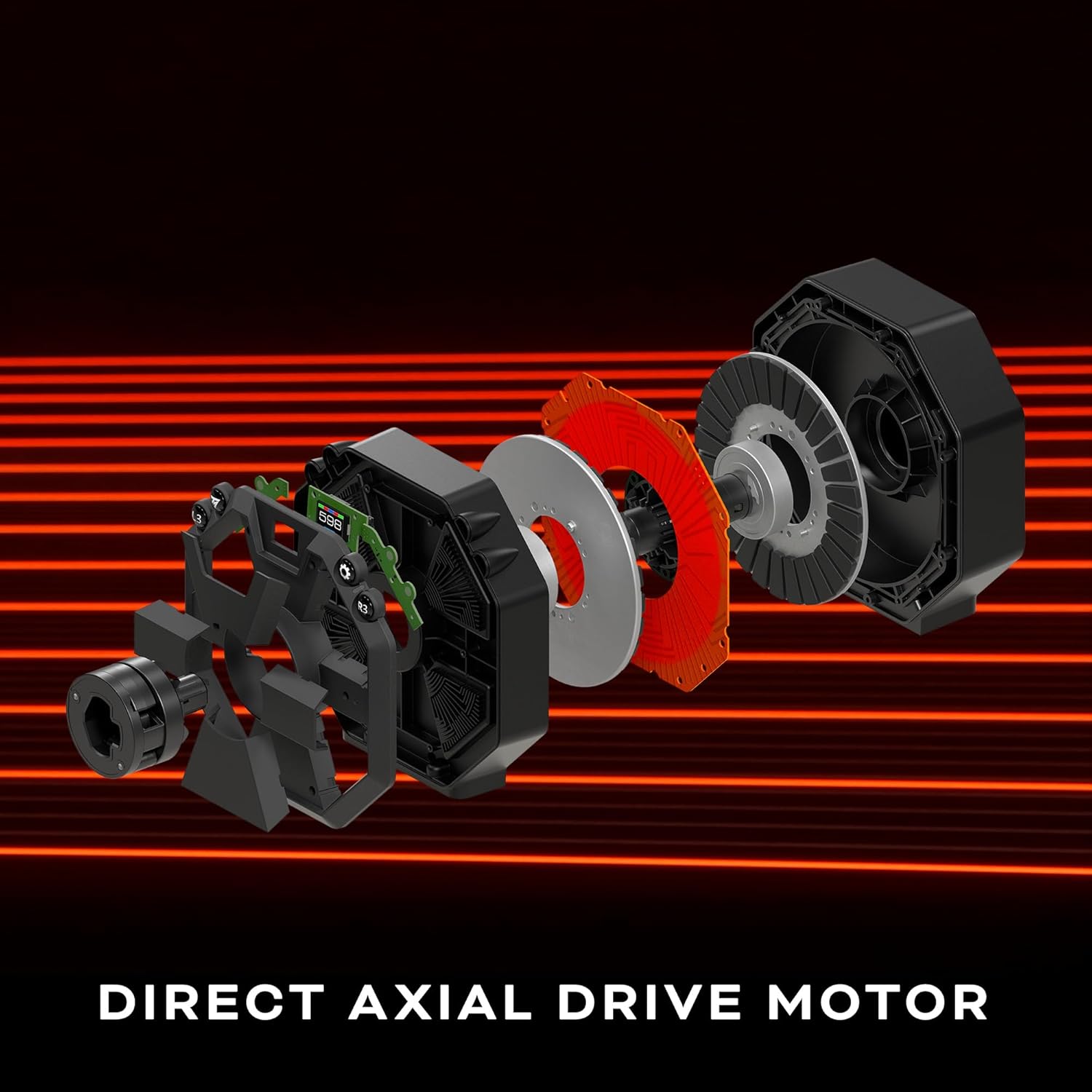
Rajah 5.1: Meletup view illustrating the components of the Direct Axial Drive motor within the T598 Servo Base.

Figure 5.2: Graph demonstrating the 5 Nm constant torque with an overshoot capability of +100%, indicating peak force feedback potential.
5.2. Race Dash Screen
The integrated Race Dash screen allows for on-the-fly configuration of Force Feedback settings and displays important in-game information. Refer to your specific game's settings and the Thrustmaster software for detailed customization options.

Figure 5.3: Close-up of the Race Dash display, showing Force Feedback settings (FFB3, Gear Jolt High) and button indicators (L3, R3).
5.3. Ecosystem Compatibility
The T598 Servo Base is designed to be fully compatible with the Thrustmaster ecosystem of wheel rims, pedal sets, shifters, and handbrakes. This allows for extensive customization and upgrades.

Figure 5.4: Diagram illustrating the T598 Servo Base's compatibility with various Thrustmaster wheel rims, showcasing the modularity of the system.
6. Penyelenggaraan
- Pembersihan: Use a soft, dry cloth to clean the exterior of the servo base. Avoid abrasive cleaners or solvents.
- Pengudaraan: Ensure that the ventilation openings on the servo base are not obstructed to allow for proper airflow and prevent overheating.
- Storan: When not in use, store the servo base in a clean, dry environment, away from extreme temperatures.
- Pengurusan Kabel: Periodically check all cables for wear and tear. Ensure they are not kinked or pinched.
7. Penyelesaian masalah
7.1. Device Not Detected
- Semak Sambungan: Ensure all cables (USB, power) are securely connected to the servo base, console/PC, and power outlet.
- Port USB: Try connecting to a different USB port on your console or PC. For PC, avoid using unpowered USB hubs.
- Pemacu PC: On PC, verify that the latest drivers and firmware are installed. Visit the Thrustmaster support webtapak untuk muat turun.
- Mulakan semula: Mulakan semula konsol atau PC anda.
7.2. No Force Feedback or Weak Force Feedback
- Sambungan Kuasa: Ensure the power adapter is correctly connected and the servo base is receiving power.
- Tetapan Permainan: Check the in-game force feedback settings. Ensure they are enabled and adjusted to your preference.
- PC Control Panel: On PC, open the Thrustmaster Control Panel and verify force feedback settings. Perform a test to ensure the motor is functioning.
- Kemas kini Firmware: Ensure the servo base firmware is up to date.
7.3. Calibration Issues
- Penentukuran semula: Follow the specific recalibration procedure outlined in the Thrustmaster support documentation for your device.
- Perisian tegar: An outdated firmware can sometimes cause calibration issues. Update to the latest version.
For further assistance, please visit the official Thrustmaster support webtapak: support.thrustmaster.com
8. Spesifikasi
| Ciri | Perincian |
|---|---|
| Nombor Model | 4169104 |
| ASIN | B0FHRWZZ56 |
| Pengeluar | Thrustmaster |
| Keserasian | PlayStation 5, PlayStation 4, PC (Windows 10/11) |
| Jenis Motor | Direct Axial Drive with Axial Flux motor |
| Tork Pemalar | 5 Nm |
| Overshoot Capability | +100% |
| Dimensi (lebih kurang) | 12.5 x 11.5 x 11 inci (Pakej) |
| Berat Barang | 10.36 paun |
| Tarikh Tayangan | 19 September 2025 |
9. Waranti dan Sokongan
Thrustmaster products are covered by a warranty against defects in materials and workmanship. The specific warranty period and terms may vary by region. Please refer to the warranty card included with your product or visit the official Thrustmaster weblaman web untuk maklumat jaminan terperinci.
For technical support, driver updates, firmware updates, and frequently asked questions, please visit the Thrustmaster support webtapak:
https://support.thrustmaster.com/
You may also find helpful resources and community forums on the official Thrustmaster webtapak.


