1. Pengenalan
Thank you for choosing the llano 65W 4-Slot EN-EL15C Camera Battery Charger. This device is designed to efficiently charge up to four EN-EL15C batteries simultaneously, offering advanced features for photographers and videographers. It is constructed with a durable CNC aluminum alloy body and includes a touch LED display for real-time monitoring. Additionally, it provides emergency reverse charging capabilities and integrated storage for SD/TF cards.
Ciri-ciri Utama:
- Quad-Slot 65W PD Fast Charging: Charges up to four EN-EL15C batteries rapidly.
- CNC Aluminum Alloy Housing: Provides durability and enhanced heat dissipation.
- 80 Vent Cooling System: Improves thermal management during charging.
- Fingerprint Touch Display: Offers intuitive control and real-time battery status.
- 15W Emergency Reverse Charging: Powers external devices using installed batteries.
- Magnetic Protective Lid: Protects battery slots and includes SD/TF card storage.
Keserasian:
This charger is fully compatible with Nikon EN-EL15, EN-EL15a, EN-EL15b, and EN-EL15C batteries. It supports a wide range of Nikon cameras, including:
- Mirrorless Digital Cameras: Nikon Z8, Z7II, Z6III, Zf, Z6II, Z6, Z7, Z5.
- Digital SLR Cameras: Nikon D850, D780, D750, D500, D810A, D810, D800, D7500, D7200, D7100, D610, D600.
- Battery Grips: MB-D18, MB-D17, MB-D16, MB-D15, MB-D14, MB-D12, MB-N11, MB-N10, MH-25a.
- Pemancar Tanpa Wayar: WT-7.

Figure 1: Wide compatibility of the llano EN-EL15C charger with Nikon cameras and accessories.
2. Persediaan
2.1 Membuka Kotak dan Pemeriksaan Awal
Carefully remove the charger and its accessories from the packaging. Verify that all components are present:
- llano 65W 4-Slot EN-EL15C Charger (x1)
- USB-C to USB-C Charging Cable (x1)
- Manual Arahan (x1)

Figure 2: Package contents of the llano EN-EL15C charger.
2.2 Menyambung ke Kuasa
Connect the provided USB-C cable to the USB-C IN port (C1) on the charger. Connect the other end of the cable to a compatible 65W Power Delivery (PD) wall adapter (not included). For optimal fast charging, ensure your power adapter supports 20V=3.25A input.
The charger's display will illuminate, indicating it is ready for use.
2.3 Memasukkan Bateri
Insert up to four EN-EL15 series batteries into the designated slots. Ensure the batteries are oriented correctly according to the slot's shape. The charger is designed to prevent incorrect insertion.
Video 1: Demonstration of inserting and removing batteries from the llano 4-port EN-EL15 charger.
3. Arahan Operasi
3.1 Proses Pengecasan
Once batteries are inserted and the charger is connected to a power source, the charging process begins automatically. The intelligent power distribution system ensures each battery receives optimal current.

Figure 3: The charger's 65W PD Turbo Charge capability, indicating a full charge for four batteries in approximately 2.5 hours.
3.2 Monitoring Charge Status
The advanced fingerprint-sensitive touch LED display provides real-time information for each battery slot. Tap the fingerprint icon to cycle through the display modes, showing individual battery charge levels and PD status.

Figure 4: The touch LED display showing real-time battery charge levels and charging status.
3.3 Emergency Reverse Charging
In emergency situations, the charger can output power from the installed EN-EL15C batteries to charge other devices. Connect your phone, camera, or other Type-C device to the USB-C OUT port (C2). This feature provides up to 15W of power output.
Nota: This function uses the power stored in the camera batteries and is intended for emergency use only.
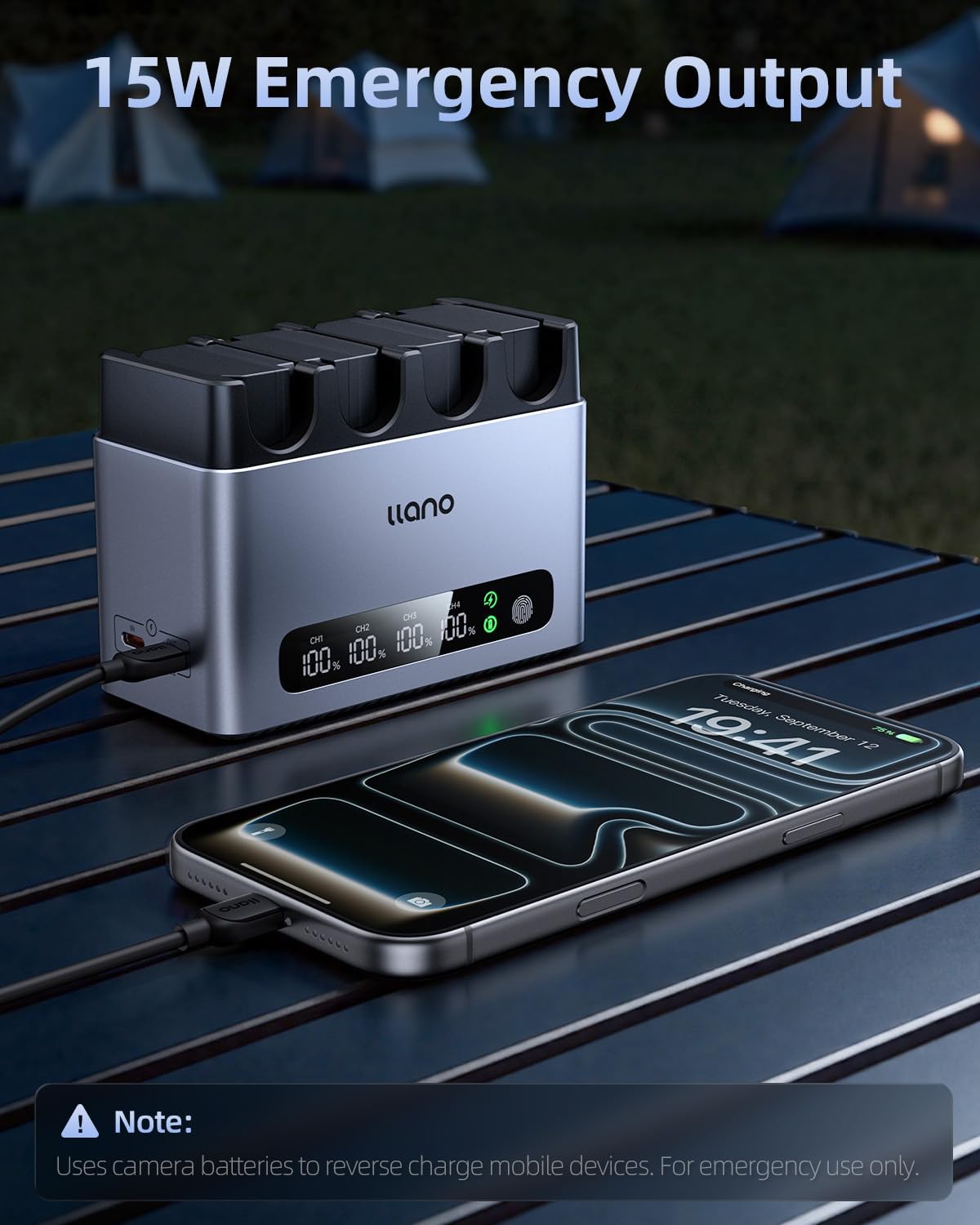
Figure 5: Using the charger for 15W emergency reverse charging to power a mobile device.
3.4 Magnetic Protective Lid and Storage
The charger includes a magnetic lid that protects the battery slots from dust and debris. This lid also features integrated slots for organizing SD and TF memory cards, keeping your essential gear together and secure.
Video 2: A quick look at the llano 4-Slot EN-EL15C Charger, highlighting its design and features.
4. Penyelenggaraan
4.1 Pembersihan
To maintain optimal performance, regularly clean the charger's exterior and battery slots. Use a soft, dry cloth to wipe away dust. For stubborn dirt, a slightly damp cloth can be used, ensuring the device is unplugged and completely dry before reconnecting to power.
4.2 Pelesapan Haba
The charger features an 80-vent cooling system and a CNC aluminum alloy body designed to dissipate heat efficiently. To ensure proper cooling, avoid placing the charger on soft surfaces that may block the vents. It is recommended to remove the magnetic lid during charging to allow for maximum airflow and prevent heat buildup.

Figure 6: The 80 cooling vents on the charger's aluminum body for enhanced thermal control.
4.3 Langkah Keselamatan
- Jangan buka atau ubah suai pengecas.
- Do not charge improper batteries.
- Keep the charger away from water and excessive dust.
- Cabut palam kuasa apabila tidak digunakan.

Figure 7: The Gel-BMS Safety System provides multiple layers of protection for safe charging.
5. Penyelesaian masalah
| Masalah | Kemungkinan Punca | Penyelesaian |
|---|---|---|
| Charger not powering on or display is blank. | No power connection or insufficient power input. | Ensure the USB-C cable is securely connected to both the charger's IN port and a functional power adapter. Verify the power adapter meets the 65W PD (20V=3.25A) requirement. |
| Batteries charging slowly. | Power adapter does not provide sufficient wattage atau amppemadam. | Use a 65W Power Delivery (PD) adapter with 20V=3.25A output for optimal charging speed. Lower wattagPenyesuai elektronik akan menyebabkan pengecasan lebih perlahan. |
| Display shows incorrect battery percentage. | Minor discrepancy between charger and camera readings. | The charger's display provides a close approximation. For precise readings, refer to your camera's battery information. |
| Reverse charging not working. | Insufficient battery charge in the charger or incorrect port used. | Ensure there are charged batteries in the charger. Use the USB-C OUT port (C2) for reverse charging. |
| Pengecas berasa hangat semasa operasi. | Normal operation, especially during fast charging. | This is normal. Ensure the charger is placed on a hard, flat surface and that the 80 cooling vents are not obstructed. Removing the magnetic lid during charging can also aid heat dissipation. |
6. Spesifikasi
| Ciri | Perincian |
|---|---|
| Nombor Model | CM403 |
| Dimensi Produk | 4.53 x 3.52 x 2.13 inci |
| Berat Barang | 14 auns |
| USB-C Input (C1) | 20V=3.25A (65W PD) |
| Output (per battery) | 8.4V=1.5A (when 1 or 2 batteries are charging) 8.4V=1.5A (when 3 batteries are charging) 8.4V=1.5A (when 4 batteries are charging) |
| USB-C Output (C2) | 5V=3A (15W Maks) |
| Sistem Penyejukan | 80 Vent Cooling System |
| Bahan Perumahan | Aloi Aluminium CNC |
| Jenis Paparan | Fingerprint Touch LED Display |
| Ciri-ciri Tambahan | Magnetic Protective Lid with SD/TF Card Storage |
| Pengeluar | SHENZHEN GREEN GIANT ENERGY TECHNOLOGY DEVELOPMENT CO.,LTD |
7. Waranti dan Sokongan
7.1 Maklumat Waranti
The llano 65W 4-Slot EN-EL15C Camera Battery Charger comes with a product after-sales warranty service of 365 hari from the date of purchase. Please note that gift accessories included with the product are not covered under this warranty.
To claim warranty service, please retain your proof of purchase (e.g., order number, receipt).
7.2 Sokongan Pelanggan
For any questions, technical assistance, or warranty claims, please contact llano customer support through the retailer's platform or the official llano website. Provide your product model number (CM403) and a detailed description of the issue for prompt service.


