1. Pengenalan
Thank you for choosing the LIGE FV21-D Women's Smartwatch. This device combines elegant design with advanced fitness and communication features to enhance your daily life. This manual provides detailed instructions for setup, operation, and maintenance to ensure optimal use of your smartwatch.
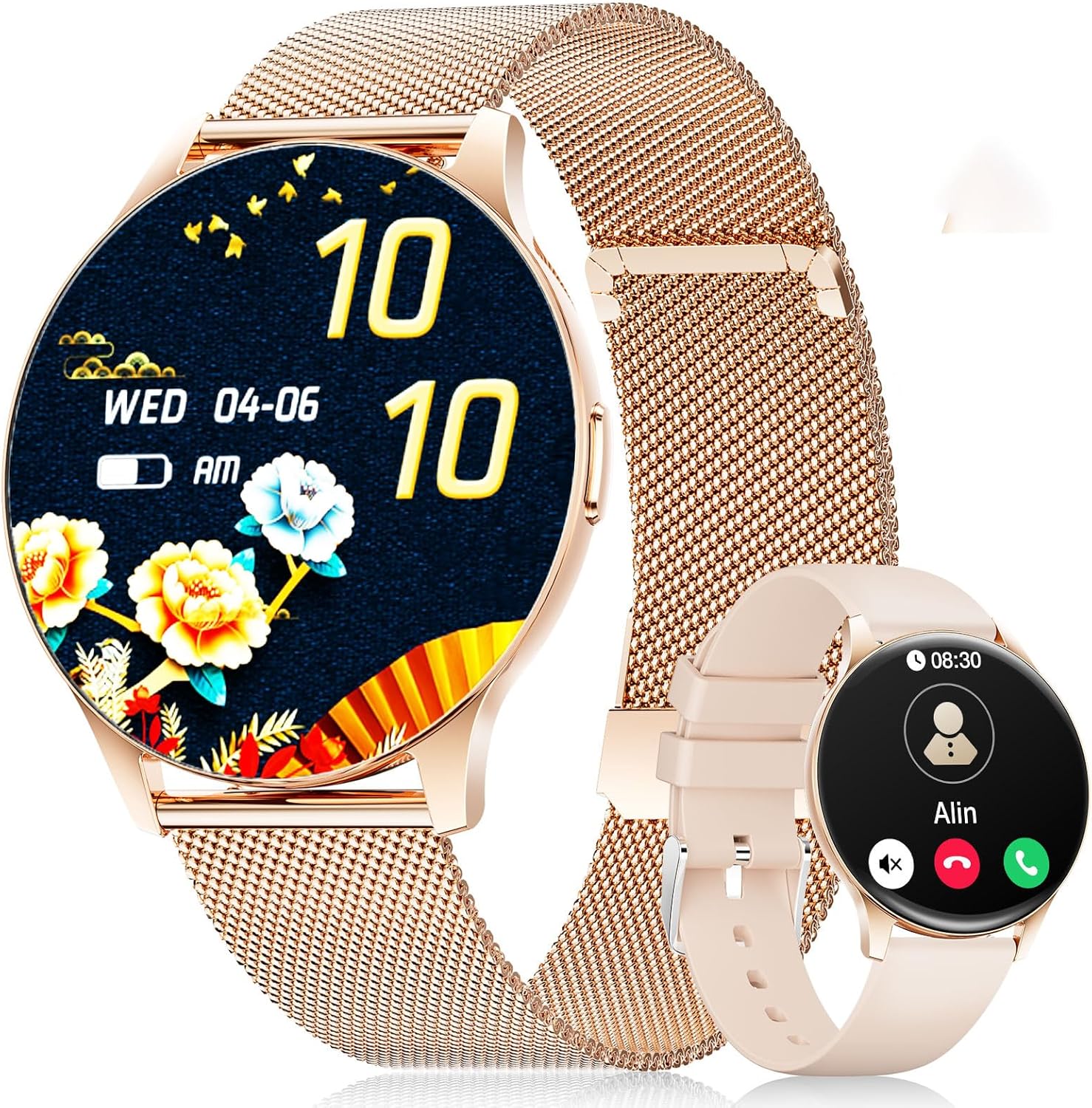
Image: The LIGE FV21-D Smartwatch, showcasing its rose gold casing with a mesh strap and an alternative beige silicone strap. The main display shows a floral watch face, while the smaller inset shows a call interface.
2. Kandungan Pakej
Sila sahkan bahawa semua item terdapat dalam pakej anda:
- LIGE FV21-D Smartwatch
- Metal Mesh Strap (Rose Gold)
- Silicone Strap (Beige)
- Kabel Pengecasan
- Manual Pengguna (dokumen ini)
3. Persediaan
3.1 Mengecas Jam Pintar
- Sambungkan kabel pengecas ke port pengecasan di bahagian belakang jam tangan pintar.
- Palamkan hujung USB kabel pengecas ke penyesuai kuasa USB standard (tidak disertakan) atau port USB komputer.
- The watch display will indicate charging status. Ensure the watch is fully charged before first use. A full charge typically takes approximately 2 hours.
3.2 Hidupkan/Mati Kuasa
- Hidupkan kuasa: Press and hold the side button for a few seconds until the LIGE logo appears.
- Matikan: Press and hold the side button, then select the "Power Off" option on the screen.
3.3 Pemasangan Apl dan Berpasangan
To unlock the full functionality of your smartwatch, you need to pair it with your smartphone using the dedicated application.
- Muat turun Apl: Cari untuk "FitCloudPro" in your smartphone's app store (Apple App Store for iOS or Google Play Store for Android) and install it.
- Dayakan Bluetooth: Pastikan Bluetooth didayakan pada telefon pintar anda.
- Buka Apl: Lancarkan aplikasi FitCloudPro dan ikut arahan pada skrin untuk membuat akaun atau log masuk.
- Tambah Peranti: In the app, navigate to the "Device" or "Add Device" section. The app will search for available smartwatches.
- Pilih Jam Tangan Anda: Select "FV21-D" or the corresponding device name from the list.
- Sahkan Gandingan: Permintaan pasangan mungkin muncul pada telefon dan jam tangan pintar anda. Sahkan pasangan pada kedua-dua peranti.
- Berikan Kebenaran: Berikan kebenaran yang diperlukan (cth., pemberitahuan, lokasi, kenalan) kepada aplikasi untuk fungsi penuh.
Note: The smartwatch supports Android 4.4+ and iOS 9.0+ operating systems.
4. Arahan Operasi
4.1 Navigasi Asas
- Skrin Sentuh: The 1.43-inch HD AMOLED touch display allows for intuitive interaction.
- Leret ke atas/bawah: Tatal melalui menu dan pemberitahuan.
- Leret Kiri/Kanan: Akses fungsi pantas atau widget yang berbeza.
- Ketik: Pilih item atau sahkan tindakan.
- Butang Sisi: Press to return to the home screen or wake the display. Long press for power options.
4.2 Menyesuaikan Muka Jam
Your smartwatch offers over 200 customizable watch faces. You can change them directly on the watch or through the FitCloudPro app.
- Pada Jam Tangan: Long-press the home screen, then swipe left or right to browse available watch faces. Tap to select.
- Melalui Apl: Open the FitCloudPro app, go to the "Watch Faces" section, and choose from the gallery. You can also upload your own photos to create custom watch faces.
4.3 Phone Function (Bluetooth Call)
Once paired, you can make and receive calls directly from your smartwatch.
- Membuat Panggilan: Access the "Dialer" or "Contacts" function on the watch to initiate a call.
- Menerima Panggilan: When a call comes in, the watch will display the caller ID. You can answer or reject the call directly from the watch screen.
4.4 Mod Sukan
The smartwatch supports over 120 sports modes, including yoga, cycling, running, and more. To start a workout:
- Navigate to the "Sports" or "Workout" menu on your watch.
- Pilih aktiviti yang anda inginkan.
- Tap to start tracking. The watch will record data such as duration, calories burned, and heart rate.
- To end a workout, swipe or tap the screen and select the "End" option.
4.5 Pemantauan Kesihatan
The FV21-D smartwatch provides comprehensive health tracking features:
- Pemantau Kadar Jantung: Sentiasa pantau kadar denyutan jantung anda sepanjang hari. View data masa nyata pada jam tangan atau arah aliran terperinci dalam apl.
- Penjejak Tidur: Automatically monitors your sleep patterns, including deep sleep, light sleep, and wake times. Access sleep analysis in the FitCloudPro app.
- Pedometer: Tracks your daily steps taken.
- Calorie Measurement: Estimates calories burned based on activity and personal data.
- SpO2 (Blood Oxygen) Monitor: Mengukur tahap ketepuan oksigen darah anda.
- Penjejakan Kitaran Haid: For female users, the app can track and predict menstrual cycles.
Nota: Peranti ini bukan peranti perubatan. Data kesihatan hanyalah untuk rujukan dan tidak boleh digunakan untuk diagnosis atau rawatan perubatan.
4.6 Notifications and Reminders
Receive notifications directly on your wrist:
- Panggilan dan Mesej: Get alerts for incoming calls, SMS, and messages from various apps (e.g., WhatsApp, Facebook). Configure app notifications in the FitCloudPro app.
- Jam loceng: Set alarms through the app to vibrate on your wrist.
- Peringatan Sedentari: The watch can remind you to move after periods of inactivity.
- Maklumat Cuaca: View current weather conditions and forecasts (requires app synchronization).
- Pembantu Suara: Access your smartphone's voice assistant directly from the watch.
4.7 Rintangan Air (IP68)
The FV21-D smartwatch is IP68 waterproof, meaning it is resistant to dust and can withstand immersion in water up to 1.5 meters for 30 minutes. It is suitable for daily use, such as washing hands, rain, and sweating during exercise. However, it is not recommended for hot showers, saunas, or diving, as steam and hot water can damage the seals.
5. Penyelenggaraan
5.1 Membersihkan Jam Tangan Pintar
- Lap skrin jam tangan dan badan dengan kain lembut dan tidak berbulu.
- Jika perlu, sedikit dampen kain dengan air. Elakkan menggunakan bahan kimia yang keras atau bahan yang melelas.
- Pastikan jam tangan benar-benar kering sebelum dicas.
5.2 Penggantian Tali
Your smartwatch comes with two interchangeable straps: a metal mesh strap and a silicone strap. To replace them:
- Cari pin pelepas cepat di bahagian bawah tali di tempat ia bersambung dengan badan jam tangan.
- Luncurkan pin ke dalam untuk menanggalkan tali.
- Align the new strap with the watch lugs and insert one end of the pin into the hole.
- Slide the quick-release pin inwards, position the strap, and release the pin to secure it. Ensure both ends of the pin are properly seated.
5.3 Penjagaan Bateri
- Elakkan menyahcas sepenuhnya bateri dengan kerap.
- Cas jam tangan secara berkala, walaupun tidak digunakan, untuk mengekalkan kesihatan bateri.
- Simpan jam tangan di tempat yang sejuk dan kering apabila tidak digunakan untuk tempoh yang lama.
6. Penyelesaian masalah
| Isu | Penyelesaian yang Mungkin |
|---|---|
| Jam tangan tidak boleh dihidupkan. | Pastikan jam tangan dicas sepenuhnya. Sambungkannya ke pengecas selama sekurang-kurangnya 30 minit. |
| Tidak boleh berpasangan dengan telefon pintar. |
|
| Pemberitahuan tidak diterima. |
|
| Data kesihatan yang tidak tepat. |
|
| Hayat bateri pendek. |
|
If you encounter issues not listed here or require further assistance, please refer to the support section.
7. Spesifikasi
| Ciri | Perincian |
|---|---|
| Nombor Model | FV21-D |
| Paparan | 1.43 Inch HD AMOLED (466 x 466) |
| Dimensi | 1.81 x 1.81 x 0.87 inci |
| Berat Barang | 6.7 auns |
| Ketersambungan | Bluetooth |
| Keserasian Sistem Pengendalian | Android 4.4+ dan iOS 9.0+ |
| Tahan Air | IP68 |
| Jenis Bateri | Polimer Litium (1 diperlukan, termasuk) |
| Ciri Khas | Pedometer, Fitness Tracker, Multi-Sport Tracker, Heart Rate Monitor, Oximeter (SpO2), Sleep Tracker, Bluetooth Call, Music Player, Voice Assistant, Reminders, Alarm Clock, Text Messages, Notifications, Sedentary Reminder, Cycle Tracking. |
| Kapasiti Penyimpanan Memori | 256 MB |
| GPS | GPS Melalui Telefon Pintar |
8. Waranti dan Sokongan
LIGE is committed to ensuring your satisfaction with the FV21-D Smartwatch. Should you have any questions, require technical support, or encounter any issues with your device, please do not hesitate to contact our customer service team.
Please refer to the contact information provided with your purchase documentation or visit the official LIGE webtapak untuk butiran sokongan.


