1. Pengenalan
This manual provides essential information for the safe and efficient operation of your SWOFY M503Pro MP3 Player. Please read it thoroughly before using the device to ensure optimal performance and longevity.
2. Maklumat Keselamatan
- Use ONLY the 5V/1A USB-C charger provided or a compatible charger. Fast chargers may cause overheating or permanent battery damage.
- Elakkan mengecas dalam cahaya matahari langsung, persekitaran lembap atau berhampiran sumber haba.
- Jika peranti menjadi panas semasa mengecas, cabut plag serta-merta dan biarkan ia sejuk di kawasan yang mempunyai pengudaraan yang baik.
- Operating Temperature: 0°C to 35°C. Storage Temperature: -10°C to 45°C.
- Jangan dedahkan kepada cecair, pasir atau tekanan yang melampau (cth, duduk di atas peranti).
3. Kandungan Pakej
Sahkan bahawa semua item terdapat dalam pakej:
- SWOFY M503Pro MP3 Player
- Kabel Pengecas USB-A ke USB-C
- Wired Earphones (3.5mm jack)
- Kes Pelindung
- Pelindung Skrin
- Manual Pengguna
- 64GB Micro SD Card (pre-installed or included separately)
4. Peranti Lebihview

Rajah 1: Depan dan belakang view of the SWOFY M503Pro MP3 Player, showcasing its sleek design and 4-inch touch screen.
Butang dan Port Fizikal
- Butang Kuasa: Located on the side, press and hold to power on/off or short press to lock/unlock the screen.
- Butang Kelantangan: Located on the side, use to adjust audio volume.
- Set Semula Lubang: A small pinhole for resetting the device if it becomes unresponsive.
- Port USB-C: Untuk pengecasan dan pemindahan data.
- Output Audio 3.5mm: Untuk menyambungkan fon kepala berwayar.
- Slot Kad Mikro SD: Untuk mengembangkan storan sehingga 512GB.
- Penceramah: Built-in speaker for audio playback without headphones.

Rajah 2: Sisi view of the MP3 player, highlighting the power button, volume controls, and Micro SD card slot.
Rajah 3: Bawah view of the MP3 player, showing the USB-C port, 3.5mm audio jack, and speaker grille.
5. Persediaan
5.1 Pengecasan Awal
Before first use, fully charge the device. Connect the provided USB-C cable to the player and a 5V/1A USB charger. A full charge typically takes approximately 2.5 hours.
5.2 Hidupkan/Mati Kuasa
- Hidupkan kuasa: Tekan dan tahan Butang Kuasa selama 3 saat.
- Matikan: Press and hold the Power Button, then select 'Power Off' on the screen.
- Kunci/Buka Kunci Skrin: Tekan pendek Butang Kuasa.
5.3 Tatarajah Awal
Upon first power-on, follow the on-screen prompts to set up the device:
- Pilih bahasa pilihan anda.
- Set the time zone and date.
- Accept Google Terms of Service and Privacy Policy to activate Google Play services.
5.4 Menyambung ke Wi-Fi
- Pergi ke tetapan > Rangkaian & Internet > Wi-Fi.
- Toggle Wi-Fi ON.
- Pilih rangkaian yang anda inginkan daripada senarai dan masukkan kata laluan jika perlu.
- The device supports dual-band Wi-Fi (2.4G/5G) for stable connectivity.
5.5 Menyambung ke Peranti Bluetooth
- Pergi ke tetapan > Peranti yang disambungkan > Bluetooth.
- Togol Bluetooth HIDUP.
- The device will scan for available Bluetooth devices.
- Select your Bluetooth headphones, speaker, or other device to pair.
- The player automatically connects to the last paired device.
Video 1: Demonstrates the Bluetooth and Wi-Fi connectivity features of the SWOFY M503Pro MP3 Player, showing how to pair with external devices.
5.6 Inserting Micro SD Card
The device comes with 80GB of internal storage (2GB RAM + 16GB ROM + 64GB card). You can expand storage up to 512GB using a Micro SD card.
- Cari slot kad Micro SD di sisi peranti.
- Masukkan perlahan-lahan kad SD Mikro ke dalam slot sehingga ia berbunyi klik pada tempatnya.
- Untuk mengalih keluar, tolak kad masuk perlahan-lahan sehingga ia keluar.

Figure 4: Illustrates the large capacity memory of the MP3 player, including the Micro SD card slot for expandable storage.
6. Arahan Operasi
6.1 Navigasi
The device features a 4-inch 1080P HD full-color touch screen for intuitive navigation. Swipe left/right to browse apps and tap to select.
6.2 Main balik Muzik
The SWOFY M503Pro supports various music formats including MP3, OGG, FLAC, AAC, WAV, WMA, and APE. Use the pre-installed HiByMusic app for offline playback or streaming apps like Spotify and Amazon Music.
- HiFi Lossless Sound: Enjoy premium audio quality.
- Pembesar Suara Terbina dalam: Play music or videos without headphones.
- Penyama Tersuai: Adjust sound settings to your preference.
- Playlist Creation: Organize your music into custom playlists.
- Synchronized Lyrics: View lyrics while music plays.
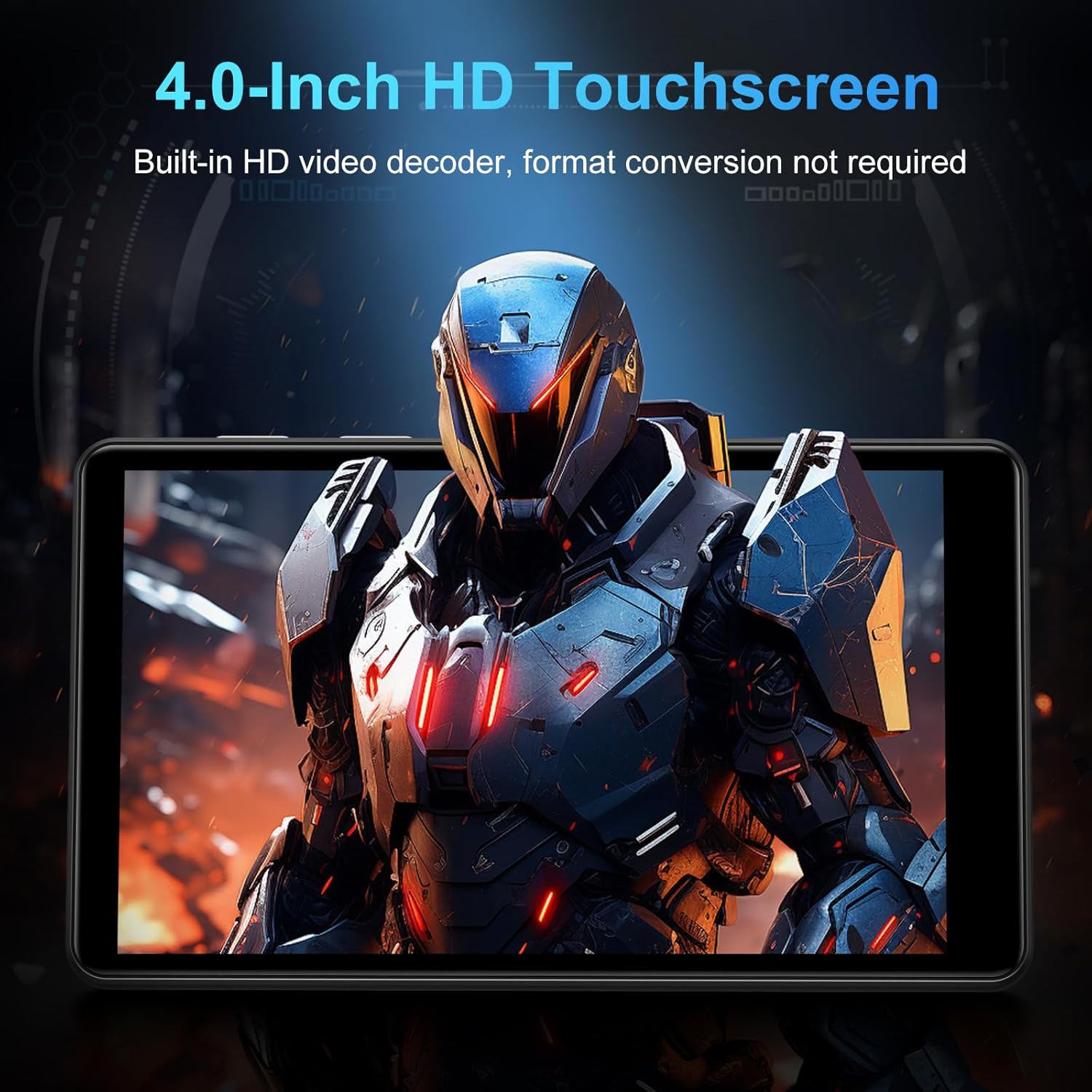
Figure 5: The MP3 player displaying music playback on its screen, with a user wearing headphones, emphasizing HiFi lossless sound quality.
6.3 Main balik Video
The 4-inch 1080P HD screen allows direct online or offline playback of 720P and 1080P videos without format conversion. Supported video formats include RM, RMVB, FLV, MP4, DAT, MKV, MPG, MOV, and TS.

Figure 6: The MP3 player displaying a video on its 4-inch HD screen, demonstrating its video playback capabilities.
6.4 Aplikasi Pra-pasang
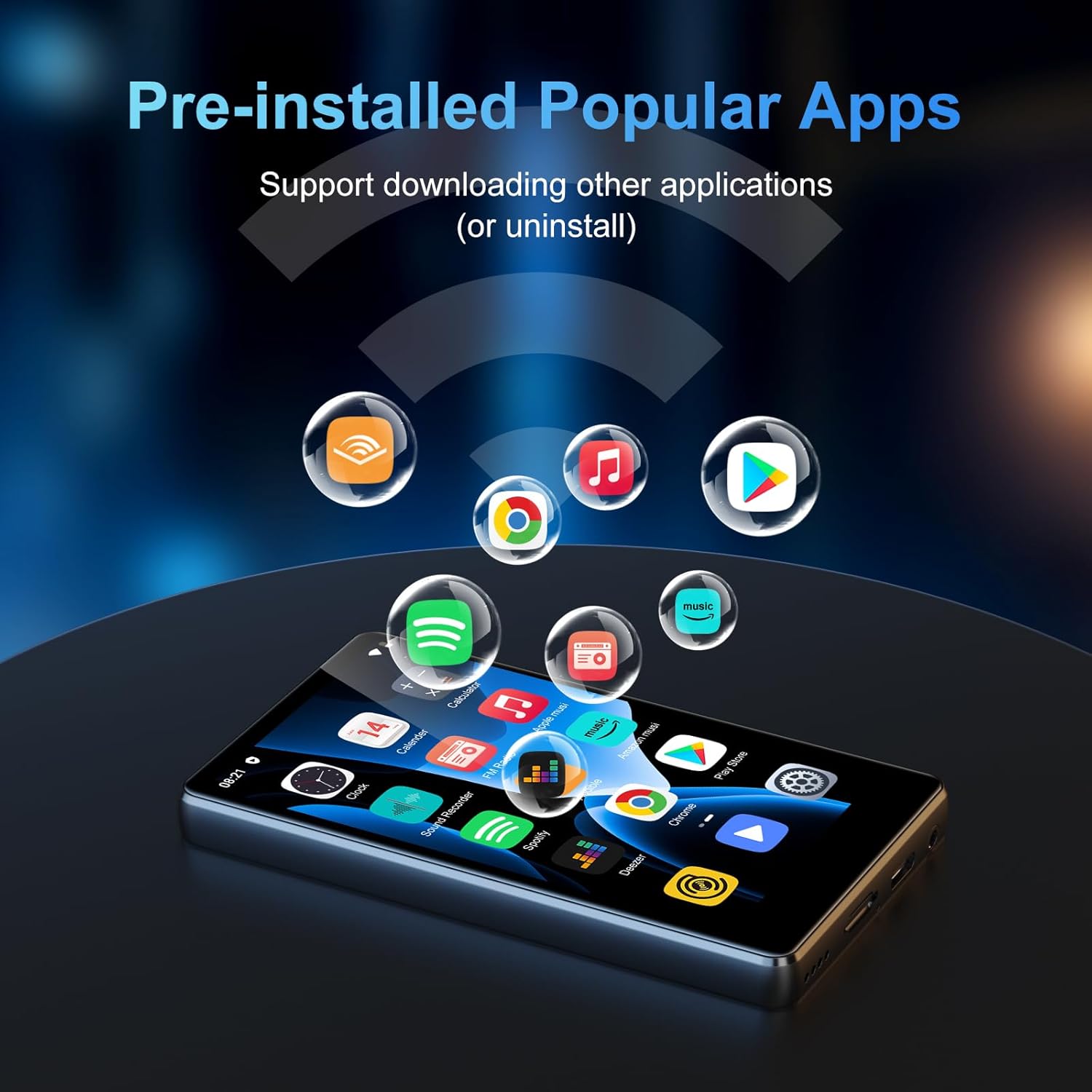
The device comes with a rich lineup of pre-installed mainstream media apps and practical tools:
- Apple Music, Spotify, Audible, Amazon Music, Deezer
- FM Radio, Video Player, Calendar, Sound Recorder
- Penyemak imbas (Chrome)
- Google Play Store (for downloading additional apps)

Figure 7: The MP3 player's screen displaying various pre-installed applications like Spotify, Amazon Music, and Audible.
Video 2: A seller video showcasing the SWOFY M503Pro MP3 Player's interface and various pre-installed applications.
6.5 One-Key Lock Screen and Screenshot
- Skrin kunci: Short press the Power Button to prevent accidental touches.
- Tangkapan skrin: Press and hold the Power Button to capture a screenshot.
7. Spesifikasi
| Ciri | Perincian |
|---|---|
| Nama Model | M503Pro |
| Nombor Model Item | M503 pro-80GB |
| Jenama | SWOFY |
| Kapasiti Penyimpanan Memori | 80 GB (2GB RAM + 16GB ROM + 64GB card) |
| Storan Boleh Dikembangkan | Up to 512GB via Micro SD card |
| Saiz Skrin | 4 Inci |
| Teknologi Paparan | 1080P HD LCD Touch Screen |
| Sistem Operasi | Android 9.0 |
| Pemproses | Advanced CPU (Octa-Core) |
| Teknologi Ketersambungan | Bluetooth, Wi-Fi (Dual-band 2.4G/5G) |
| Kapasiti Bateri | 2000mAh |
| Masa Main semula Muzik | Sehingga 40 jam |
| Masa Tunggu Sedia | 3-5 Bulan |
| Port Pengecasan | USB-C |
| Format Audio | MP3, OGG, FLAC, AAC, WAV, WMA, APE |
| Format Video | RM, RMVB, FLV, MP4, DAT, MKV, MPG, MOV, TS |
| Berat Barang | 8.4 auns |
8. Penyelesaian masalah
8.1 Device Won't Turn On/Is Unresponsive
- Ensure the device is fully charged. Connect to the charger for at least 30 minutes.
- Perform a soft reset: Use a thin pin to press the reset hole on the side of the device.
8.2 Tiada Bunyi
- Check the volume level using the side buttons or on-screen controls.
- Ensure headphones are properly connected if using them. Try a different pair of headphones to rule out faulty earphones.
- If using Bluetooth, ensure the device is properly paired and connected. Try unpairing and re-pairing.
8.3 Aplikasi Ranap atau Terhenti
- Kosongkan cache aplikasi: Pergi ke tetapan > Apl & pemberitahuan, pilih aplikasi yang bermasalah, kemudian Storan & cache > Kosongkan cache.
- Ensure sufficient storage space is available. Delete unnecessary files atau aplikasi.
- Mulakan semula peranti.
8.4 Connectivity Issues (Wi-Fi/Bluetooth)
- Ensure Wi-Fi/Bluetooth is enabled in tetapan.
- Restart the device and your router/Bluetooth accessory.
- Lupakan rangkaian/peranti dan sambung semula.
9. Penyelenggaraan
- Bersihkan skrin dan badan dengan kain lembut dan kering. Elakkan pembersih yang kasar.
- Jauhkan peranti daripada medan magnet yang kuat.
- Simpan di tempat yang sejuk dan kering apabila tidak digunakan.
10. Waranti dan Sokongan
Your SWOFY M503Pro MP3 Player comes with a standard manufacturer's warranty. For detailed warranty information, technical support, or service inquiries, please refer to the contact information provided in your product packaging or visit the official SWOFY webtapak.


