1. Pengenalan
This manual provides essential information for the safe operation and maintenance of your karuisrc K610 GPS Drone. Please read this manual thoroughly before operating the drone to ensure proper usage and to prevent damage or injury. The K610 is a foldable GPS quadcopter equipped with a 4K camera, designed for both beginners and experienced users, featuring intelligent flight modes and stable performance.

Image 1.1: The karuisrc K610 GPS Drone in flight.
2. Garis Panduan Keselamatan
Operating a drone requires responsibility. Adhere to the following safety guidelines to ensure a safe flight experience for yourself and others:
- Semakan Pra-Penerbangan: Sentiasa periksa dron, kipas dan bateri sebelum setiap penerbangan. Pastikan semua komponen dipasang dengan selamat dan tidak rosak.
- Keadaan Persekitaran: Fly in open areas, away from people, animals, buildings, and obstacles. Avoid flying in strong winds, rain, snow, or fog.
- Keselamatan Bateri: Use only approved batteries and chargers. Do not overcharge or puncture batteries. Discontinue use if batteries are damaged or swollen.
- Garis penglihatan: Kekalkan garis penglihatan visual dengan dron sepanjang masa.
- Hormati Privasi: Do not use the drone to invade privacy.
- Peraturan Tempatan: Be aware of and comply with all local laws and regulations regarding drone operation.
3. Kandungan Pakej
Sahkan bahawa semua item terdapat dalam pakej anda:
- K610 Drone x 1
- Alat kawalan jauh x 1
- Batteries x 1 (Nonstandard Battery)
- Kipas Ganti x 4
- Pemutar skru x 1
- Kabel USB x 1
- Sarung Tangan x 1
- Manual Arahan x 1

Image 3.1: Included items in the karuisrc K610 drone package.
4. Komponen Selesaiview
4.1 Drone
The K610 drone features a foldable design for portability, brushless motors for stable flight, and an integrated 4K camera.

Image 4.1: The karuisrc K610 drone and remote control.
4.2 Alat Kawalan Jauh
The remote control provides intuitive flight control and a mount for your smartphone to view suapan FPV.
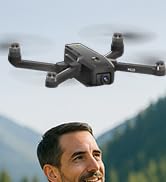
Image 4.2: Remote control with smartphone for FPV viewing.
5. Persediaan
5.1 Pemasangan dan Pengecasan Bateri
- Insert the modular battery into the drone's battery compartment until it clicks into place.
- To charge, remove the battery from the drone. Connect the USB charging cable to the battery and a suitable USB power adapter (not included).
- The charging indicator on the battery will show its status. Ensure the battery is fully charged before flight.

Image 5.1: Modular battery for the K610 drone.
5.2 Pemasangan Baling-baling
Attach the propellers according to the markings (A and B) on the propellers and motor arms. Ensure they are securely fastened with the provided screwdriver.
5.3 Persediaan Kawalan Jauh
- Install 3x AA batteries (not included) into the remote control.
- Extend the phone holder and securely mount your smartphone.
5.4 Pemasangan dan Sambungan Apl
- Download the official karuisrc drone app from your smartphone's app store.
- Power on the drone, then power on the remote control.
- On your smartphone, connect to the drone's Wi-Fi network (usually named 'K610-XXXXXX').
- Open the app to establish a connection and view suapan FPV langsung.

Image 5.2: 5GHz WiFi transmission for real-time viewing.
5.5 Penentukuran
Before the first flight and after any significant change in location, perform compass and gyroscope calibration as instructed in the app or quick start guide. This ensures stable flight and accurate GPS positioning.
6. Beroperasi
6.1 Kawalan Asas Penerbangan
Refer to the remote control diagram in the quick start guide for specific joystick and button functions. Generally:
- Left Joystick: Controls altitude (up/down) and rotation (yaw left/right).
- Right Joystick: Controls forward/backward and left/right movement (pitch/roll).
6.2 Berlepas dan Mendarat
- Berlepas Satu Kunci: Press the designated take-off button on the remote or in the app. The drone will automatically ascend to a safe height and hover.
- Berlepas Manual: Push both joysticks to the bottom-outer corners to unlock motors, then slowly push the left joystick up to ascend.
- Pendaratan Satu Kunci: Press the designated landing button. The drone will descend and land automatically.
- Pendaratan Manual: Slowly pull the left joystick down to descend. Once landed, push both joysticks to the bottom-outer corners to stop motors.
6.3 Ciri-ciri GPS
The K610 drone utilizes GPS for enhanced stability and intelligent flight functions.
- Auto Pulang Ke Rumah (RTH): The drone can automatically return to its take-off point if the signal is lost, battery is low, or the RTH button is pressed.

Image 6.1: GPS Auto Return Home functionality.
6.4 Mod Penerbangan Lanjutan
Access these modes via the drone's app:
- Ikut Saya: The drone will automatically follow the remote control or smartphone, capturing footage semasa anda bergerak.
- Waypoint Flight (Tap Fly): Tap points on the map in the app, and the drone will fly along the specified path.
- Point-of-Interest (Circle Fly): Select a point on the map, and the drone will circle around it at a set radius and altitude.

Image 6.2: Advanced flight modes: Follow Me, Circle Fly, and Tap Fly.
6.5 4K Camera Operation
The K610 is equipped with a 4K UHD camera with 90° adjustable tilt for capturing high-quality aerial footage dan foto.
- Tangkapan Foto/Video: Gunakan butang khusus pada alat kawalan jauh atau antara muka aplikasi untuk mengambil foto atau memulakan/menghentikan rakaman video.
- Sudut Kamera Boleh Laras: The camera's tilt can be adjusted remotely via the app or remote control.
- Sokongan Kad SD: Insert an SD card (not included) into the drone for direct storage of high-resolution media.

Image 6.3: The K610's 4K HD Camera.
6.6 Produk Selesaiview Video
Watch this video for a visual guide on the karuisrc K610 GPS Drone's features and operation.
Video 6.4: Selesaiview of the karuisrc K610 GPS Drone's features and capabilities.
7. Penyelenggaraan
Penyelenggaraan tetap memastikan jangka hayat dan prestasi optimum dron anda.
- Pembersihan: Gently wipe the drone and remote control with a soft, dry cloth after each use. Avoid using harsh chemicals.
- Pemeriksaan baling-baling: Regularly check propellers for cracks, bends, or damage. Replace damaged propellers immediately using the provided spares.
- Penjagaan Bateri: Store batteries in a cool, dry place. Do not store fully charged or completely depleted batteries for extended periods. Charge them to about 50-60% for long-term storage.
- Storan: When not in use, fold the drone and store it in its carrying case to protect it from dust and physical damage.
8. Penyelesaian masalah
Jika anda menghadapi masalah, rujuk kepada masalah dan penyelesaian biasa berikut:
| Masalah | Kemungkinan Punca | Penyelesaian |
|---|---|---|
| Drone does not take off or respond to controls. | Low battery, improper calibration, motors locked. | Charge drone/remote batteries. Perform calibration. Unlock motors (refer to section 6.2). |
| Penerbangan atau hanyut yang tidak stabil. | Poor calibration, strong winds, damaged propellers. | Recalibrate the drone. Fly in calm conditions. Inspect and replace damaged propellers. |
| No FPV feed on smartphone. | Wi-Fi not connected, app not open, drone/phone too far apart. | Ensure phone is connected to drone's Wi-Fi. Open the app. Move closer to the drone. |
| GPS features (RTH, Follow Me) not working. | Insufficient GPS signal, drone not calibrated. | Fly in an open area with clear sky. Wait for sufficient GPS satellites to connect (indicated by app). Perform GPS calibration. |
9. Spesifikasi
Key technical specifications for the karuisrc K610 GPS Drone:
| Ciri | Perincian |
|---|---|
| Nama Model | K610 |
| Berat Barang | 204 Gram (7.2 auns) |
| Kamera | 4K UHD (4096×3072P images), 12 MP Effective Still Resolution, 90° Adjustable, CMOS Sensor |
| Resolusi Tangkapan Video | 1080p (format MP4) |
| Teknologi Ketersambungan | Wi-Fi, RF (5GHz FPV Transmission) |
| Jenis Kawalan | Alat Kawalan Jauh |
| Ciri Khas | Adjustable, Auto-Landing, Portable, GPS Auto Return, Follow Me, Waypoint Flight, Point-of-Interest Circle |
| Jenis Motor | Motor tanpa berus |
| Bateri | 1 Nonstandard Lithium Ion Battery (included) |
| Masa Penerbangan | Up to 20 minutes (typical 18 minutes) |
| bahan | plastik |
| Dimensi Produk | 7"L x 2"W x 8"H |

Image 9.1: Brushless motor technology for the K610 drone.
10. Waranti dan Sokongan
For warranty information or technical support, please contact karuisrc customer service. Keep your purchase receipt as proof of purchase.
- telefon: +44 7419 298225
- e-mel: Karuisrc@gmail.com

Image 10.1: karuisrc customer support.


