1. Pengenalan
Terima kasih kerana membeliasing the Vangoa VMX8 Wireless MIDI Controller Mixer. This device is designed to enhance your music production workflow by providing intuitive control over your Digital Audio Workstation (DAW) software. Featuring 43 backlit buttons, 8 channel faders with LED indicators, and 8 assignable endless knobs, the VMX8 offers a portable and versatile solution for musicians and producers.
Please read this manual thoroughly to understand the features and operation of your new MIDI controller. Keep this manual for future reference.
2. Produk Lebihview
2.1 Ciri-ciri Utama
- 43 Backlit Buttons: Assignable for triggering beats, melodies, and effects with real-time feedback.
- 8 Channel Faders: Diamond-shaped faders with LED indicators for precise control over audio levels and parameters.
- 8 Assignable Endless Knobs: Customize parameters such as EQ settings, effects, and more.
- Reka Bentuk Mudah Alih: Compact and lightweight for on-the-go music production.
- Kesambungan Tanpa Wayar: Bluetooth for flexible setup.
- Port USB-C: Fast transmission and driver-free connection to Windows/Mac.
- Bateri Terbina dalam: 780mAh battery provides up to 25 hours of play time after a 5-hour charge.
2.2 Pengenalan Komponen
Familiarize yourself with the various components of your Vangoa VMX8 MIDI Controller.

Rajah 2.2.1: Vangoa VMX8 MIDI Controller showing its compact design and labeled components including faders, knobs, LED indicators, and track control buttons. Dimensions are 11.61" x 5.91" x 2.36" and it weighs 1.26 lbs.
- Fader: Control channel volume or assigned parameters.
- Tombol: Endless encoders for fine-tuning parameters.
- Butang Lampu Belakang: Multi-functional buttons for various controls (Mute, Solo, Record, Play, Stop, etc.).
- Penunjuk LED: Provide visual feedback for fader positions and button states.
- Port USB-C: For power and data connection.
- Suis kuasa: Menghidupkan/mematikan peranti.
- Butang BT: For Bluetooth pairing.
- Butang SHIFT: Accesses secondary functions of buttons/knobs.
3. Persediaan
3.1 Menghidupkan dan Mengecas
- Locate the USB-C port on the rear of the VMX8 controller.
- Connect the provided USB-C cable to the controller and the other end to a USB power adapter (not included) or a computer's USB port.
- The device will begin charging. A full charge takes approximately 5 hours and provides up to 25 hours of operation.
- Untuk menghidupkan kuasa, luncurkan suis kuasa ke kedudukan "ON".

Rajah 3.1.1: Connecting the Vangoa VMX8 MIDI Controller via its USB-C port for power and data.
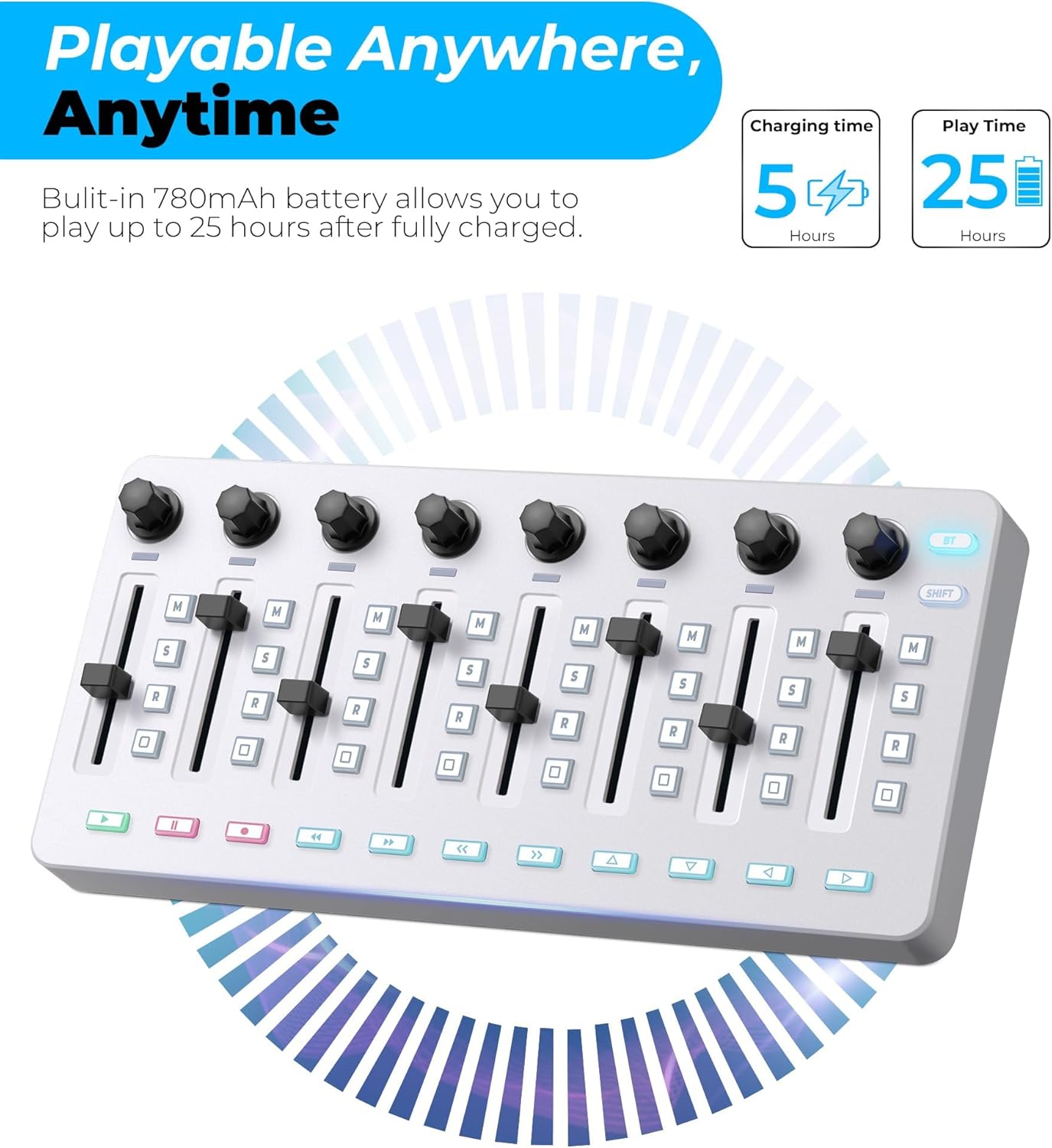
Rajah 3.1.2: Battery life indicators for the Vangoa VMX8, showing 5 hours charging time for 25 hours of play time.
3.2 Menyambung ke Komputer (USB)
- Ensure the VMX8 is powered on.
- Connect the USB-C cable from the VMX8 to an available USB port on your Windows PC or Mac computer.
- The VMX8 is a class-compliant device and typically does not require additional drivers. Your operating system should recognize it automatically.
- Open your Digital Audio Workstation (DAW) software and configure the VMX8 as a MIDI input/output device in the software's preferences or settings.
3.3 Connecting Wirelessly (Bluetooth)
- Ensure the VMX8 is powered on.
- Press the "BT" button on the VMX8 to activate Bluetooth pairing mode. The Bluetooth indicator light will flash.
- On your computer or compatible device, open Bluetooth settings.
- Cari untuk available devices and select "Vangoa VMX8" (or similar) to pair.
- Once paired, the Bluetooth indicator light on the VMX8 will become solid.
- Configure the VMX8 as a MIDI input/output device in your DAW software's preferences.
Note: For detailed wireless connection tutorials, search for "BLE Drive Connection Tutorial" on YouTube.
4. Operasi
4.1 Basic DAW Control
The VMX8 is designed to integrate seamlessly with various DAWs. After connecting and configuring, you can use its controls to manage your projects.

Rajah 4.1.1: A hand interacting with the faders and buttons of the Vangoa VMX8, demonstrating simplified music creation.

Rajah 4.1.2: The Vangoa VMX8 in a studio setup, showing compatibility with DAWs like Ableton Live, Logic Pro X, FL Studio, Cubase, and Pro Tools. A QR code is present for software editor download.
Note: This MIDI controller requires scanning a QR code to download the software editor first for full customization. The QR code is typically found in the packaging or on the product page. A direct link is also available: http://www.cuvave.com/appdownload
4.2 Using the Backlit Buttons

Rajah 4.2.1: Terperinci view of the 43 assignable backlit buttons on the Vangoa VMX8, highlighting real-time feedback and quick recognition.
- The 43 backlit buttons can be assigned to various functions within your DAW, such as Mute, Solo, Record Arm, Play, Stop, Loop, and more.
- The backlighting provides visual feedback, indicating the status of each assigned function.
- Use the dedicated software editor to customize button assignments and colors.
4.3 Adjusting with Faders
- The 8 channel faders are primarily used for adjusting track volumes or other continuous parameters.
- The LED indicators next to each fader provide a visual representation of the current parameter value.
- In most DAWs, moving a fader on the VMX8 will correspond to the fader of an assigned track.
4.4 Using the Assignable Knobs

Rajah 4.4.1: The 8 assignable endless encoder knobs on the Vangoa VMX8, featuring a 360-degree rotation and anti-slip diamond-shaped design for parameter customization.
- The 8 endless knobs can be assigned to control various parameters such as EQ, effects sends, pan, or virtual instrument controls.
- These knobs offer 360-degree rotation, allowing for precise adjustments without limits.
- Use the software editor to assign specific MIDI CC messages to each knob for custom control.
4.5 SHIFT Function
Tekan dan tahan butang SHIFT button to access secondary functions of certain buttons or knobs. Refer to the software editor or the device's overlay (if any) for specific SHIFT assignments.
5. Penyelenggaraan
- Pembersihan: Gunakan kain lembut dan kering untuk membersihkan permukaan pengawal. Jangan gunakan pembersih, pelarut atau lilin yang kasar.
- Storan: Simpan peranti di tempat yang sejuk dan kering jauh dari cahaya matahari langsung dan suhu yang melampau.
- Pengendalian: Elakkan daripada menjatuhkan peranti atau terkena impak yang kuat.
- Penjagaan Bateri: Untuk jangka hayat bateri yang optimum, elakkan daripada kerap mencas sepenuhnya bateri. Cas peranti secara berkala, walaupun tidak digunakan untuk tempoh yang lama.
6. Penyelesaian masalah
| Masalah | Kemungkinan Punca | Penyelesaian |
|---|---|---|
| Peranti tidak dihidupkan. | Bateri lemah atau suis kuasa dimatikan. | Ensure the power switch is ON. Connect the USB-C cable to charge the device. |
| No MIDI signal in DAW (USB). | Incorrect USB connection, DAW not configured, or driver issue. | Check USB-C cable connection. Verify VMX8 is selected as a MIDI input device in your DAW's preferences. Restart DAW and computer. |
| No MIDI signal in DAW (Bluetooth). | Not paired, Bluetooth off, or DAW not configured. | Ensure Bluetooth is enabled on your computer/device. Press the BT button on VMX8 to enter pairing mode. Pair the device in Bluetooth settings. Configure VMX8 in DAW preferences. Refer to "BLE Drive Connection Tutorial" on YouTube if issues persist. |
| Buttons/knobs not responding as expected. | Incorrect MIDI mapping or software editor settings. | Check your DAW's MIDI mapping settings. Use the Vangoa software editor to customize assignments and ensure they match your intended functions. |
| Backlights not working. | Device not powered or specific setting. | Ensure the device is powered on. Check if there are any backlight settings in the software editor that might be off. |
7. Spesifikasi
| Ciri | Perincian |
|---|---|
| Jenama | Vangoa |
| Model | VMX8 |
| Bilangan Butang | 43 (Backlit, Assignable) |
| Number of Faders | 8 (with LED indicators) |
| Bilangan Tombol | 8 (Assignable, Endless Encoders) |
| Ketersambungan | Bluetooth, USB-C |
| Kapasiti Bateri | 780mAh |
| Masa Mengecas | lebih kurang 5 jam |
| Masa Main | Sehingga 25 jam |
| warna | putih |
| Dimensi (L x W x H) | 11.61" x 5.91" x 2.36" (lebih kurang) |
| Berat badan | 1.26 lbs (lebih kurang) |
| Keserasian | Windows, Mac (DAW software dependent) |
8. Waranti dan Sokongan
Vangoa provides a one-year satisfactory service for this product. For warranty claims, technical support, or further assistance, please contact Vangoa customer service through the retailer where the product was purchased or visit the official Vangoa webtapak.
For software editor downloads and additional resources, please visit: http://www.cuvave.com/appdownload


