1. Pengenalan
Thank you for choosing the MZEIBO KY-Mini 50W Sound Bar. This manual provides detailed instructions for setting up, operating, and maintaining your new sound bar to ensure an optimal audio experience. Please read this manual thoroughly before use and retain it for future reference.

The MZEIBO KY-Mini Sound Bar enhances your home entertainment experience.
2. Produk Lebihview
Ciri-ciri Utama:
- Powerful 50W Audio Output: Delivers rich sound with deep bass and clear audio.
- Bunyi keliling 360°: Experience immersive audio from various angles.
- Reka Bentuk Padat & Mudah Alih: Easy to integrate into any setting, ideal for various uses.
- Kesambungan Bluetooth 5.3: Memastikan penstriman audio tanpa wayar yang stabil dan lancar.
- Pelbagai Pilihan Sambungan: Supports ARC, Optical, AUX, and Bluetooth inputs.
Apa yang ada di dalam Kotak:
- MZEIBO KY-Mini Sound Bar
- Kabel Kuasa
- Alat Kawalan Jauh
- Panduan Mula Pantas
- ARC/Optical/AUX Cables
- Skru Pemasangan Dinding
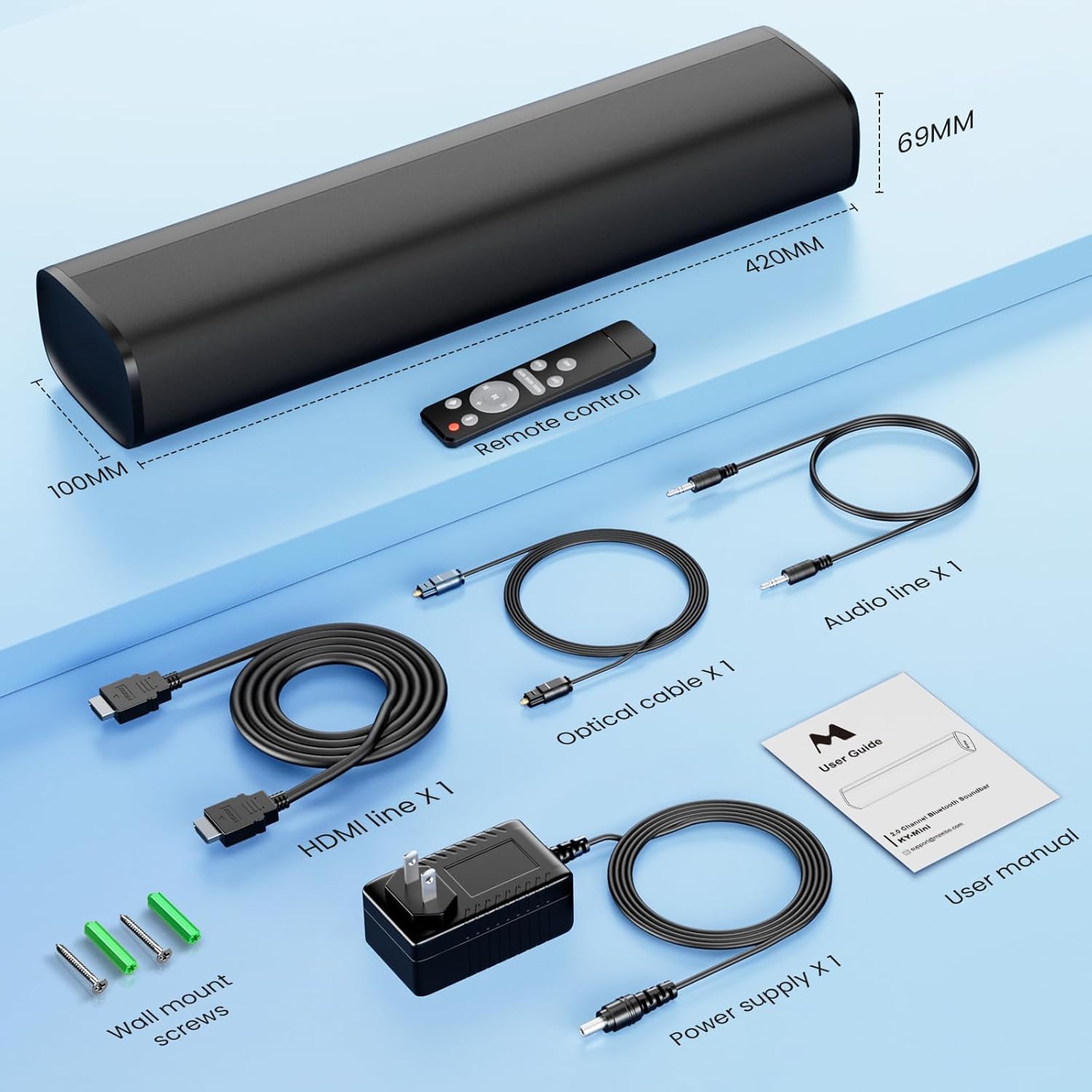
All components included with your MZEIBO KY-Mini Sound Bar.
3. Arahan Persediaan
penempatan:
The MZEIBO KY-Mini Sound Bar can be placed on a tabletop or wall-mounted. Ensure it is positioned centrally in front of your TV or display for the best audio experience.
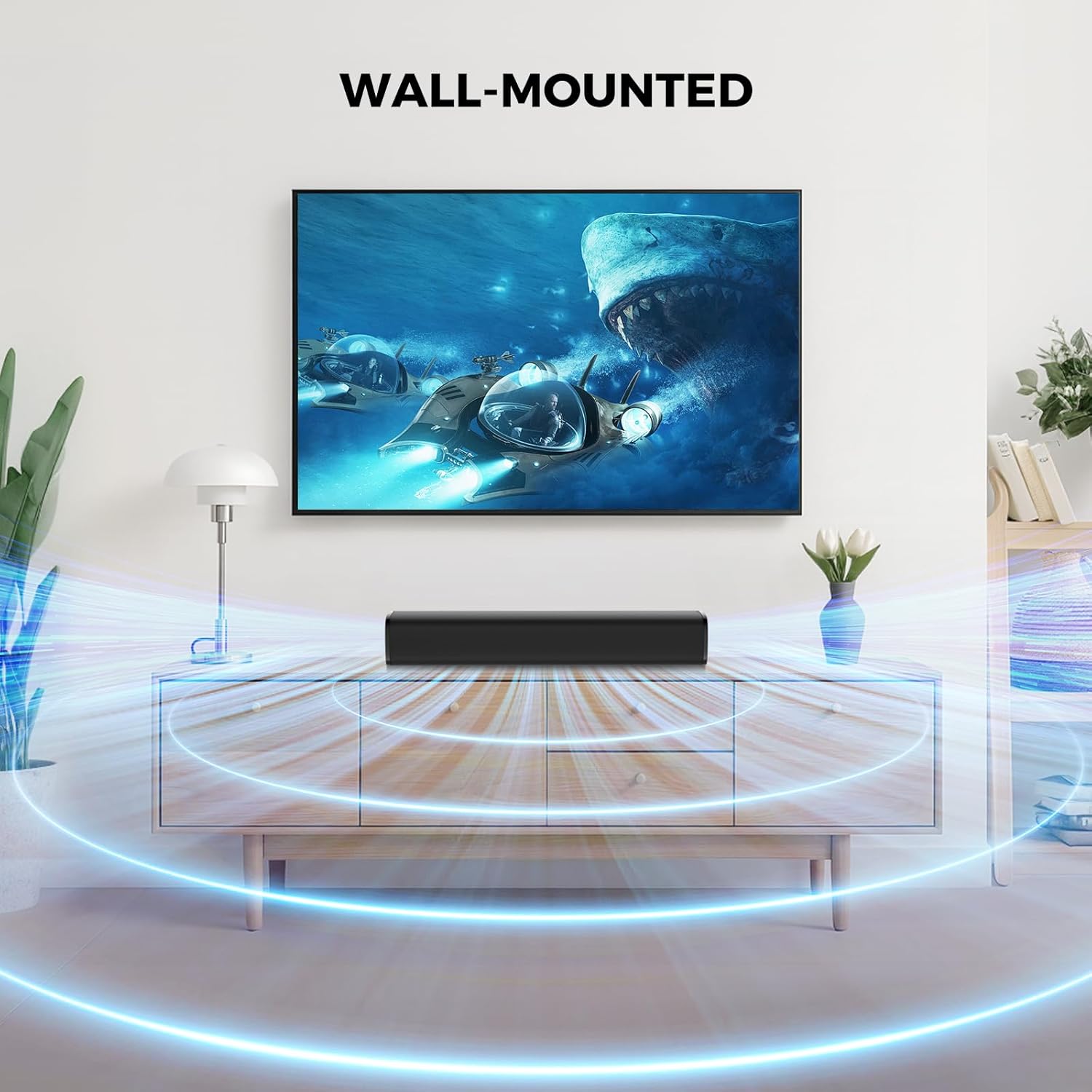
The sound bar can be placed on a surface or wall-mounted.
Menyambung ke Peranti Anda:
The sound bar offers multiple connection options. Choose the method that best suits your device.
- HDMI ARC Connection:
Connect one end of the HDMI cable to the ARC port on your sound bar and the other end to the HDMI ARC port on your TV. This allows your TV remote to control the sound bar's volume. - Sambungan Optik:
Connect one end of the optical cable to the OPT port on your sound bar and the other end to the optical output port on your TV or audio source. - Sambungan AUX:
Connect one end of the 3.5mm AUX cable to the AUX port on your sound bar and the other end to the 3.5mm audio output port on your device. - Sambungan Bluetooth:
Power on the sound bar. Press the 'Mode' button on the remote or the sound bar until 'BT' appears on the display. On your device, search for 'KY-Mini' in the Bluetooth settings and pair.

Rear panel connections for the MZEIBO KY-Mini Sound Bar.
Menghidupkan:
After connecting the power cable to the sound bar and a power outlet, press the power button on the sound bar or the remote control to turn it on.
4. Arahan Operasi
Menggunakan Alat Kawalan Jauh:
The included remote control allows you to manage all functions of your sound bar.
- Butang Kuasa: Menghidupkan atau mematikan bar bunyi.
- Kelantangan Naik/Turun: Melaraskan tahap kelantangan induk.
- Butang Mod: Cycles through input sources (Bluetooth, ARC, Optical, AUX).
- Mod EQ: Selects between Music, Movie, and News sound modes.
- Main/Jeda/Langkau: Mengawal main balik media dalam mod Bluetooth.
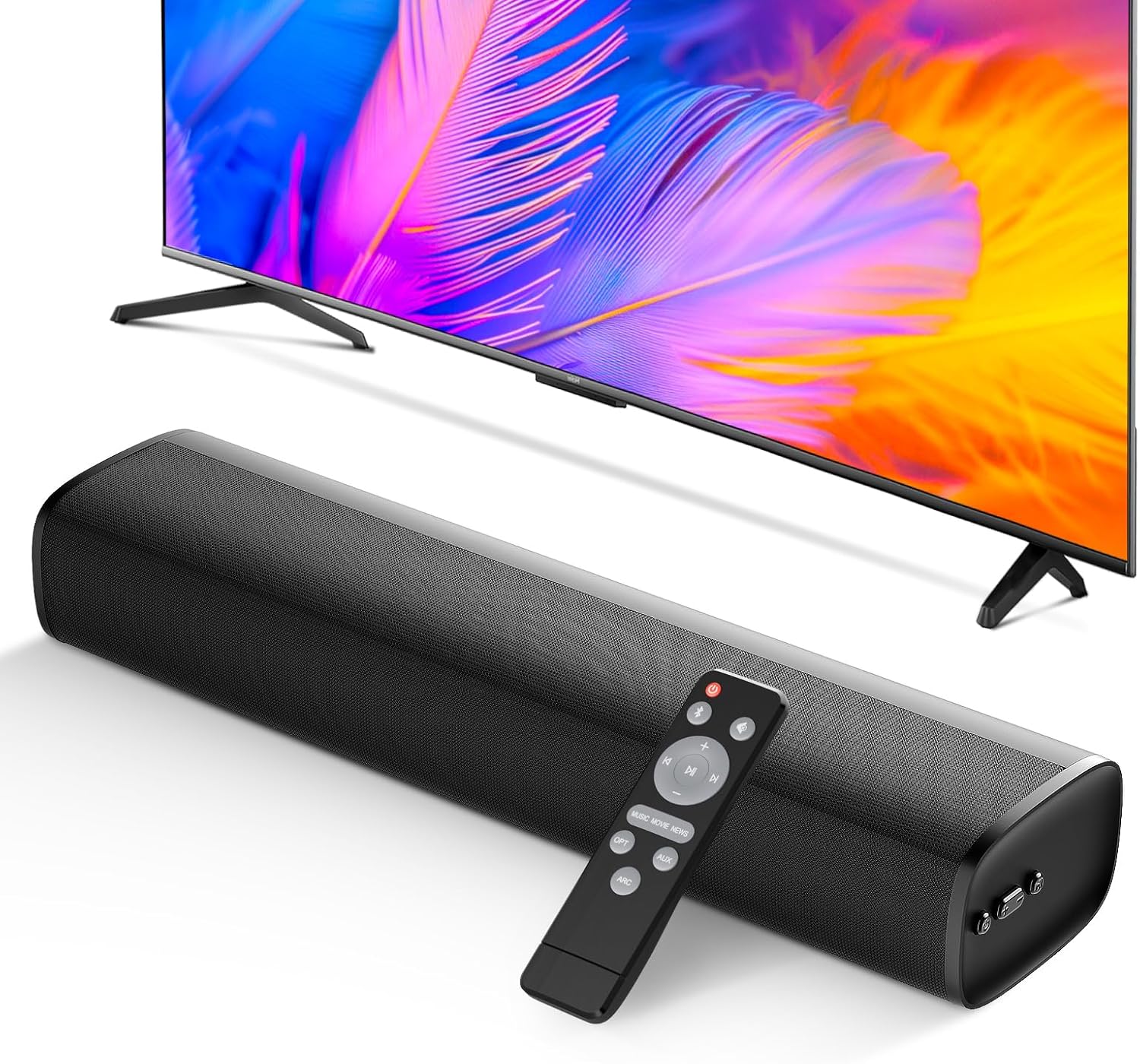
The remote control provides full command over your sound bar's features.
Mod Bunyi:
Optimize your audio experience with three distinct equalizer (EQ) modes:
- Mod Muzik: Enhances musical clarity and bass for a vibrant listening experience.
- Mod Filem: Provides dynamic and immersive sound for films, emphasizing dialogue and effects.
- Mod Berita: Optimizes vocal clarity, making spoken content easier to understand.

Switch between Movie, Music, and News modes for tailored audio.
5. Integrasi Media
Produk Selesaiview Video:
Tonton video ini untuk penjelasan yang komprehensifview of the MZEIBO 50W Sound Bar's features and design.
6. Penyelenggaraan
To ensure the longevity and optimal performance of your MZEIBO KY-Mini Sound Bar, follow these maintenance guidelines:
- Pembersihan: Use a soft, dry cloth to wipe the surface of the sound bar. Avoid using liquid cleaners or abrasive materials, as they may damage the finish.
- Storan: When not in use for extended periods, store the sound bar in a cool, dry place away from direct sunlight and extreme temperatures.
- Pengudaraan: Ensure the sound bar has adequate ventilation. Do not block any vents or place it in an enclosed space that could restrict airflow.
7. Penyelesaian masalah
If you encounter any issues with your MZEIBO KY-Mini Sound Bar, please refer to the following table for common problems and solutions:
| Masalah | Kemungkinan Punca | Penyelesaian |
|---|---|---|
| Tiada kuasa | Kabel kuasa tidak disambungkan atau soket kuasa tidak berfungsi. | Periksa sambungan kabel kuasa. Cuba salur kuasa yang lain. |
| Tiada bunyi | Incorrect input source selected. Volume too low. Cable connection loose or faulty. | Press the 'Mode' button to select the correct input. Increase volume. Reconnect audio cables securely. Ensure TV audio output is set correctly. |
| Penggandingan Bluetooth gagal | Sound bar not in pairing mode. Device too far away. Interference. | Ensure sound bar is in BT mode and flashing. Move device closer. Turn off other Bluetooth devices. |
| Alat kawalan jauh tidak berfungsi | Batteries depleted. Obstruction between remote and sound bar. | Replace batteries. Remove any obstructions. Ensure remote is pointed at the sound bar's sensor. |
8. Spesifikasi
| Ciri | Perincian |
|---|---|
| Nama Model | KY-Mini |
| Jenis Pembesar Suara | Bar bunyi |
| Kuasa Output Maksimum Pembesar Suara | 50 Watt |
| Teknologi Ketersambungan | ARC, Auxiliary, Bluetooth, Optical |
| Versi Bluetooth | 5.3 |
| Mod Keluaran Audio | Stereo |
| Respons Kekerapan | 20 KHz |
| Dimensi Produk | 17"D x 3.9"W x 2.7"H |
| Berat Barang | 4.09 paun (1.86 Kilogram) |
| Jenis Pemasangan | Pemasangan Atas Meja |
| Kaedah Kawalan | Butang Tekan, Jauh |
| Peranti Serasi | Gaming Console, Home Theater, Laptop, Smartphone, Television |
| Penggunaan Dalaman/Luar | Dalaman, Luaran |
9. Waranti dan Sokongan
The MZEIBO KY-Mini Sound Bar comes with a standard manufacturer's warranty. For specific warranty details, please refer to the warranty card included in your product packaging or contact MZEIBO customer support. If you require further assistance or have questions not covered in this manual, please reach out to MZEIBO customer service through their official weblaman web atau maklumat hubungan yang diberikan bersama pembelian anda.


