1. Kandungan Pakej
Sebelum anda memulakan, sila pastikan semua item terdapat dalam pakej anda:
- 2x Ordtop Wireless Earbuds (Model I13)
- 1x Sarung Pengecasan Ringan
- 1x Kabel Pengecas USB-C
- 3x Sets of Ear Caps (S/M/L)
- 1x Manual Pengguna (dokumen ini)

Image: The package contents including earbuds, charging case, USB-C cable, ear tips, and user manual.
2. Panduan Persediaan
2.1 Pengecasan Awal
Upon first use, fully charge the earbuds and charging case. Connect the provided USB-C cable to the charging case and a power source. The dual LED display on the case will indicate the charging status.
- Sarung Pengecasan: Paparan LED menunjukkan peratusan bateritage kes itu.
- Earbud: Place earbuds into the charging case. The individual L/R indicators on the LED display will show their charging status.
A full charge typically takes approximately 1.5 hours for the case. The earbuds provide up to 8 hours of playback on a single charge, with the charging case extending total playback to 40 hours.
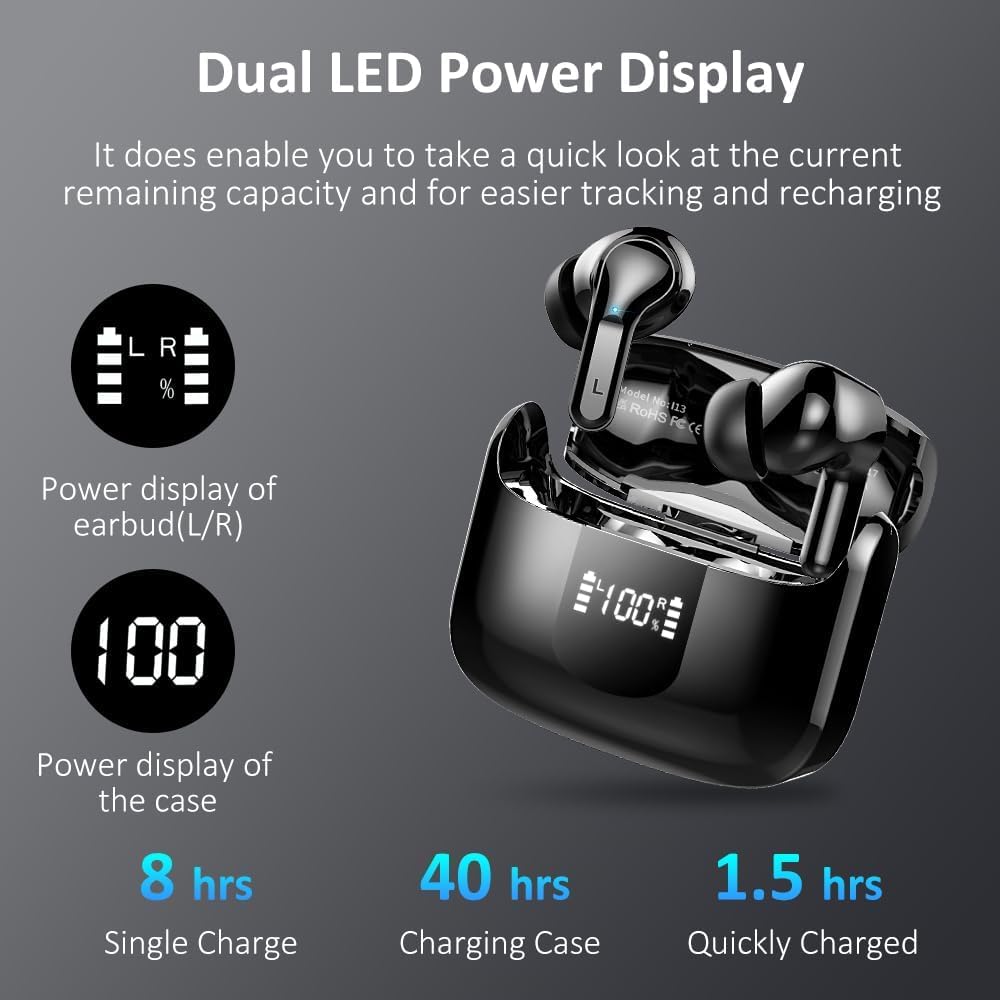
Image: The charging case displaying battery levels for both the case and individual earbuds (L/R).
2.2 Berpasangan dengan Peranti Anda
The Ordtop I13 earbuds feature one-step pairing for convenience.
- Pastikan Bluetooth peranti anda didayakan.
- Buka bekas pengecas. Fon telinga akan dihidupkan secara automatik dan memasuki mod berpasangan.
- On your device, search for Bluetooth devices and select "i13" from the list.
- Sebaik sahaja disambungkan, anda akan mendengar gesaan audio dan fon telinga sedia untuk digunakan.
After the initial pairing, the earbuds will automatically connect to the last paired device when removed from the case, provided Bluetooth is active on your device.

Image: A visual representation of the one-step pairing process, showing the earbuds in the charging case and a smartphone's Bluetooth menu with "i13" selected.
3. Arahan Operasi
3.1 Memakai Fon Telinga
For optimal sound quality and comfort, choose the correct ear tip size (S/M/L) and ensure a secure fit. The earbuds are ergonomically designed to fit the contours of the human ear.
- Insert the earbud into your ear canal and gently twist it forward until it feels snug and comfortable.
- The earbuds are lightweight (3.8g each) for extended wear.

Image: An illustration demonstrating the ergonomic fit of the earbuds in an ear, highlighting their lightweight design and IP7 waterproof rating.
3.2 Kawalan Sentuh Pintar
The Ordtop I13 earbuds feature intuitive touch controls on each earbud. The touch sensor area is typically located on the outer surface of the earbud stem.
| Tindakan | Earbud Kiri (L) | Earbud Kanan (R) |
|---|---|---|
| Main/Jeda | Ketik Tunggal | |
| Trek Seterusnya | Long Tap (1s) | Long Tap (1s) |
| Trek Sebelumnya | Long Tap (1s) | Long Tap (1s) |
| Kelantangan Naik | Ketik Dua Kali | |
| Kelantangan Kurang | Ketik Dua Kali | |
| Jawab/Tamatkan Panggilan | Ketik Tunggal | |
| Tolak Panggilan | Ketuk Panjang | |
| Aktifkan Pembantu Suara (Siri/Google Assistant) | Ketik Tiga Kali | |

Image: A diagram illustrating the various touch control gestures and their corresponding functions for the earbuds.
3.3 Kefungsian Panggilan
The earbuds are equipped with ENC (Environmental Noise Cancelling) microphones to ensure clear voice transmission during calls, even in noisy environments.
- Use the touch controls as described above to manage calls.
- The ENC technology helps reduce background noise by up to 85%, making your voice clearer to the listener.

Image: An illustration depicting the noise-cancelling call feature, showing a user making a call in a busy environment with noise reduction applied.
4. Penyelenggaraan
4.1 Pembersihan
Pembersihan tetap membantu mengekalkan prestasi dan kebersihan yang optimum.
- Lap perlahan fon telinga dan bekas pengecas dengan kain lembut, kering dan tidak berbulu.
- Tanggalkan hujung telinga dan bersihkannya dengan sabun lembut dan air, kemudian keringkan dengan teliti sebelum disambungkan semula.
- Elakkan menggunakan bahan yang melelas atau bahan kimia yang keras.
4.2 Tahan Air
The earbuds are rated IP7 waterproof, providing protection against immersion in water up to 1 meter for 30 minutes. This makes them suitable for use during workouts or in light rain.
- Do not intentionally submerge the charging case in water.
- Pastikan fon telinga benar-benar kering sebelum meletakkannya semula ke dalam bekas pengecas untuk mengelakkan kerosakan.

Image: An illustration demonstrating the IP-X7 waterproof capability of the earbuds, showing them submerged in water.
5. Penyelesaian masalah
If you encounter any issues, please refer to the following common solutions:
- Fon telinga tidak berpasangan:
- Pastikan kedua-dua fon telinga dicas.
- Matikan dan hidupkan Bluetooth peranti anda.
- Letakkan semula fon telinga ke dalam bekas, tutupnya, kemudian bukanya semula untuk memasuki semula mod berpasangan.
- Forget "i13" from your device's Bluetooth list and attempt to pair again.
- Tiada bunyi dari satu fon telinga:
- Pastikan kedua-dua fon telinga dicas dan disambungkan.
- Cuba tetapkan semula fon telinga (rujuk kepada pengilang webtapak untuk arahan set semula khusus jika perlu).
- Isu pengecasan:
- Periksa kabel USB-C dan penyesuai kuasa untuk kerosakan.
- Pastikan sesentuh pengecasan pada fon telinga dan bahagian dalam kotak bersih dan bebas daripada serpihan.
- Kelantangan rendah atau kualiti bunyi yang lemah:
- Laraskan kelantangan pada kedua-dua peranti anda dan fon telinga.
- Ensure ear tips are clean and provide a good seal in your ear canal.
- Check for obstructions in the earbud speaker mesh.
6. Spesifikasi
| Ciri | Perincian |
|---|---|
| Nama Model | I13 |
| Versi Bluetooth | 5.4 |
| Julat Bluetooth | Sehingga 15 meter |
| Saiz Pemacu Audio | Pemacu Dinamik 13 mm |
| Julat Kekerapan | 20Hz - 20,000Hz |
| Hayat Bateri (Earbud) | Sehingga 8 jam (caj tunggal) |
| Jumlah Masa Main Semula | Hingga 40 jam (dengan cas pengecasan) |
| Port Pengecasan | USB-C |
| Tahan Air | IP7 Kalis Air |
| Kawalan Bunyi | ENC Noise Cancelling (for calls) |
| Kaedah Kawalan | Sentuh |
| Berat Earbud | Lebih kurang 3.8 gram (setiap satu) |
| Peranti Serasi | iOS and Android smartphones, TV, computers, laptops |
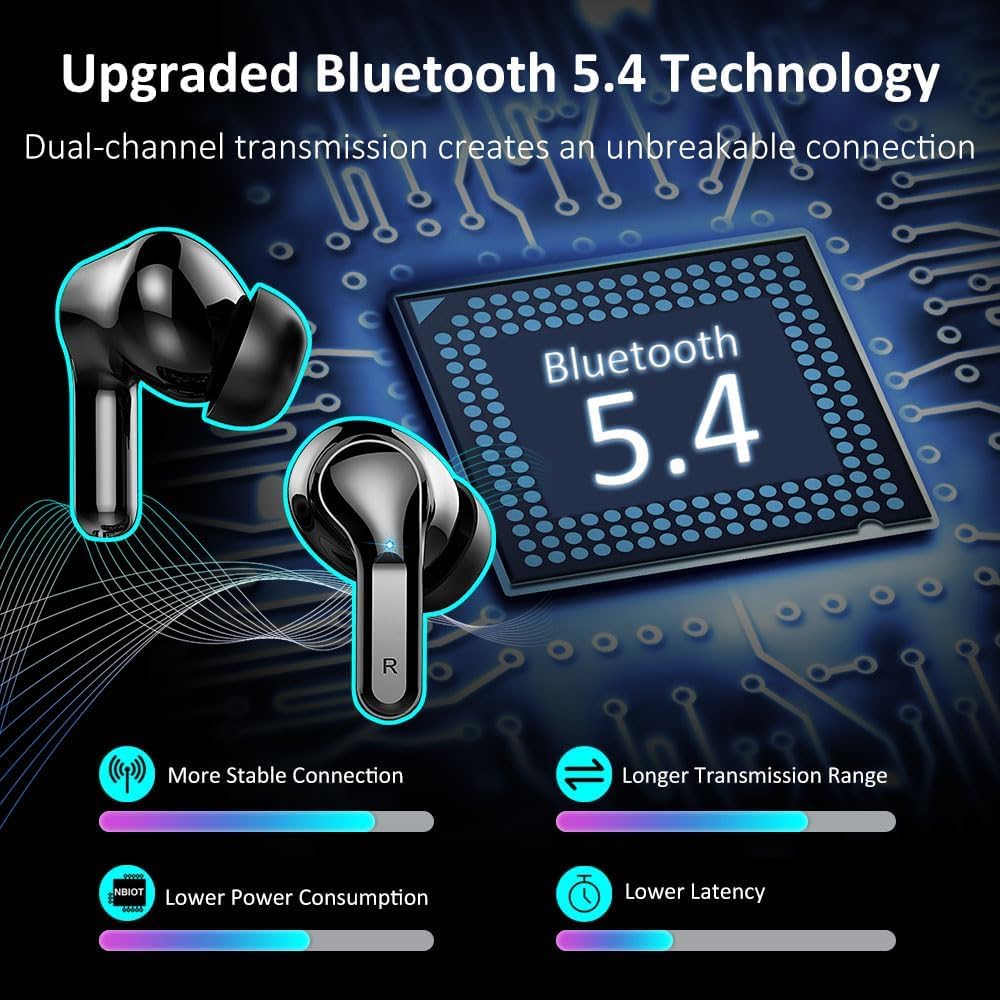
Image: An illustration highlighting the upgraded Bluetooth 5.4 technology, emphasizing stable connection, longer range, lower power consumption, and lower latency.

Imej: Potongan view of the earbud's 13mm dynamic driver, illustrating its Hi-Fi stereo deep bass capabilities and the crystal-clear call experience provided by enhanced microphones with 85% background noise reduction.
7. Waranti dan Sokongan
7.1 Maklumat Waranti
For detailed warranty information regarding your Ordtop Wireless Earbuds Model I13, please refer to the warranty card included in your product packaging or visit the official Ordtop webtapak. Syarat jaminan biasanya meliputi kecacatan pembuatan untuk tempoh tertentu dari tarikh pembelian.
7.2 Sokongan Pelanggan
If you require further assistance, have questions, or encounter issues not covered in this manual, please contact Ordtop customer support through the following channels:
- rasmi Webtapak: Visit the Ordtop official webtapak untuk Soalan Lazim, sumber sokongan dan borang hubungan.
- Sokongan E-mel: Rujuk kepada pembungkusan produk anda atau pegawai rasmi webtapak untuk alamat e-mel perkhidmatan pelanggan.


