1. Pengenalan
The KONNWEI BK300 is a smart Bluetooth 5.0 battery monitor designed to provide real-time monitoring of your vehicle's battery. It is compatible with 12V/24V batteries found in cars, motorcycles, boats, RVs, and trucks. This device connects wirelessly to the free BKmonitor app (iOS & Android), allowing you to track voltage, charge level, temperature, and overall battery health. It provides push alerts for abnormal values, helping to predict potential battery failures. The BK300 also includes starting and charging system tests, offering a comprehensive overview of your vehicle's electrical system performance.
2. Ciri-ciri Utama
- Keserasian Luas: Supports 6V, 12V, and 24V batteries, including flooded, AGM Flat, Spiral, EFB, VRLA, GEL, and Lithium types.
- Pemantauan Masa Nyata: Continuously tracks battery voltage, charge level, temperature, and health.
- Kesambungan Bluetooth 5.0: Ensures stable and interference-free transmission within a 10-meter range to the BKmonitor app.
- Intuitive Mobile App: Free BKmonitor app (iOS/Android) provides an easy-to-use interface with waveform analysis, cranking tests, charging tests, and historical data.
- Abnormal Value Alerts: Sends push notifications for voltage drops, high temperatures, or other abnormal battery conditions.
- Memulakan Ujian Sistem: Langkah-langkah voltage drop and starter motor engagement to assess starter performance.
- Ujian Sistem Pengecasan: Checks alternator health, current output, and diode function.
- History Curve: Tracks daily battery trends for easy diagnosis and long-term monitoring.
- Pemasangan Mudah: Simple plug-and-play setup by connecting clamps kepada bateri.
- Ciri-ciri Keselamatan: Built-in reverse polarity and short-circuit protection.
- Penggunaan Kuasa Rendah: Consumes only 3mA, minimizing impact on battery life.
- Sokongan berbilang bahasa: App supports 13 languages.
3. Kandungan Pakej
The KONNWEI BK300 package includes:
- 1 x KONNWEI BK300 Bluetooth Battery Monitor device
- 1 x Manual Pengguna
- 1 x Kotak Pembungkusan
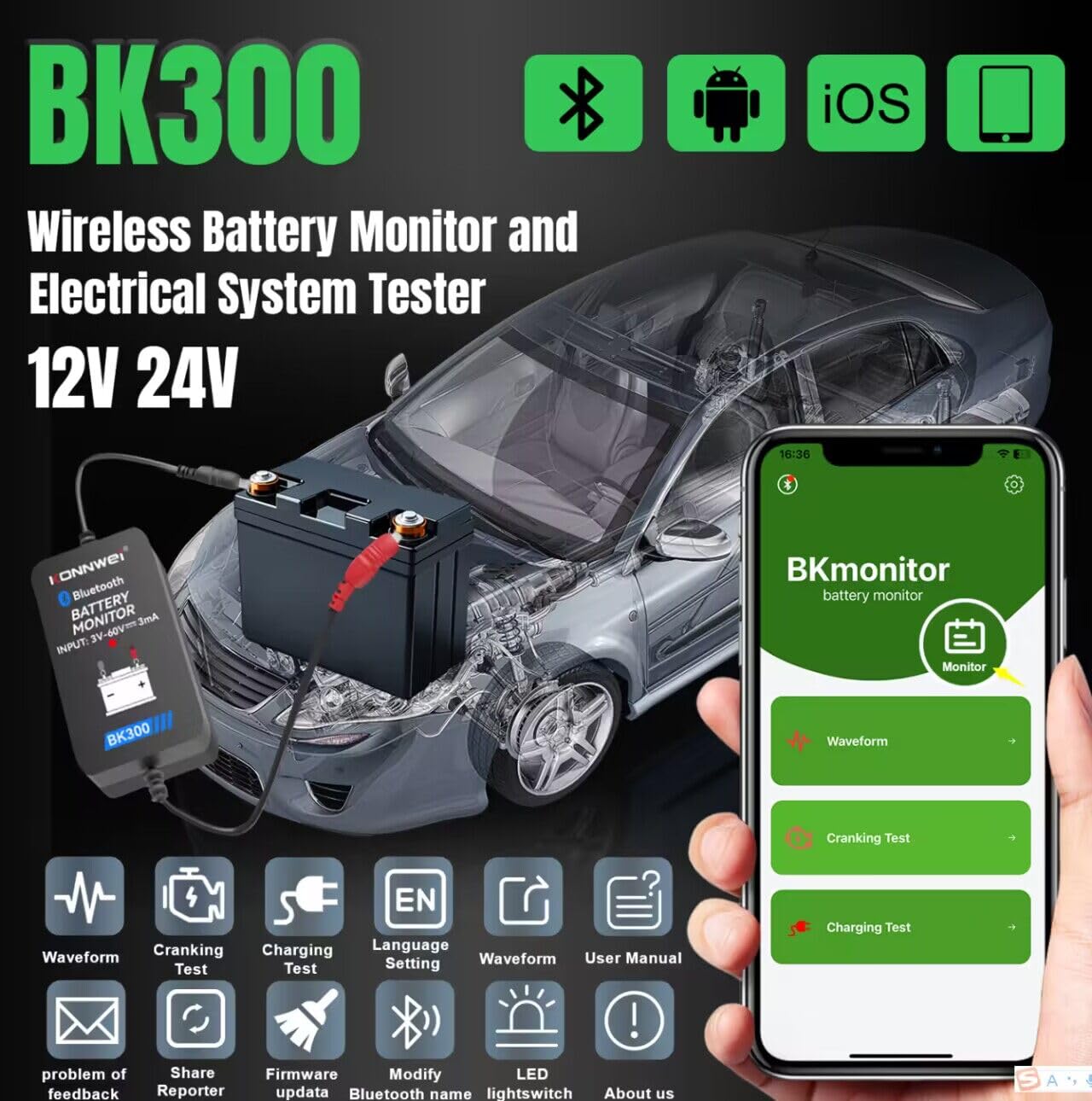
Image: KONNWEI BK300 Bluetooth Battery Monitor and Electrical System Tester, showing the device connected to a car battery and the app interface on a smartphone.
4. Spesifikasi
| Spesifikasi | Nilai |
|---|---|
| Nombor Model | BK300-CAN |
| Berat Barang | 30 g |
| Dimensi Produk | 4.5 x 1.8 x 2.8 cm |
| warna | Hitam |
| Jenis Sumber Kuasa | Elektrik Bertali |
| Ketepatan Pengukuran | 99% |
| Min. Operasi Voltage | 3 Volt |
| Vol Operasi Maksimumtage | 60 Volt |
| Jenis Pengukuran | Voltmeter |
| Spesifikasi Ditemui | CE, RoHS |
5. Arahan Persediaan
5.1 Muat Turun dan Pemasangan Apl
- Download the "BKmonitor" app from the Google Play Store (for Android devices) or the Apple App Store (for iOS devices).
- Pasang aplikasi pada telefon pintar anda.
- Open the app and agree to the Privacy Policy and Terms of Service.
- Grant necessary permissions, such as location access, for the app to function correctly.
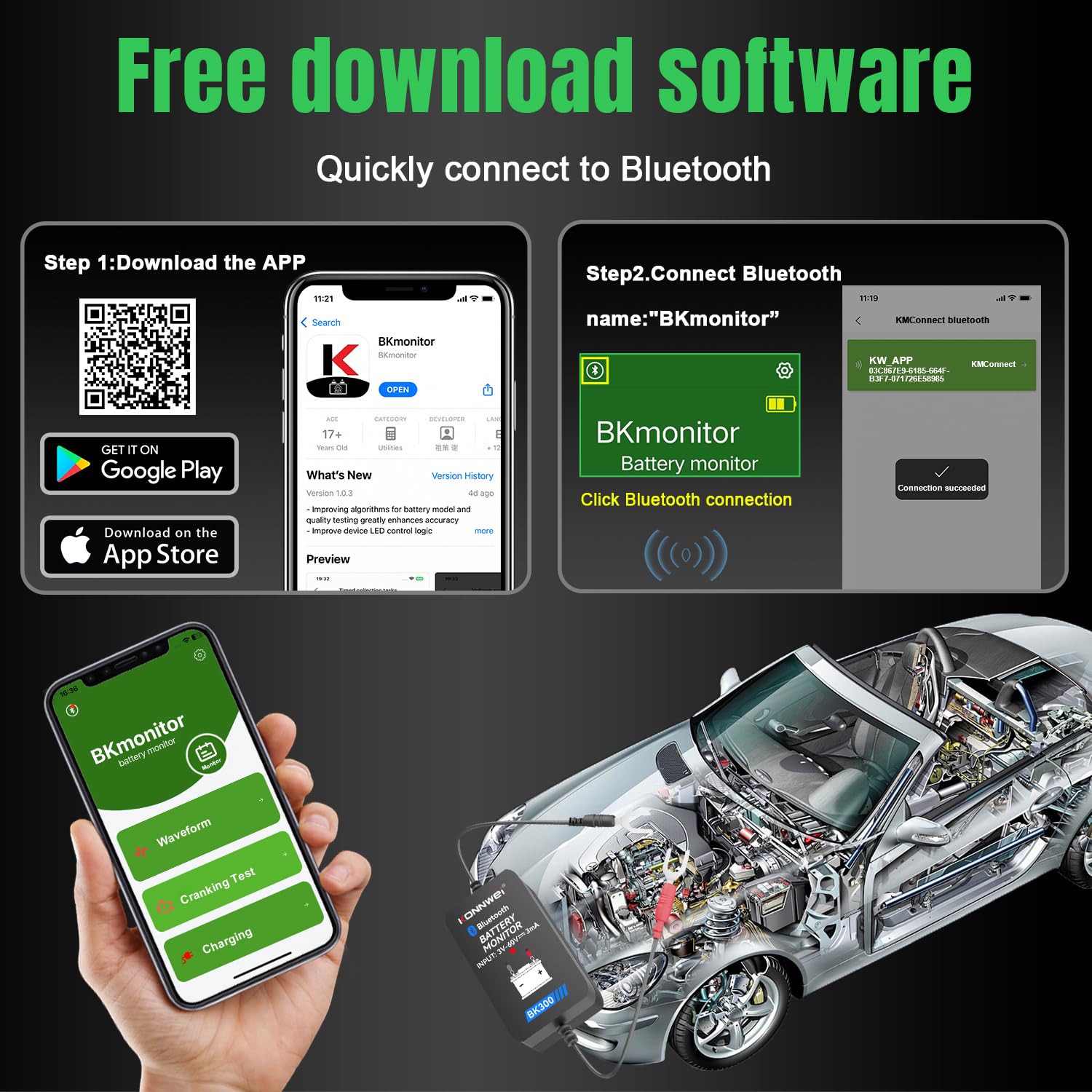
Image: Steps for downloading the BKmonitor app from Google Play or App Store and connecting via Bluetooth.
5.2 Sambungan Perkakasan
- Ensure your vehicle's ignition is off.
- Connect the red terminal of the BK300 device to the positive (+) terminal of your vehicle's battery.
- Connect the black terminal of the BK300 device to the negative (-) terminal of your vehicle's battery.
- Secure the connections to prevent accidental dislodging.

Image: The BK300 device connected to a car battery, demonstrating its suitability for various battery types and vehicles.
Video: A short demonstration on how to easily use the BM300 Pro, which is similar to the BK300, showing the connection process and app interface.
Video: Tamatview of the BK300 Car Battery Monitor, showcasing its features and compact design.
6. Arahan Operasi
6.1 Sambungan Bluetooth
- Open the BKmonitor app on your smartphone.
- The app will automatically search for nearby BK300 devices.
- Select your device from the list to establish a Bluetooth connection. Ensure you are within 10 meters of the device for a stable connection.
6.2 Pemantauan Masa Nyata
Once connected, the app will display real-time battery information, including:
- State of Charge (SoC) percentage
- Vol Semasatage
- Suhu Bateri
- Battery Health status (e.g., "Battery OK")
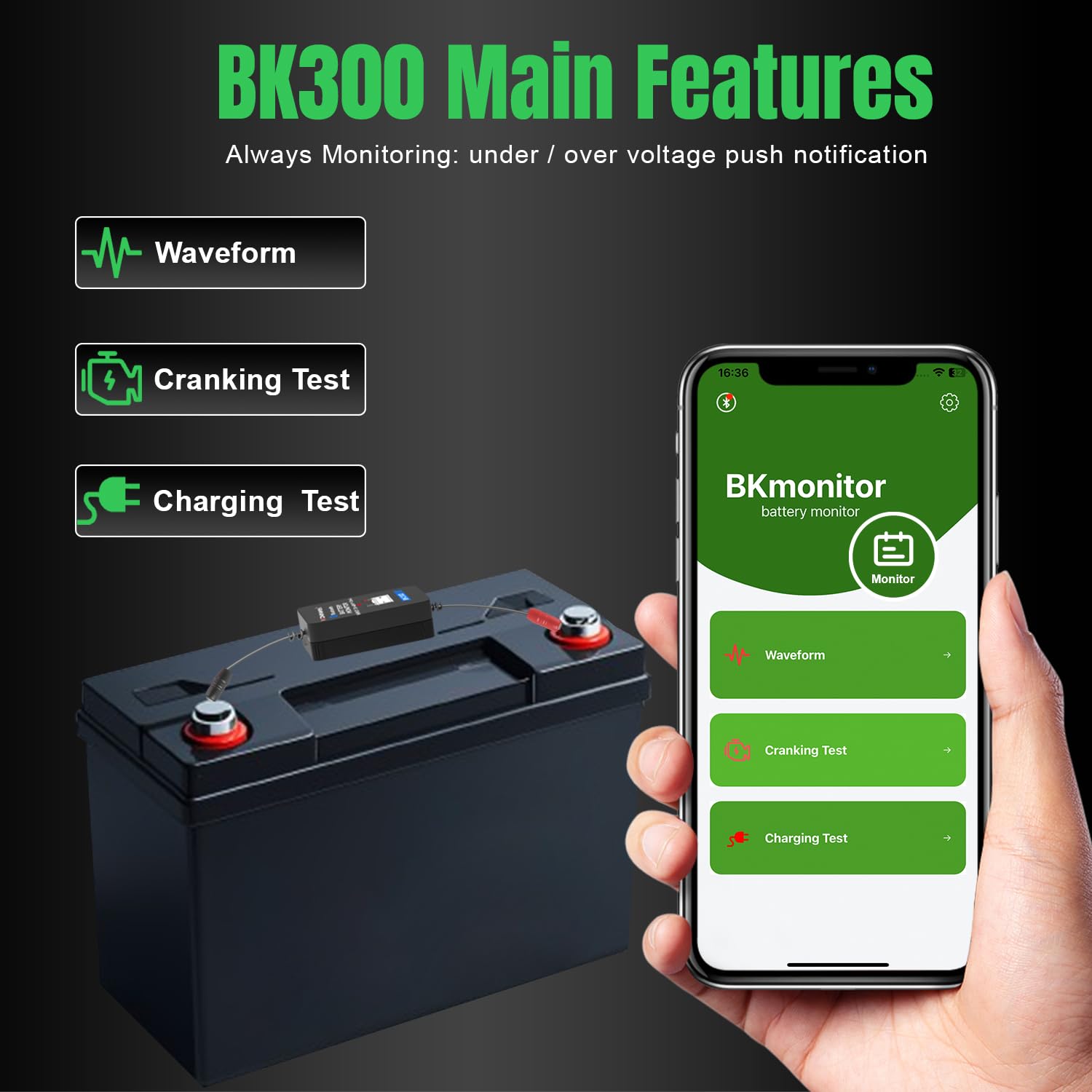
Image: The BK300's main features, including real-time monitoring, cranking test, and charging test, displayed on the app interface.
6.3 Ujian Cranking
To perform a cranking test:
- In the BKmonitor app, navigate to the "Cranking Test" section.
- Follow the on-screen prompts to start your vehicle.
- The app will analyze the voltage drop during engine start and provide results on starter motor performance.
6.4 Ujian Pengecasan
To perform a charging test:
- In the BKmonitor app, navigate to the "Charging Test" section.
- Ikut arahan pada skrin, yang mungkin termasuk peningkatanasing engine RPM to a specified level (e.g., 2,500 r/min for 5 seconds).
- The app will evaluate the alternator's health, current output, and diode condition.

Image: A visual representation of the app's quick battery test features, including waveform, charging, and cranking test results.
6.5 Waveform Analysis
The app provides a waveform display to visualize live voltage readings and detect fluctuations in your starting and charging systems over time. This helps in identifying intermittent issues or trends in battery performance.

Image: The waveform feature within the BKmonitor app, illustrating how live voltage data is presented for detailed analysis.
6.6 Find Car Feature
The BKmonitor app includes a "Find Car" feature that utilizes your phone's GPS to help you locate your vehicle. This is particularly useful in large parking lots or unfamiliar areas.
6.7 History and Settings
The app stores a history of your battery tests and trips, allowing you to track performance over time. The settings menu enables customization of units (e.g., Fahrenheit/Celsius, miles/kilometers), language, and other preferences. Firmware updates can also be managed through the app.
7. Penyelenggaraan
To ensure optimal performance and longevity of your KONNWEI BK300 and vehicle battery:
- Regularly inspect the battery terminals for corrosion. Clean any corrosion with a wire brush and a baking soda solution.
- Ensure the BK300's connections are secure and free from debris.
- Pastikan peranti bersih dan kering.
8. Penyelesaian masalah
If you encounter issues with your KONNWEI BK300, consider the following:
- Tiada Sambungan Bluetooth: Ensure the device is properly connected to the battery, Bluetooth is enabled on your smartphone, and you are within the 10-meter range. Restart the app or your phone if necessary.
- Bacaan Tidak Tepat: Verify that the battery terminals are clean and the connections are secure. Ensure the correct battery type is selected in the app settings.
- Apl Tidak Menjawab: Close and restart the BKmonitor app. Check for any available app updates.
- Peranti Tidak Dihidupkan: Confirm that the device is correctly connected to the battery terminals. Check for any damage to the cables or the device itself.
9. Waranti dan Sokongan
For any questions, technical support, or warranty inquiries regarding your KONNWEI BK300, please contact your local store, distributor, or visit the official KONNWEI website. The user manual included in the packaging box also contains detailed information and contact details.
rasmi Webtapak: www.konnweis.cn


