pengenalan
This manual provides essential instructions for the safe and efficient operation, maintenance, and troubleshooting of your KERDOM Foldable Electric Wheelchair, Model KD-B02. Please read this manual thoroughly before using the wheelchair to ensure proper understanding and to prevent injury or damage.
Maklumat Keselamatan
Keselamatan anda adalah yang utama. Sentiasa patuhi garis panduan keselamatan berikut:
- Always ensure the wheelchair is fully unfolded and locked before use.
- Engage the EABS parking system when stationary.
- Jangan melebihi kapasiti berat maksimum 330 lbs.
- Elakkan mengendalikan kerusi roda di cerun melebihi 12 darjah.
- Regularly inspect tires, brakes, and electrical connections.
- Jauhkan tangan dan pakaian daripada bahagian yang bergerak.
- Use the seat belt at all times.
- Consult a healthcare professional for guidance on safe operation if you have any medical conditions.
Persediaan
Membuka Lipatan Kerusi Roda
The KERDOM electric wheelchair features a 3-second folding design for portability. To unfold:
- Place the folded wheelchair on a flat, stable surface.
- Gently pull the backrest upwards until the frame locks into place.
- Press down on the seat cushion until it is flat and secure.
- Pastikan semua mekanisme penguncian digunakan sebelum digunakan.

Figure 1: The KERDOM Foldable Electric Wheelchair in its unfolded state, ready for use.
Attaching the Joystick Controller
The 360° joystick controller can be attached to either the left or right armrest for user convenience.
- Locate the mounting bracket on the desired armrest.
- Slide the joystick controller onto the bracket until it clicks into place.
- Secure the controller using the provided screw or locking mechanism.
- Connect the controller cable to the corresponding port on the wheelchair frame.

Rajah 2: Terperinci view of attaching the joystick controller to the armrest.
Menyambung Kabel Kuasa
Ensure all power cables are securely connected before operating the wheelchair. Incorrect connections can lead to improper function or charging issues.
- Locate the main power cable connectors near the battery compartment.
- Connect the red power cord securely. Failure to do so may result in the charging indicator lighting up while charging, but not actually charging.
- Verify that all motor cables are correctly plugged in. If the wheelchair operates in the opposite direction, check and correct the left and right motor wire connections.
Video 1: Installation and use of electric wheelchairs and the solution of problems in use. This video demonstrates the setup process, including connecting the joystick and power cables, and addresses common issues like incorrect motor direction.
Arahan Operasi
Menghidupkan dan Mematikan
- To power on: Press and hold the power button on the joystick controller until the indicator lights illuminate.
- To power off: Press and hold the power button again until the indicator lights turn off.
Driving the Wheelchair
The 360° flexible joystick provides precise control over movement.
- Maju/Mundur: Gently push the joystick forward or pull it backward.
- Berpusing: Push the joystick left or right to steer.
- Berhenti: Release the joystick to its neutral position. The EABS parking system will automatically engage, stopping the wheelchair safely.

Figure 3: The intelligent 360° flexible joystick for precise maneuverability, showing controls for balance, steering sensitivity, and safe stopping on inclines.
Speed Adjustment and Horn
- Pelarasan Kelajuan: Use the '+' and '-' buttons on the joystick controller to increase or decrease the speed. The LED display will show the current speed setting.
- tanduk: Press the horn button on the joystick controller to activate the horn for safety.
Operasi Mod Manual
To push the wheelchair manually without power, you need to disengage the motors.
- Ensure the handbrake is in the down position.
- Pull out the clutches on both sides of the wheelchair (located near the rear wheels). This disengages the motors, allowing the wheels to move freely.
- To re-engage electric power, push the clutches back in.

Figure 4: Location of the manual brake and clutches for switching between electric and manual modes.
Penyelenggaraan
Penjagaan dan Pengecasan Bateri
- Cas bateri sepenuhnya sebelum penggunaan pertama.
- Gunakan hanya pengecas yang disediakan.
- Jangan cas bateri secara berlebihan. Tanggalkan pengecas setelah bateri penuh.
- Store the wheelchair and battery in a cool, dry place.
- If storing for extended periods, charge the battery every 1-2 months to maintain its lifespan.
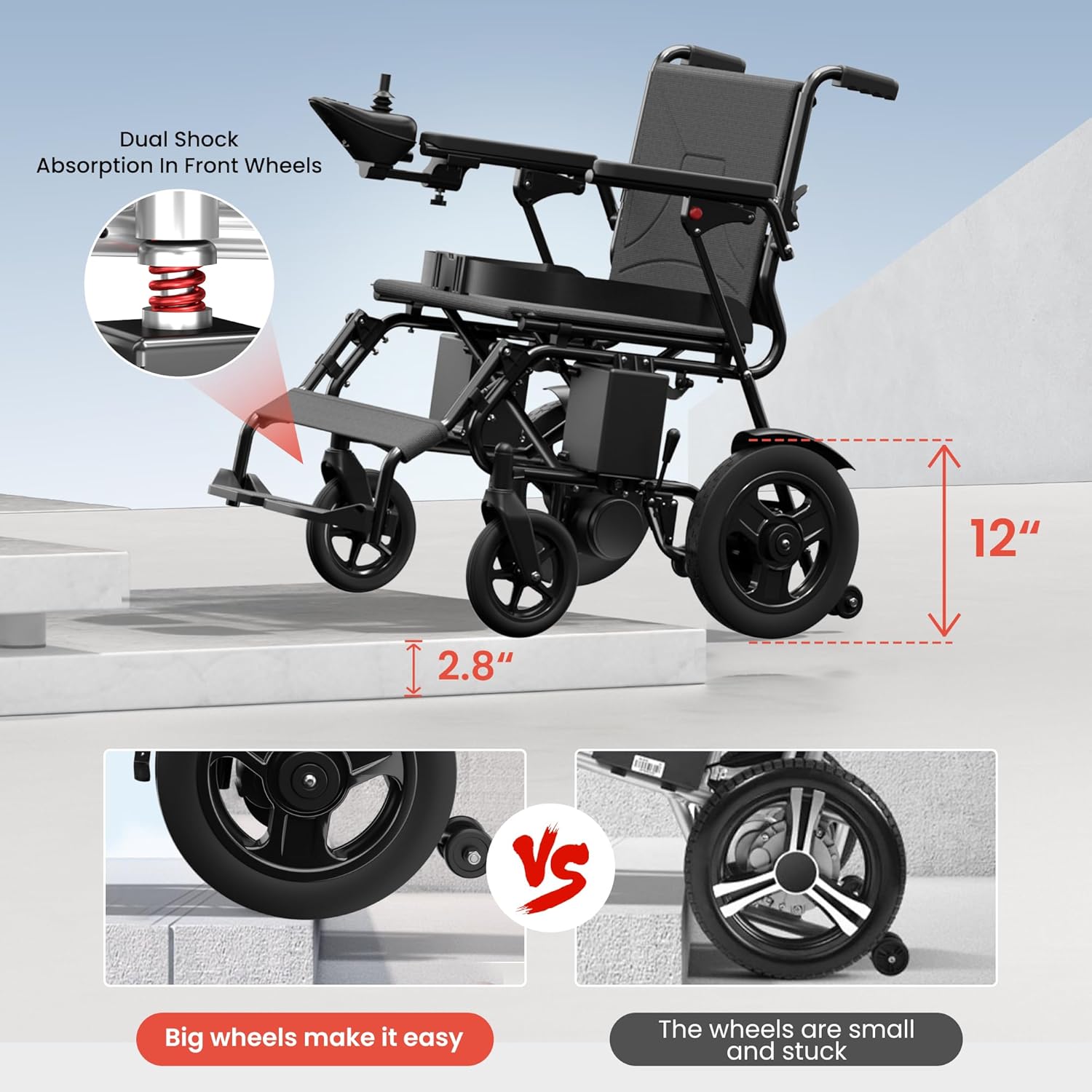
Figure 5: The LED display on the joystick shows battery life and speed clearly, aiding in timely charging.
Pembersihan dan Penyimpanan
- Lap bingkai dengan iklanamp kain. Elakkan menggunakan pembersih yang kasar.
- The breathable seat cushion can be removed for cleaning.
- For storage, fold the wheelchair as demonstrated in the setup section.
- Simpan di kawasan kering dan terlindung, jauh daripada cahaya matahari langsung dan suhu yang melampau.

Figure 6: The compact, folded electric wheelchair fits easily into a car trunk for convenient transport and storage.
Penjagaan Tayar
The wheelchair is equipped with solid, puncture-resistant tires, eliminating the need for inflation. Periodically check for debris embedded in the treads and remove them to maintain traction.
Menyelesaikan masalah
Jika anda menghadapi sebarang masalah, rujuk kepada masalah dan penyelesaian biasa berikut:
| Masalah | Kemungkinan Punca | Penyelesaian |
|---|---|---|
| Kerusi roda tidak boleh dihidupkan. | Battery not charged or power cables disconnected. | Ensure battery is charged and all power cables are securely connected. |
| Wheelchair moves in the wrong direction. | Motor wires are plugged in backwards. | Check and correct the left and right motor wire connections. Refer to the setup video. |
| Wheelchair does not move when joystick is pushed. | Clutches are disengaged (manual mode). | Push the clutches on both sides of the wheelchair back in to engage electric mode. |
| Charging indicator lights up but battery doesn't charge. | Red power cord is not securely connected. | Ensure the red power cord is firmly connected. |
Spesifikasi
- model: KD-B02
- Kapasiti Berat: 330 paun
- Dimensi Produk: 36.19"D x 24.8"W x 33.4"H
- Berat (tanpa bateri): Kira-kira 57 lbs
- Motor: Dual 250W motors (Total 500W)
- Bateri: 24V 12Ah Litium-ion
- Bahan Bingkai: Besi, Plastik
- Kawalan: 360° Joystick
- Sistem Brek: EABS Parking System
- Anti-Tip Wheels: Termasuk
- Keupayaan Cerun: ≤12°
- Tayar: Puncture-resistant solid tires
Waranti dan Sokongan
KERDOM provides a 12-month warranty for this electric wheelchair. For any queries, technical assistance, or warranty claims, please contact KERDOM's 24/7 US-based customer support. Our quick-response team aims to resolve issues within 24 hours.
Untuk maklumat lanjut, lawati KERDOM Store.


