pengenalan
This manual provides detailed instructions for the LIGE EF13-A Military Smartwatch. This multi-functional device offers Bluetooth calling, fitness tracking, health monitoring, and various smart features designed to enhance your daily life. Please read this manual thoroughly to ensure proper use and maintenance of your smartwatch.
Persediaan
1. Unboxing dan Pemeriksaan Awal
Carefully remove all components from the packaging. Ensure the smartwatch, charging cable, and any included straps are present and undamaged. The LIGE EF13-A smartwatch typically includes two straps: a wear-resistant stainless steel strap and a soft silicone strap.
2. Mengecas Jam Pintar
Before first use, fully charge the smartwatch. Connect the magnetic charging cable to the charging port on the back of the watch and plug the USB end into a power adapter (not included) or a computer's USB port. The watch features a 1000mAh battery.
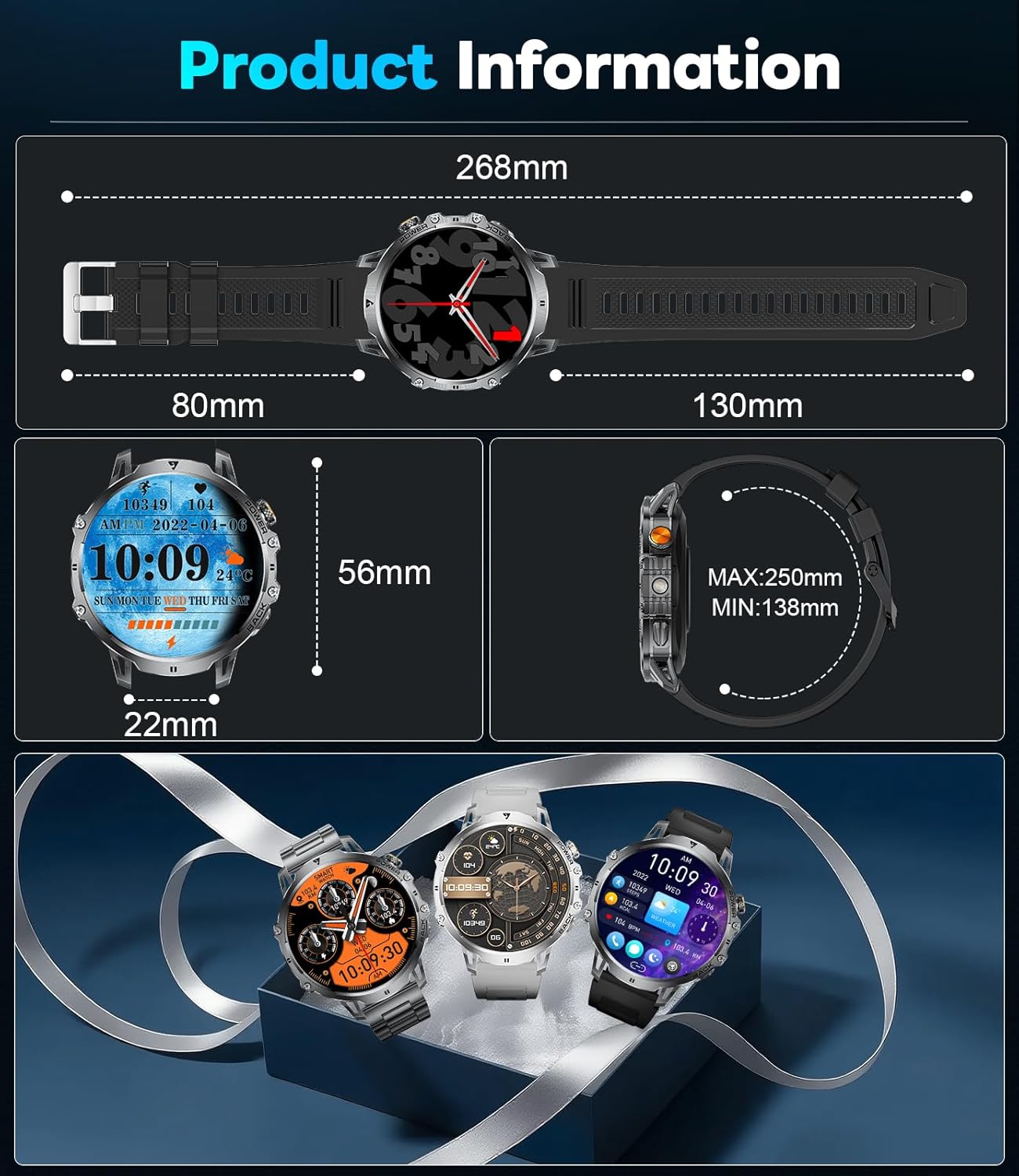
Image: The smartwatch connected to its magnetic charging cable, highlighting its 1000mAh battery and extended battery life capabilities.
3. Pemasangan Apl
Download and install the companion application on your smartphone. The LIGE EF13-A smartwatch uses the Fit Cloud Pro apl. Cari untuk "Fit Cloud Pro" in your smartphone's app store (Google Play Store for Android or Apple App Store for iOS).
4. Berpasangan dengan Telefon Pintar Anda
- Pastikan Bluetooth didayakan pada telefon pintar anda.
- Open the Fit Cloud Pro app and follow the on-screen instructions to add a new device.
- Select the LIGE EF13-A from the list of available devices.
- Sahkan permintaan berpasangan pada telefon pintar anda dan jam tangan pintar.
- The smartwatch utilizes Bluetooth 5.3 for a fast and stable connection.
Arahan Operasi
1. Navigasi Asas
The smartwatch features a 1.85-inch HD full-touch display with 360*360 resolution. Swipe left, right, up, or down to navigate through menus, notifications, and widgets. Tap to select items.

Image: A visual comparison demonstrating the larger and clearer 1.85-inch HD display of the smartwatch compared to a smaller screen.
2. Membuat dan Menerima Panggilan
Once paired via Bluetooth, you can answer or dial calls directly from your smartwatch. The built-in 60dB HD speaker and noise-cancelling microphone ensure clear communication.
3. Pemberitahuan
Receive notifications for SMS, Facebook, WhatsApp, and other social media apps directly on your watch. Ensure notification permissions are enabled in the Fit Cloud Pro app.
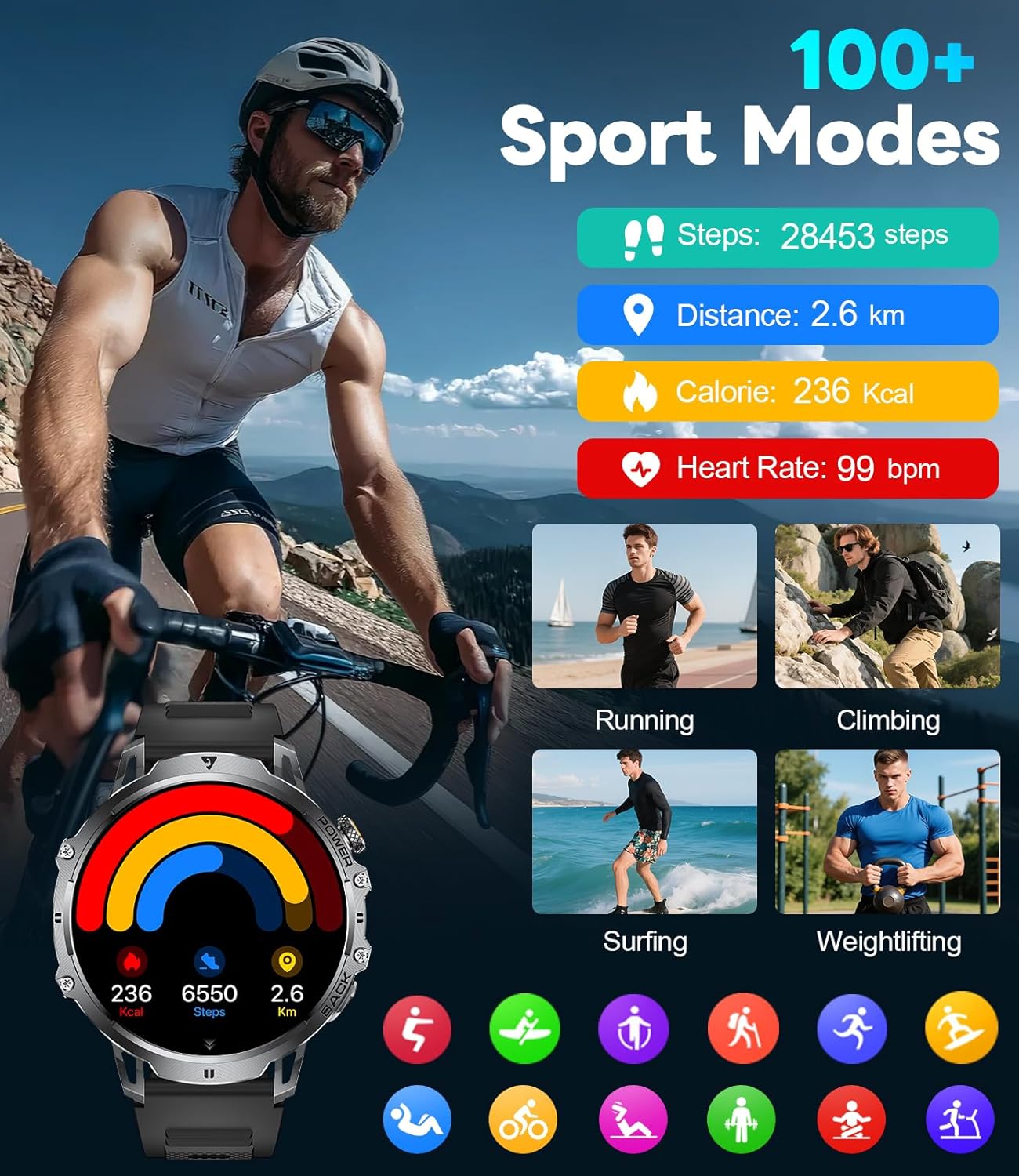
Image: The smartwatch interface showing features like AI voice assistant, incoming message alerts, and call management options.
4. Penjejakan Kesihatan
- Pemantau Kadar Jantung: Monitor your heart rate throughout the day. Access historical data in the Fit Cloud Pro app.
- Monitor Tidur: Tracks your sleep patterns, including deep sleep, light sleep, and awake times.
- Peringatan Sedentari: Memberi amaran kepada anda apabila anda tidak aktif terlalu lama.
- Peringatan Air: Prompts you to drink water at regular intervals.
Note: All health data is for reference only and should not be used for medical purposes.
5. Mod Sukan
The smartwatch supports over 100 sports modes, including running, cycling, hiking, basketball, badminton, surfing, and weightlifting. Select your desired activity to track steps, distance, calories burned, and heart rate during your workout.

Image: The smartwatch interface showcasing its 100+ sports modes and real-time fitness data tracking.
6. Lampu suluh LED
Activate the built-in LED flashlight with a single key press for instant illumination. This feature is useful in low-light conditions, during power outages, or for night activities.
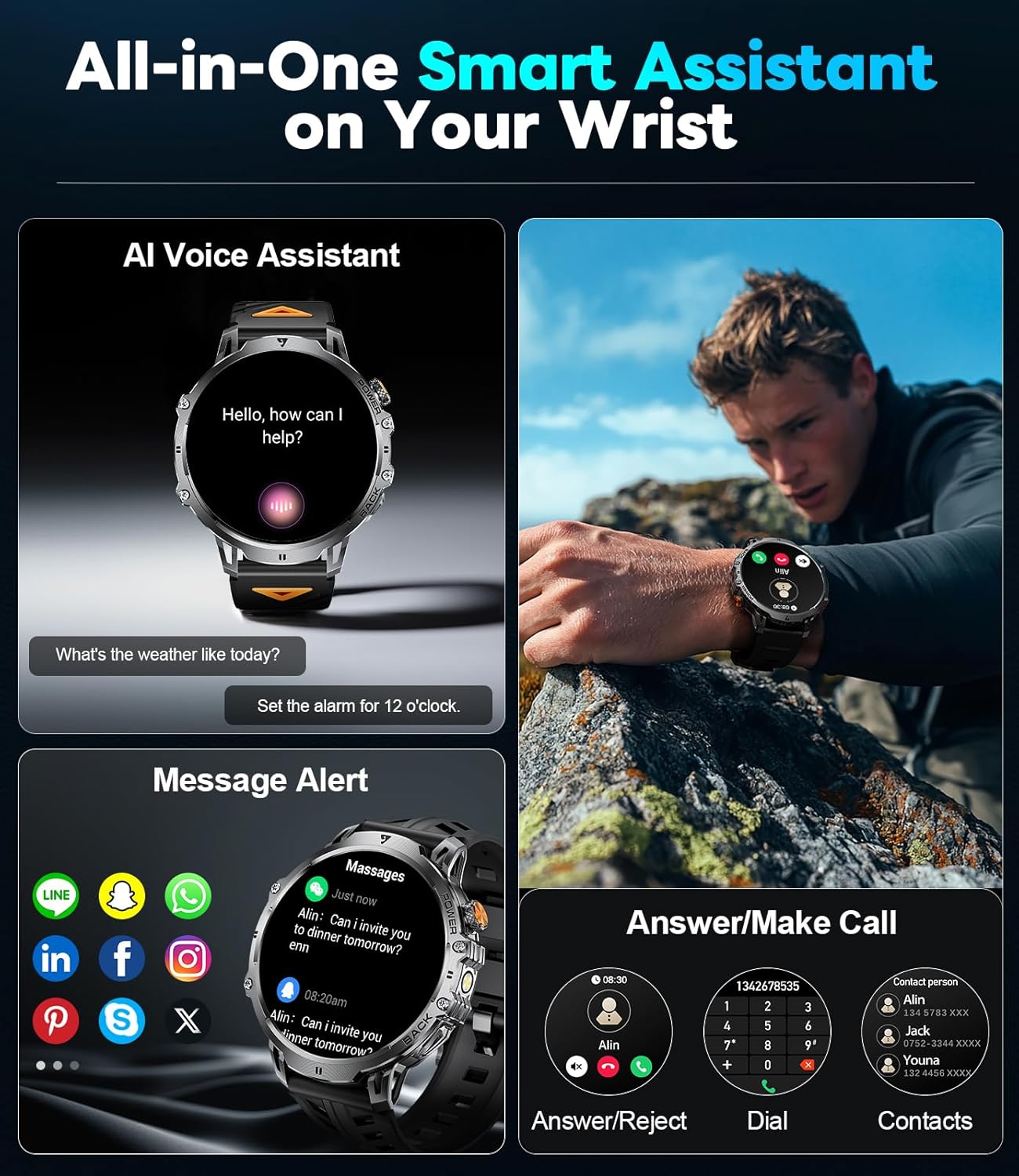
Image: The smartwatch with its powerful LED flashlight illuminated, demonstrating its utility in dark environments.
7. Penyesuaian
- Dail DIY: Customize your watch face by uploading your favorite photos through the Fit Cloud Pro app.
- Kecerahan Skrin: Adjust the screen brightness settings for optimal visibility in different lighting conditions.
8. Fungsi Lain
The smartwatch includes additional features such as:
- Pembantu Suara
- Ramalan Cuaca
- Kawalan Kamera Jauh
- Kawalan Muzik
- Penggera
- Jam randik
- Pemasa
Penyelenggaraan
1. Tahan Air
The LIGE EF13-A smartwatch is IP68 waterproof, meaning it is resistant to sweat, rain, and splashes. It is not suitable for swimming, showering with hot water, or other water activities involving submersion or high-pressure water.
2. Pembersihan
Wipe the smartwatch and straps regularly with a soft, dry cloth. For stubborn dirt, use a slightly damp kain dan kemudian keringkan dengan teliti. Elakkan menggunakan bahan kimia yang keras atau bahan yang melelas.
3. Penjagaan Bateri
To maximize battery life, avoid extreme temperatures. The 1000mAh battery provides approximately 10-15 days of use in normal mode and up to 30 days in power-saving mode. Charge the watch when the battery level is low to prevent complete discharge.
Menyelesaikan masalah
- Tonton tidak dihidupkan: Pastikan jam tangan dicas sepenuhnya. Sambungkannya ke pengecas selama sekurang-kurangnya 30 minit.
- Tidak boleh berpasangan dengan telefon pintar:
- Pastikan Bluetooth didayakan pada telefon dan jam tangan anda.
- Pastikan jam tangan berada dalam julat telefon anda.
- Mulakan semula kedua-dua jam tangan dan telefon anda.
- Check if the Fit Cloud Pro app has necessary permissions.
- Pemberitahuan tidak muncul:
- Verify that notifications are enabled in the Fit Cloud Pro app for specific applications.
- Check your phone's system settings to ensure the app has notification access.
- Pastikan jam tangan disambungkan ke telefon anda melalui Bluetooth.
- Data kesihatan tidak tepat: Ensure the watch is worn snugly on your wrist, not too tight or too loose. Clean the sensors regularly. Remember, data is for reference only.
- Hayat bateri pendek: Kurangkan kecerahan skrin, lumpuhkan ciri yang tidak diperlukan dan pastikan penggunaan aplikasi latar belakang dioptimumkan pada telefon anda.
Spesifikasi

Imej: Tamatview of the smartwatch's physical dimensions and exampkurang daripada muka jam tangan yang boleh disesuaikan.
| Ciri | Perincian |
|---|---|
| Nombor Model | EF13-A |
| Saiz Skrin | 1.85 Inci HD |
| Resolusi | 360*360 Piksel |
| Kapasiti Bateri | Polimer Litium 1000 mAh |
| Hayat Bateri (Penggunaan Biasa) | 10-15 Hari |
| Battery Life (Power Saving) | Sehingga 30 Hari |
| Ketersambungan | Bluetooth 5.3 |
| Tahan Air | IP68 (Splash, Rain, Sweat Resistant) |
| Keserasian | iOS 11.0+ / Android 5.0+ |
| Kapasiti Penyimpanan Memori | 128 MB |
| Dimensi Produk | 23.88 x 4.5 x 0.79 cm |
| Berat badan | 250 g |
| Ciri Khas | LED Flashlight, Activity Tracker, Heart Rate Monitor, Sleep Monitor, Bluetooth Calls, Voice Assistant, Music Control, Custom Dials |
Waranti dan Sokongan
LIGE offers 24 months of product maintenance for the EF13-A smartwatch. If you encounter any issues or require assistance, please contact customer support. They aim to reply and resolve your problem within 24 hours.
For support, refer to the contact information provided with your purchase or on the official LIGE webtapak.


