pengenalan
The Razer BlackShark V3 X HyperSpeed is a wireless esports gaming headset designed for high-performance audio and clear communication across multiple platforms. This manual provides essential information for setting up, operating, maintaining, and troubleshooting your headset.
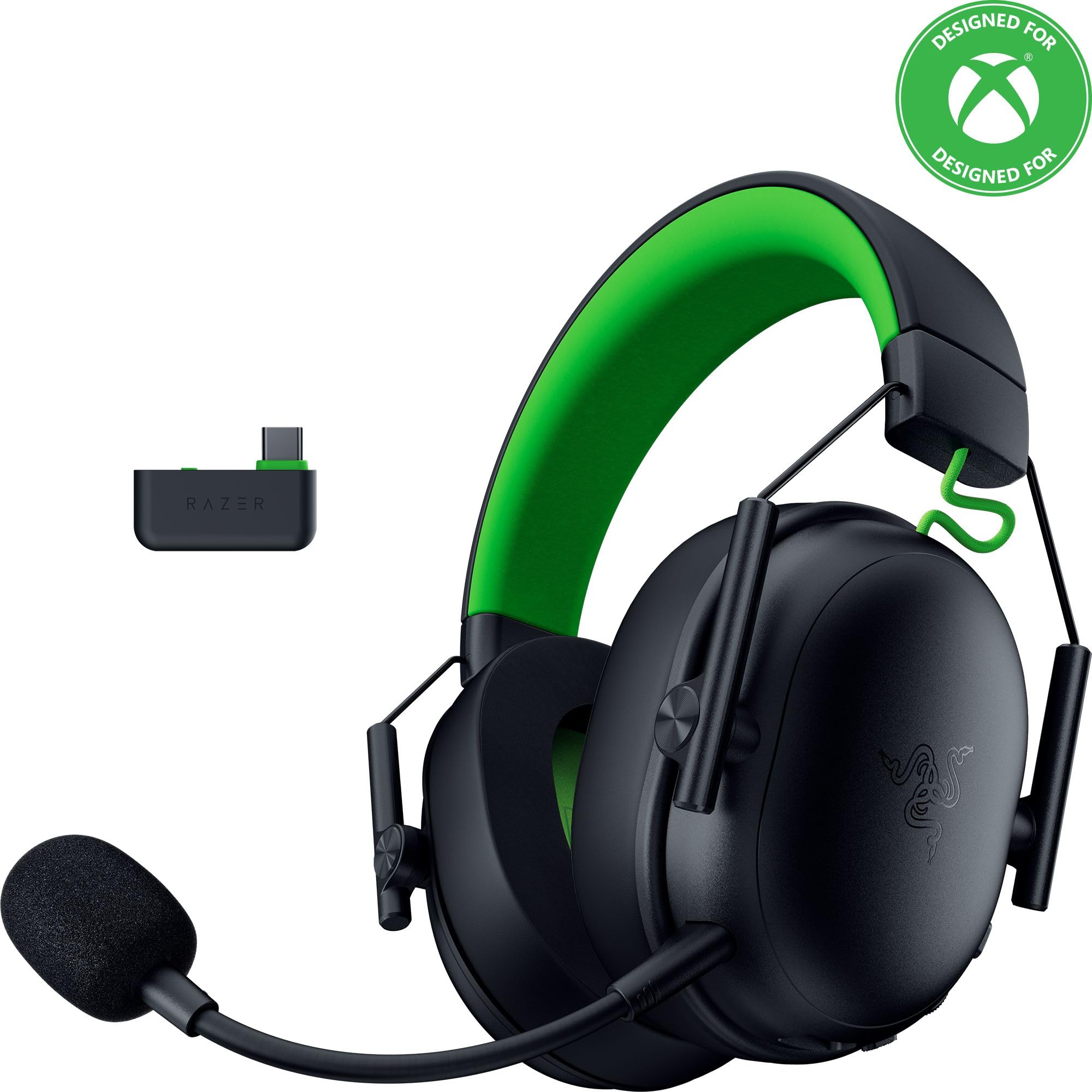
Image: The Razer BlackShark V3 X HyperSpeed Wireless Gaming Headset, showcasinreka bentuk dan mikrofon boleh tanggalnya.
Apa yang ada dalam Kotak
Pastikan semua komponen berikut terdapat dalam pakej anda:
- Razer BlackShark V3 X HyperSpeed Wireless Gaming Headset
- USB Type C Razer HyperSpeed Wireless Dongle
- Detachable Razer HyperClear Cardioid 9.9mm Mic
- USB Type A to Type C Cable (for charging and wired connection)
- USB Type A to Type C Adapter Cable
- Manual Pengguna (dokumen ini)

Image: The Razer BlackShark V3 X HyperSpeed headset on a stand next to its retail packaging, illustrating the product and its box.
Persediaan
1. Mengecas Alat Dengar
Before initial use, fully charge your headset using the provided USB Type A to Type C cable. Connect the USB-C end to the headset's charging port and the USB-A end to a powered USB port.
2. Memasang Mikrofon
Insert the detachable Razer HyperClear Cardioid 9.9mm Mic into the microphone port located on the left earcup. Ensure it is securely connected.

Image: Close-up of the Razer BlackShark V3 X HyperSpeed headset showing the detachable HyperClear Cardioid microphone attached.
3. Pilihan Kesambungan
The headset supports three modes of connectivity: 2.4 GHz HyperSpeed Wireless, Bluetooth, and wired USB-C.
- 2.4 GHz HyperSpeed Wireless (PC, Mac, PS5, Nintendo Switch, Xbox Series X|S, Xbox One):
Insert the USB Type C Razer HyperSpeed Wireless Dongle into an available USB-C port on your device. If your device only has USB-A ports, use the provided USB Type A to Type C Adapter Cable. Ensure the switch on the dongle is set to 'USB' for PC/Mac/PS5/Switch or 'XBOX' for Xbox consoles. The headset will automatically connect. - Bluetooth (Smartphones, Tablets, Handheld Gaming Devices):
With the headset powered on, press and hold the power button until the LED indicator blinks blue, indicating pairing mode. On your device, search for and select "Razer BlackShark V3 X HyperSpeed" from the list of available Bluetooth devices. - USB-C berwayar:
Connect the headset directly to your device using the USB Type A to Type C Cable. This mode provides audio and microphone functionality without relying on battery power.

Image: The Razer BlackShark V3 X HyperSpeed headset alongside its USB-C wireless dongle, illustrating the wireless connectivity component.

Image: A visual representation of the headset's three connectivity modes: 2.4 GHz Wireless, Bluetooth, and USB, highlighting its versatility.
Mengendalikan Alat dengar
1. Kawalan Ke Atasview
Fon kepala ini mempunyai kawalan intuitif yang terletak pada penutup telinga:
- Butang Kuasa: Press and hold to power on/off. Single press to switch between 2.4 GHz HyperSpeed Wireless and Bluetooth modes.
- Butang Redam Mic: Tekan untuk meredam atau menyahredamkan mikrofon.
- Roda Kelantangan: Adjusts the overall audio volume.
- Mic Monitoring Wheel: Adjusts the volume of your own voice heard through the headset (sidetone).

Imej: Sisi view of the Razer BlackShark V3 X HyperSpeed headset, highlighting the location of the power button, volume wheel, and mic mute button.
2. Audio Quality and Features
- Razer TriForce 50mm Drivers Gen-2: Experience powerful, clear audio with enhanced positional accuracy for competitive gaming.
- Razer HyperClear Cardioid 9.9mm Mic: The detachable microphone features a unidirectional pickup pattern to focus on your voice and minimize background noise.
- Bunyi sekeliling: Enjoy immersive surround sound with Windows Sonic on Xbox and 7.1 Surround Sound on PC for precise audio cues.

Imej: Meletup view of the Razer TriForce 50mm Drivers Gen-2, illustrating their internal components for powerful and clear audio.

Image: The Razer BlackShark V3 X HyperSpeed headset surrounded by sound waves, representing its advanced surround sound capabilities for Xbox and PC.
3. Keselesaan dan Reka Bentuk
Weighing just 270g, the headset is designed for extended gaming sessions with plush memory foam cushions and a fatigue-free design.

Image: The Razer BlackShark V3 X HyperSpeed headset with an icon representing its ultra-lightweight design, emphasizing comfort for long gaming sessions.
4. Video Produk Rasmi
Video: An official product video from Razer showcasing the BlackShark V3 headset line, highlighting its features and design for esports performance.
Penyelenggaraan
1. Pembersihan
- Use a soft, dry cloth to clean the headset's surfaces.
- For earcups, gently wipe with a damp kain dan sabun lembut jika perlu, kemudian keringkan dengan teliti. Elakkan kelembapan berlebihan.
- Jangan gunakan bahan kimia yang keras atau bahan yang melelas.
2. Penyimpanan
- Simpan alat dengar di tempat yang sejuk dan kering jauh dari cahaya matahari langsung dan suhu yang melampau.
- When not in use, consider placing it on a headset stand to maintain its shape and prevent damage.
Menyelesaikan masalah
Tiada Audio/Kualiti Audio Teruk
- Semak Kelantangan: Ensure the volume wheel on the headset is turned up.
- Ketersambungan: Verify the headset is correctly connected via 2.4 GHz dongle, Bluetooth, or USB-C. For 2.4 GHz, ensure the dongle switch is set to the correct platform (USB/XBOX).
- Tetapan peranti: Confirm the headset is selected as the default audio output device in your computer's or console's sound settings.
- pasangan semula: For wireless connections, try re-pairing the headset with your device.
Mikrofon Tidak Berfungsi
- Semak Bisu: Ensure the mic mute button on the headset is not activated.
- Mic Connection: Verify the detachable microphone is securely inserted into the port.
- Tetapan peranti: Confirm the headset microphone is selected as the default input device in your computer's or console's sound settings.
- Pemantauan Mic: Adjust the mic monitoring wheel to hear your own voice, confirming mic functionality.
Isu Ketersambungan
- Gangguan: Beralih dari peranti wayarles lain yang mungkin menyebabkan gangguan.
- Julat: Ensure you are within the effective range of the wireless dongle or Bluetooth connection.
- Dongle Switch: Double-check that the switch on the USB-C dongle is set to the correct position (USB for PC/Mac/PS5/Switch, XBOX for Xbox).
Battery Life Shorter Than Expected
- mengecas: Pastikan set kepala dicas sepenuhnya sebelum digunakan.
- penggunaan: High volume levels or continuous use of certain features can reduce battery life.
Spesifikasi
| Nama Model | BlackShark V3 X HyperSpeed |
| Nombor Model | RZ04-05420200-R3U1 |
| Teknologi Ketersambungan | Bluetooth, USB, 2.4 GHz Wireless |
| Jenis Pemacu Audio | Dynamic Driver (Razer TriForce 50mm Drivers Gen-2) |
| Respons Kekerapan | 12 Hz - 28 KHz |
| Sensitiviti | 106 dB |
| Mikrofon | Detachable Razer HyperClear Cardioid 9.9mm Mic |
| Kawalan Bunyi | Pengasingan Bunyi |
| Peranti Serasi | Xbox Series X|S, Xbox One, PS5, PS4, PC, Mac, Nintendo Switch, Smartphones, Tablets |
| Berat Barang | 270 grams (without mic) |
| Bateri | 1 bateri Lithium Ion (termasuk) |
| Versi Bluetooth | 5.3 |
Waranti dan Sokongan
Untuk maklumat jaminan, sokongan teknikal atau bantuan lanjut, sila lawati sokongan rasmi Razer. webtapak. Simpan bukti pembelian anda untuk tuntutan waranti.
Sokongan dalam talian: www.razer.com/support


