1. Pengenalan
This manual provides essential information for setting up, operating, and maintaining your NIMO 15.6-inch FHD Laptop Nimo N155. Please read this manual thoroughly before using your device to ensure proper function and longevity.

Figure 1: NIMO 15.6-inch FHD Laptop Nimo N155 Overview
The NIMO N155 laptop is equipped with an AMD Ryzen 7 6800H processor, 32GB DDR5 RAM, and a 1TB PCIe 4.0 SSD, designed for efficient performance in various computing tasks. It features a 15.6-inch Full HD IPS anti-glare display, a backlit keyboard, and an integrated fingerprint sensor for enhanced security and user experience.
2. Apa yang ada di dalam Kotak
Sahkan bahawa semua item terdapat dalam pakej:
- 1 x Nimo N155 Laptop
- 1 x Type-C 100W PD Fast Charger
- 1 x Manual Pengguna (dokumen ini)
- Windows 11 Home Operating System (pre-installed)
3. Persediaan Awal
3.1. Charging the Laptop
Before first use, connect the laptop to the power adapter and charge it fully. The Type-C 100W PD Fast Charger provides rapid charging capabilities.
- Connect the Type-C charger to a power outlet.
- Plug the Type-C connector into one of the Type-C ports on your laptop.
- The charge LED indicator will illuminate, indicating that the laptop is charging.

Figure 2: Connecting the Type-C 100W PD Fast Charger
3.2. Menghidupkan
Press the power button located on the keyboard to turn on the laptop. Follow the on-screen instructions to complete the initial Windows 11 setup, including language selection, network connection, and user account creation.
4. Laptop Components and Ports
Familiarize yourself with the various components and ports of your NIMO N155 laptop.

Figure 3: Laptop Ports and Connectors
4.1. Left Side Ports
- Port USB 2.0: Untuk menyambungkan peranti USB yang lebih lama.
- Port USB 3.0: Untuk menyambungkan peranti USB berkelajuan tinggi.
- Slot Kad Mikro SD: For reading and writing to Micro SD cards.
- Jack fon kepala: Untuk menyambungkan fon kepala atau pembesar suara luaran.
- Slot Kunci Kensington: Untuk mengamankan komputer riba anda dengan kunci yang serasi.
4.2. Right Side Ports
- Caj LED: Menunjukkan status pengecasan.
- Type-C (PD/Charging) Port: Primarily for power delivery and charging.
- Type-C (Multifunction) Port: Supports data transfer and display output.
- Port USB 3.0 (x2): Untuk menyambungkan peranti USB berkelajuan tinggi.
- Port HDMI: Untuk menyambung ke paparan luaran atau projektor.
4.3. Komponen Dalaman
- Pemproses: AMD Ryzen 7 6800H (8 Cores, 16 Threads, up to 4.7 GHz).
- Grafik: Integrated AMD Radeon 680M GPU.
- RAM: 32GB DDR5 (upgradeable).
- Storan: 1TB PCIe 4.0 SSD (upgradeable).
- paparan: 15.6-inch FHD (1920x1080) IPS Anti-Glare Display.
- Webcam: 2.0 MP with privacy shield.
- wayarles: 802.11a/b/g/n/ac (Wi-Fi 5) and Bluetooth 5.2.

Figure 4: AMD Ryzen 7 6800H Processor Details

Figure 5: High-Speed RAM and PCIe SSD
5. Mengendalikan Komputer Riba Anda
5.1. Paparan
The 15.6-inch Full HD IPS display offers a resolution of 1920x1080 pixels. Adjust brightness and display settings through Windows settings (Right-click on desktop > Display settings).
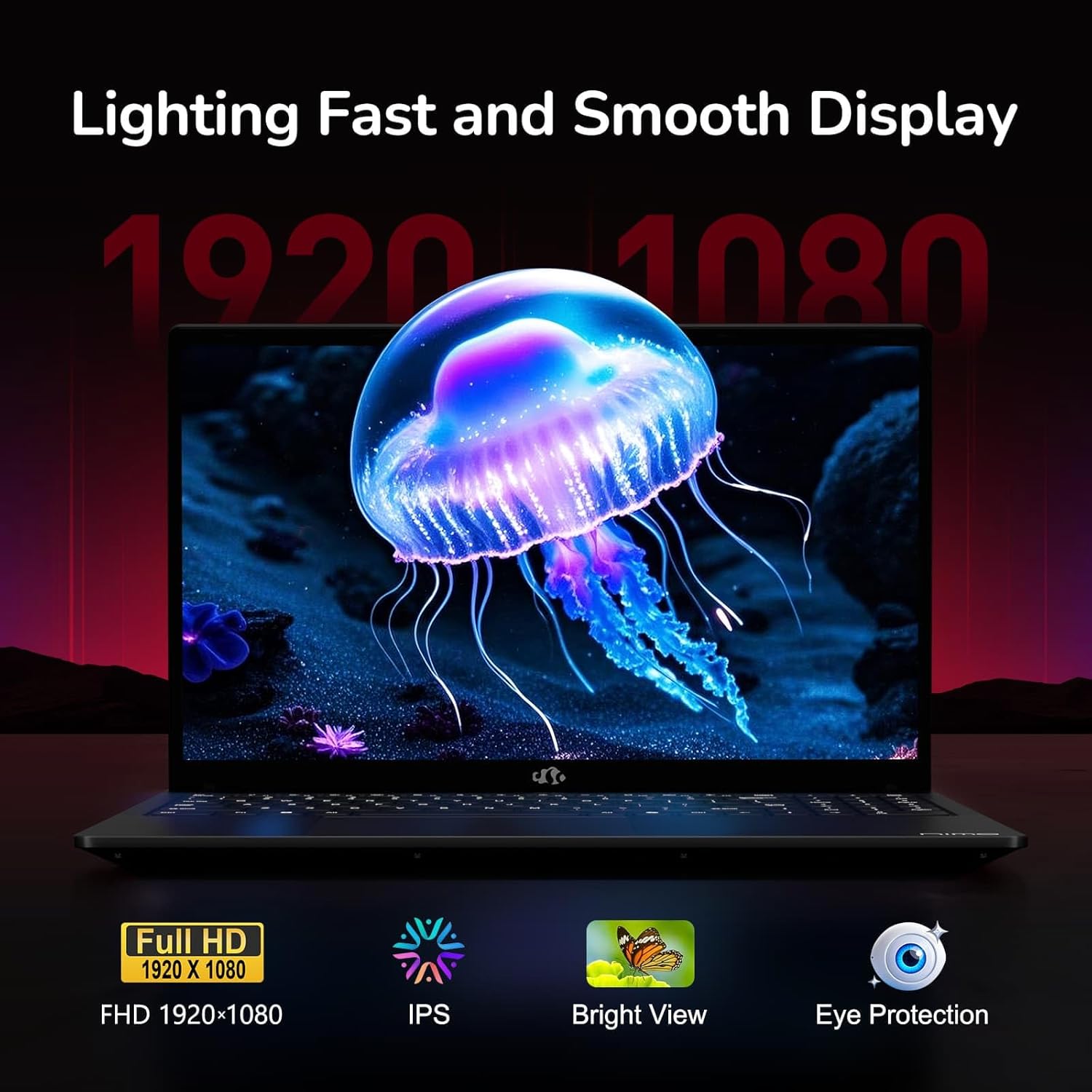
Figure 6: Laptop Display Features
5.2. Papan Kekunci dan Pad Sentuh
The laptop features a backlit keyboard and a responsive touchpad with multi-touch gesture support. The integrated fingerprint sensor is located on the touchpad for secure login.
- Papan Kekunci Bercahaya Belakang: Tekan Fn + Fx (where Fx is the backlight key, typically F3 or F4) to adjust keyboard backlight brightness.
- Sensor cap jari: Enroll your fingerprints via Windows Settings > Accounts > Sign-in options for quick and secure access.
- Webcam Privacy Shield: Slide the physical cover over the webcam for privacy when not in use.

Figure 7: Keyboard and Input Features

Figure 8: Seamless Security Integration (Fingerprint and Webcam Shield)
5.3. Pengurusan Kuasa
The laptop is equipped with a 4700mAh (53.58Wh) Lithium Polymer battery. Battery life can vary based on usage. To optimize battery life, adjust power settings in Windows and close unnecessary applications.

Rajah 9: Spesifikasi Bateri
6. Penyelenggaraan dan Penjagaan
6.1. Pembersihan
- Gunakan kain lembut dan tidak berbulu untuk membersihkan skrin dan bahagian luar.
- Untuk tanda degil, dampen kain dengan air atau pembersih skrin. Elakkan bahan kimia yang keras.
- Pastikan komputer riba dimatikan dan dicabut plag sebelum dibersihkan.
6.2. Penyimpanan dan Pengendalian
- Simpan komputer riba di tempat yang sejuk dan kering, jauh daripada cahaya matahari langsung dan suhu yang melampau.
- Elakkan meletakkan objek berat di atas komputer riba.
- Do not expose the laptop to liquids.
6.3. Naik taraf
The NIMO N155 laptop supports detachable RAM and SSD, allowing for user upgrades. Refer to the official NIMO support website or contact customer service for detailed upgrade instructions to avoid voiding your warranty.
7. Penyelesaian masalah
This section addresses common issues you might encounter with your NIMO N155 laptop.
| Masalah | Penyelesaian yang Mungkin |
|---|---|
| Komputer riba tidak dihidupkan. | Ensure the charger is properly connected and the battery has sufficient charge. Try a different power outlet. |
| Skrin kosong. | Check if the laptop is powered on. Adjust screen brightness. Connect to an external monitor to check if the issue is with the laptop's display. |
| Isu sambungan Wi-Fi. | Ensure Wi-Fi is enabled in Windows settings. Restart your router and the laptop. Update Wi-Fi drivers. |
| Lampu latar papan kekunci tidak berfungsi. | Press the Fn key combined with the appropriate function key (e.g., F3 or F4) to toggle or adjust the backlight. |
| Fingerprint sensor not responding. | Ensure your finger is clean and dry. Re-enroll your fingerprints in Windows settings. Update fingerprint sensor drivers. |
If you encounter issues not listed here or require further assistance, please contact NIMO customer support.
8. Spesifikasi Teknikal
| Ciri | Spesifikasi |
|---|---|
| Nama Model | Nimo N155 |
| Paparan | 15.6-inch FHD (1920x1080) IPS Anti-Glare |
| Pemproses | AMD Ryzen 7 6800H (8 Teras, 16 Benang, sehingga 4.7 GHz) |
| Grafik | AMD Radeon 680M Bersepadu |
| RAM | 32GB DDR5 4800 MHz (Dual-channel, upgradeable) |
| Penyimpanan | 1TB PCIe 4.0 SSD (upgradeable) |
| Sistem Operasi | Windows 11 Home |
| Kesambungan Wayarles | Wi-Fi 5 (802.11a/b/g/n/ac), Bluetooth 5.2 |
| Pelabuhan | 1x USB 2.0, 3x USB 3.0, 2x Type-C (1x PD, 1x Multifunction), 1x HDMI, 1x Micro SD, 1x Headphone Jack, 1x Kensington Lock |
| Webcam | 2.0 MP (with privacy shield) |
| Bateri | 4700mAh / 53.58Wh Lithium Polymer |
| Penyesuai Kuasa | Type-C 100W PD Fast Charger |
| Dimensi (LxWxH) | 14.07 x 8.98 x 0.76 inci (357.4 x 228 x 19.2 mm) |
| Berat badan | 3.8 paun (1.7 kg) |
| Ciri Khas | Backlit Keyboard, Fingerprint Reader, HD Audio, Numeric Keypad |
9. Waranti dan Sokongan
9.1. Waranti Pengeluar
Your NIMO N155 laptop comes with a Waranti pengilang selama 2 tahun. Waranti ini melindungi kecacatan pada bahan dan mutu kerja di bawah penggunaan biasa. Sila simpan bukti pembelian anda untuk tuntutan waranti.
9.2. Dasar Pemulangan
NIMO offers a 90-day hassle-free return policy from the date of purchase. For details on eligibility and the return process, please refer to your purchase documentation or contact customer support.
9.3. Sokongan Pelanggan
For technical assistance, warranty claims, or any other inquiries, please visit the official NIMO support website or contact their customer service team. Contact information can typically be found on the NIMO brand store page or included documentation.
NIMO Brand Store: Visit NIMO Store on Amazon


