1. Pengenalan
This manual provides essential information for the safe and efficient use of your Azeyou M17QF27A Android Tablet. Please read this manual thoroughly before operating the device and retain it for future reference.
The Azeyou M17QF27A is an 11.97-inch Android tablet featuring a Unisoc T616 processor, 20GB RAM (8GB physical + 12GB virtual), 256GB internal storage expandable up to 1TB, a 1920x2000 FHD touch screen, dual cameras, Wi-Fi 5, Bluetooth 5.0, and an 8000mAh battery.
2. Kandungan Pakej
Sahkan bahawa semua item terdapat dalam pakej produk anda:
- Azeyou M17QF27A Android Tablet
- Kes Pelindung
- Kabel Pengecas USB-C
- Penyesuai Kuasa
- Manual Pengguna (dokumen ini)
- SIM Ejector Tool (if applicable for cellular models)
3. Peranti Lebihview
Biasakan diri anda dengan komponen fizikal tablet anda.
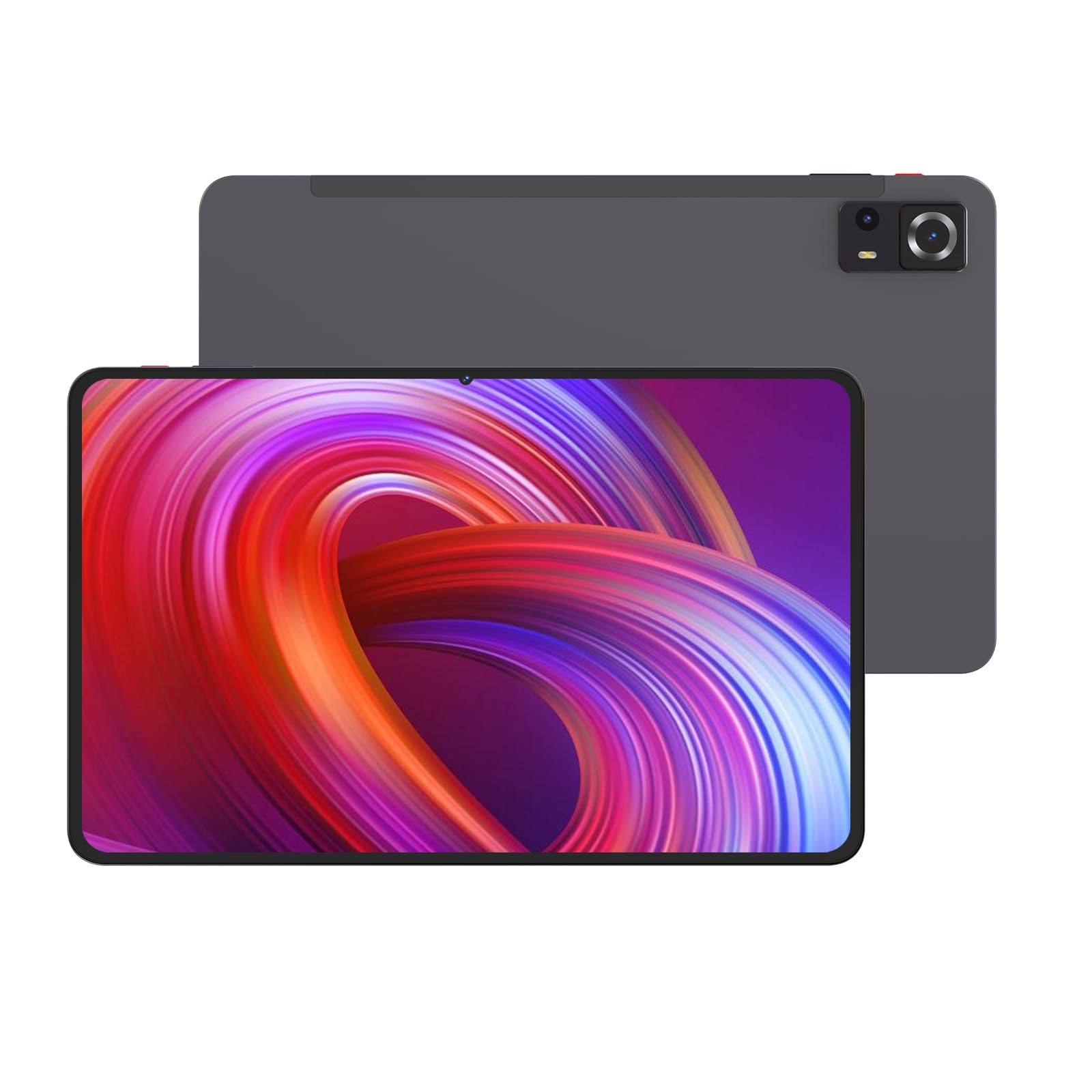
Imej 1: Depan dan belakang view of the Azeyou M17QF27A Android Tablet, showcasing the screen, cameras, and the included protective case.
3.1. Komponen Fizikal
- Kamera Depan: Located at the top center when held vertically.
- paparan: 11.97-inch FHD Touch Screen.
- Butang Kuasa: Typically on the side, used to power on/off or wake/sleep the device.
- Butang Kelantangan: Bersebelahan dengan butang kuasa, untuk melaraskan tahap audio.
- Port USB-C: Untuk pengecasan dan pemindahan data.
- Gril Pembesar Suara: Untuk output audio.
- Kamera Belakang: Located on the back of the tablet.
- Slot Kad MicroSD: For storage expansion up to 1TB.
4. Persediaan
4.1. Mengecas Bateri
Before first use, fully charge your tablet. Connect the USB-C charging cable to the tablet's USB-C port and the power adapter to a wall outlet. The battery indicator on the screen will show charging progress. A full charge typically takes several hours.
The tablet is equipped with an 8000mAh battery, providing an average battery life of approximately 6 hours under typical usage conditions.
4.2. Menghidupkan/Mematikan
- Untuk Menghidupkan: Press and hold the Power button until the Azeyou logo appears on the screen.
- Untuk Mematikan: Press and hold the Power button until a power menu appears. Select "Power off" and confirm.
- Untuk Tidur/Bangun: Tekan butang Kuasa sebentar untuk mematikan atau membangunkan tablet.
4.3. Persediaan Awal
Setelah dihidupkan pertama, tablet akan membimbing anda melalui proses persediaan awal:
- Pilih bahasa pilihan anda.
- Connect to a Wi-Fi network. This is essential for downloading updates and accessing online services.
- Sign in with your Google account or create a new one. This is required for accessing the Google Play Store and other Google services.
- Review dan terima terma dan syarat.
- Set up screen lock (PIN, pattern, password, or facial recognition).
- Pulihkan data daripada peranti sebelumnya (pilihan).
5. Arahan Operasi
5.1. Navigasi Asas
Your Azeyou tablet uses an Android 14 operating system with a touch-sensitive screen. Common gestures include:
- Ketik: To select an item, open an app, or press a button.
- Ketik dan Tahan: Untuk mengakses menu kontekstual atau mengalihkan ikon.
- Leret: To scroll through lists, switch between home screens, or navigate within apps.
- Cubit-untuk-Zum: Untuk zum masuk atau keluar pada imej, peta atau web muka surat.
5.2. Kesambungan Wi-Fi
Untuk menyambung ke rangkaian Wi-Fi:
- Pergi ke tetapan > Rangkaian & internet > Wi-Fi.
- Togol Wi-Fi On.
- Pilih rangkaian yang anda inginkan daripada senarai.
- Masukkan kata laluan jika digesa dan ketik Sambung.
The tablet supports Wi-Fi 5 (802.11ac) for fast wireless connections.
5.3. Kesambungan Bluetooth
To pair with a Bluetooth device (e.g., headphones, keyboard):
- Pergi ke tetapan > Peranti yang disambungkan > Bluetooth.
- Togol Bluetooth On.
- Pastikan peranti Bluetooth anda berada dalam mod berpasangan.
- Pilih peranti daripada senarai peranti yang tersedia dan ikuti sebarang arahan pada skrin untuk menyelesaikan pemasangan.
The tablet supports Bluetooth 5.0 for stable and efficient wireless connections.
5.4. Pengurusan Storan
Your tablet comes with 256GB of internal storage. You can expand this storage up to 1TB using a microSD card. To insert a microSD card:
- Cari slot kad mikroSD pada sisi tablet.
- Use the provided SIM ejector tool (or a paperclip) to open the tray.
- Place the microSD card into the tray with the gold contacts facing down.
- Tolak dulang perlahan-lahan ke dalam slot sehingga ia berbunyi klik pada tempatnya.
Untuk mengurus storan, pergi ke tetapan > Penyimpanan.
5.5. Menggunakan Kamera
The tablet features dual cameras. To use the camera:
- Buka Kamera aplikasi daripada skrin utama atau laci aplikasi anda.
- Ketik butang pengatup untuk mengambil foto.
- Tap the video icon to switch to video recording mode.
- Gunakan ikon suis kamera untuk bertukar antara kamera hadapan dan belakang.
6. Penyelenggaraan
6.1. Membersihkan Tablet
To clean your tablet, power it off and disconnect all cables. Use a soft, lint-free cloth slightly dampened with water or a screen cleaner specifically designed for electronics. Avoid using harsh chemicals, abrasive materials, or excessive moisture.
6.2. Kemas Kini Perisian
Semak dan pasang kemas kini perisian secara berkala untuk memastikan prestasi dan keselamatan yang optimum. Pergi ke tetapan > Sistem > Kemas kini sistem.
6.3. Penjagaan Bateri
Untuk memanjangkan hayat bateri:
- Elakkan suhu yang melampau.
- Jangan biarkan bateri habis sepenuhnya dengan kerap.
- Cabut plag pengecas setelah bateri penuh.
- Reduce screen brightness and disable unnecessary features (e.g., Bluetooth, Wi-Fi) when not in use.
7. Penyelesaian masalah
| Masalah | Penyelesaian yang Mungkin |
|---|---|
| Tablet tidak dihidupkan. | Pastikan bateri dicas. Sambungkan pengecas dan tunggu beberapa minit sebelum cuba menghidupkan semula. |
| Isu sambungan Wi-Fi. | Check if Wi-Fi is enabled in settings. Restart your router and the tablet. Ensure you are entering the correct Wi-Fi password. |
| Aplikasi ranap atau beku. | Tutup dan buka semula apl. Kosongkan cache apl (tetapan > Apl > pilih apl > Storan & cache > Kosongkan cache). Restart the tablet. |
| Prestasi perlahan. | Tutup aplikasi latar belakang yang tidak diperlukan. Kosongkan cache dan sementara files. Consider uninstalling unused apps. Check for system updates. |
| Bateri cepat habis. | Reduce screen brightness. Disable Wi-Fi, Bluetooth, and GPS when not in use. Close background apps. Check battery usage in settings to identify power-hungry apps. |
8. Spesifikasi
| Ciri | Perincian |
|---|---|
| Nama Model | M17QF27A |
| Jenama | Azeyu |
| Sistem Operasi | Android 14 |
| Pemproses | Unisoc T616 |
| RAM | 20GB (8GB fizikal + 12GB maya) |
| Storan Dalaman | 256GB |
| Storan Boleh Dikembangkan | Sehingga 1TB melalui kad microSD |
| Saiz Skrin | 11.97 Inci |
| Resolusi Skrin Maks | 1920x2000 Pixels FHD |
| Kamera | Kamera Dwi (Depan dan Belakang) |
| Kesambungan Wayarles | Wi-Fi 5 (802.11ac), Bluetooth 5.0 |
| Kapasiti Bateri | 8000mAh |
| Purata Hayat Bateri | Lebih kurang 6 jam |
| Dimensi (LxWxH) | 10.94 x 6.81 x 0.3 inci |
| Berat Barang | 2.36 paun |
| warna | Metal-Grey |
9. Waranti dan Sokongan
For warranty information and technical support, please refer to the warranty card included in your package or visit the official Azeyou webtapak. Simpan resit pembelian anda sebagai bukti pembelian untuk tuntutan waranti.
For further assistance, you may contact Azeyou customer service through the contact details provided on their official support page.


