1. Pengenalan
This manual provides detailed instructions for the setup, operation, and maintenance of your WiiM Sub Pro Wireless Smart Subwoofer. Please read this manual thoroughly before using the product to ensure proper functionality and to maximize your audio experience. The WiiM Sub Pro is designed to deliver deep, distortion-free bass, enhancing movies, music, and gaming with its 8-inch high-excursion woofer and 250W Class-D amplebih hidup.

Imej 1.1: Depan view of the WiiM Sub Pro Wireless Smart Subwoofer.
2. Maklumat Keselamatan
Sila patuhi langkah berjaga-jaga keselamatan berikut untuk mengelakkan kerosakan pada peranti atau kecederaan diri:
- Do not expose the subwoofer to water, moisture, or extreme temperatures.
- Pastikan pengudaraan yang betul di sekeliling unit untuk mengelakkan terlalu panas.
- Use only the provided power cable and RCA cable.
- Jangan cuba membuka atau membaiki unit sendiri. Rujuk semua servis kepada kakitangan yang berkelayakan.
- Keep the subwoofer away from heat sources such as radiators, heat registers, stoves, or other apparatus that produce heat.
- Position the unit on a stable, flat surface to prevent it from falling.
3. Kandungan Pakej
Sahkan bahawa semua item terdapat dalam kotak:
- WiiM Sub Pro (Black) x 1
- Panduan Pengguna x 1
- Kabel Kuasa x 1
- Kabel RCA x 1

Image 3.1: Included components: WiiM Sub Pro, power cable, and RCA cable.
4. Produk Lebihview
The WiiM Sub Pro is an 8-inch wireless smart subwoofer designed to integrate seamlessly into your home audio system. It features a 250W Class-D amplifier, Wi-Fi 6, and Bluetooth 5.3 connectivity for flexible placement. The unit also includes an RCA input for wired connections.
Ciri-ciri Utama:
- Deep Bass Performance: 8-inch high-excursion woofer delivers bass down to 25 Hz.
- AI RoomFit Auto-Calibration: One-tap tuning optimizes bass response for your specific room acoustics.
- Kesambungan Tanpa Wayar: Wi-Fi 6 and Bluetooth 5.3 for flexible placement and integration.
- App-Driven Control: Full control over EQ, crossover, phase, and latency via the WiiM Home App.
- Multi-Room Integration: Seamlessly pairs with other WiiM streamers, amppengangkat dan pembesar suara.
Sambungan Panel Belakang:

Image 4.1: Rear panel of the WiiM Sub Pro, highlighting connectivity options.
- Input Kuasa: Connects to the included power cable.
- Input RCA: For wired connection to any receiver or soundbar with an RCA sub-out.
- Butang Tetapkan Semula: Used for factory reset or troubleshooting.
5. Persediaan
Follow these steps to set up your WiiM Sub Pro:
- penempatan: Position the subwoofer in your desired location. Ensure it is near a power outlet and has adequate ventilation.
- Sambungan Kuasa: Connect the power cable to the subwoofer's power input and then to a wall outlet.
- Download WiiM Home App: Download the WiiM Home App on your smartphone or tablet from the App Store or Google Play Store.
- Initial Pairing (Wireless):
- Buka Apl WiiM Home.
- The app will automatically search for new devices. Select 'WiiM Sub Pro' when it appears.
- Follow the on-screen instructions to connect the subwoofer to your Wi-Fi network.

Image 5.1: WiiM Home App displaying the setup prompt for the WiiM Sub Pro.
- Sambungan Berwayar (Pilihan): If you prefer a wired connection or are connecting to a non-WiiM system, use the included RCA cable to connect the subwoofer's RCA input to the 'Sub Out' port on your receiver or soundbar.
6. Operasi
The WiiM Sub Pro is primarily controlled through the WiiM Home App. Once connected, you can manage its settings and integrate it with other WiiM devices.
AI RoomFit™ Calibration:
The AI RoomFit™ feature automatically optimizes the subwoofer's sound for your room's acoustics. This process typically takes about 2 minutes.
- In the WiiM Home App, navigate to the WiiM Sub Pro settings.
- Select the 'RoomFit' option.
- Follow the on-screen prompts to initiate the calibration process. Ensure your room is quiet during calibration.

Image 6.1: WiiM Home App RoomFit welcome screen, illustrating acoustic optimization.

Image 6.2: Visual representation of the AI RoomFit calibration process in a home audio environment.
Kawalan Apl:
The WiiM Home App provides comprehensive control over your subwoofer's performance:
- Pelarasan Tahap: Fine-tune the subwoofer's output level.
- Kekerapan Crossover: Set the frequency at which the subwoofer handles bass, typically between 20Hz and 250Hz. The WiiM Sub Pro supports a maximum crossover of 110Hz for optimal performance.
- Kawalan Fasa: Adjust the phase (0° to 180°) to ensure proper integration with your main speakers.
- EQ Parametrik: Utilize the 10-band parametric equalizer for precise sound customization.
- Latency Tweaks: Adjust for any audio delay.

Image 6.3: Screenshots of the WiiM Home App interface for device selection and subwoofer settings.
Multi-Room Integration:
The WiiM Sub Pro can be wirelessly paired with other WiiM streamers, amplifiers, and speakers to create a synchronized multi-room audio experience. This allows for cinema-grade bass to fill every corner of your home.
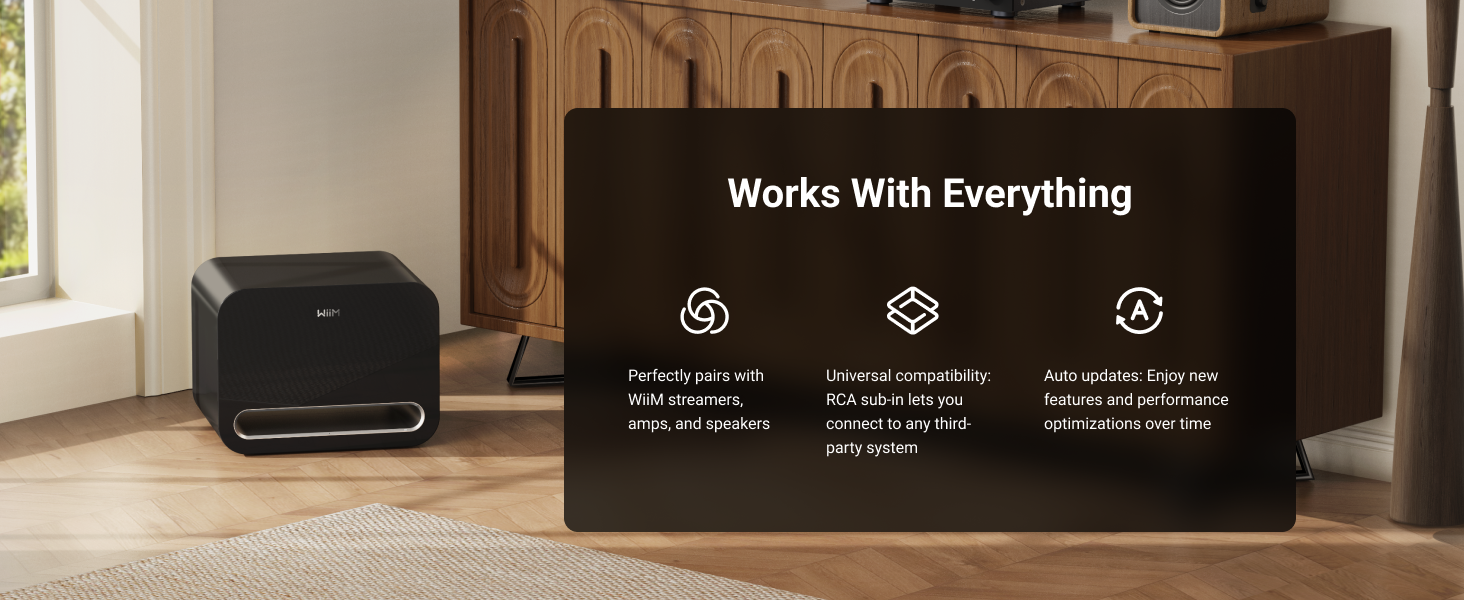
Image 6.4: The WiiM Sub Pro's compatibility with the WiiM ecosystem, RCA systems, and over-the-air updates.
7. Penyelenggaraan
To ensure the longevity and optimal performance of your WiiM Sub Pro, follow these maintenance guidelines:
- Pembersihan: Use a soft, dry cloth to clean the exterior of the subwoofer. Avoid abrasive cleaners, solvents, or harsh chemicals.
- Pengudaraan: Ensure that the ventilation ports are not blocked. Do not place the subwoofer in an enclosed space without adequate airflow.
- Pengurusan tenaga: The subwoofer features Auto Standby and Signal Wake functions. Auto Standby puts the unit into a low-power state when no audio signal is detected, and Signal Wake reactivates it upon detecting an audio signal.

Image 7.1: Illustration of the Auto Standby and Signal Wake features.
Kemas kini Firmware:
The WiiM Sub Pro receives Over-The-Air (OTA) firmware updates to improve performance and add new features. Ensure your device is connected to the internet for these updates.

Image 7.2: The WiiM Sub Pro supports Over-The-Air (OTA) firmware updates.
8. Penyelesaian masalah
If you encounter issues with your WiiM Sub Pro, refer to the following common problems and solutions:
| Masalah | Kemungkinan Punca | Penyelesaian |
|---|---|---|
| Tiada bunyi daripada subwufer | Power not connected; volume too low; incorrect source selection; wireless connection issue; RCA cable not connected properly. | Check power connection. Increase volume in the app. Verify correct input source. Re-establish wireless connection via WiiM Home App. Ensure RCA cable is securely connected. |
| Bass is weak or distorted | Incorrect crossover settings; improper phase; subwoofer placement; RoomFit calibration not performed or incorrect. | Adjust crossover frequency and phase in the WiiM Home App. Experiment with subwoofer placement. Perform AI RoomFit calibration. |
| Subwoofer disconnects from Wi-Fi | Weak Wi-Fi signal; network interference; router issues. | Move subwoofer closer to the Wi-Fi router. Check for other devices causing interference. Restart your Wi-Fi router. Reconnect via the WiiM Home App. |
| Bass output limitation in wireless mode (Alexa Multi-Room Music, Roon Ready, LMS, Google Cast) | Known temporary software limitation. | WiiM is actively working on a resolution for this. Ensure your device receives firmware updates. |
| App cannot find subwoofer | Subwoofer not powered on; not in pairing mode; Wi-Fi issues. | Ensure subwoofer is powered on. Check Wi-Fi connection on both subwoofer and smartphone. Try restarting the app and subwoofer. |
9. Spesifikasi
| Ciri | Spesifikasi |
|---|---|
| Nama Model | SUB001 |
| Jenis Pembesar Suara | Subwufer |
| Diameter Subwoofer | 8 Inci |
| Kuasa Output Maksimum Pembesar Suara | 250 Watt |
| Respons Kekerapan | Down to 25 Hz |
| Teknologi Ketersambungan | Bluetooth 5.3, Wi-Fi 6 |
| Julat Komunikasi Tanpa Wayar | Up to 200 Feet (Wi-Fi), 0.2 Kilometers (Bluetooth) |
| Kaedah Kawalan | App (WiiM Home App) |
| Ciri Khas | Bass Boost, Hi-Res Audio, Multi-Room Audio, AI RoomFit Calibration |
| Mod Keluaran Audio | Mono |
| Impedans | 4 Ohm |
| Nisbah Isyarat-ke-Bunyi | 101 dB |
| Dimensi Produk (D x W x H) | 15.7" x 12.7" x 11.8" (399mm x 322mm x 301mm) |
| Berat Barang | 35.2 paun |
| bahan | kayu |
| warna | Hitam |
| Sumber Kuasa | Elektrik Bertali |
| Penggunaan Dalaman/Luar | Dalaman |
| UPC | 741365254539 |

Image 9.1: Product dimensions of the WiiM Sub Pro.
10. Waranti dan Sokongan
The WiiM Sub Pro comes with a Limited Warranty. For specific warranty terms and conditions, please refer to the warranty card included in your package or visit the official WiiM website. For technical support, troubleshooting assistance, or service inquiries, please contact WiiM customer support through their official channels.