1. Pengenalan
This manual provides essential information for the safe and effective use of your FUJIFILM FUJINON XF23mmF2.8 R WR Lens. The XF23mmF2.8 R WR is a compact, interchangeable lens designed for Fujifilm X Series cameras. It features a weather-resistant construction, smooth autofocus, and high-resolution optical performance. Its natural 23mm focal length (35mm equivalent on APS-C) is versatile for various photographic applications.
2. Apa yang ada di dalam Kotak
- FUJINON XF23mmF2.8 R WR Lens
- Cap Lensa Depan
- Cap Lensa Belakang
- Tudung Lensa
- Lens Wrapping Cloth
3. Persediaan
3.1 Memasang Lensa
- Pastikan kamera dimatikan.
- Tanggalkan penutup lensa belakang dari lensa dan penutup badan dari kamera.
- Sejajarkan tanda pelekap putih pada kanta dengan tanda pelekap putih pada badan kamera.
- Insert the lens into the camera mount and rotate it clockwise until it clicks into place.
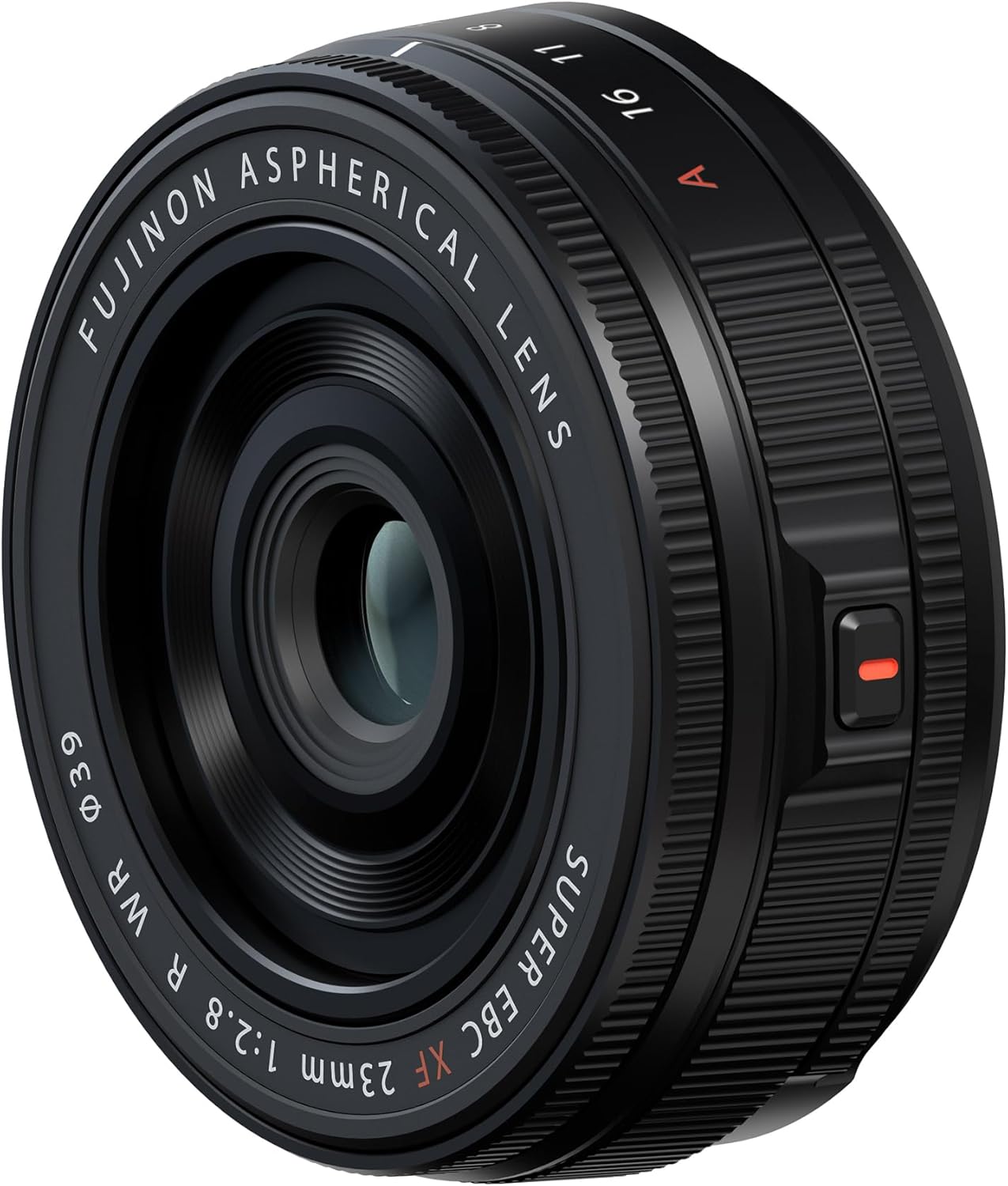
Image: The FUJIFILM FUJINON XF23mmF2.8 R WR Lens (black) attached to a silver Fujifilm X-T5 camera body, showcasing its compact profile.
3.2 Menanggalkan Kanta
- Pastikan kamera dimatikan.
- Semasa menekan butang pelepas lensa pada badan kamera, putar lensa mengikut lawan jam sehingga ia berhenti.
- Tanggalkan kanta dari tempat dudukan kamera.
- Attach the front and rear lens caps to the lens and the body cap to the camera to protect them from dust and damage.

Image: A user's hands adjusting the aperture ring on the lens, highlighting the tactile controls.
4. Mengendalikan Lensa
4.1 Kawalan Apertur
The lens features an 11-blade aperture for smooth, circular bokeh. The aperture can be adjusted using the aperture ring on the lens barrel. Rotate the ring to select your desired f-stop (e.g., f/2.8, f/4, f/5.6, f/8, f/11, f/16). For automatic aperture control, set the ring to the 'A' position.
4.2 Memberi tumpuan
The XF23mmF2.8 R WR lens supports both autofocus (AF) and manual focus (MF). The smooth autofocus system utilizes a dedicated group of focusing elements and a DC motor for fast and reliable performance. For manual focusing, switch your camera to MF mode and rotate the focus ring on the lens barrel to achieve sharp focus. The lens offers a close focusing distance of 20cm (7.87 inches) from the sensor, allowing for detailed close-up shots.
4.3 Rintangan Cuaca
This lens features a weather-resistant design, protecting it from dust, moisture, and low temperatures down to -10°C (14°F). When paired with a compatible weather-sealed Fujifilm X Series camera body, you can confidently shoot in challenging environmental conditions.

Image: A photographer using the weather-resistant lens outdoors, emphasizing its durability in various conditions.
5. Penyelenggaraan
5.1 Membersihkan Lensa
- Use a blower brush to remove dust and loose particles from the lens surface.
- For smudges or fingerprints, use a clean, soft microfiber cloth specifically designed for optical lenses. Apply a small amount of lens cleaning solution to the cloth, not directly to the lens, and gently wipe in a circular motion.
- Never use abrasive materials, solvents, or harsh chemicals to clean the lens.
5.2 Penyimpanan
- When not in use, always attach the front and rear lens caps to protect the optical elements.
- Simpan kanta di tempat yang sejuk dan kering, jauh daripada cahaya matahari langsung dan suhu yang melampau.
- If storing for an extended period, consider using a dehumidified cabinet to prevent mold growth.
6. Penyelesaian masalah
If you encounter issues with your lens, consider the following general troubleshooting steps:
- Kanta Tidak Dipasang Dengan Kekunci: Ensure the mounting marks are aligned correctly and rotate until a click is heard. Check for any obstructions on the lens mount or camera body.
- Isu autofokus: Verify that the camera is set to autofocus mode. Ensure there is sufficient light for the autofocus system to operate effectively. Clean the lens contacts on both the lens and camera body.
- Kebimbangan Kualiti Imej: Ensure the lens elements are clean and free from dust or smudges. Check camera settings such as ISO, shutter speed, and aperture for appropriate values for your shooting conditions.
- Kerosakan Umum: Try detaching and reattaching the lens. If the issue persists, consult your camera's instruction manual or contact Fujifilm support.
7. Spesifikasi
| Ciri | Perincian |
|---|---|
| Nombor Model | 16942884 |
| Panjang Fokus | 23mm (35mm bersamaan: 35mm) |
| Apertur Maksimum | f/2.8 |
| Aperture minimum | f/16 |
| Jenis Kanta | Wide Angle Prime Lens |
| Pemasangan yang Serasi | Fujifilm X-Mount |
| Pembinaan Optik | Includes two aspherical elements |
| Bilah Apertur | 11 (diafragma bulat) |
| Jarak Fokus Minimum | 20cm (7.87 inci) |
| Rintangan Cuaca | Dust and moisture resistant, operates down to -10°C (14°F) |
| Dimensi Produk | 0.91 x 2.43 x 2.43 inci |
| Berat Barang | 3.17 auns (90g) |
8. Waranti dan Sokongan
This product is subject to Fujifilm's standard warranty policy. For specific warranty details, please refer to the documentation included with your purchase or visit the official Fujifilm website. In case of product defects or issues, please contact Fujifilm customer support for assistance. A 30-day return policy may apply depending on the retailer and purchase conditions.