Perlegear Universal Swivel TV Stand with LED Lights (Model PGTVS32B)
Jenama: PERLESMITH
Manual Arahan
1. Pengenalan
This manual provides comprehensive instructions for the assembly, operation, and maintenance of your Perlegear Universal Swivel TV Stand with LED Lights, Model PGTVS32B. This stand is designed to accommodate 32-70 inch flat-panel LCD/LED TVs, offering height adjustment, swivel, and tilt functionalities, along with integrated LED lighting.
Please read this manual thoroughly before installation and use to ensure safe and correct operation.
2. Maklumat Keselamatan
AMARAN:
- Jangan melebihi kapasiti berat maksimum 88 lbs (40 kg). Melebihi had ini boleh mengakibatkan kecederaan serius atau kerosakan harta benda.
- Pastikan corak VESA TV anda serasi dengan penyangga (100x100mm hingga 400x400mm).
- Always use two people to lift and position the TV during installation.
- Verify that all screws are securely tightened before use. Do not overtighten screws.
- Jauhkan kanak-kanak dan haiwan peliharaan dari kawasan perhimpunan. Bahagian kecil boleh menjadi bahaya tercekik.
- Do not modify the product or use it for purposes other than its intended design.
3. Kandungan Pakej
Sila semak untuk memastikan semua komponen ada dan tidak rosak. Jika mana-mana bahagian hilang atau rosak, hubungi khidmat pelanggan.

Imej 1: Berakhirview of the Perlegear Universal Swivel TV Stand with LED lights, remote control, and smartphone app interface. This image displays the main components of the TV stand, including the base, support column, TV mounting bracket, and LED light strips.
Kandungan pakej biasa termasuk:
- Pangkalan Kaca Terbaja
- Lajur Sokongan
- TV Mounting Bracket (VESA plate)
- TV Brackets (vertical arms)
- Jalur Lampu LED dengan Pengawal
- Remote Control for LED Lights
- Assembly Hardware (various screws, washers, spacers)
- Alat (cth, sepana Allen)
- Manual Arahan
4. Persediaan dan Pemasangan
Follow these steps carefully for proper assembly. It is recommended to have two people for installation.
4.1 Semakan Keserasian
Before assembly, ensure your TV meets the following criteria:
- Saiz TV: 32 hingga 70 inci
- Kapasiti Berat: Maksimum 88 lbs (40 kg)
- Corak VESA: Compatible with VESA patterns from 100x100mm to 400x400mm. Common patterns include:
- 100x100mm
- 100x200mm
- 200x100mm
- 200x200mm
- 200x300mm
- 300x200mm
- 300x300mm
- 400x200mm
- 400x300mm
- 400x400mm

Imej 2: Diagram illustrating wide TV compatibility, showing a TV screen with dimensions 24"-60" (note: product description states 32"-70") and a list of supported VESA patterns and a maximum weight capacity of 99 lbs (note: product description states 88 lbs). Please refer to the product description for the most accurate specifications.

Imej 3: Visual representation of the TV stand's universal fit for TVs ranging from 32 to 70 inches, highlighting VESA compatibility up to 400x400mm and a maximum weight capacity of 88 lbs.
4.2 Perhimpunan Pangkalan
- Attach the support column to the tempered glass base using the provided screws and tools. Ensure the column is securely fastened and aligned.
- Place the non-slip pads on the bottom of the tempered glass base to prevent scratching surfaces and ensure stability.
4.3 Attaching TV Mounting Bracket
- Secure the TV mounting bracket (VESA plate) to the support column. This bracket allows for height adjustment.
- Choose one of the three installation positions on the column for the desired initial height.
4.4 Attaching TV Brackets to TV
- Identify the correct screws, washers, and spacers for your TV's VESA mounting holes.
- Attach the two vertical TV brackets to the back of your TV. Ensure they are level and securely tightened.
- The TV brackets offer three height choices, allowing for fine-tuning of the TV's vertical position.
4.5 Mounting TV to Stand
- With assistance, carefully lift your TV and hook the TV brackets onto the TV mounting bracket (VESA plate) on the stand.
- Engage the security locks on the TV brackets to prevent accidental dislodgement.
- Adjust the height as needed (refer to Section 5.1 for height adjustment).
4.6 Pemasangan Lampu LED
- Attach the LED light strips to the back of your TV or the stand's column using their adhesive backing.
- Connect the LED light strips to the provided controller.
- Palamkan pengawal ke sumber kuasa.
5. Arahan Operasi
5.1 Pelarasan Ketinggian
The stand offers 9 levels of height adjustment. This is achieved by combining the 3 installation positions on the main column and the 3 height choices on the TV brackets. The screen center height can be adjusted up to 24.6 inches.

Imej 4: Illustration demonstrating the 8 (note: product description states 9) height configurations available with the TV stand, showing how the TV can be positioned at different vertical levels.
5.2 Swivel and Tilt Functionality
The TV stand allows for optimal viewsudut sudut:
- Pusing: The TV can swivel +/-30 degrees horizontally, providing a total viewing range of 60 degrees. Gently rotate the TV to the desired angle.
- Condong: The TV can be tilted up by 8 degrees to reduce glare and improve viewing comfort. Adjust the tilt mechanism on the TV mounting bracket.

Imej 5: Depiction of the TV stand's swivel capability, showing a TV swiveling +/-50 degrees (note: product description states +/-30 degrees) to provide a wider viewing range in a living room setting.

Imej 6: An image illustrating the flexibility of the TV stand, featuring a TV swiveling +/-30 degrees and tilting up 8 degrees, shown in a home gym environment.
5.3 Kawalan Lampu LED
The integrated LED lights offer a range of customization options:
- Pilihan Warna: Pilih daripada 16.8 juta warna RGB.
- Kesan Pencahayaan: Select various dynamic lighting effects.
- Effect Speed: Laraskan kelajuan kesan dinamik.
- Kecerahan: Control the intensity of the lights.
- Mod Penyegerakan Muzik: Lights can synchronize with music, reacting to the beat.
Kaedah kawalan:
- Apl Telefon Pintar: Download the dedicated app to control all features.
- Kawalan Jauh: Use the included IR remote for convenient control.
- Alat Jauh Dalam Talian: A physical button controller on the LED strip cable provides basic control.

Imej 7: Display of the LED lighting's custom color and effect capabilities, along with the three control methods: smartphone app, remote control, and in-line switch.
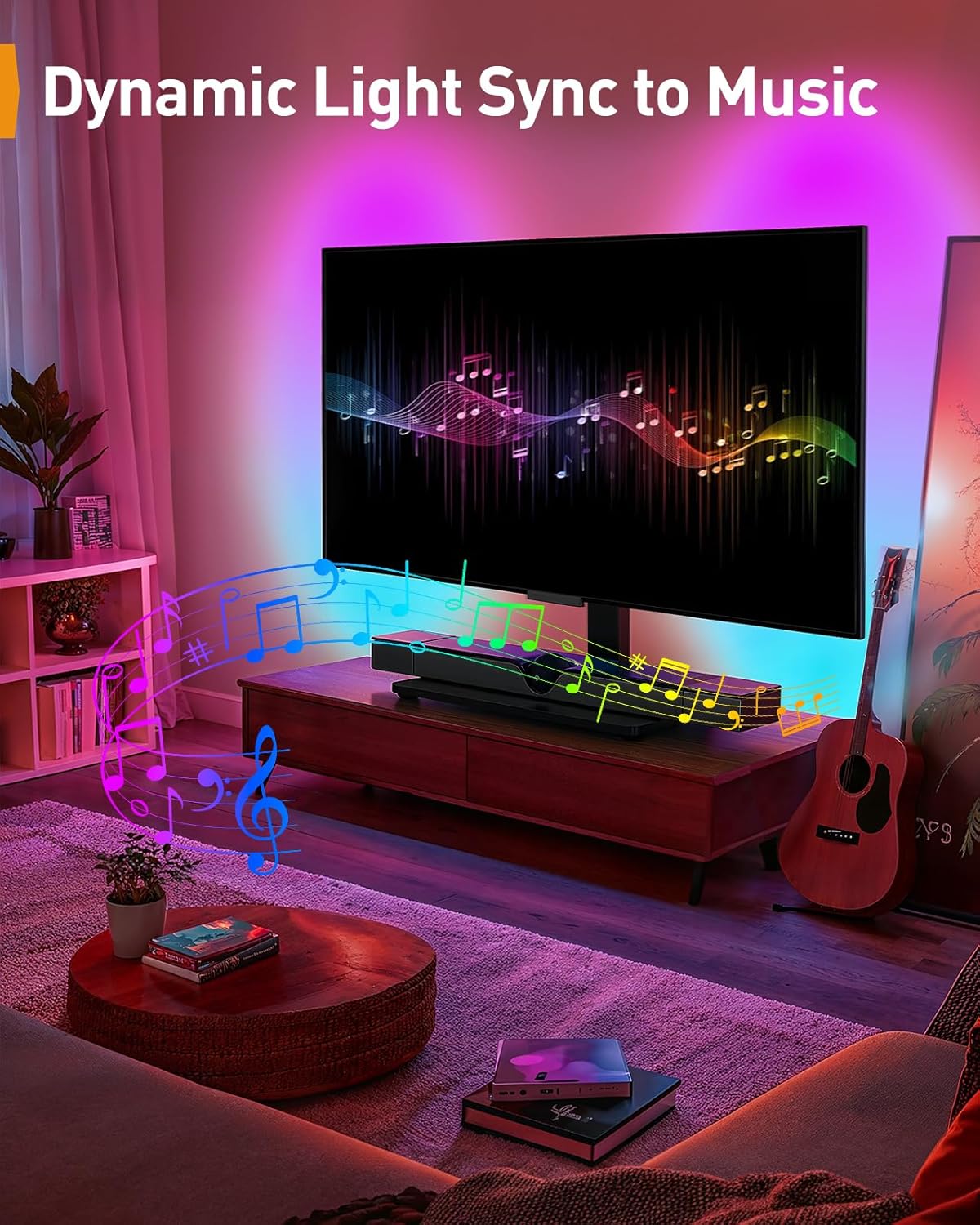
Imej 8: An image demonstrating the dynamic light sync feature, where the LED lights change in rhythm with music, creating an immersive entertainment experience.
6. Penyelenggaraan
- Pembersihan: Use a soft, dry cloth to clean the stand. For the glass base, a mild glass cleaner can be used. Avoid abrasive cleaners or solvents.
- Pemeriksaan: Periksa semua skru dan sambungan secara berkala untuk memastikan ia kekal ketat. Ketatkan semula jika perlu.
- Lampu LED: Ensure the LED strips and controller are free from dust and moisture.
7. Penyelesaian masalah
| Masalah | Kemungkinan Punca | Penyelesaian |
|---|---|---|
| TV tidak tahap | TV brackets not installed evenly; stand not on a level surface. | Re-adjust TV brackets; move stand to a level surface. |
| Lampu LED tidak berfungsi | Power connection loose; remote battery dead; controller malfunction. | Check power connections; replace remote battery; contact support if controller is faulty. |
| Pendirian berasa tidak stabil | Screws are loose; weight capacity exceeded; stand not on a flat surface. | Tighten all screws; ensure TV weight is within limits; place stand on a flat, stable surface. |
| Kesukaran berpusing/mencondongkan | Mechanism is stiff; obstruction. | Apply gentle force; check for any obstructions behind the TV or stand. |
8. Spesifikasi
- model: PGTVS32B
- Jenama: PERLESMITH
- Saiz TV yang Serasi: 32 - 70 inci
- Kapasiti Berat Maksimum: 88 paun (40 kg)
- Keserasian VESA: 100x100mm, 100x200mm, 200x100mm, 200x200mm, 200x300mm, 300x200mm, 300x300mm, 400x200mm, 400x300mm, 400x400mm
- Julat Pusing: +/-30 degrees (total 60 degrees)
- Julat Miring: Up 8 degrees
- Pelarasan Ketinggian: 9 levels (18" to 24.5" from base to screen center)
- Bahan asas: Kaca Terbaja
- Pencahayaan LED: RGB, 16.8 million colors, various effects, music sync, app/remote/in-line control.
9. Waranti dan Sokongan
For warranty information, technical support, or to order replacement parts, please refer to the documentation included with your purchase or visit the official PERLESMITH webtapak. Simpan resit pembelian anda sebagai bukti pembelian.
PERLESMITH Official Webtapak: Visit PERLESMITH Store on Amazon


