pengenalan
This manual provides comprehensive instructions for the setup, operation, and maintenance of your memzuoix WM125B Wireless Mouse. Designed for comfort and precision, this 2.4GHz wireless mouse offers adjustable DPI settings and broad compatibility for various computing needs.
Ciri-ciri Utama:
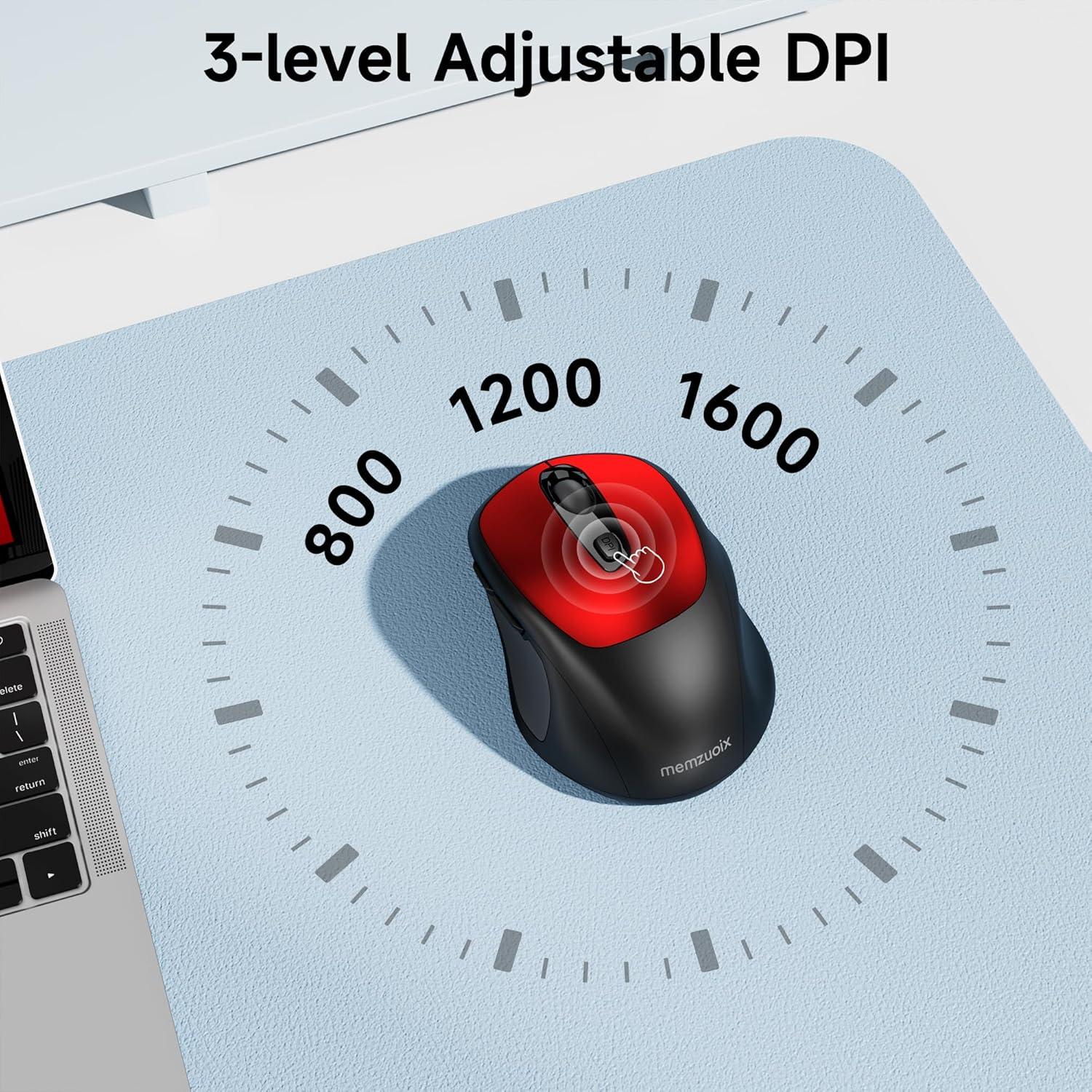
- 3 Tahap DPI Boleh Laras: Easily switch between 800, 1200, and 1600 DPI for optimal control.
- Ergonomic & Ambidextrous Design: Contoured shape with rubberized side grips for comfortable use by both left and right-handed users.
- Plug & Play 2.4GHz Nano Receiver: Instant connectivity without software installation, offering a reliable 33ft range.
- Binaan Tahan Lama: Buttons and scroll wheel tested for 10 million clicks, ensuring long-term reliability.
- Keserasian Universal: Works seamlessly with Windows, macOS, Linux, and ChromeOS devices.
- Reka Bentuk Mudah Alih: Lightweight and compact, ideal for travel and on-the-go use.
Panduan Persediaan
1. Pasang Bateri
- Cari penutup petak bateri di bahagian bawah tetikus.
- Gelongsor atau angkat penutup perlahan-lahan untuk membuka petak.
- Masukkan dua bateri AAA, pastikan kekutuban (+/-) betul.
- Gantikan penutup petak bateri sehingga ia terkunci pada tempatnya.

2. Connect USB Receiver
- Locate the nano USB receiver, typically stored within the battery compartment of the mouse.
- Plug the USB receiver into an available USB port on your computer (PC, Mac, laptop, etc.).
- Komputer sepatutnya mengesan dan memasang pemacu yang diperlukan secara automatik. Tiada pemasangan perisian tambahan diperlukan.

Arahan Operasi
1. Hidupkan/Mati Kuasa
Locate the ON/OFF switch on the underside of the mouse. Slide the switch to the 'ON' position to activate the mouse. Slide it to 'OFF' when not in use to conserve battery life.
2. Fungsi Butang
- Butang Kiri: Fungsi klik utama.
- Butang Kanan: Fungsi klik sekunder (menu konteks).
- Roda Tatal: Scroll up/down documents and web pages. Can also be clicked for middle-button functionality.
- Butang DPI: Berkitar melalui tetapan DPI (800/1200/1600).
- Butang ke hadapan: Navigasi ke hadapan web pelayar atau file penjelajah.
- Butang ke belakang: Navigasi ke belakang web pelayar atau file penjelajah.
3. Melaraskan Sensitiviti DPI
Tekan ke butang DPI located below the scroll wheel to cycle through the available sensitivity settings: 800 DPI (for precise control), 1200 DPI (standard use), and 1600 DPI (for faster cursor movement). The mouse will indicate the change, often with a brief LED flash.
Penyelenggaraan
1. Pembersihan
Untuk mengekalkan prestasi optimum, bersihkan tetikus anda dengan kerap. Gunakan kain lembut dan tidak berbulu sedikit dampened with water or a mild cleaning solution. Avoid harsh chemicals or abrasive materials. Ensure no liquid enters the mouse's internal components.
2. Penggantian Bateri
When the mouse's performance degrades or it stops responding, it may be time to replace the batteries. Follow the steps in the 'Install Batteries' section of this manual to replace the two AAA batteries. Dispose of old batteries responsibly according to local regulations.
Menyelesaikan masalah
- Tetikus tidak bertindak balas:
- Ensure the mouse is switched 'ON' using the power switch on the underside.
- Periksa sama ada bateri dipasang dengan betul dan mempunyai cas yang mencukupi. Gantikan jika perlu.
- Sahkan bahawa penerima USB dipasang dengan selamat ke port USB yang berfungsi pada komputer anda. Cuba port USB yang lain.
- Mulakan semula komputer anda.
- Cursor movement is erratic or inaccurate:
- Ensure the mouse is used on a clean, non-reflective surface. Avoid glass or highly reflective surfaces.
- Bersihkan sensor optik di bahagian bawah tetikus dengan kain lembut.
- Try adjusting the DPI setting using the DPI button.
- Connection issues or frequent disconnections:
- Ensure the mouse is within the effective operating range (approximately 33 feet) of the USB receiver.
- Avoid using the mouse near strong electromagnetic interference sources (e.g., other wireless devices, large metal objects).
- Re-pair the mouse with the receiver if possible (refer to manufacturer's website for specific pairing instructions if needed, as this model is typically plug-and-play).
Spesifikasi
| Ciri | Perincian |
|---|---|
| Jenama | memzuoix |
| Nombor Model | WM125B |
| Teknologi Ketersambungan | Tanpa Wayar 2.4GHz (Penerima Nano USB) |
| Tahap DPI | 800 / 1200 / 1600 |
| Bilangan Butang | 6 (Kiri, Kanan, Roda Tatal, DPI, Ke Hadapan, Ke Belakang) |
| Teknologi Pengesanan Pergerakan | Optik |
| Sumber Kuasa | 2 x Bateri AAA (Tidak Termasuk) |
| Berat Barang | 3.2 auns |
| Dimensi Pakej | 4.8 x 3.23 x 1.85 inci |
| warna | merah |
| Keserasian | PC, Mac, Laptop (Windows, macOS, Linux, ChromeOS) |
Waranti dan Sokongan
The memzuoix WM125B Wireless Mouse comes with a standard manufacturer's warranty. For specific warranty details, return policies, or technical support, please refer to the product packaging or contact memzuoix customer service directly through their official webtapak atau peruncit tempat produk itu dibeli.
Untuk bantuan lanjut, sila layari memzuoix Store on Amazon.
