1. Pengenalan
This manual provides comprehensive instructions for the Jennov 5MP Wireless Security Camera System P48 Add-On Camera. This camera is designed for both outdoor and indoor surveillance, offering 5MP ultra-HD resolution, night vision, motion detection, and IP66 weatherproofing. It operates as an add-on unit for the Jennov P48 System (ASIN: B0FC22WYKN) and requires a dedicated outlet power source for continuous operation. Please read this manual thoroughly before installation and use to ensure optimal performance and safety.
2. Apa yang ada di dalam Kotak
Buka kotak dengan berhati-hati dan pastikan semua item ada dan dalam keadaan baik. Jika ada item yang hilang atau rosak, sila hubungi sokongan pelanggan.
- 1 x Security Camera Outdoor Wireless
- 1 x Penyesuai Kuasa untuk Kamera
- Pek Skru Pemasangan
- Manual Pengguna
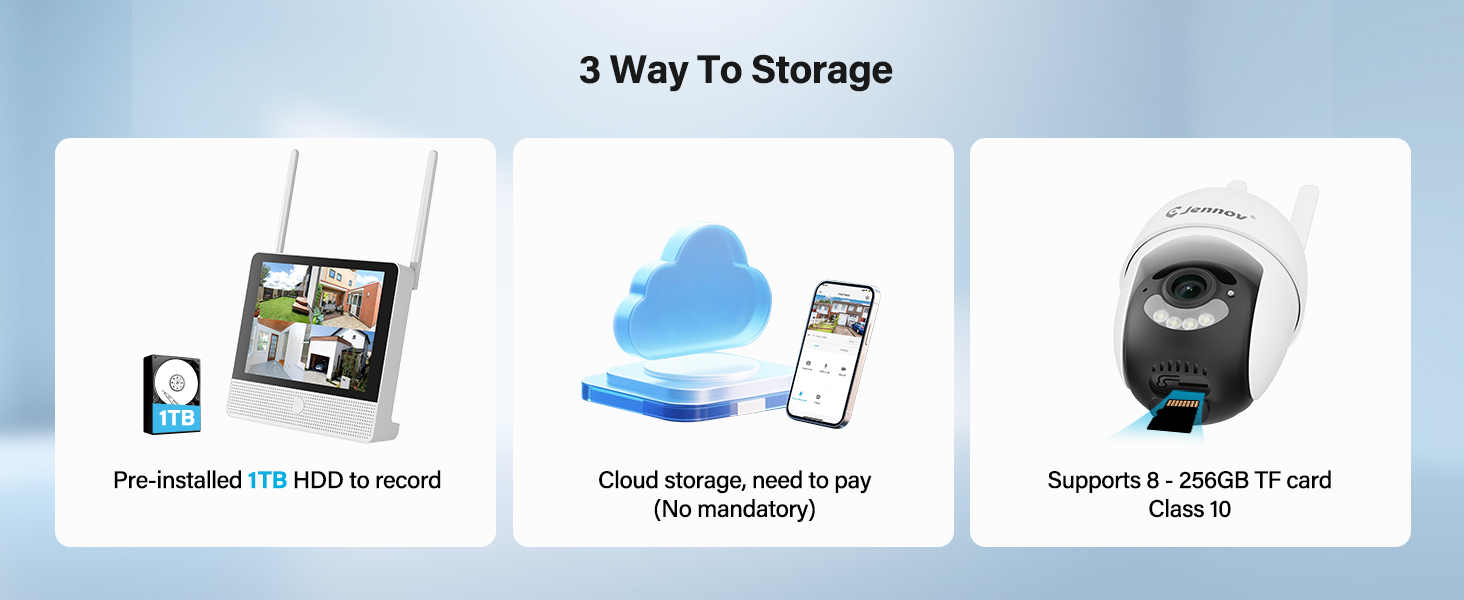
Figure 2.1: Included Components (Note: This product is an add-on camera, not the full system shown.)
3. Produk Lebihview
The Jennov P48 Add-On Camera is a high-performance wireless security camera designed to expand your existing Jennov P48 NVR system. It features advanced imaging and connectivity for reliable surveillance.
3.1 Ciri-ciri Utama
- Resolusi Ultra-HD 5MP: Menyampaikan foo video yang jelas dan terperincitage.
- Kesambungan Tanpa Wayar: Connects to the NVR without complex wiring.
- Plug-and-Play Power: Each camera is powered by an independent outlet adapter for uninterrupted operation.
- Pengesanan Pintar: Motion detection with instant alerts and recording.
- Penglihatan Malam: Menyediakan foo yang jelastage dalam keadaan cahaya malap sehingga 15 meter.
- IP66 Kalis Cuaca: Designed to withstand various outdoor weather conditions (-20°C to 60°C).
- Audio Dua hala: Membolehkan komunikasi masa nyata melalui kamera.
- Fungsi Pan/Tilt: Menawarkan putaran mendatar 355° dan menegak 90° untuk liputan menyeluruh.
3.2 Komponen Kamera

Figure 3.1: Jennov P48 Add-On Camera
- Kanta Kamera: Tangkap video footage.
- LED inframerah: Menyediakan pencahayaan untuk penglihatan malam.
- Spotlight LEDs: Enhance color night vision and act as a deterrent.
- mikrofon: Merakam audio untuk komunikasi dua hala.
- Penceramah: Mengeluarkan audio untuk komunikasi dua hala.
- Antena: Untuk penghantaran isyarat tanpa wayar.
- Pelabuhan Kuasa: Menyambung kepada penyesuai kuasa.
- Pangkalan Pemasangan: For wall or ceiling installation.
4. Arahan Persediaan
This section guides you through the physical installation and initial connection of your add-on camera to the Jennov P48 NVR system.
4.1 Pemilihan Tapak
Pilih lokasi yang menyediakan yang dikehendaki viewing angle and is within range of your Jennov P48 NVR's wireless signal. Ensure a power outlet is accessible for the camera's power adapter. The camera is IP66 weatherproof, suitable for outdoor use.
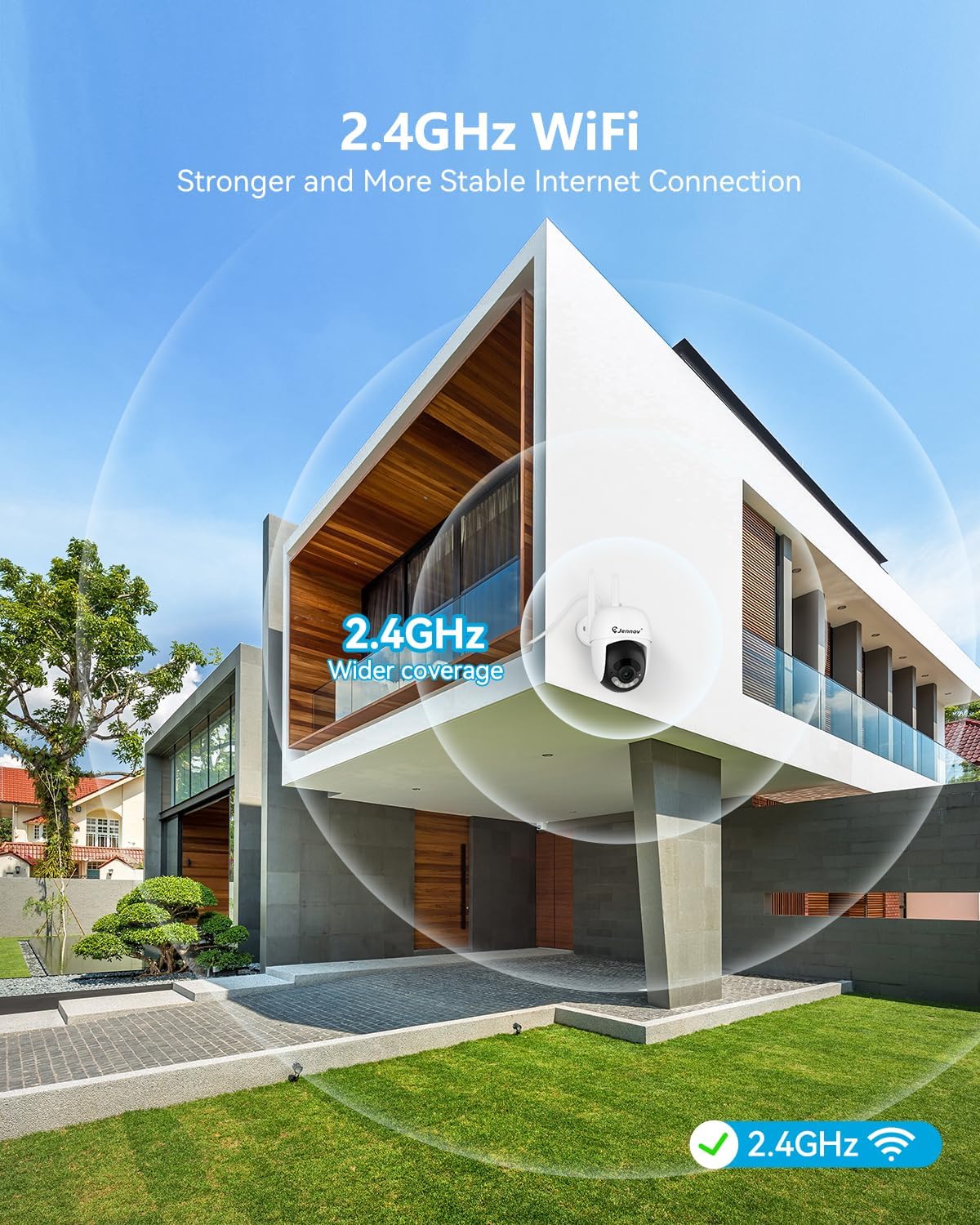
Figure 4.1: Optimal Camera Placement for 2.4GHz WiFi Coverage
4.2 Pemasangan Fizikal
- Tandakan Titik Penggerudian: Use the provided hole sticker or camera base as a template to mark the screw positions on the wall or ceiling.
- Lubang gerudi: Drill pilot holes at the marked positions. Insert wall anchors if installing on masonry or drywall.
- Lekapkan Kamera: Lindungi tapak pelekap kamera ke permukaan menggunakan skru yang disediakan.
- Laraskan Sudut: Loosen the adjustment screws on the camera body to set the desired viewing angle, then tighten them to secure the position.

Figure 4.2: Installation Options (Ceiling-mounted and Wall-mounted)
4.3 Sambungan Kuasa
Connect the camera's power adapter to the camera's power port, then plug the adapter into a standard electrical outlet. The camera will power on automatically.
4.4 Pairing with NVR (Add-On Camera)
The Jennov P48 Add-On Camera is designed to automatically pair with your existing Jennov P48 NVR system. Once powered on, the camera should establish a wireless connection with the NVR. If the camera does not appear on your NVR monitor:
- Access the NVR's menu and navigate to the 'Camera Management' or 'Channel Setup' section.
- Select an unused channel and initiate the 'Add Camera' or 'Wireless Pairing' function.
- The NVR will search for available cameras. Once detected, select your camera to add it to the system.

Figure 4.3: NVR System Connection Diagram
5. Arahan Operasi
This section details how to utilize the various features of your Jennov P48 Add-On Camera through the NVR system and the mobile application.
5.1 Langsung View dan Rakaman
Once connected to the NVR, you can view the live feed from your camera on the NVR's connected monitor. The system will automatically record footage based on your NVR's settings (e.g., continuous, motion-triggered).
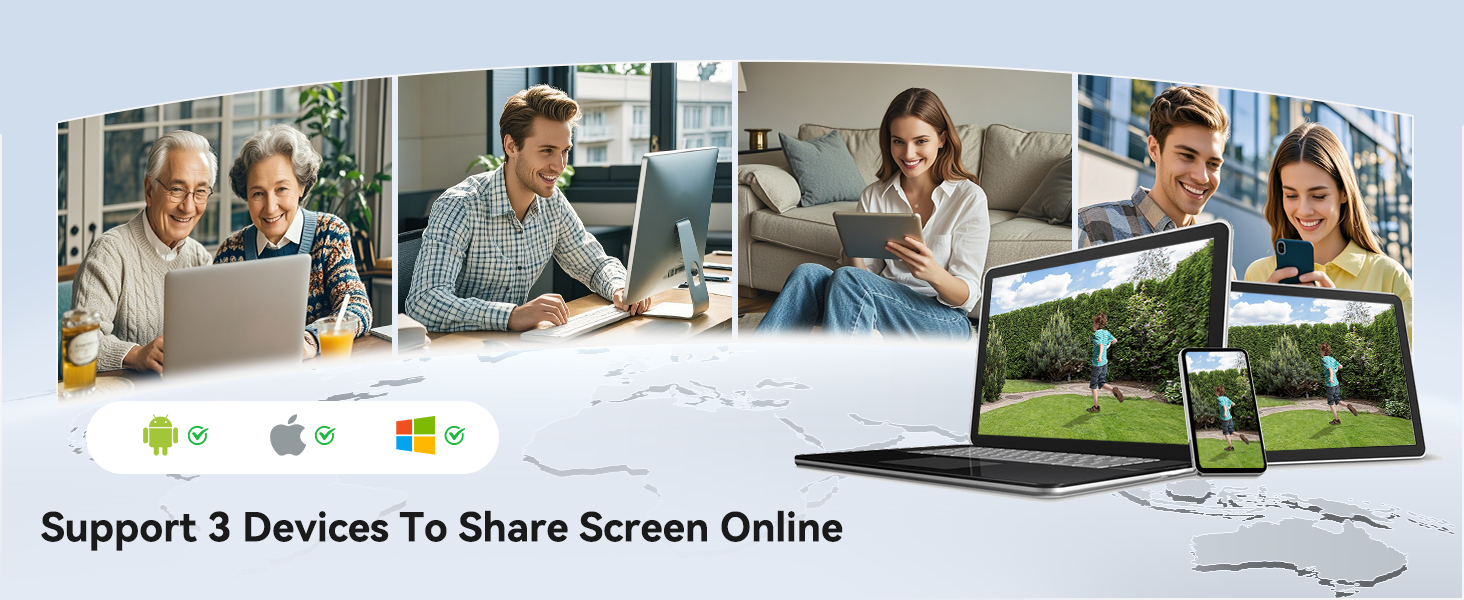
Figure 5.1: Multi-Camera Live View pada NVR
5.2 Pengesanan Gerakan dan Makluman
The camera features smart motion detection. When motion is detected, the system can trigger recording, send alerts to your mobile device, and activate the camera's spotlight and siren.
- Setting Detection Zones: Through the NVR or mobile app, you can define specific areas within the camera's view for motion detection, minimizing false alarms.
- Alert Configuration: Customize alert types (push notifications, email) and schedules.

Figure 5.2: Customized Detection Areas
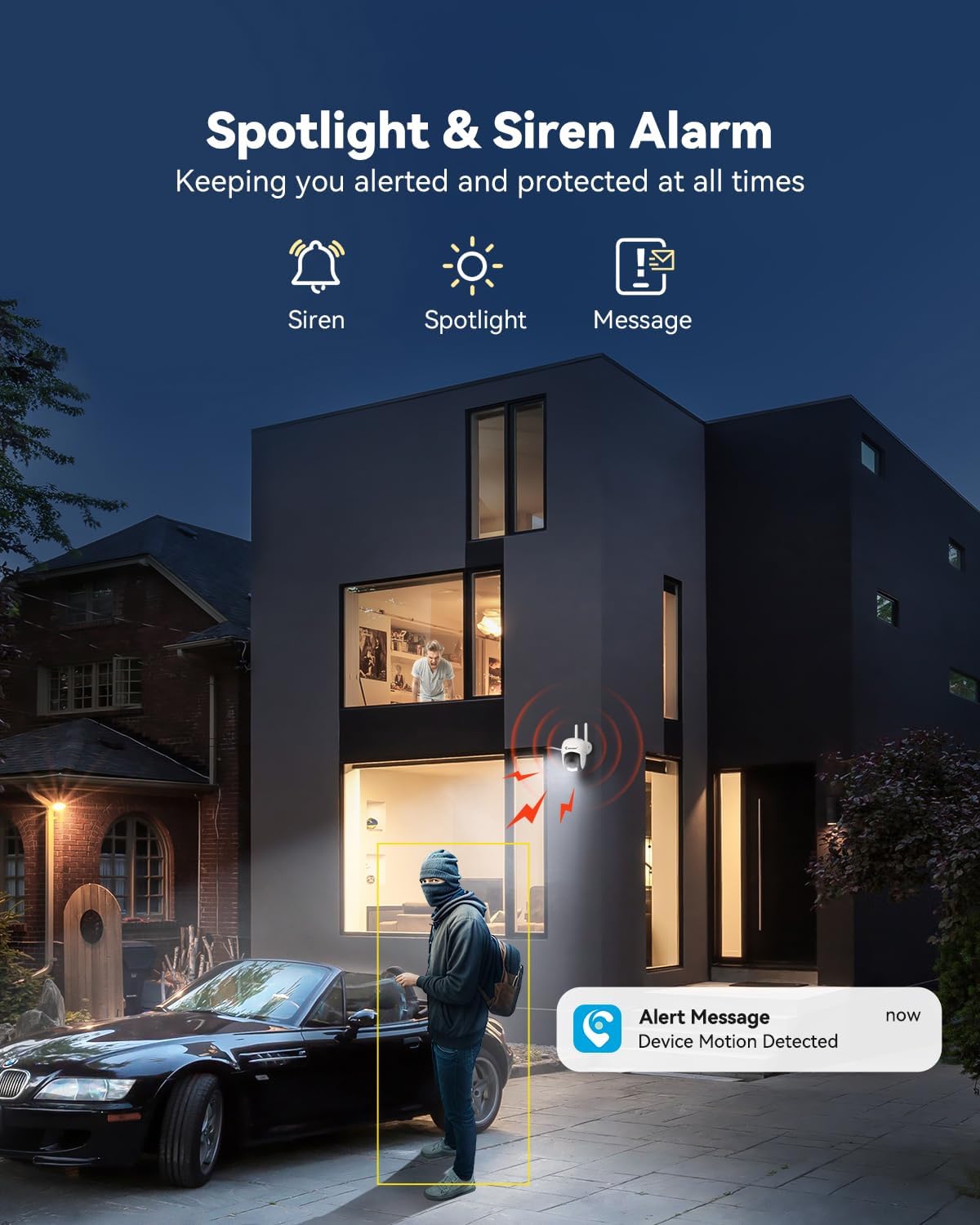
Figure 5.3: Spotlight and Siren Alarm in Action
5.3 Penglihatan Malam
The camera automatically switches to night vision in low-light conditions. It supports both infrared (black and white) and color night vision, enhanced by its built-in spotlights.

Figure 5.4: Color Night Vision vs. IR Night Vision
5.4 Audio Dua Hala
Utilize the built-in microphone and speaker for real-time two-way communication. This feature is accessible through the NVR interface or the Jennov mobile application.

Figure 5.5: Real-Time Two-Way Audio
5.5 Remote Access (Jennov App)
Download the Jennov app on your smartphone or tablet to access live feeds, playback recordings, and manage camera settings remotely. The app supports multiple users and devices for screen sharing.
- Muat turun Apl: Cari untuk "Jennov" in your device's app store.
- Gandingan Peranti: Follow the in-app instructions to add your NVR system and connected cameras.

Figure 5.6: Remote Access via Jennov App
5.6 Pilihan Storan
Your Jennov P48 system offers multiple storage solutions for recorded footage:
- Pre-installed 1TB HDD: The NVR comes with a 1TB hard disk drive for local storage.
- Storan Awan: Optional cloud storage plans are available for off-site backup (subscription may be required).
- Kad TF: The camera supports 8-256GB TF cards (Class 10) for local edge recording.
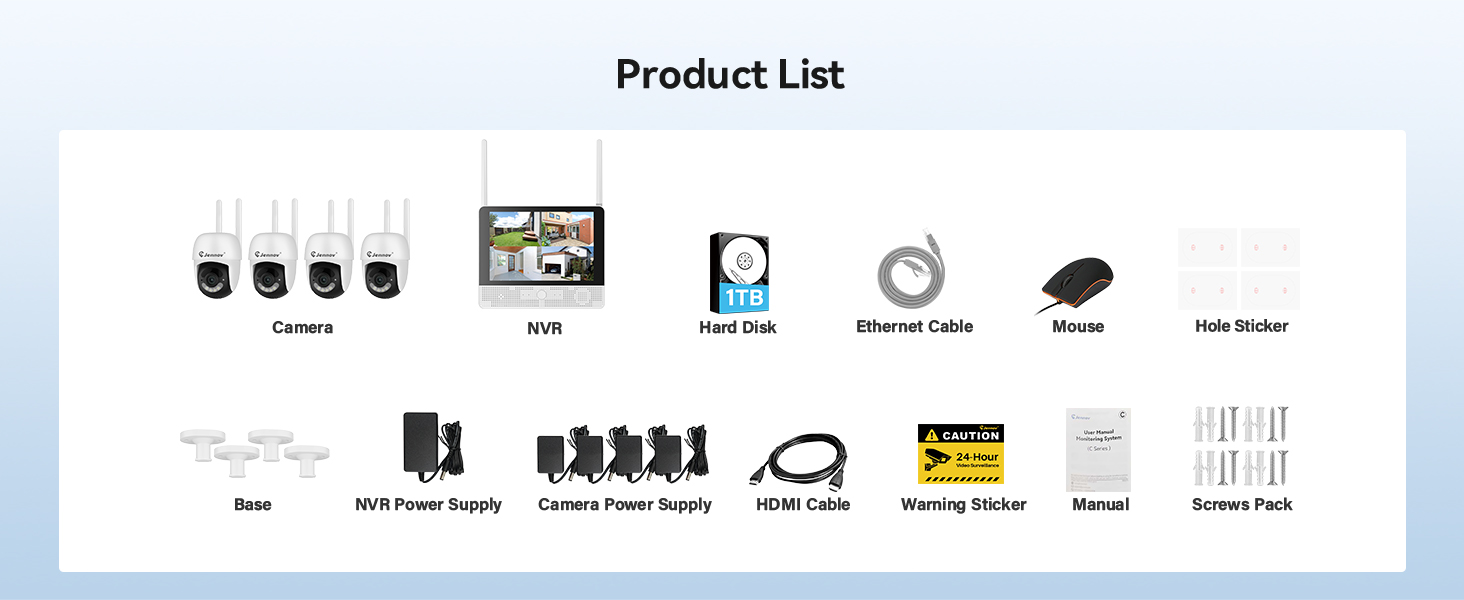
Figure 5.7: Available Storage Options
6. Penyelenggaraan
Regular maintenance ensures the longevity and optimal performance of your security camera.
- Pembersihan: Periodically clean the camera lens with a soft, dry cloth to remove dust and smudges. Do not use harsh chemicals.
- Kemas kini Firmware: Check the Jennov website or app for available firmware updates for your NVR and cameras. Keeping firmware updated ensures access to the latest features and security enhancements.
- Pemeriksaan Bekalan Kuasa: Ensure the power adapter and cable are free from damage and securely connected.
- Pemeriksaan Alam Sekitar: For outdoor cameras, periodically check for obstructions to the camera's view, such as overgrown foliage, and ensure the mounting is secure.
7. Penyelesaian masalah
If you encounter issues with your Jennov P48 Add-On Camera, refer to the following common problems and solutions.
| Masalah | Kemungkinan Punca | Penyelesaian |
|---|---|---|
| Camera not displaying on NVR | No power; Out of wireless range; Not paired; NVR channel limit reached. | Check power connection; Relocate camera closer to NVR; Manually pair camera via NVR settings; Ensure NVR has available channels (max 8). |
| Kualiti imej yang lemah | Dirty lens; Low light conditions; Poor wireless signal. | Clean the camera lens; Ensure sufficient lighting or check night vision settings; Improve wireless signal by reducing distance or obstructions. |
| Pengesanan gerakan tidak berfungsi | Detection sensitivity too low; Detection zones not set correctly; Schedule not active. | Adjust motion detection sensitivity; Configure detection zones; Check motion detection schedule. |
| Cannot access camera on mobile app | NVR not connected to internet; App not configured correctly; Incorrect login credentials. | Ensure NVR is connected to your router via Ethernet; Verify app settings and NVR pairing; Double-check login information. |
| Audio dua hala tidak berfungsi | Microphone/speaker blocked; Volume settings too low; App permissions. | Check for obstructions on microphone/speaker; Adjust volume settings on NVR/app; Grant necessary microphone permissions to the app on your mobile device. |
8. Spesifikasi
| Ciri | Perincian |
|---|---|
| Jenama | Jennov |
| Nombor Model | P48HC55-3-FAS |
| Teknologi Ketersambungan | Tanpa wayar |
| Resolusi Tangkapan Video | 5MP Ultra-HD |
| Ciri Khas | Easy to Install, Image Sensor, Night Vision, Video Recording, Weatherproof, Two-Way Audio, Motion Detection |
| warna | putih |
| Sumber Kuasa | Elektrik Bertali |
| Dimensi Item (L x W x H) | 4.96 x 3.15 x 4.61 inci |
| Berat Barang | 15.5 auns |
| Penggunaan yang Disyorkan | Luar |
| Teknologi Cahaya Rendah | Warna Malam |
| Rintangan Cuaca | IP66 |
| Suhu Operasi | -20°C hingga 60°C |
9. Waranti dan Sokongan
Jennov is committed to providing reliable products and responsive customer support. While specific warranty details are not provided in this manual, Jennov products typically come with a manufacturer's warranty covering defects in materials and workmanship.
9.1 Sokongan Pelanggan
For technical assistance, troubleshooting, or warranty inquiries, please contact Jennov customer support through the following channels:
- Jennov Official Webtapak: Visit the official Jennov webtapak untuk Soalan Lazim, sumber sokongan dan maklumat hubungan.
- Sokongan E-mel: Refer to your product packaging or the Jennov weblaman web untuk alamat e-mel sokongan khusus.
- Sembang Dalam Talian: Some regions may offer online chat support via the Jennov webtapak.
Please have your product model number (P48HC55-3-FAS) and purchase information ready when contacting support.


