1. Produk Lebihview
The TANLANIN CD-005WW is a versatile rechargeable portable CD player designed with a vintage aesthetic and modern connectivity. It features upgraded speakers, Bluetooth input/output, USB playback, and AUX input, all housed in a sophisticated walnut wood grain finish.
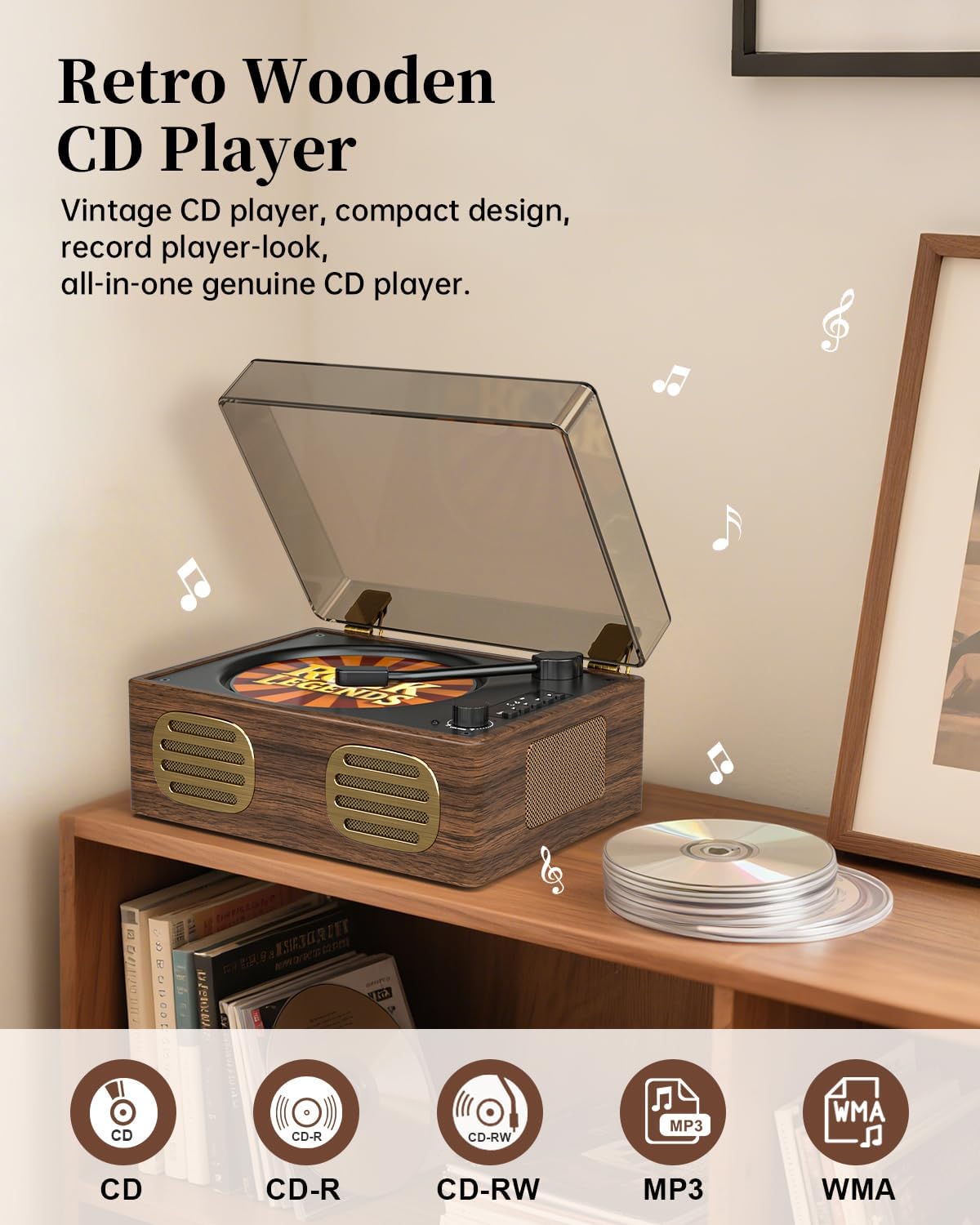
Image: TANLANIN CD-005WW Portable CD Player in Walnut Brown. This image shows the overall design of the CD player, highlighting its vintage aesthetic and compact form factor.
2. Kandungan Pakej
Pastikan semua item ada dalam pakej:
- 1 x TANLANIN CD-005WW CD Player
- 1 x Penyesuai Kuasa
- 1 x Manual Pengguna
3. Persediaan
3.1 Pengecasan Awal
The unit comes with a built-in 2000mAh rechargeable Lithium Ion battery. Before first use, fully charge the device using the provided power adapter. The indicator light will show charging status.
3.2 Pengenalan Komponen
Familiarize yourself with the player's controls and ports:
- Ruang CD: Located under the lid for disc insertion.
- Butang Kawalan: Play/Pause, Stop, Skip Forward/Backward, Mode selection.
- Tombol Kelantangan: Melaraskan tahap output audio.
- Paparan led: Shows track information and playback status.
- Port USB: Untuk main balik pemacu kilat USB.
- Input/Output AUX: Bicu 3.5mm untuk peranti audio luaran.
- Jack fon kepala: Bicu 3.5mm untuk mendengar secara peribadi.
- Input Kuasa: DC 5V-1A for charging.
- Suis Hidup/Mati: Located on the rear panel.

Image: TANLANIN CD-005WW Dimensions and Controls. This image illustrates the product dimensions, the precision volume knob, and the vintage walnut wood grain finish.
4. Arahan Operasi
4.1 Hidupkan/Mati Kuasa
- To power on, slide the On/Off switch on the rear panel to the 'ON' position.
- Untuk mematikan kuasa, luncurkan suis Hidup/Mati ke kedudukan 'MATI'.
4.2 Main Semula CD
- Open the top lid of the CD player.
- Gently place a CD (CD, CD-R, CD-RW) onto the spindle, ensuring it is seated correctly.
- Tutup penutup atas.
- Press the 'Play/Pause' button to begin playback.
- Use the 'Skip Forward' or 'Skip Backward' buttons to navigate tracks.
- Laraskan kelantangan menggunakan kenop kelantangan.
- The unit supports 3 kinds of loop play: repeat one, repeat all, normal.

Image: TANLANIN CD-005WW CD Reading Laser Head. This image provides a close-up view of the high-precision CD reading laser head, essential for accurate playback.
4.3 Kesambungan Bluetooth
The CD player supports Bluetooth input and output, allowing you to stream music from your device or output audio to Bluetooth headphones/speakers.
- Input Bluetooth: Turn on the CD player. The unit will automatically enter Bluetooth mode. On your external device, search for the Bluetooth name 'CD-005WW' and pair.
- Output Bluetooth: When playing a CD, press the Bluetooth output button to transmit audio wirelessly to compatible Bluetooth headphones or speakers.

Image: TANLANIN CD-005WW Bluetooth Transmitter. This image demonstrates the Bluetooth output feature, showing the CD player wirelessly connected to headphones and external speakers.
4.4 Main Semula USB
- Insert a USB flash drive (MP3, WMA format) into the USB port.
- The player will automatically switch to USB mode and begin playback.
- Use the control buttons to manage playback.
4.5 AUX Input/Output
- Connect an external audio device to the 3.5mm AUX input port using an audio cable (not included).
- The player will automatically switch to AUX mode.
- For headphone use, plug 3.5mm headphones into the dedicated headphone jack.
5. Penyelenggaraan
- Pastikan unit bersih dengan mengelapnya dengan kain lembut dan kering.
- Elakkan menggunakan pembersih atau pelarut yang kasar.
- Store the CD player in a cool, dry place away from direct sunlight and extreme temperatures.
- Jangan dedahkan unit kepada air atau lembapan.
6. Penyelesaian masalah
- Tiada Kuasa: Ensure the unit is fully charged or connected to the power adapter. Check the On/Off switch.
- Tiada Bunyi: Check the volume level. Ensure the correct mode (CD, Bluetooth, USB, AUX) is selected. If using headphones, ensure they are properly plugged in.
- CD Tidak Dimainkan: Ensure the CD is clean and free of scratches. Make sure the CD is inserted correctly.
- Isu Berpasangan Bluetooth: Ensure the CD player is in Bluetooth mode. Turn off and on both the CD player and your Bluetooth device, then try pairing again.
7. Spesifikasi
| Dimensi Produk | 8.07 x 6.1 x 4.13 inci |
| Berat Barang | 3.21 paun |
| Nombor Model Item | CD-005WW |
| Bateri | 1 bateri Lithium Ion diperlukan (termasuk) |
| Jenama | TANLANIN |
| Nama Model | CD-005WW |
| warna | coklat |
| Teknologi Ketersambungan | Bluetooth |
| Ciri Khas | Bluetooth, CD-R/RW Compatible, Rechargeable |
8. Waranti dan Sokongan
For warranty information or technical support, please refer to the contact details provided in your purchase documentation or visit the TANLANIN official webtapak. Simpan resit pembelian anda untuk tuntutan waranti.


