pengenalan
Welcome to the DIERYA M1 Wireless Gaming Mouse user manual. This guide provides detailed instructions for setting up, operating, and maintaining your new mouse. Please read this manual thoroughly to ensure proper use and to maximize your gaming and productivity experience.
Kandungan Pakej
Sahkan bahawa semua item terdapat dalam pakej anda:
- Tetikus Tanpa Wayar M1
- Nylon USB-A to C Cable
- Manual Pengguna
Produk Selesaiview
The DIERYA M1 mouse features a lightweight, ergonomic design with multiple programmable buttons and versatile connectivity options.

Penerangan Imej: Satu overhed view of the black DIERYA M1 wireless gaming mouse, showcasing its honeycomb shell design and RGB lighting. A small USB receiver is positioned to the right of the mouse.
Komponen Tetikus

Penerangan Imej: An overhead and underside view of the DIERYA M1 mouse with various components labeled. These include the Left Button, Right Button, Mouse Wheel (Middle Button), DPI Adjustment Button (6 Adjustable DPI Levels), Forward Button, Back Button, Type-C Interface, Power & Light Switch, and 2.4G Receiver Storage Compartment. The mouse features a honeycomb shell design.
- Butang Kiri: Fungsi klik kiri standard.
- Butang Kanan: Fungsi klik kanan standard.
- Mouse Wheel (Middle Button): Scroll and middle-click function.
- Butang Pelarasan DPI: Kitaran melalui tahap DPI pratetap.
- Butang ke hadapan: Navigasi ke hadapan web pelayar atau aplikasi.
- Butang Belakang: Navigasi ke belakang web pelayar atau aplikasi.
- Antaramuka Jenis-C: Untuk sambungan berwayar dan pengecasan.
- Suis Kuasa & Lampu: Controls power and RGB lighting.
- 2.4G Receiver Storage Compartment: Located on the underside for storing the USB dongle.
Persediaan
The DIERYA M1 mouse offers three connectivity modes: 2.4GHz Wireless, Bluetooth 5.2, and USB-C Wired.

Penerangan Imej: An illustration demonstrating the three connectivity modes of the M1 mouse: Bluetooth 5.2 pairing with a smartphone, 2.4GHz Wireless with a USB dongle connected to a laptop, and USB-C Wired connection to a laptop. Polling rates for each mode are indicated.
1. Sambungan Wayarles 2.4GHz
- Locate the 2.4G USB receiver in the storage compartment on the underside of the mouse.
- Pasangkan penerima USB ke port USB-A yang tersedia pada komputer anda.
- Hidupkan tetikus menggunakan Suis Kuasa & Lampu.
- The mouse will automatically connect to the receiver. The polling rate in this mode is 1000Hz.
2. Sambungan Bluetooth 5.2
- Hidupkan tetikus menggunakan Suis Kuasa & Lampu.
- Press and hold the dedicated connectivity mode button (refer to the product's specific button combination if not a dedicated button) to switch to Bluetooth mode. The LED indicator will show the active connection.
- On your device (PC, Mac, Laptop, iPad), go to Bluetooth settings and search for "DIERYA M1".
- Select the mouse to pair. The polling rate in Bluetooth mode is 125Hz.
- The mouse supports dual-device pairing in Bluetooth mode. Refer to the software for managing multiple Bluetooth connections.
3. Sambungan Berwayar USB-C
- Connect the provided USB-A to C cable to the Type-C interface on the front of the mouse.
- Palamkan hujung USB-A kabel ke dalam port USB yang tersedia pada komputer anda.
- The mouse will function immediately as a wired mouse. This mode also charges the mouse. The polling rate in wired mode is 1000Hz.
Arahan Operasi
Pelarasan DPI
The mouse features a dedicated DPI adjustment button to cycle through six preset DPI levels: 400, 800, 1600, 3200, 4800, and 6400. The scroll wheel LED and RGB lighting strip provide instant color-coded feedback for the current DPI setting.
Penerangan Imej: An image illustrating the DPI range from 200 to 24,000 and the corresponding scroll wheel LED colors for preset DPI levels (400, 800, 1600, 3200, 4800, 6400). The image also shows a software interface for advanced DPI customization.
Pencahayaan RGB
The DIERYA M1 mouse features 16.8 million color RGB lighting with 13 vibrant effects, including Breath, Static, Flow, and Starlight. These can be customized via the dedicated driver software.
Butang Boleh Aturcara
All six buttons on the DIERYA M1 mouse are fully programmable. Use the dedicated driver software to assign macros, remap functions, and customize button actions.
Pengurusan Bateri
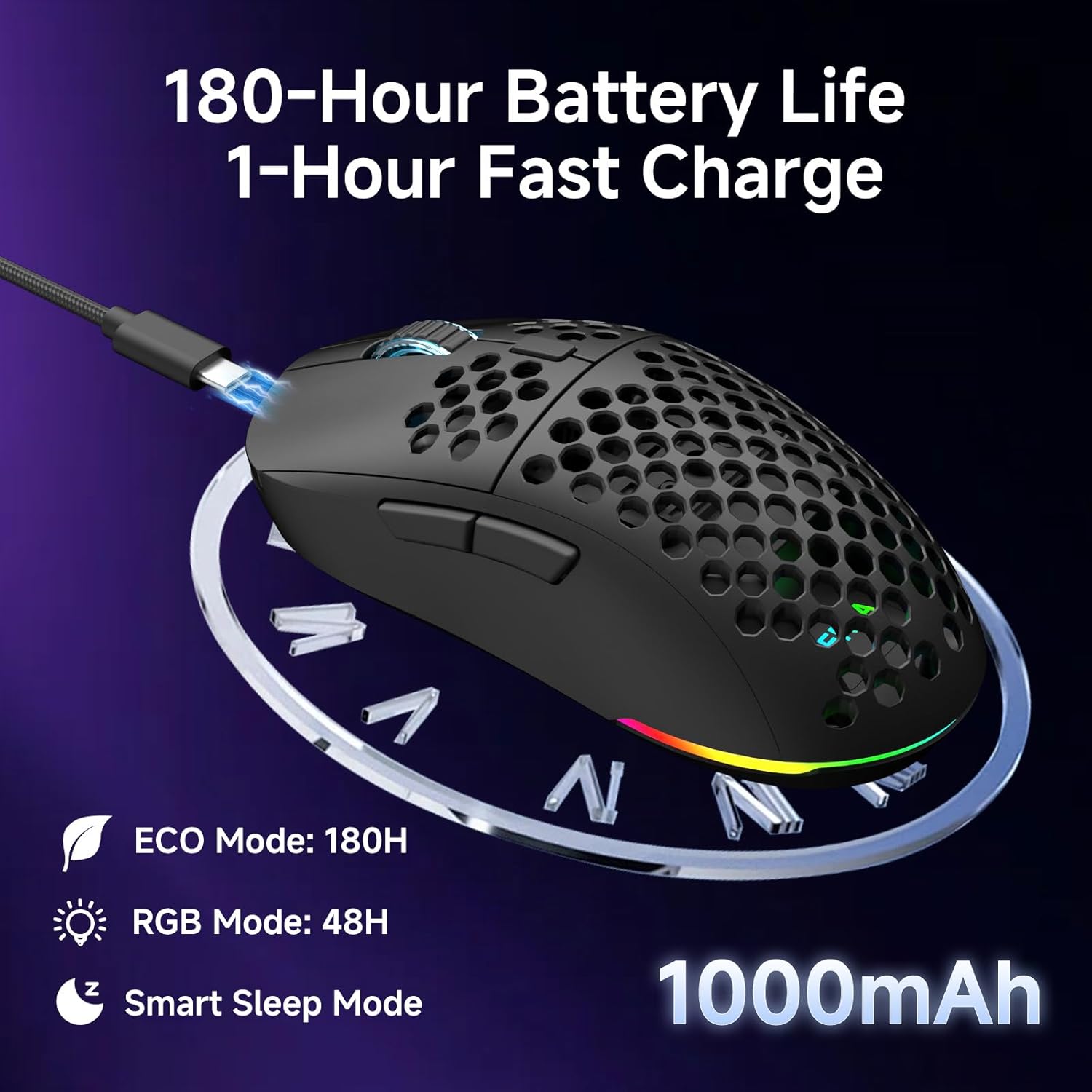
The mouse is equipped with a 1000mAh rechargeable battery.
- Hayat Bateri: Up to 180 hours in ECO mode, or 48 hours with full RGB lighting.
- mengecas: Fast USB-C charging allows a full charge in approximately 1 hour.
- Smart Sleep Modes: The mouse enters intelligent sleep modes after 1 and 5 minutes of inactivity to conserve power. These timers can be customized via software.

Penerangan Imej: An image showing the DIERYA M1 mouse connected via USB-C for charging, highlighting its 1000mAh battery, 180-hour ECO mode battery life, 48-hour RGB mode battery life, and smart sleep mode feature.
Pemasangan Perisian dan Pemacu
Perisian Penyesuaian
To unlock the full potential of your DIERYA M1 mouse, including DPI customization (up to 24,000 DPI), report rate adjustment (125-1000Hz), button remapping, macro creation, RGB lighting effects, and sleep timer settings, download and install the dedicated driver software.
The software allows you to define every detail and save up to 4 device profiles.
Visit the official DIERYA website for the latest software download: www.dierya.com/support (Cthamppautan le, pautan sebenar mungkin berbeza-beza).

Penerangan Imej: A screenshot of the DIERYA M1 mouse driver software interface, showing options for key assignment, DIY macros, customizable RGB lighting, DPI adjustment, report rate adjustment, and profile memuatkan.
Penyelenggaraan
Pembersihan dan Penjagaan
- Regularly clean the mouse with a soft, dry cloth.
- Untuk kotoran degil, sedikit dampen kain dengan air atau larutan pembersih lembut. Elakkan bahan kimia yang keras.
- Do not immerse the mouse in water or any liquids.
- Keep the PTFE feet clean to ensure smooth gliding.
Penyimpanan
- When not in use, store the 2.4G USB receiver in its dedicated compartment on the underside of the mouse.
- Simpan tetikus di tempat yang sejuk dan kering jauh dari cahaya matahari langsung dan suhu yang melampau.
Menyelesaikan masalah
Isu dan Penyelesaian Biasa
- Tetikus tidak bertindak balas:
- Pastikan tetikus dihidupkan.
- Periksa tahap bateri dan cas jika perlu.
- For 2.4GHz wireless, ensure the USB receiver is securely plugged in.
- For Bluetooth, ensure the mouse is paired and selected in your device's Bluetooth settings.
- Try connecting via USB-C wired mode to confirm functionality.
- Mulakan semula komputer anda.
- Lag atau pergerakan tidak menentu:
- Ensure the mouse is within range of the receiver (for 2.4GHz) or your device (for Bluetooth).
- Semak gangguan daripada peranti wayarles lain.
- Bersihkan sensor optik di bahagian bawah tetikus.
- Ensure the mouse is used on a suitable surface (not highly reflective or transparent).
- Update mouse drivers via the software.
- DPI tidak berubah:
- Press the DPI adjustment button firmly.
- Ensure the mouse software is installed and running correctly if custom DPI settings are configured.
- Pencahayaan RGB tidak berfungsi:
- Check the Power & Light Switch position.
- Pastikan bateri mempunyai cas yang mencukupi.
- Adjust lighting settings through the driver software.
Spesifikasi
Butiran Teknikal
| Ciri | Perincian |
|---|---|
| Model | M1 |
| Ketersambungan | Tanpa Wayar 2.4GHz, Bluetooth 5.2, Berwayar USB-C |
| Julat DPI | 200 - 24,000 DPI |
| Kadar Mengundi | 125-1000Hz |
| Kelajuan Penjejakan | 300IPS |
| Pecutan | 35G |
| Kapasiti Bateri | 1000mAh |
| Hayat Bateri | Up to 180 hours (ECO mode), 48 hours (RGB on) |
| Masa Mengecas | lebih kurang 1 jam |
| Berat badan | 90 gram |
| Dimensi | 125 x 63 x 41 mm |
| Suis | Huano Micro Switches (20 million clicks) |
| kaki | PTFE |
| Pencahayaan RGB | 16.8 Million Colors, 13 Effects |
| Butang Boleh Aturcara | 6 |
| Keserasian | PC, Mac, Laptop, iPad, Chromebook |
Waranti dan Sokongan
Waranti Produk
DIERYA products typically come with a limited warranty. Please refer to the warranty card included in your package or visit the official DIERYA webtapak untuk terma dan syarat jaminan terperinci. Simpan bukti pembelian anda untuk tuntutan waranti.
Sokongan Pelanggan
If you encounter any issues or have questions regarding your DIERYA M1 Wireless Gaming Mouse, please contact DIERYA customer support.
- Webtapak: www.dierya.com/support (Cthamppautan le, pautan sebenar mungkin berbeza-beza)
- e-mel: Rujuk pembungkusan produk atau weblaman web untuk alamat e-mel sokongan.
When contacting support, please provide your product model (M1) and a detailed description of the issue.


