1. Pengenalan
This manual provides detailed instructions for the LIGE Smartwatch Model EF14-I. It covers setup, operation, maintenance, and troubleshooting to ensure optimal performance and user experience. Please read this manual thoroughly before using your device.

Image 1: LIGE Smartwatch Model EF14-I, showcasing its design, interchangeable straps, and multiple digital watch faces.
2. Persediaan
2.1 Mengecas Peranti
Before initial use, fully charge your smartwatch. The device features a 730mAh polymer battery. Use the provided magnetic charging cable. A full charge typically takes approximately 2.5 hours. The watch offers 5-7 days of daily use and up to 50 days in standby mode.

Image 2: The LIGE Smartwatch connected to its magnetic charger, illustrating its 730mAh battery capacity and extended battery life.
2.2 App Installation (FitCloudPro)
To unlock the full functionality of your smartwatch, download and install the FitCloudPro aplikasi pada telefon pintar anda. Aplikasi ini serasi dengan peranti Android 5.0+ dan iOS 11.0+.
- Scan the QR code provided in the watch packaging or on the watch screen to download the app.
- Alternatively, search for "FitCloudPro" in the Apple App Store (for iOS) or Google Play Store (for Android).
- Pasang aplikasi pada telefon pintar anda.
2.3 Berpasangan Peranti
Ensure your smartphone's Bluetooth is enabled. Open the FitCloudPro app and follow the on-screen instructions to pair your smartwatch. The device uses Bluetooth 5.0 for a stable connection.
3. Arahan Operasi
3.1 Navigasi Asas
- Skrin Sentuh: Leret ke kiri, kanan, atas atau bawah untuk menavigasi menu dan ciri. Ketik untuk memilih.
- Butang Sisi: Use the physical buttons on the side of the watch for quick access to functions or to return to the home screen.
3.2 Panggilan dan Pemberitahuan Bluetooth
Once paired with your smartphone, the smartwatch supports Bluetooth 5.3 for direct calls from your wrist. You can also receive instant notifications for messages, calls, and various applications.
- Membuat/Menerima Panggilan: Access the call log or dial pad on the watch to initiate calls. Answer incoming calls directly on the watch.
- Pemberitahuan Mesej: View incoming messages from SMS and social media apps.
- Pemberitahuan Apl: Receive alerts from compatible applications.

Image 3: The smartwatch interface showing Bluetooth call functionality, message alerts, and voice assistant interaction.
3.3 Pemantauan Kesihatan
The smartwatch provides comprehensive health tracking features:
- Kadar Jantung: Pemantauan kadar denyutan jantung berterusan sepanjang hari.
- Oksigen Darah (SpO2): Mengukur tahap ketepuan oksigen darah.
- Penjejakan Tidur: Monitors sleep patterns, including sleep duration and quality.
- Pedometer: Tracks steps taken, distance covered, and calories burned.

Image 4: Health monitoring features of the smartwatch, including heart rate, daily activity, sleep analysis, and guided breath training.
3.4 Mod Sukan
The device supports over 110 professional sport modes, accurately tracking your activity data.
- Pilih mod sukan yang anda inginkan daripada menu jam tangan.
- The watch will record data such as steps, calories burned, and distance.
- All fitness data synchronizes with the FitCloudPro app for detailed analysis.

Image 5: The smartwatch tracking a running activity, demonstrating its multi-sport mode capabilities for various physical activities.
3.5 Fungsi Tambahan
- Lampu LED: A powerful LED flashlight for emergencies or low-light conditions.
- Kawalan Muzik: Kawal main balik muzik pada telefon pintar anda.
- Kawalan Kamera: Gunakan jam tangan sebagai pengatup jauh untuk kamera telefon anda.
- Pembantu Suara: Access your smartphone's voice assistant.
- Cuaca: View current weather information.
- Peringatan: Set alarms, sedentary reminders, and drink water reminders.
- Cari Telefon: Cari telefon pintar berpasangan anda.
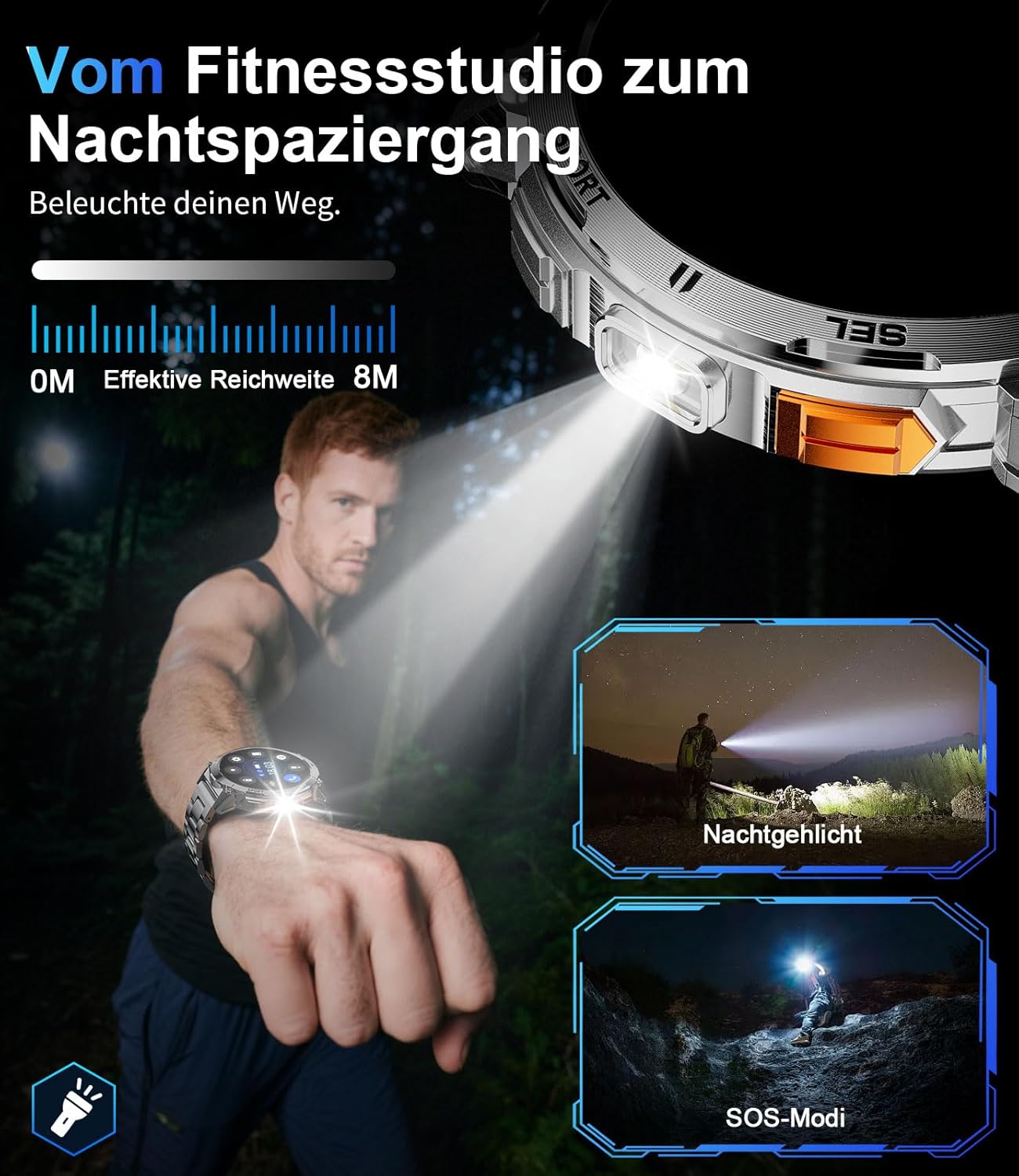
Image 6: The smartwatch's integrated LED flashlight in use, providing illumination in a dark environment.
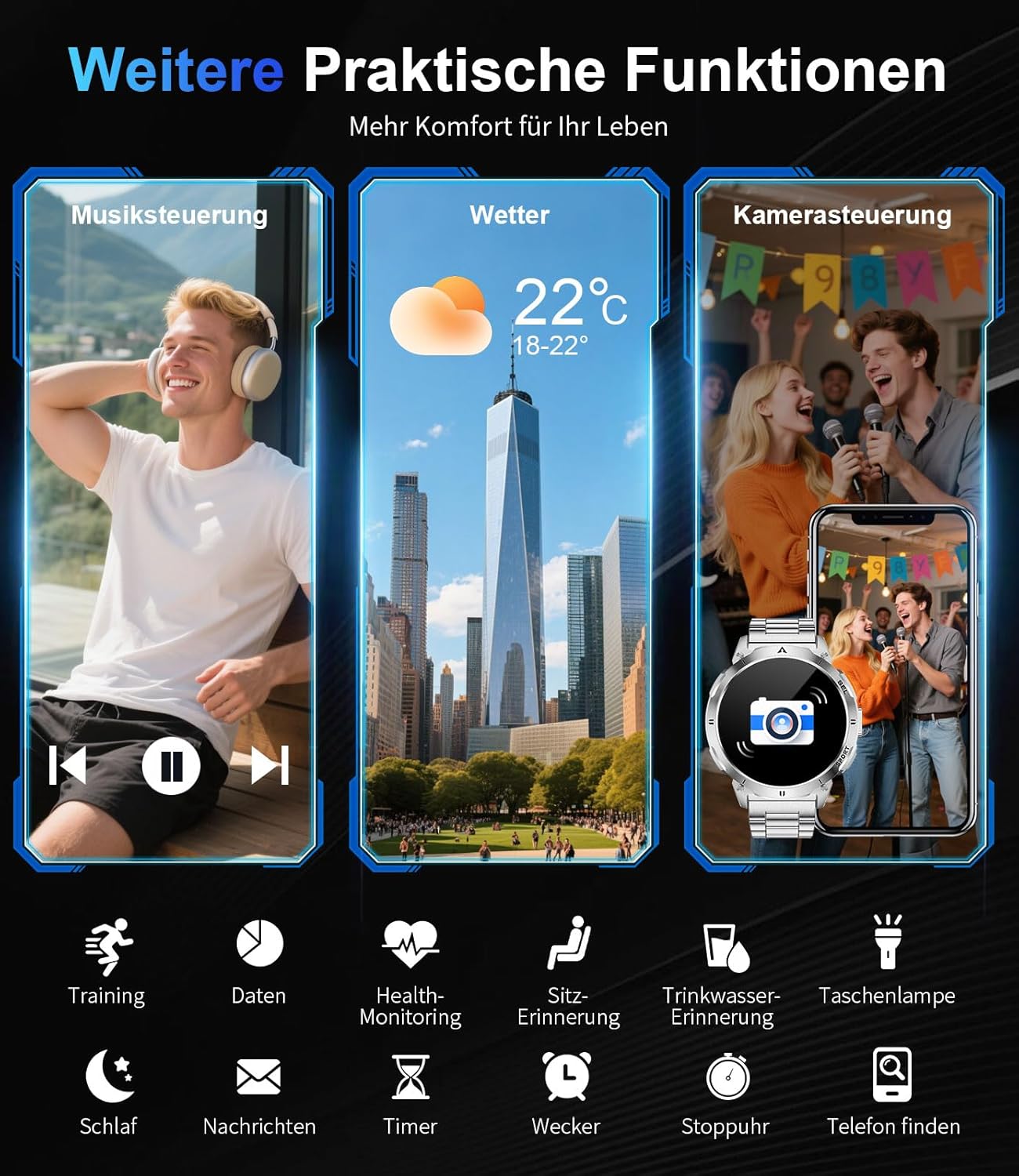
Imej 7: Selesaiview of additional practical functions including music control, weather display, and remote camera operation.
4. Ciri Berakhirview
4.1 Paparan AMOLED
The smartwatch features a 1.62-inch AMOLED display with 480x480 pixels and 850 nits brightness, ensuring clear visuals even in direct sunlight. The ONCELL touch panel provides precise and responsive control.
4.2 Reka Bentuk Tahan Lama
Constructed with a zinc alloy casing and a robust polycarbonate back, the smartwatch is lightweight (83g) and durable. It is 3 ATM waterproof, making it resistant to rain, sweat, and suitable for swimming.

Image 8: Visual representation of the smartwatch's durability, highlighting its resistance to shock, extreme temperatures, dust, scratches, and impacts.
4.3 Muka Jam Boleh Disesuaikan
Personalize your smartwatch with over 200 watch faces available through the FitCloudPro app. You can also create custom watch faces to match your style.

Image 9: The smartwatch's extensive watch face customization options, including a preview of a custom background being set via the app.
5. Penyelenggaraan
5.1 Tahan Air
The LIGE Smartwatch Model EF14-I is 3 ATM waterproof. This means it can withstand splashes, rain, and brief immersion in water, such as during swimming. It is not recommended for diving or high-pressure water activities.
5.2 Pembersihan
To clean your smartwatch, wipe it with a soft, damp cloth. Avoid using harsh chemicals or abrasive materials, as these can damage the device. Ensure the charging contacts are clean and dry before charging.
5.3 Penjagaan Bateri
To prolong battery life, avoid exposing the watch to extreme temperatures. Charge the device regularly, but avoid leaving it fully discharged for extended periods.
6. Penyelesaian masalah
- Peranti tidak dihidupkan: Pastikan jam tangan dicas sepenuhnya. Sambungkannya ke pengecas dan tunggu beberapa minit sebelum cuba menghidupkannya.
- Tidak boleh berpasangan dengan telefon pintar: Pastikan Bluetooth didayakan pada telefon anda dan jam tangan berada dalam julat. Mulakan semula jam tangan dan telefon anda, kemudian cuba pasangkan semula melalui aplikasi FitCloudPro.
- Data kesihatan tidak tepat: Pastikan jam tangan dipakai dengan kemas pada pergelangan tangan anda, tidak terlalu ketat atau terlalu longgar. Bersihkan penderia di belakang jam tangan.
- Pemberitahuan tidak diterima: Check app notification settings in the FitCloudPro app and your phone's system settings to ensure permissions are granted.
- Hayat bateri pendek: Reduce screen brightness, disable unnecessary features, and ensure background app usage is optimized.
7. Spesifikasi
| Ciri | Spesifikasi |
|---|---|
| Jenama | LIGE |
| Nombor Model | EF14-I |
| Paparan | 1.62-inch AMOLED, 480x480 pixels, 850 nits |
| Kapasiti Bateri | 730 mAh Litium-Polymer |
| Hayat Bateri | 5-7 hari (kegunaan harian), sehingga 50 hari (sedia sedia) |
| Masa Mengecas | lebih kurang 2.5 jam (pengecasan magnetik) |
| Tahan Air | 3 ATM |
| Ketersambungan | Bluetooth 5.0 / 5.3 |
| Sistem Operasi | Wear OS (compatible with Android 5.0+, iOS 11.0+) |
| Simpanan Memori | 256 MB |
| Ciri Khas | LED Light, Pedometer, Fitness Tracker, Heart Rate Monitor, SpO2, Sleep Tracker, Bluetooth Calls, Music Player, Voice Assistant, Reminders, Alarms, Notifications, Sedentary Reminder, Calculator |
| Peranti Serasi | Telefon pintar |
| Berat badan | 83g |
8. Waranti dan Sokongan
The LIGE Smartwatch Model EF14-I comes with a 2-year warranty. Additionally, a 30-day return policy is typically offered. For technical support or warranty claims, please refer to the contact information provided with your purchase or visit the official LIGE support webtapak.


