1. Pengenalan dan Lebihview
The artfone CF241A is a user-friendly GSM flip phone specifically designed for seniors. It features large buttons, a clear 2.4-inch display, and essential functions for easy communication. Key features include an SOS emergency button, FM radio, and dual SIM card support.
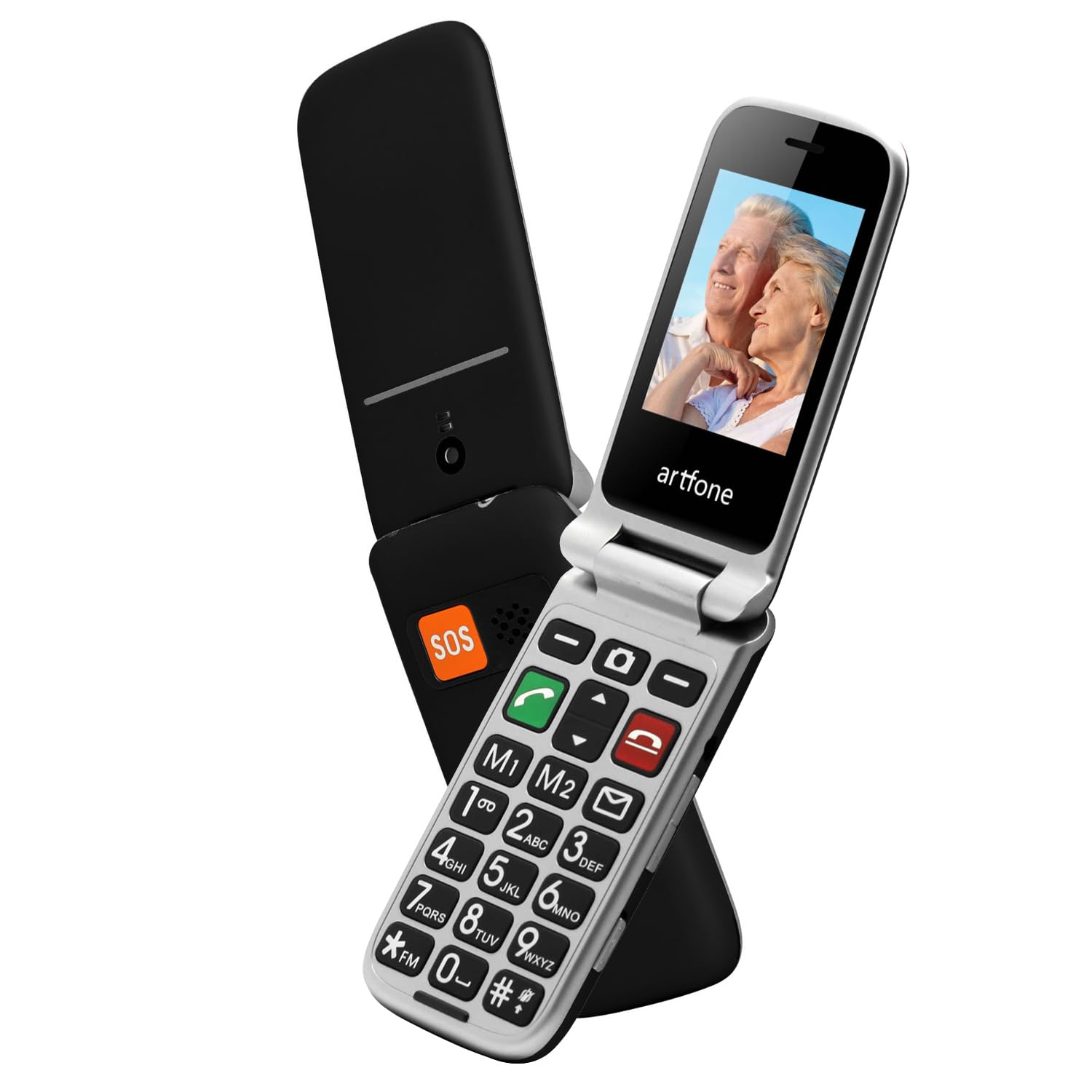
Image 1.1: The artfone CF241A flip phone in black, shown open to display its large, easy-to-read buttons and a vibrant color screen.
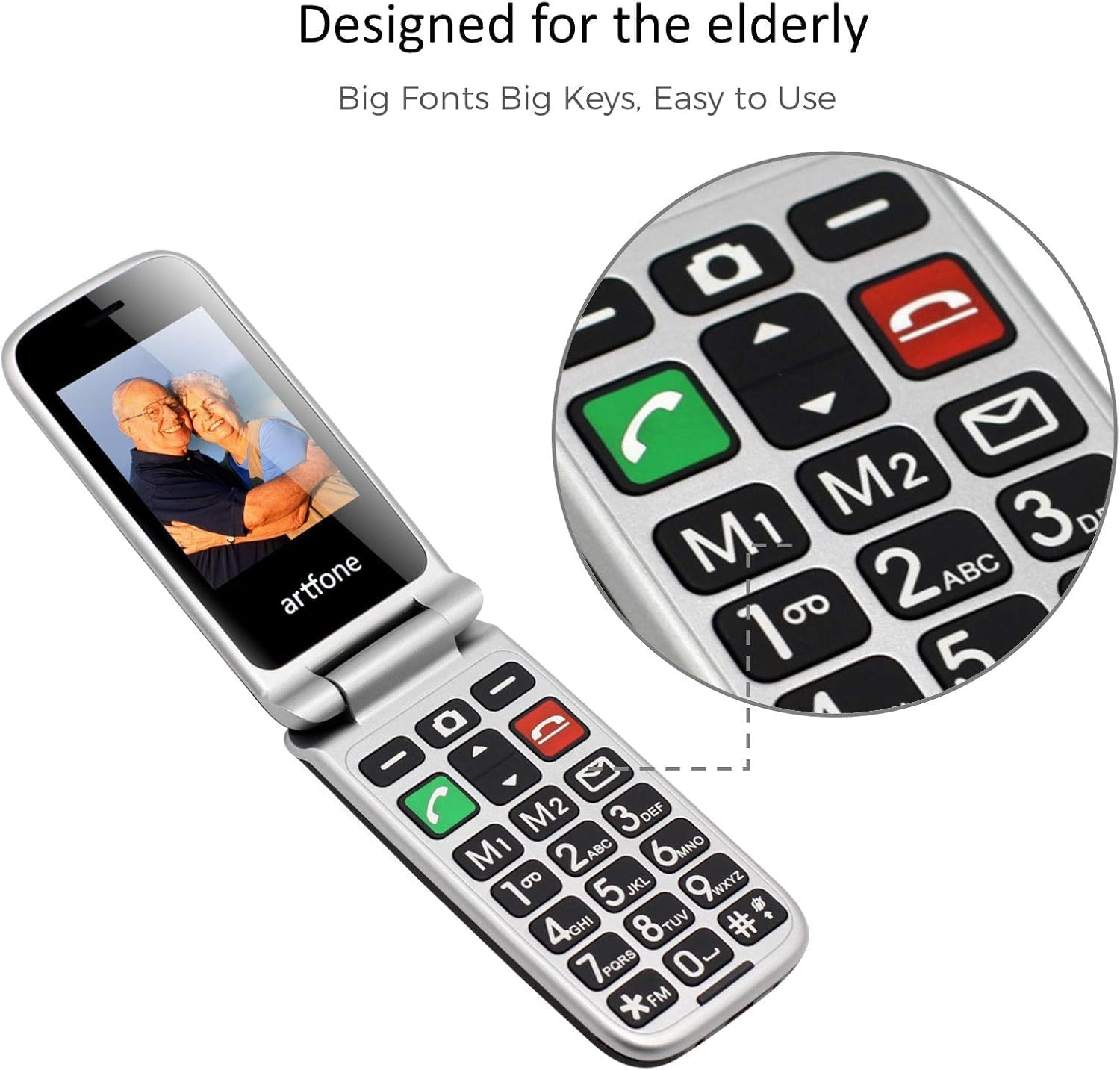
Image 1.2: Close-up of the artfone CF241A's keypad, highlighting the large, distinct buttons and dedicated memory keys (M1, M2) for quick dialing.
2. Persediaan
2.1 Pemasangan Bateri
- Tanggalkan penutup belakang telefon dengan berhati-hati.
- Insert the provided Lithium-ion battery into the battery compartment, ensuring the gold contacts align with the phone's terminals.
- Pasang semula penutup belakang sehingga ia terpasang dengan selamat di tempatnya.
2.2 Pemasangan Kad SIM dan Kad MicroSD
- With the back cover and battery removed, locate the SIM card slot(s). This phone supports dual SIM cards.
- Insert your standard-sized SIM card(s) into the designated slot(s) with the gold contacts facing down, following the diagram near the slot.
- If using a MicroSD card for additional storage, insert it into the MicroSD card slot.
- Pasang semula bateri dan penutup belakang.
2.3 Mengecas Telefon
- Connect the USB Type-C charging cable to the charging port on the phone.
- Plug the other end of the cable into a compatible USB power adapter or a computer's USB port.
- The battery icon on the screen will indicate charging status. Allow the phone to fully charge before first use.
2.4 Powering On/Off and Language Selection
- To power on, press and hold the red 'End Call' button until the screen lights up.
- Upon first power-on, you may be prompted to select your preferred language. Use the navigation keys to select English and press the 'OK' button.
- To power off, press and hold the red 'End Call' button until the power-off option appears, then confirm.
3. Arahan Operasi
3.1 Membuat dan Menerima Panggilan
- Membuat Panggilan: Enter the phone number using the keypad and press the green 'Call' button.
- Menjawab Panggilan: When the phone rings, press the green 'Call' button to answer.
- Menamatkan Panggilan: Press the red 'End Call' button to terminate a call.
- Dail Cepat: Press and hold a number key (2-9) to dial a pre-assigned speed dial contact. M1 and M2 keys can also be programmed for direct dialing.
3.2 Menghantar dan Menerima Mesej SMS
- Menghantar SMS: Navigate to the 'Messages' menu, select 'Write Message', enter your text, and then select the recipient from your contacts or enter a number.
- Menerima SMS: New messages will be indicated by an envelope icon on the screen. Access them through the 'Messages' menu.
3.3 Fungsi Kecemasan SOS
The SOS button is located on the back of the phone. It allows for quick contact with pre-selected emergency numbers.
- Setting up SOS Numbers: Go to 'Settings' > 'SOS Settings' to add up to 5 emergency contacts.
- Mengaktifkan SOS: In an emergency, press and hold the SOS button for 3 seconds. The phone will automatically call the pre-set emergency numbers in sequence until one is answered. It will also send an emergency SMS to these contacts.
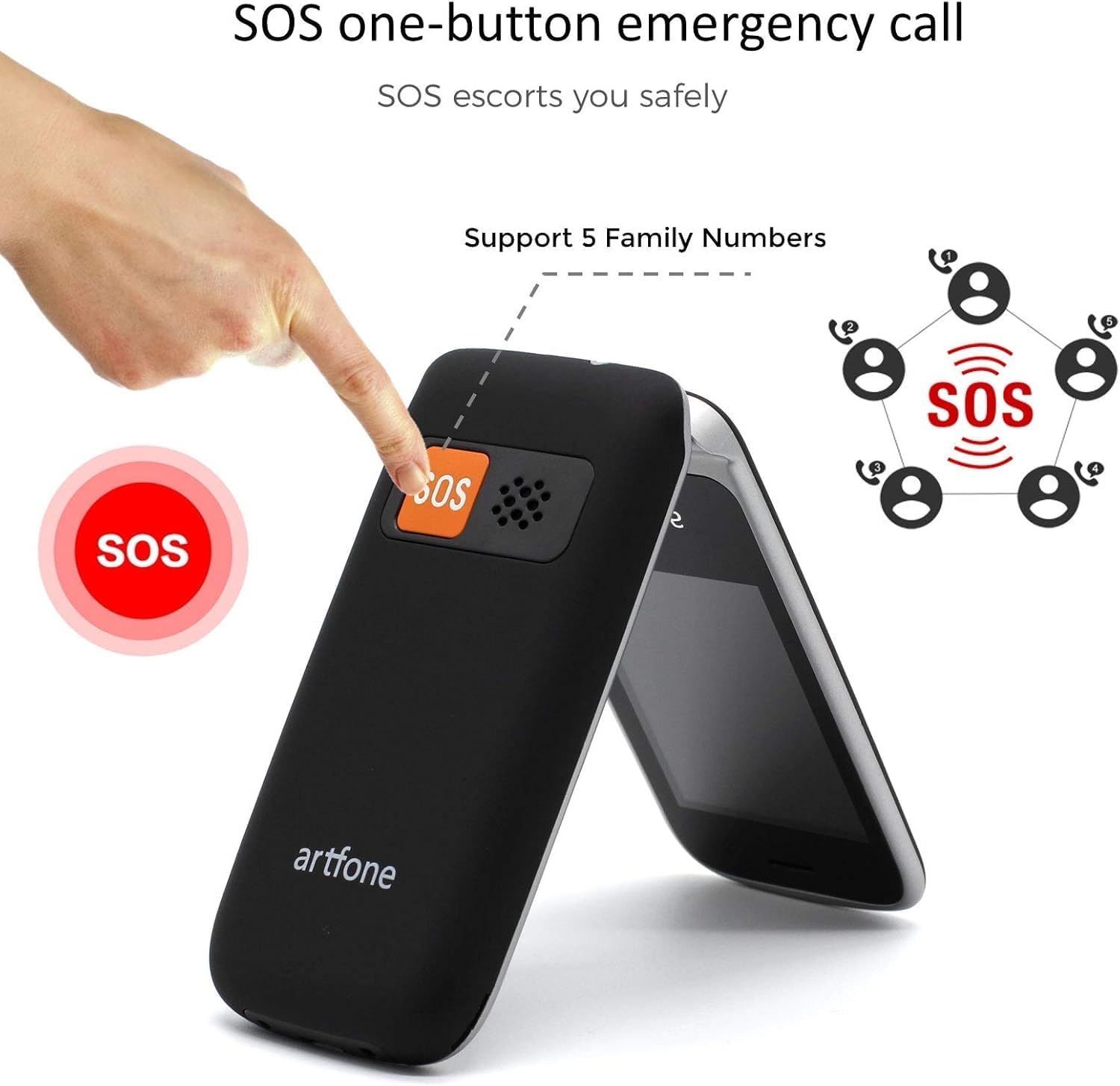
Image 3.1: Demonstrating the SOS emergency call function by pressing the dedicated button on the phone's rear.
3.4 Phonebook / Contacts
Store frequently used numbers in the phonebook. You can add, edit, and delete contacts through the 'Contacts' menu.
3.5 Radio FM
To use the FM radio, connect a wired headset (not included) to the phone's audio jack, as it acts as an antenna. Navigate to the 'FM Radio' application in the menu to scan for stations.
3.6 Lampu suluh
Activate the flashlight function by pressing and holding the dedicated flashlight button on the side of the phone, or through the 'Tools' menu.

Image 3.2: The artfone CF241A's integrated flashlight in operation, providing illumination.
3.7 Fungsi Lain
The phone includes additional tools such as an alarm clock, calculator, and calendar, accessible via the main menu.

Imej 3.3: Selesaiview of the phone's various functions, represented by icons on the screen.
4. Penyelenggaraan
- Pembersihan: Gunakan kain lembut dan kering untuk membersihkan bahagian luar telefon. Elakkan pencuci cecair atau bahan kasar.
- Penjagaan Bateri: Untuk memanjangkan hayat bateri, elakkan suhu yang melampau dan jangan biarkan telefon dalam keadaan nyahcas sepenuhnya untuk tempoh yang lama.
- Storan: Simpan telefon di tempat yang sejuk dan kering, jauh daripada cahaya matahari langsung dan kelembapan apabila tidak digunakan.
5. Penyelesaian masalah
| Masalah | Kemungkinan Punca | Penyelesaian |
|---|---|---|
| Telefon tidak dihidupkan | Bateri lemah; Bateri tidak dipasang dengan betul | Cas bateri; Pasang semula bateri dengan betul |
| Tidak boleh membuat atau menerima panggilan | No SIM card; SIM card not installed correctly; No network signal | Install SIM card; Reinstall SIM card; Move to an area with better signal |
| Isu pengecasan | Pengecas/kabel rosak; Sambungan longgar | Try a different charger/cable; Ensure cable is securely connected |
| SOS button not working | No SOS numbers set; Incorrect settings | Configure SOS numbers in settings; Check SOS settings |
Jika masalah berterusan, sila hubungi sokongan pelanggan.
6. Spesifikasi
- Jenama: artfone
- Nombor Model: CF241A
- warna: Hitam
- Sistem pengendalian: artfone OS
- Saiz Skrin: 2.4 Inci
- Resolusi: 240 x 320 piksel
- Sambungan: 2G GSM
- Kelajuan CPU: 1000 MHz
- RAM: 64 MB
- Storan Dalaman: 128 MB
- Komposisi Bateri: Litium-ion
- Kapasiti Bateri: 1300 mAh
- Port Pengecasan: USB Jenis C
- Sokongan Kad SIM: Dual SIM
7. Waranti dan Sokongan
Your artfone CF241A phone comes with a standard manufacturer's warranty. Please refer to the warranty card included in your product packaging for specific terms and conditions.
For technical support, troubleshooting assistance, or warranty claims, please contact artfone customer service through their official webtapak atau maklumat hubungan yang diberikan dalam dokumentasi produk anda.


