1. Produk Lebihview
Si Hitamview Acebook 6 is a portable laptop designed for general computing tasks, featuring a 15.6-inch Full HD IPS display, an Intel N150 Quad-Core processor, 16GB DDR4 RAM, and a 512GB SSD. It operates on Windows 11 and supports 100W Type-C fast charging.

Imej: Si Hitamview Acebook 6 laptop displaying the Windows 11 operating system interface.
2. Kandungan Pakej
Sahkan bahawa semua item terdapat dalam pakej:
- Hitamview Acebook 6 Laptop
- Power Adapter (100W Type-C)
- Tetikus Tanpa Wayar
- beg komputer riba
- Manual Pengguna (dokumen ini)
3. Panduan Persediaan
3.1 Pengecasan Awal
Before first use, fully charge the laptop. Connect the provided 100W Type-C power adapter to the laptop's Type-C port and a power outlet. The charging indicator light will illuminate.

Image: The laptop's Type-C port connected to the fast charging cable, illustrating the charging process.
3.2 Menghidupkan/Mematikan
- Untuk Menghidupkan: Press and hold the power button located on the top right of the keyboard until the screen illuminates.
- Untuk Mematikan: Click the Windows Start button, then select Power > Shut down. Alternatively, press and hold the power button for several seconds to force a shutdown (use only when necessary).
3.3 Menyambung Peranti
The Acebook 6 features various ports for connecting external devices:
- Port USB 3.2 Gen 1 (x2): Untuk pemindahan data berkelajuan tinggi dengan peranti USB.
- Port USB 2.0 (x1): For standard USB devices like mice or keyboards.
- Full-featured Type-C Port (x1): Supports 5Gbps data transfer, fast charging, and DisplayPort 1.4 video output.
- Port HDMI 2.0 (x1): Connect to external displays or projectors for up to 4K resolution at 60Hz.
- Bicu Audio 3.5mm (x1): Untuk fon kepala atau pembesar suara luaran.
- TF Card Slot (x1): For memory card expansion (Max 25MB/s data transfer).

Imej: Terperinci view of the laptop's left and right sides, highlighting the USB, Type-C, HDMI, audio, and TF card ports.
4. Arahan Operasi
4.1 Ciri Paparan
The 15.6-inch Full HD (1920x1080) IPS display offers clear visuals. It features TÜV Rheinland Low Blue Light Certification to reduce eye strain during extended use.

Image: The laptop screen showcasing its TÜV SÜD Low Blue Light Certification for eye comfort.
4.2 Prestasi dan Penyimpanan
The laptop is equipped with an Intel N150 Quad-Core processor, 16GB DDR4 RAM, and a 512GB M.2 SSD for efficient performance and ample storage. The SSD can be expanded up to 2TB.

Image: The laptop screen showing various applications running, emphasizing the 16GB RAM and 512GB SSD with 2TB expansion capability.
4.3 Pengurusan Bateri
The Acebook 6 features a 45Wh battery. You can select from different power modes to optimize battery life or performance:
- Mod jimat tenaga: Limits background activities to extend battery life.
- Mod Seimbang: Optimizes performance and battery life for everyday tasks.
- Mod Prestasi: Prioritizes maximum performance for demanding tasks.

Image: An illustration detailing the laptop's battery capacity and the three available power management modes.
4.4 Kesambungan Wayarles
- Wi-Fi: Supports dual-band 5G Wi-Fi for stable and fast internet connections.
- Bluetooth: For connecting wireless peripherals such as headphones, mice, and keyboards.
4.5 Papan kekunci berangka
The integrated independent numeric keypad allows for efficient data entry, useful for financial reports or detailed document creation.

Image: A close-up of the laptop's keyboard, highlighting the independent numeric keypad for enhanced productivity.
5. Penyelenggaraan
5.1 Pembersihan
- Gunakan kain lembut dan tidak berbulu untuk membersihkan skrin dan bahagian luar.
- Elakkan menggunakan bahan kimia yang keras atau bahan yang melelas.
- Untuk calitan degil, ringan dampen kain dengan air atau larutan pembersih skrin.
5.2 Pengurusan Haba
The Acebook 6 features an expansive cooling area with a gaming-grade shark fin fan, operating at up to 4500 RPM, and thickened copper pipes to maintain optimal operating temperatures and quiet performance.

Imej: Satu dalaman view of the laptop's heat dissipation system, showing the fan and copper pipes.
5.3 Kemas Kini Perisian
Regularly check for and install operating system and driver updates to ensure optimal performance and security. These updates are typically managed through Windows Update.
6. Penyelesaian masalah
6.1 Isu dan Penyelesaian Biasa
- Komputer riba tidak dihidupkan: Ensure the laptop is charged or connected to the power adapter. Try a hard reset by holding the power button for 10-15 seconds.
- Skrin kosong: Check if the laptop is powered on. Connect an external monitor via HDMI to verify if the issue is with the laptop's display.
- Isu sambungan Wi-Fi: Pastikan Wi-Fi didayakan dalam tetapan Windows. Mulakan semula penghala dan komputer riba anda.
- Prestasi perlahan: Close unnecessary applications. Check for available system updates. Ensure sufficient free storage space on the SSD.
For persistent issues, refer to the support section or contact Blackview perkhidmatan pelanggan.
7. Spesifikasi
| Ciri | Spesifikasi |
|---|---|
| Nama Model | ACEBOOK 6 |
| Pemproses | Intel N150 Quad-Core (Up to 3.6GHz) |
| RAM | 16GB DDR4 SDRAM |
| Penyimpanan | 512GB M.2 SSD (Expandable up to 2TB) |
| Paparan | 15.6 Inches FHD IPS (1920x1080 Pixels) |
| Pemproses bersama Grafik | Grafik Intel (Bersepadu) |
| Sistem Operasi | Windows 11 |
| Jenis Wayarles | Dual-band 5G Wi-Fi, Bluetooth |
| Pelabuhan | 2x USB 3.2 Gen 1, 1x USB 2.0, 1x Full-featured Type-C, 1x HDMI 2.0, 1x 3.5mm Audio, 1x TF Card Slot |
| Bateri | Lithium Ion 45Wh |
| Berat Barang | 3.74 paun (1.7 kg) |
| Dimensi Produk | 14.1 x 0.7 x 9 inci (35.8 x 1.8 x 22.8 cm) |
| Ciri Khas | Numeric Keypad, TÜV Rheinland Eye Care |
8. Waranti dan Sokongan
8.1 Maklumat Waranti
Si Hitamview Acebook 6 laptop comes with a Waranti 2 Tahun. This warranty covers manufacturing defects and hardware malfunctions under normal use conditions.
8.2 Sokongan Teknikal
Hitamview menyediakan Sokongan Teknikal Sepanjang Hayat for the Acebook 6. For assistance with any issues, you can:
- Refer to the troubleshooting section in this manual.
- Visit the official Blackview sokongan webtapak untuk Soalan Lazim dan sumber tambahan.
- Contact Blackview customer service directly.
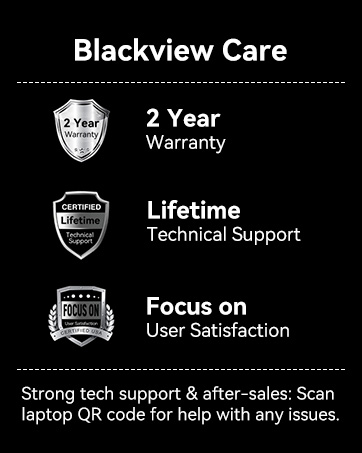
Image: Blackview Care details, including 2-year warranty and lifetime technical support commitment.


