pengenalan
This manual provides detailed instructions for the setup, operation, maintenance, and troubleshooting of your Azeyou 12 Inch Android 15 Tablet, model T12. Please read this manual thoroughly to ensure proper use and to maximize your device's performance and longevity.
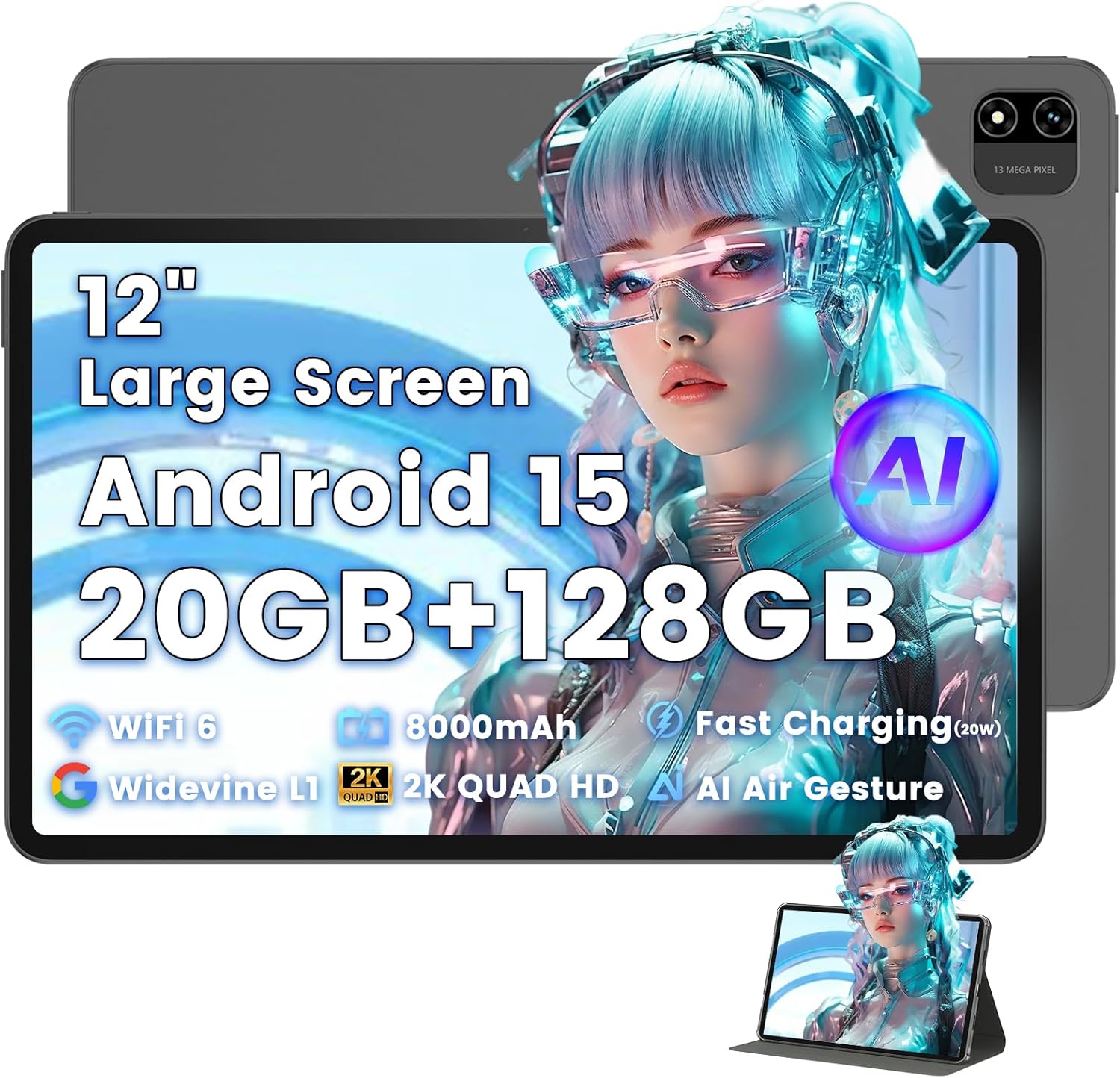
Image: The Azeyou T12 tablet, shown with its protective case, highlighting its large display and sleek design.
Apa yang ada dalam Kotak
Sahkan bahawa semua item terdapat dalam pakej:
- 1x Azeyou Tablet (T12)
- 1x Charging Cable (Type-C)
- 1x Manual Pengguna
- 1x Sarung Tablet
Persediaan
1. Pengecasan Awal
Before first use, fully charge the tablet. Connect the provided Type-C charging cable to the tablet's charging port and the other end to a compatible 20W Power Delivery (PD) charger. The battery indicator on the screen will show charging status.

Image: An infographic detailing key features of the Azeyou T12 tablet, including its Android 15 operating system, AI octa-core processor, Wi-Fi 6, Bluetooth 5.0, dual cameras, storage capacity, Widevine L1 support, parental control, split-screen function, and 8000mAh battery.
2. Menghidupkan dan Mematikan
- Untuk Menghidupkan: Press and hold the Power button located on the side of the tablet until the Azeyou logo appears.
- Untuk Mematikan: Press and hold the Power button until the power options appear on the screen, then select "Power Off".
- Untuk Mulakan Semula: Press and hold the Power button until the power options appear, then select "Restart".
3. Wizard Persediaan Awal
Upon first power-on, the tablet will guide you through an initial setup process:
- Pemilihan Bahasa: Pilih bahasa pilihan anda.
- Sambungan Wi-Fi: Pilih rangkaian Wi-Fi anda dan masukkan kata laluan untuk bersambung ke internet.
- Akaun Google: Log masuk dengan akaun Google anda atau buat akaun baharu. Ini diperlukan untuk memuat turun aplikasi daripada Gedung Google Play dan menyegerakkan data.
- Tarikh dan Masa: Tetapkan tarikh dan masa yang betul, atau benarkan rangkaian menetapkannya secara automatik.
- Keselamatan: Set up a screen lock (PIN, pattern, password, or face unlock).
4. Memasukkan Kad TF (Pilihan)
The tablet supports storage expansion up to 1TB via a TF (microSD) card. Locate the TF card slot, gently insert the card until it clicks into place. Ensure the tablet is powered off before inserting or removing the TF card.

Image: A visual representation of the tablet's memory and storage, indicating 20GB RAM (6GB physical + 14GB virtual), 128GB internal storage, and support for up to 1TB TF card expansion, alongside popular application icons.
Arahan Operasi
1. Basic Navigation and Gestures
- Ketik: Pilih item atau buka apl.
- Ketik dan Tahan: Akses menu kontekstual atau alihkan ikon.
- Leret: Tatal melalui skrin atau senarai.
- Cubit-untuk-Zum: Zum masuk atau keluar pada imej dan web muka surat.
2. Ciri Paparan
The Azeyou T12 features an 11.97-inch 2K FHD (2000x1200) display with a 90Hz refresh rate for smooth visuals.
- Pelarasan Kecerahan: Swipe down from the top of the screen to access the Quick Settings panel and adjust the brightness slider.
- Penapis Cahaya Biru: The tablet includes a built-in blue light filter that automatically adjusts brightness to reduce eye strain. This can be managed in Display Settings.
- Widevine L1: Enjoy high-definition content from streaming services like Netflix and Prime Video due to Widevine L1 certification.

Image: A visual representation of the tablet's display specifications, emphasizing its 12-inch screen, 16:10 aspect ratio, 2000x1200 resolution, and 90Hz refresh rate, with a child watching content on the screen.

Image: An illustration demonstrating the tablet's Widevine L1 certification for HD streaming and its quad-speaker system for rich, immersive audio, surrounded by logos of popular streaming services.
3. Prestasi dan Multitasking
The tablet is equipped with an A733 octa-core processor and 20GB RAM (6GB physical + 14GB virtual) for smooth operation.
- Mod Skrin Terpisah: To use two apps simultaneously, open one app, then swipe up from the bottom of the screen and hold to access recent apps. Tap the app icon at the top of the window and select "Split screen". Choose a second app to open in the other half of the screen.
- Pengurusan Apl: Close background apps from the recent apps menu to optimize performance.
4. AI Smart Features
The A733 octa-core processor includes an AI chip that enables several intelligent functions:
- AI Posture Reminder: The tablet can monitor your sitting posture and provide gentle reminders to encourage better habits, especially useful for online learning or extended use.
- AI Gesture Control: Navigate the tablet without touching the screen. Use simple hand movements in front of the camera to flip pages, pause videos, or browse content.
- Peningkatan Imej AI: The AI engine can enhance low-resolution photos and videos in real-time, improving clarity, detail, and overall visual quality.

Image: A collage demonstrating the tablet's AI capabilities, including an AI Posture Reminder for healthy habits, AI Gesture Control for touch-free navigation, and AI Image Enhancement for improved photo and video quality.
5. Kamera
The tablet features a 5MP front camera and a 13MP rear camera with autofocus and flash.
- Kamera Depan: Ideal for video calls, online classes, and selfies.
- Kamera Belakang: Suitable for capturing photos and videos. Features autofocus and flash for improved image quality.
- Buka Kunci Wajah: Gunakan kamera hadapan untuk akses pantas dan selamat ke peranti anda.

Image: A graphic highlighting the tablet's 5MP front camera and 13MP AI rear camera, showcasing features like AI-enhanced photos and Face Unlock for secure access.
6. Ketersambungan
- Wi-Fi 6: Connect to high-speed Wi-Fi networks for stable streaming and low-latency online activities. Access Wi-Fi settings via the Quick Settings panel or the Settings app.
- Bluetooth 5.0: Pair with wireless keyboards, headphones, and other Bluetooth accessories. Enable Bluetooth in Quick Settings or the Settings app.
- Pelabuhan Jenis-C: Used for charging, fast data transfer, and audio output with compatible Type-C headphones.

Image: A visual representation of the tablet's connectivity features, including Wi-Fi 6, Bluetooth 5.0, and support for Type-C headsets, illustrating seamless integration with various devices and networks.
7. Pengurusan Bateri
Bateri 8000mAh menyediakan penggunaan yang lebih lama. Untuk mengoptimumkan hayat bateri:
- Kurangkan kecerahan skrin.
- Disable Wi-Fi and Bluetooth when not in use.
- Tutup aplikasi latar belakang yang tidak diperlukan.
- Use power-saving modes available in Battery Settings.
8. Kawalan Ibu Bapa
The tablet includes a parental control mode to manage screen time, restrict content, and control app access for children. This feature can be configured in the tablet's settings under 'Digital Wellbeing & parental controls'.

Image: A screenshot of the Android 15 interface on the tablet, highlighting features such as HD streaming, parental control, and split-screen functionality, with various app icons visible.
Penyelenggaraan
1. Membersihkan Tablet
- Gunakan kain lembut dan tidak berbulu untuk membersihkan skrin dan badan tablet.
- Untuk calitan degil, sedikit dampen kain dengan air atau pembersih skrin yang direka untuk elektronik.
- Elakkan menggunakan bahan kimia yang keras, bahan yang melelas atau kelembapan berlebihan.
2. Kemas Kini Perisian
Semak dan pasang kemas kini perisian secara kerap untuk memastikan prestasi optimum, keselamatan dan akses kepada ciri baharu. Pergi ke Tetapan > Sistem > Kemas kini sistem.
3. Pengurusan Storan
To maintain performance, periodically manage your tablet's storage:
- Padam aplikasi yang tidak diperlukan dan files.
- Kosongkan data cache untuk aplikasi dalam Tetapan > Aplikasi & pemberitahuan > [Nama Aplikasi] > Storan & cache.
- Utilize cloud storage or transfer large files to an external TF card or computer.
Menyelesaikan masalah
If you encounter issues with your Azeyou T12 tablet, refer to the following common solutions:
- Tablet Tidak Dihidupkan:
- Pastikan bateri dicas. Sambungkan pengecas dan tunggu beberapa minit sebelum cuba menghidupkan.
- Perform a forced restart by holding the Power button for 10-15 seconds.
- Slow Performance or Freezing:
- Tutup aplikasi latar belakang yang tidak diperlukan.
- Kosongkan cache dan data aplikasi.
- Mulakan semula tablet.
- Semak kemas kini sistem yang tersedia.
- Isu Sambungan Wi-Fi:
- Ensure Wi-Fi is enabled on the tablet.
- Mulakan semula penghala Wi-Fi anda.
- Lupakan rangkaian dalam tetapan Wi-Fi dan sambung semula.
- Apps Crashing or Not Responding:
- Force close the app (Settings > Apps & notifications > [App Name] > Force stop).
- Clear the app's cache and data.
- Nyahpasang dan pasang semula apl.
- Pastikan apl dikemas kini kepada versi terkininya.
- Skrin Tidak Membalas:
- Perform a forced restart.
- Pastikan skrin bersih dan bebas daripada serpihan.
Spesifikasi
- Nama Model:
- Tablet T12
- Sistem pengendalian:
- Android 15
- Pemproses:
- A733 Octa-Core Processor (Unisoc)
- RAM:
- 20GB (6GB Fizikal + 14GB Maya)
- Storan Dalaman (ROM):
- 128GB
- Storan Boleh Dikembangkan:
- Sehingga 1TB melalui Kad TF
- Saiz Skrin:
- 11.97 Inci
- Resolusi Skrin:
- 2000x1200 FHD
- Kadar Segar Semula:
- 90Hz
- Coprocessor Grafik:
- Imagination Technologies BXM-4-64 MC1
- Kamera Belakang:
- 13MP dengan Autofokus dan Denyar
- Kamera Depan:
- 5MP
- Kapasiti Bateri:
- 8000mAh
- mengecas:
- 20W Power Delivery (PD) Fast Charging via Type-C
- Kesambungan Tanpa Wayar:
- Wi-Fi 6 (802.11a/b/g/n/ac), Bluetooth 5.0
- Audio:
- Quad-Speakers, Type-C Audio Output
- Dimensi (LxWxH):
- 11 x 7 x 0.3 inci
- Berat Barang:
- 3.1 paun
- warna:
- Kelabu
- Ciri Khas:
- AI Posture Reminder, AI Gesture Control, AI Image Enhancement, Widevine L1, Parental Control, Split-Screen Mode, Face Unlock
Waranti dan Sokongan
Maklumat Waranti
Azeyou products typically come with a standard manufacturer's warranty. Please refer to the warranty card included in your product packaging or visit the official Azeyou website for specific warranty terms and conditions. The warranty generally covers manufacturing defects but does not cover damage caused by misuse, accidents, or unauthorized modifications.
Sokongan Pelanggan
For technical assistance, troubleshooting beyond this manual, or warranty claims, please contact Azeyou customer support. Contact details can usually be found on the official Azeyou website or on the product packaging. When contacting support, please have your tablet's model number (T12) and purchase information ready.
Anda boleh melawat Azeyou Store on Amazon untuk mendapatkan lebih banyak maklumat produk dan sumber sokongan.


